444CEMM2(CM201).pdf - 第96页
Page 3-56 444C-E-MMA03-A04-00 3-5-1 The Input Check after Error T rouble in the sensor can be thought as one of the reasons of the errors. In this section, we describe the way of ensuring that the sensor related to the e…
Page 3-55
SOLUTIONS FOR ERROR
3
3
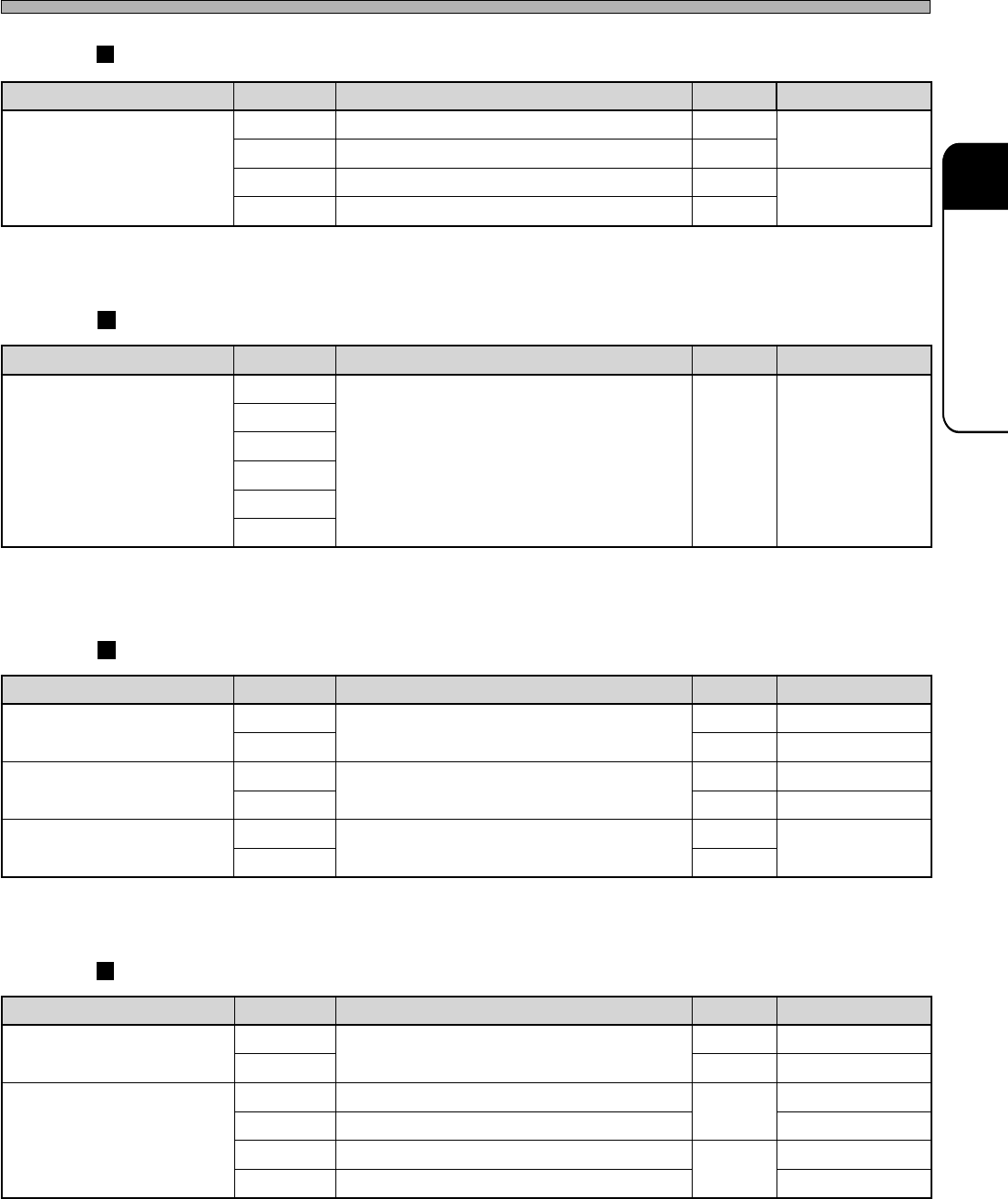
Load List
444C-E-MMA03-A04-00
444C-447TE
444C-448TE
444C-449TE
Photo-sensor list (PH) Optional section
Vacuum sensor list (VS) Standard section
Limit switch sensor list (LS) Standard section
Limit switch sensor list (LS) Optional section
444C-438TE
emaneludoM .oN semaN noitacoL skrameR
royevnocnoisnetxeelpmiS
L10HPtfel1noitceteddraobroyevnoc-noisnetxE-
nodellatsninehW(
)tfeleht
L20HPthgir2noitceteddraobroyevnoc-noisnetxE-
R10HPtfel1noitceteddraobroyevnoc-noisnetxE-
nodellatsninehW(
)thgireht
R20HPthgir2noitceteddraobroyevnoc-noisnetxE-
emaneludoM .oN semaN noitacoL skrameR
daehrefsnarT
)epytelzzon-xiS(
1SV
kcehcecneserppihCA
owtotnommoC
segats
2SV
3SV
4SV
5SV
6SV
semaneludoM .oN semaN noitacoL skrameR
revocelohW
035WS
revocesolC/nepO
FA
135WSRA
tinugnittuC
1VCVPC
kcolretnineporood-tnorF
FA
2VCVPCRA
esabredeeF
032SL
noitisopdeef-epaT
FA
redeefelbuoD
troppus
034SLRA
semaneludoM .oN semaN noitacoL skrameR
regnahcelzzoN
)epytelzzon-xiS(
532SL
desolcrettuhS
FA
534SLRA
esabredeeF
)epytetarapeS(
622SLnoitallatsnielbatredeeftfeL
FA
432SLnoitallatsnielbatredeefthgiR
624SLnoitallatsnielbatredeeftfeL
RA
434SLnoitallatsnielbatredeefthgiR
Page 3-56
444C-E-MMA03-A04-00
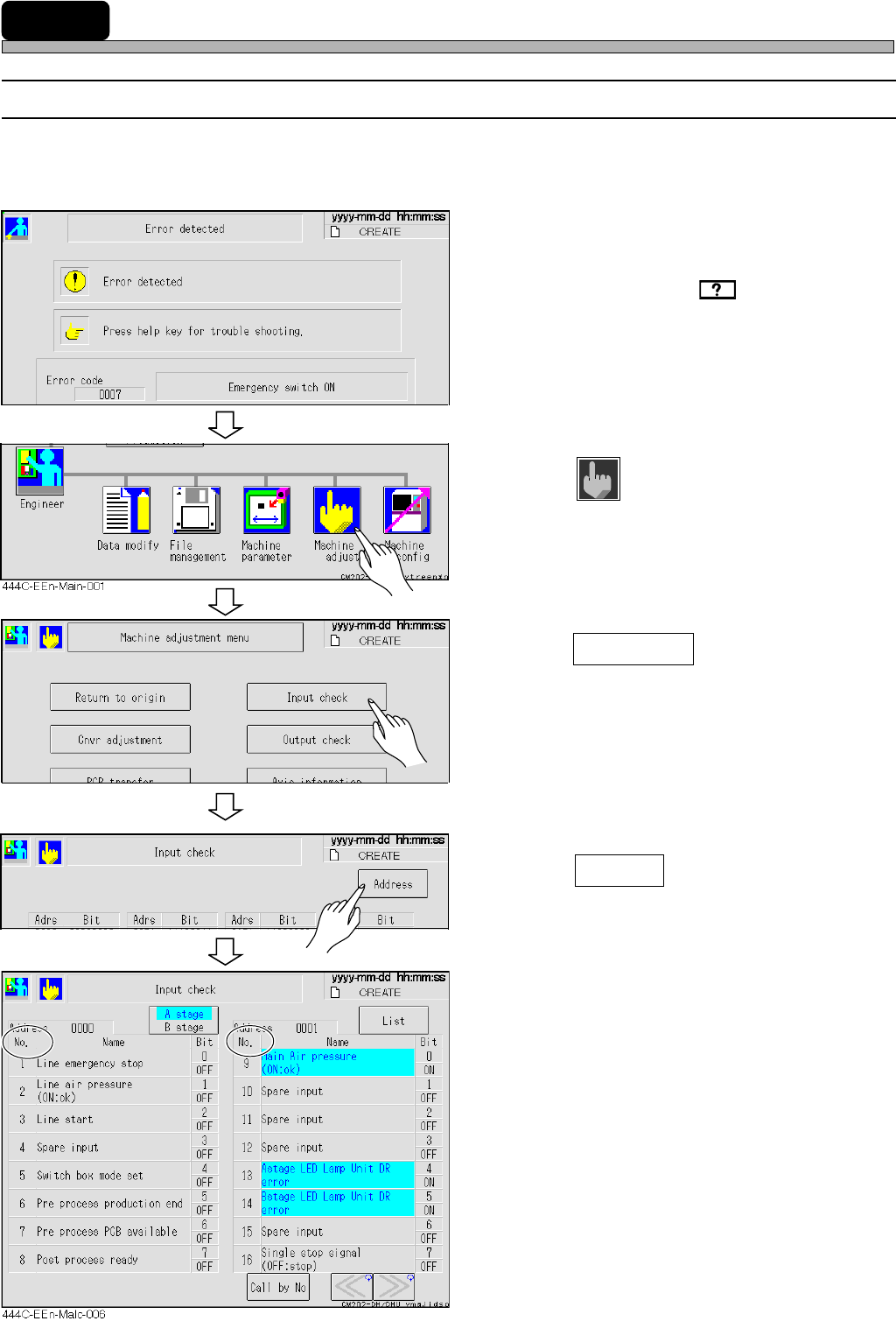
3-5-1 The Input Check after Error
Trouble in the sensor can be thought as one of the reasons of the errors.
In this section, we describe the way of ensuring that the sensor related to the error is proper input
state (ON or OFF) or not.
1. Check the error message.
• Check the solution by of the touch panel
or in the error message list of the Maintenance
Manual.
2. Return to the main menu.
3. Press
Machine
adjust
.
• The machine adjustment screen appears.
4. Press Input check .
• The list screen of the input check appears.
5. Press Address .
• The address screen of the input check is
displayed.
6. Ensure that the input state of I/O No.
described in the solutions is proper
(ON, OFF).
• If the input state of the sensor is not proper,
trouble or disconnection can be thought. Inform
us of the exchange.
3-5 The Input and Output Check of the Machine
433C-EOp-Er-001
444C-EEn-MaIc-005
444C-EEn-Ma-002
Page 3-57
SOLUTIONS FOR ERROR
3
3
444C-E-MMA03-A04-00
The Input and Output Check of the Machine
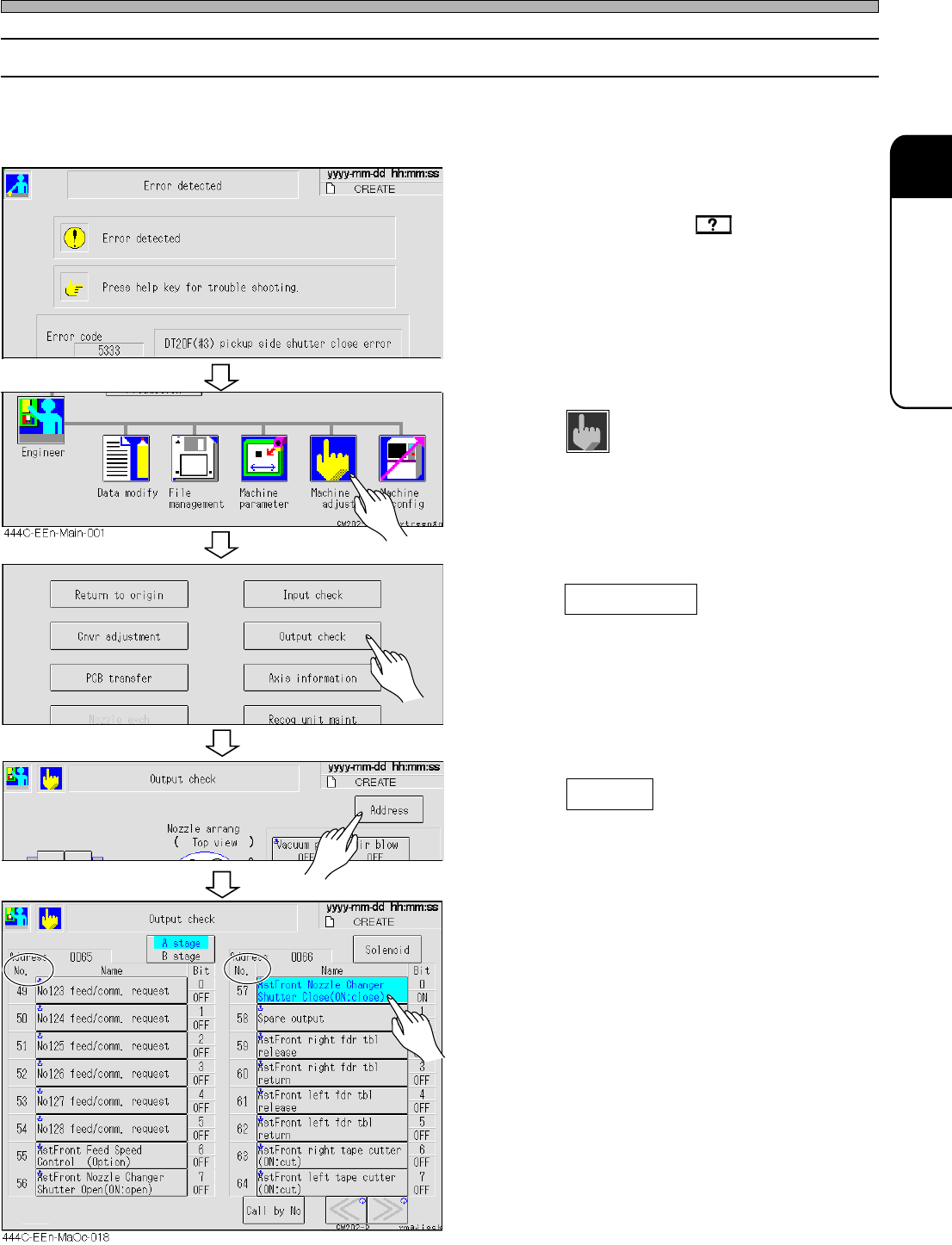
3-5-2 The Output Check after Error
Trouble in the movable section of the machine can be thought as one of the reasons of the errors.
In this section, we describe the way of ensuring that the movable section of the machine related to
the error properly moves or stops.
1. Check the error message.
• Check the solutions by of the touch panel
or in the error message list of the Maintenance
Manual.
2. Return to the main menu.
3. Press
Machine
adjust
.
• The machine adjustment screen appears.
4. Press Output check .
• The solenoid screen of the output check is
displayed.
5. Press Address .
• The address screen of the output check
appears.
6. Press the switch which corresponds
to the name of I/O No. described in
the solutions.
• The movable section of the machine moves. If
it does not work (move and stop) properly, it
may have trouble or is disconnected. Inform us
of the exchange.
444C-EEn-MaOc-017
444C-EEn-Ma-002
433C-EOp-Er-002