444CEMM2(CM201).pdf - 第63页
Page 3-23 3 SOLUTIONS FOR ERROR 3 3 Check and Solutions 444C-E-MMA03-A03-04 444C-EEn-PcNa-013 • The whole and the individual nozzle recogni- tion image can be checked. [Possible factors] • Nozzle setting mistake • Foreig…
Page 3-22
Check and Solutions
444C-E-MMA03-A03-04
To the next page
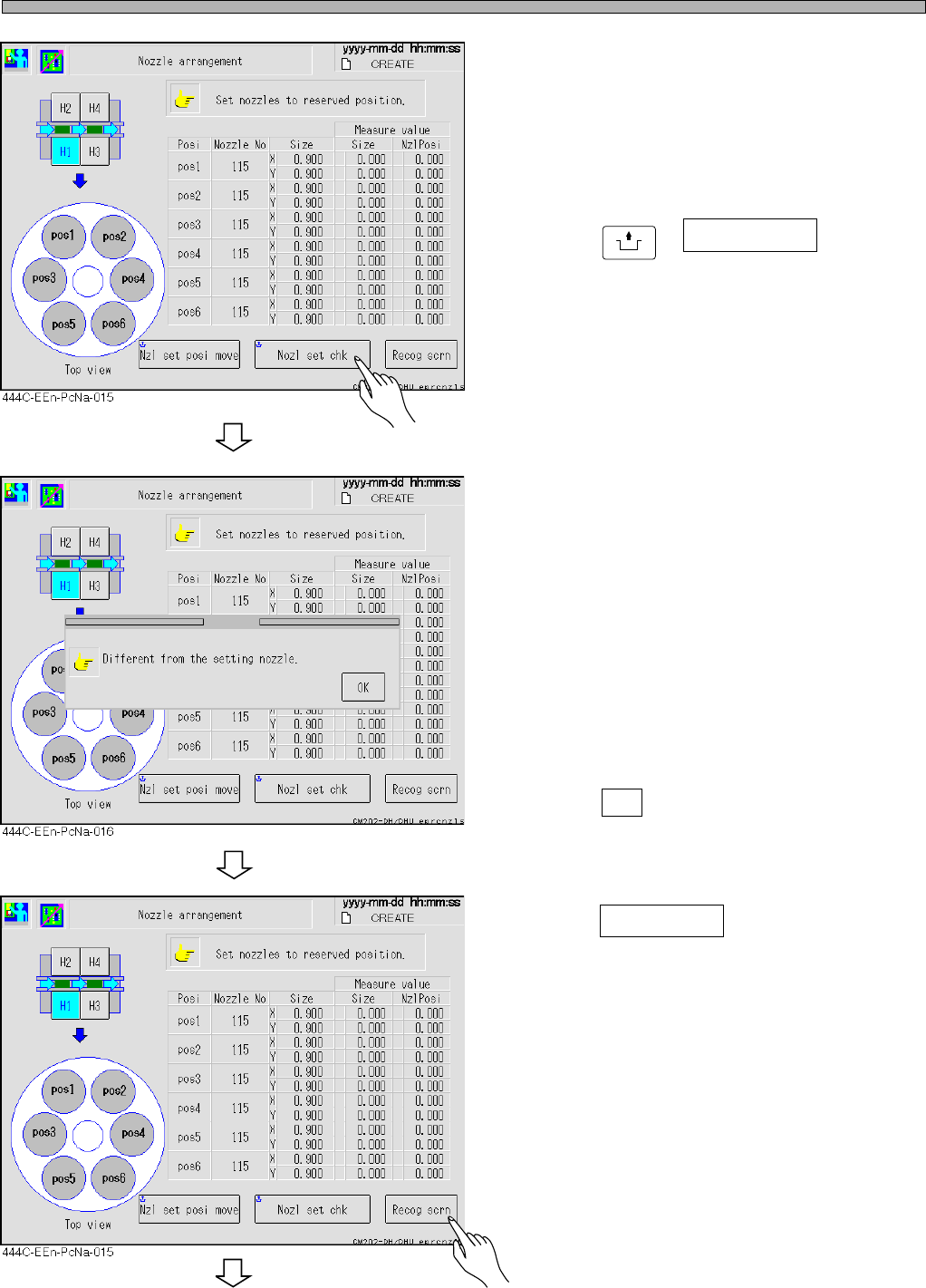
4. Check the nozzles.
• Check whether the nozzles that are actually set
are the same as the ones to be used.
5. Press
UNLOCK
+ Nozl set chk .
• Recheck whether the registered and the set
nozzles are the same.
∗ If there is no error, go to step 10.
If there is an error, perform steps 6 to 9.
6. Check the measurement values.
• Check the sizes of the registered and the
measured nozzles at the screen.
• If some nozzles have not been set or if the
registered nozzle size is different from the
measured one, an error occurs and the mes-
sage appears.
• Press OK .
7. Press Recog scrn .
Page 3-23
3
SOLUTIONS FOR ERROR
3
3
Check and Solutions
444C-E-MMA03-A03-04
444C-EEn-PcNa-013
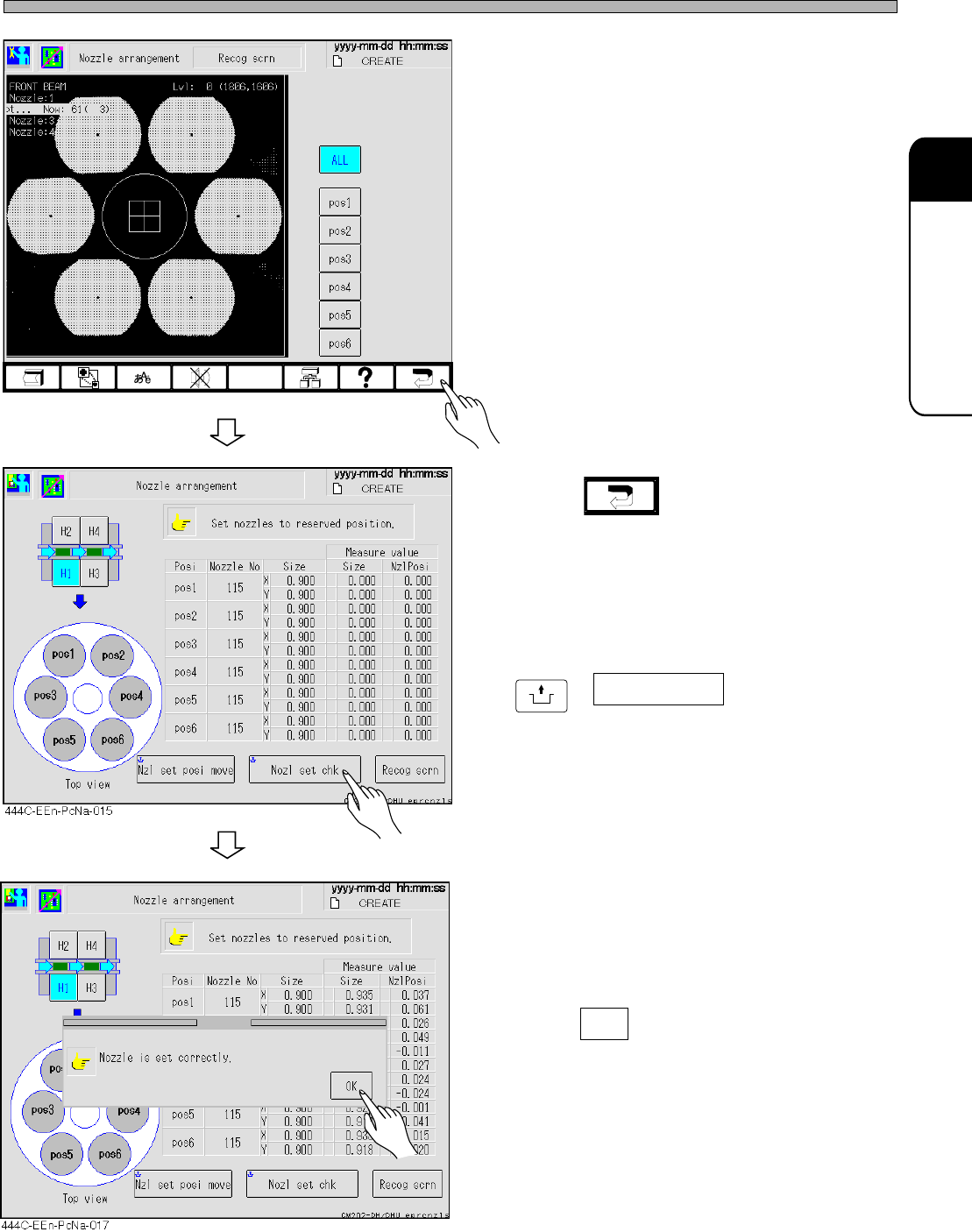
• The whole and the individual nozzle recogni-
tion image can be checked.
[Possible factors]
• Nozzle setting mistake
• Foreign bodies on the nozzle tip
• Chipped nozzle tip
• Deformation of the nozzle
• Contamination of the reflector
• Contamination of the LED cover
• Contamination of the camera lens
[Solutions]
• Cleaning the nozzle, reflector, camera lens,
and cover lens
• Replacing the nozzle
8. Press .
9. After solving the error, press
UNLOCK
+ Nozl set chk .
• The message “Nozzle is set correctly.” ap-
pears.
10. Press OK .
• Resume the production.
Page 3-24
3-2-9 Returning from Power Interruptions Occurred during Operation
1. Immediately after power failed
(1) If the power supply to the air compressor and also the air supply have stopped, the nozzle
cylinder in the head may remain extended. Therefore never hand-move the XY beam. Otherwise
the nozzle tip may cause interference and break.
When the air supply is restored, the nozzle cylinder is retracted to the “retraction limit.” The XY
beam should be moved after that.
Reference: Unless the air supply stops, the nozzle cylinder is forcibly retracted to the “retraction
limit” when the machine power is interrupted.
(2) Turn OFF the main power supply switch of the machine temporarily.
2. Immediately after factory power source is restored
(1) Turn ON the main power supply switch of the machine.
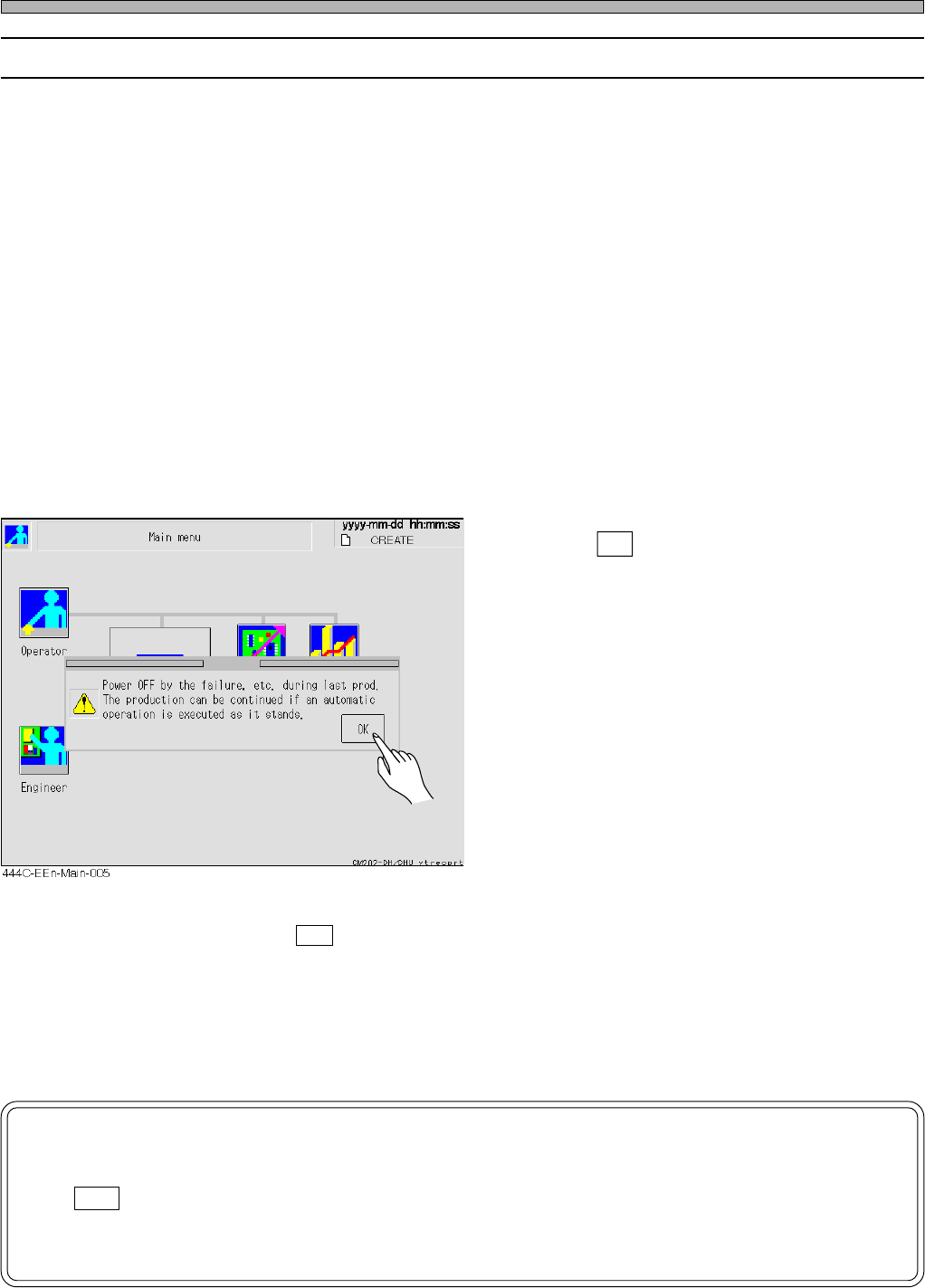
After power-on, the machine system starts up. When [Main menu] screen is displayed, a mes-
sage appears.
• Press OK .
• If it does not appear, an automatic width
adjustment operation is always carried out in
operation because the machine has not
recognized that power failed. Therefore re-
move the boards on the transport conveyor for
the time being.In this case, the continued
mounting is not available. Put the boards again
during a wait for the previous process.
(2) Restart [Production] operation.
When pressing an OK button on the window above, you can continue mounting if performing
[Production] operation immediately without doing anything else. (Also the automatic width adjust-
ment operation is not carried out.) As a result of the continued mounting, however, such as
missing components or double mounting may occur in the production boards. After the mounting,
please make a visual inspection.
NOTICE
If you perform such an operation as [Machine adjust] or [Data modify] after press-
ing OK button in the message “Power OFF by the failure, ..... as it stands.,” the
automatic width adjustment operation is carried out. Therefore remove the boards
on the transport conveyor for the time being.
Check and Solutions
444C-E-MMA03-A03-01