444CEMM2(CM201).pdf - 第29页
Page 2-29 MACHINE P ARAMETER 2 2 2 Procedures of Machine Parameter T eaching 8. Press UNLOCK + Jig remove . 9. Remove the jig. 10. Press . 11 . Press UNLOCK + Run . • All the heads move to each origin position. 444C-E-MM…
Page 2-28
444C-E-MMA02-A04-07
Procedures of Machine Parameter Teaching
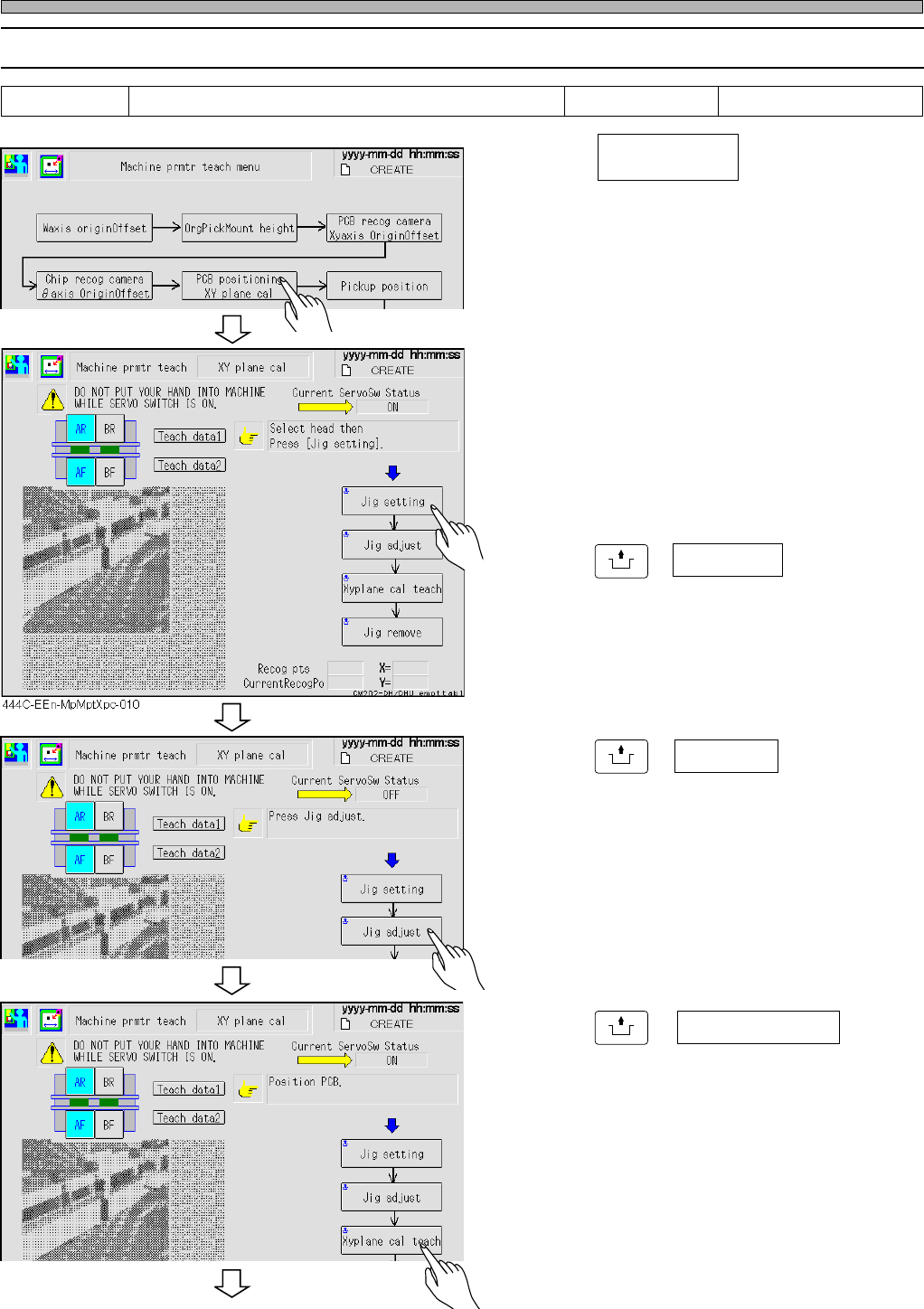
2-2-4 XY Plane Calibration
1. Press .
2. Select the stage for teaching.
∗ Select AF or BF.
∗ After the front side is taught, the rear side is
taught continuously.
3. Press
UNLOCK
+ Jig setting .
4. Put the jig into the mounting parts,
and fit it to the stopper.
5. Press
UNLOCK
+ Jig adjust .
6. Stick the jig to the standard guide.
7. Press
UNLOCK
+ .
• The front side teaching is performed, then the
rear teaching is performed.
Tools Required time 60 minutes XY plane calibration jig
444C-EEn-MpMpt-004
444C-EEn-MpMptXpc-011
444C-EEn-MpMptXpc-012
PCB positioning
XY plane cal
Xy plane cal teach
To the next page
Page 2-29
MACHINE PARAMETER
2
2
2
Procedures of Machine Parameter Teaching
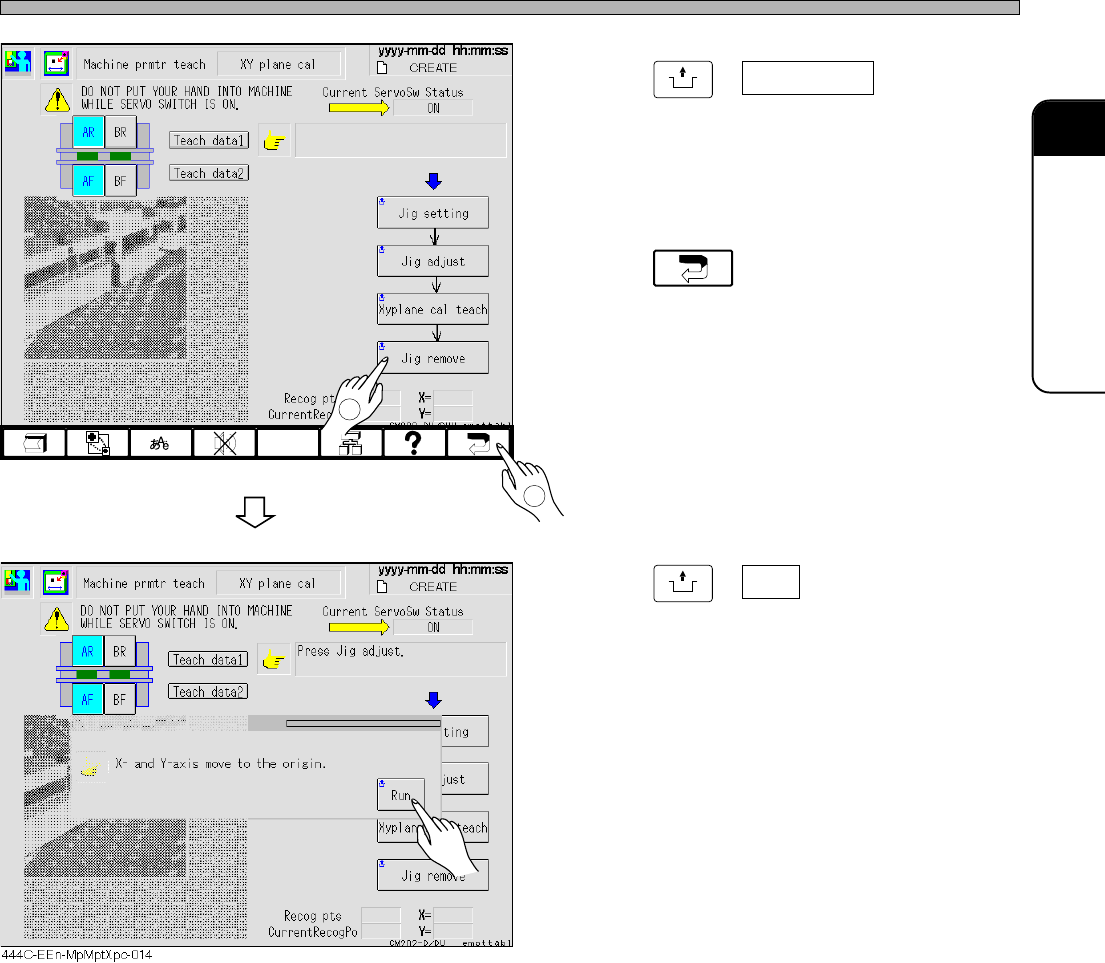
8. Press
UNLOCK
+ Jig remove .
9. Remove the jig.
10. Press .
11. Press
UNLOCK
+ Run .
• All the heads move to each origin position.
444C-E-MMA02-A04-06
444C-EEn-MpMptXpc-013
2
1
Page 2-30
444C-E-MMA02-A04-07
Procedures of Machine Parameter Teaching
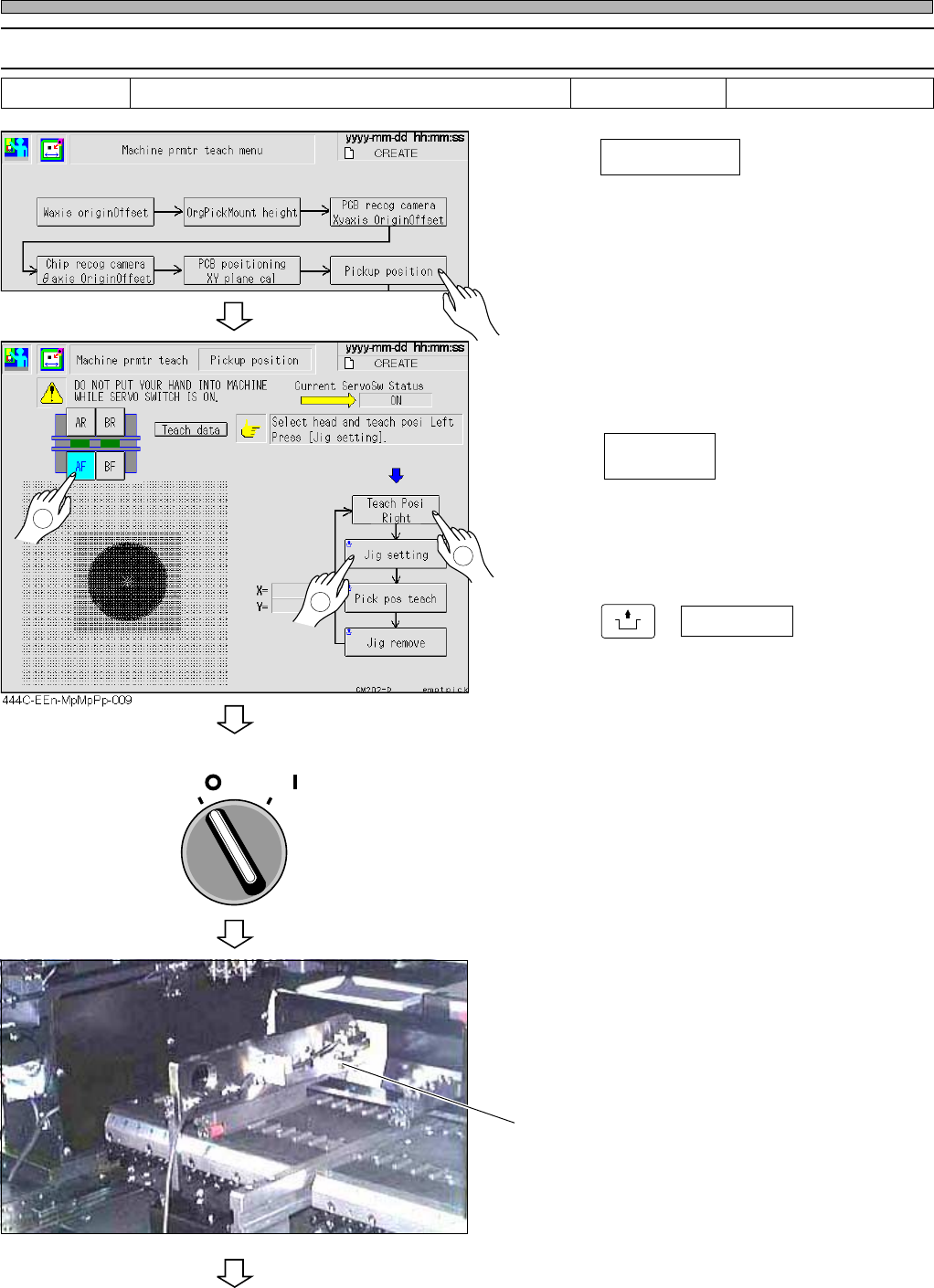
2-2-5 Pick-up Position
1. Press .
2. Select the stage for teaching.
3. Press .
∗ Pressing this toggles the indication. In this
step, choose left.
4. Press
UNLOCK
+ Jig setting .
• The head moves to the jig setting position, and
then the indication of the servo switch changes
to OFF automatically.
5. Turn OFF the servo switch.
6. Open the safety cover.
7. Set the height-teaching jig to the slot
No. 7 on the feeder base, and then
insert the cable into the farthest-left
connector.
To the next page
Tools 5 minutes
Pickup position
444C-EEn-MpMpt-004
444C-476P
OFF ( )
ON ( )
SERVO
2
1
Height-teaching jig
Teach Posi
Right
3
Required time
Height-teaching jig