User Manual SIPLACE Head Care Station -.pdf - 第51页
4 Setting up and commissioning 4.3 Software HCS User Manual SIPLACE Head Care Station 10/2017 51 Fig.41: Hardware configuration ► Select One-computer-configuration . ► Click Next to continue. Fig.42: Machine identifica…
4 Setting up and commissioning
4.3 Software HCS
50 User Manual SIPLACE Head Care Station 10/2017
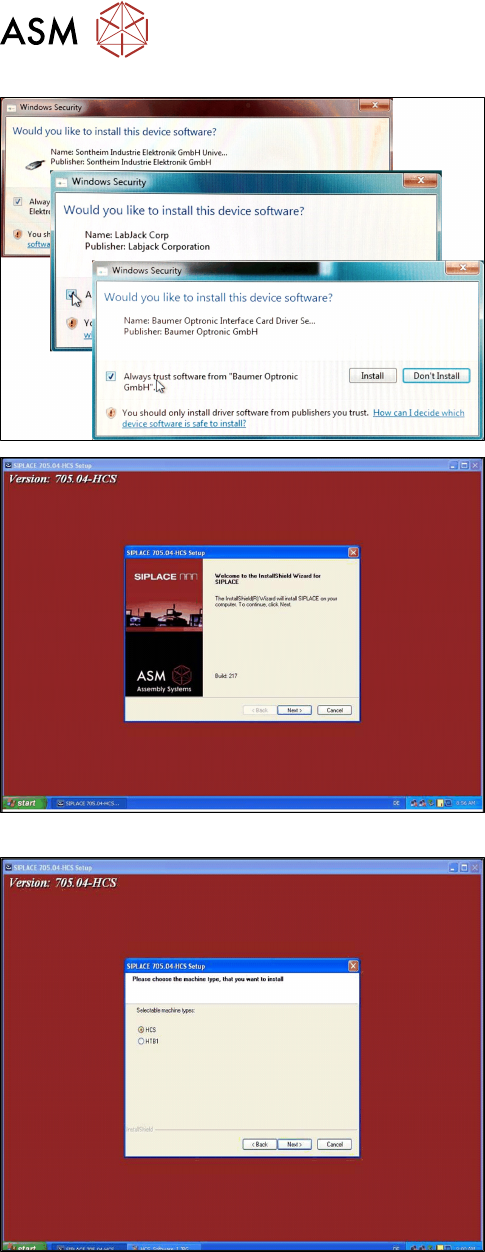
► Confirm the following Windows safety messages.
► Enable the “Always trust software from
xxxxxx” check box.
► Click Install to continue the installation.
Fig.39: HCS UI installation welcome screen
► Click Next to continue.
Fig.40: Machine type selection
► Select HCS as the machine type.
► Click Next to continue.
4 Setting up and commissioning
4.3 Software HCS
User Manual SIPLACE Head Care Station 10/2017 51
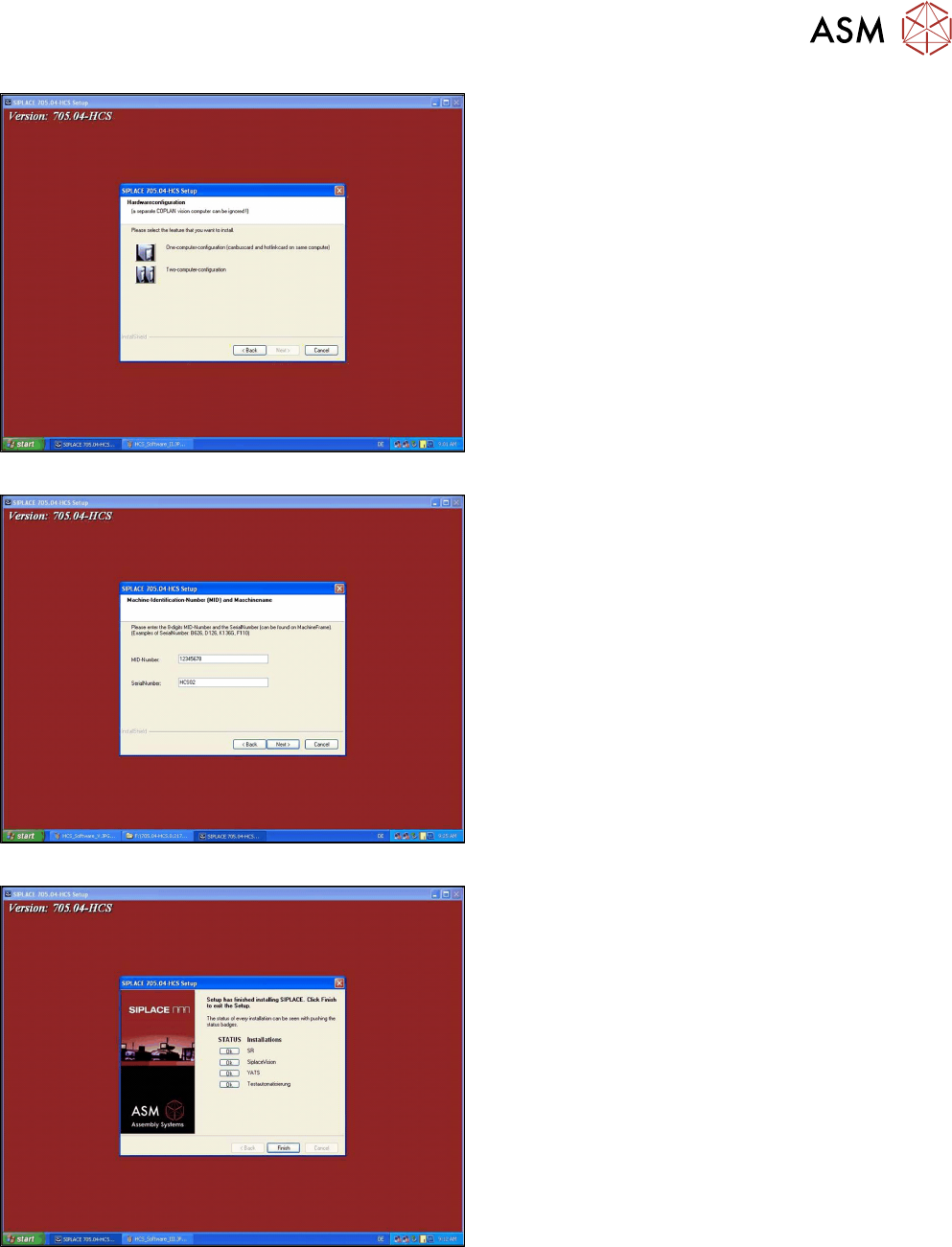
Fig.41: Hardware configuration
► Select One-computer-configuration.
► Click Next to continue.
Fig.42: Machine identification number
► Enter a random 8-digit number as MID-Number
(e.g. 12345678).
This entry is mandatory even if no MID-Number
is assigned to the HCS.
► In the SerialNumber field, enter the serial num-
ber of the HCS.
You can find the serial number on the type plate
on the right side of the head unit.
Fig.43: Completing the installation
► After the software is successfully installed, click
Finish.

4 Setting up and commissioning
4.3 Software HCS
52 User Manual SIPLACE Head Care Station 10/2017