Workcell-Installation-Guidelines-Troubleshooting-Maintenance-REV-F.pdf - 第55页
Workcell Installation and General Guidelines Revision F / Janu ary 2021 Page 55 of 59 3. The Sign I n screen will be shown. Fill in the information and select “Sign In” or, select “Create an account” fil l in the inform …
Workcell Installation and General Guidelines
Revision F / January 2021
Page 54 of 59
Technical Support
PVA uses an automated ticketing system called Team Support. The fastest way to contact
PVA for any technical support is to create a ticket. The ticketing system alerts the service
department of your region and assigns a service engineer. All service engineers can see
the information for each ticket for collaborate responses to more difficult problems from
our global team. Each problem and response can be tracked from creation to resolution.
The Support Portal also has information on common issues and possible solutions. If
immediate support is necessary, call your regional office (https://pva.net/contact).
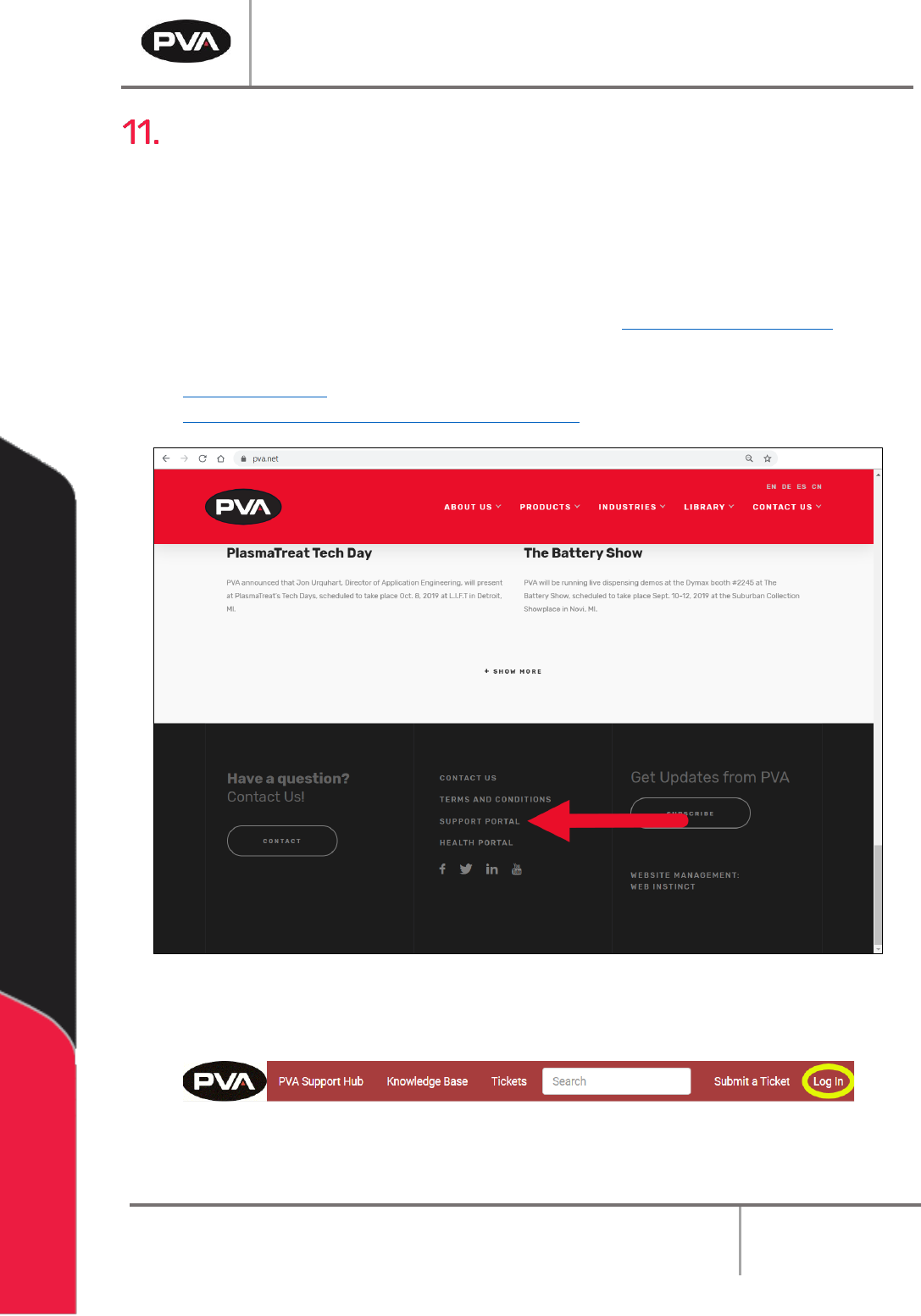
1. To access the ticketing system, click Support Portal located at the bottom of
https://pva.net/ homepage. You can also access the Support Portal from the link
https://pva.na1.teamsupport.com/dashboard.
Figure 38: Support Portal
2. Select “Log In” to log in to your account or create a new one.
Figure 39: Log In
Workcell Installation and General Guidelines
Revision F / January 2021
Page 55 of 59
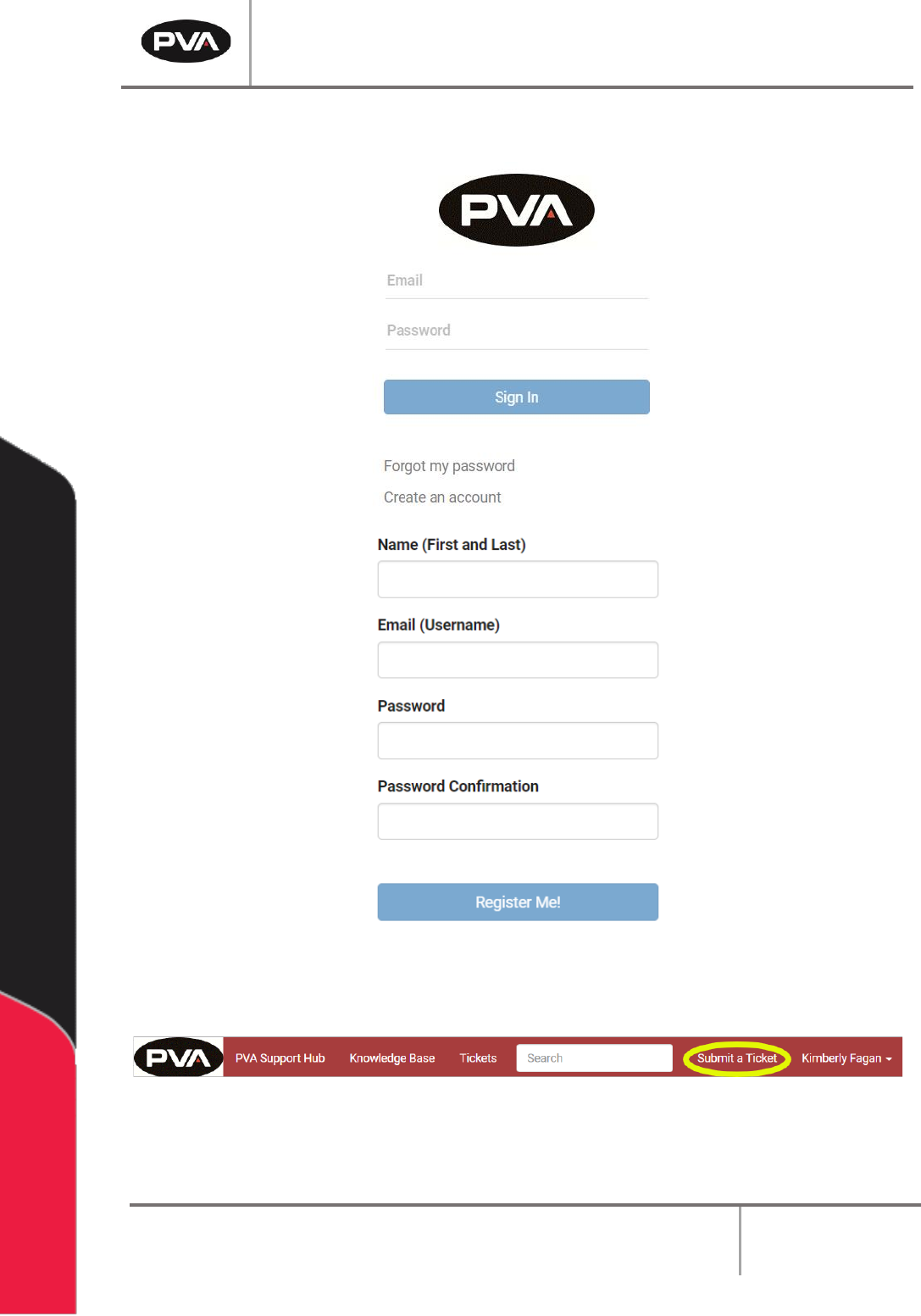
3. The Sign In screen will be shown. Fill in the information and select “Sign In” or,
select “Create an account” fill in the information and select “Register Me!”.
Figure 40: Sign In or Register
4. When you are signed in, select “Submit a Ticket” from the header.
Figure 41: Submit a Ticket
Workcell Installation and General Guidelines
Revision F / January 2021
Page 56 of 59
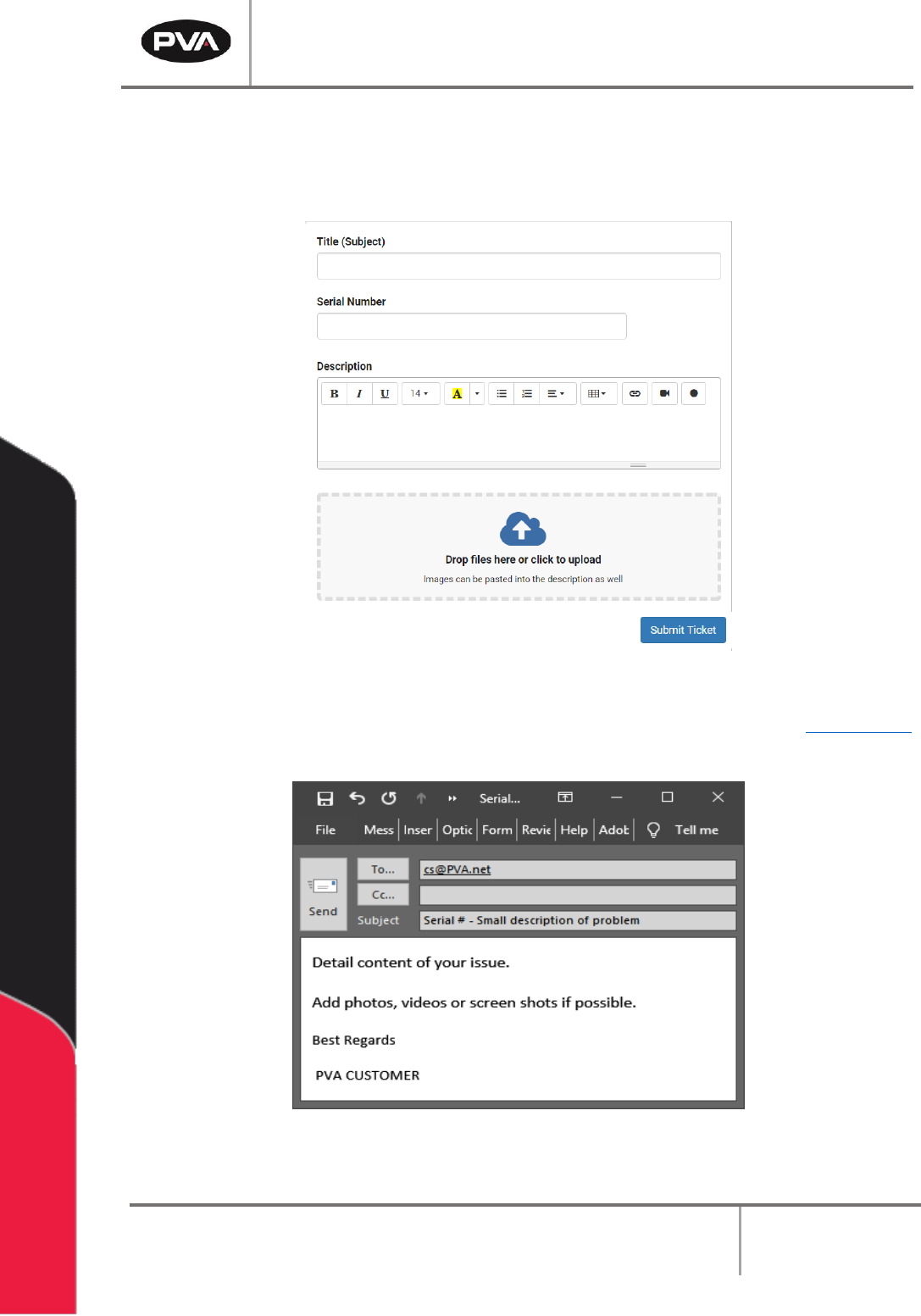
5. Fill in the information requested and use as much detail as possible. Include the
equipment serial number and any screenshots, photos, or videos.
6. Once complete, select “Submit Ticket.”
Figure 42: Complete the Ticket
7. If you cannot access the PVA Support Portal, email customer service at cs@PVA.net
to create a ticket. To reply to a ticket email, select Reply (not Reply All).
Figure 43: Example Ticket Email