SOM-1617-001.pdf - 第38页
12. Process Flow Fig. 43 021 1-001 3 7 AIH01EGP 12. Process Flow

11. Program Setup
(1) When the [PW] key is pressed with the [SF] and [1] keys being held
down, the following window appears on the screen.
Fig. 40
(2) When the [1] (Execute Program) key is pressed and the [ENT] key
is hit, the following window appears on the screen.
Fig. 41
(3) Press the [F5] (Ç) or the [F6] (È) key to select the program to be
loaded. When the [ENT] key is pressed, the following window ap-
pears on the screen.
Fig. 42
(4) The application program starts.
This operation is not required in normal cases.
Perform this operation only when the message “No execution
program selected. Contact your administrator.” is issued at
power supply ([PW] key).
0211-001 36 AIH01EGP
SYSTEM MENU
1.Execute Program
2.Download
3.Upload
4.Set System
5.Test
6.Version
Execute Program
:
A:xxxxxxxx.PD3
:
Waiting
= - --->
11. Program Setup
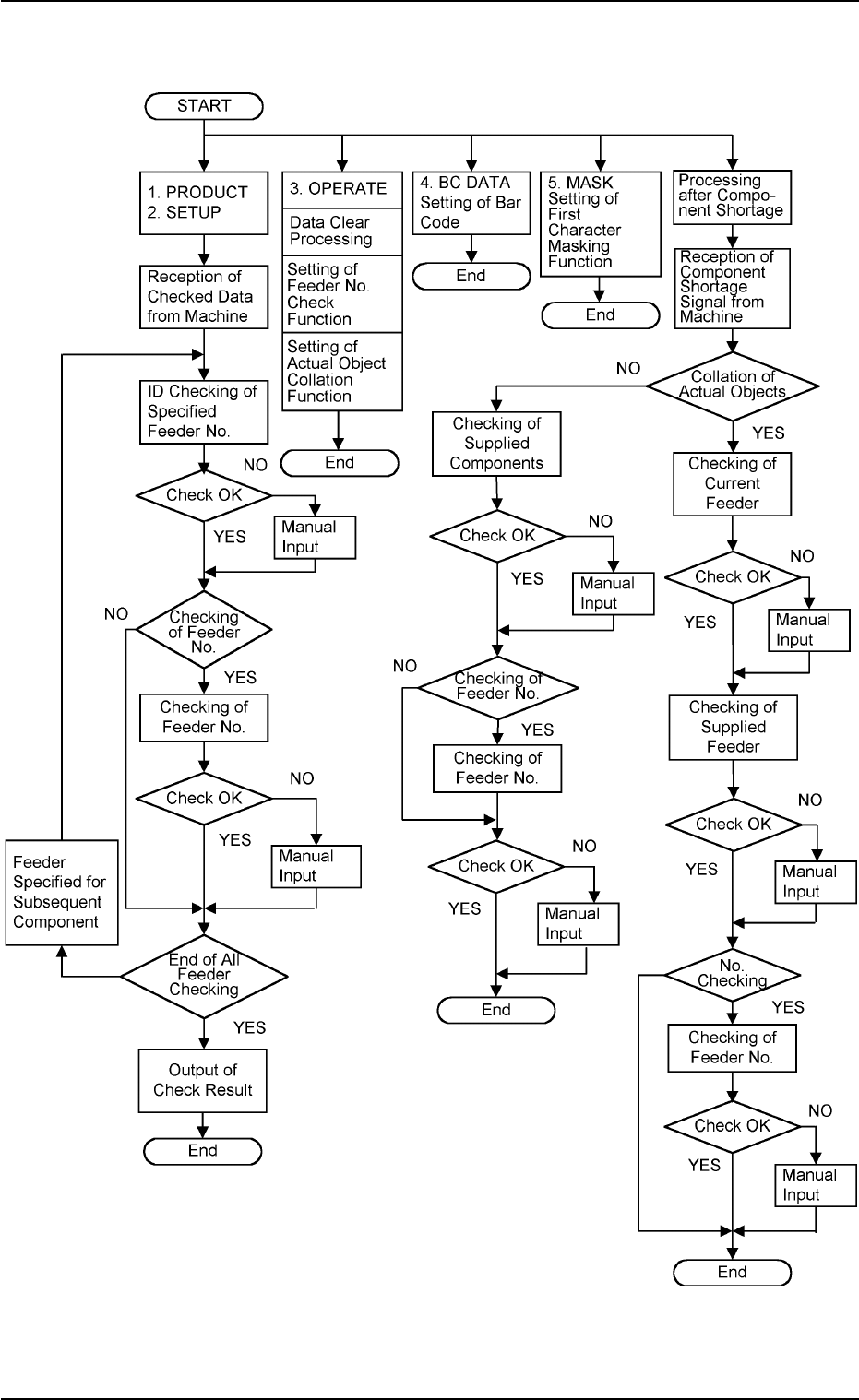
12. Process Flow
Fig. 43
0211-001 37
AIH01EGP
12. Process Flow

13. Table of Key Codes
Example: To enter “A”, press the [F1] key and then the [1].
0211-001 38
AIH01EGP
1234567890
F1ABCDE FGH ISp
F2 J K L M N O P Q R Sp
F3 S T U V W X Y Z Sp Sp
F4 $
%
/:,*
+−
.Sp
13. Table of Key Codes