00196589-02 - IM Traceability 3.1_en.pdf - 第14页
Installation Traceability Installation 14 Installation Manual SIPLACE Traceability 3.1 Traceability Overview of the Settings X Here you can choose w hether the Traceability data should be generated. X Furthermore you can…
Installation Traceability
Installation
Installation Manual SIPLACE Traceability 3.1
13
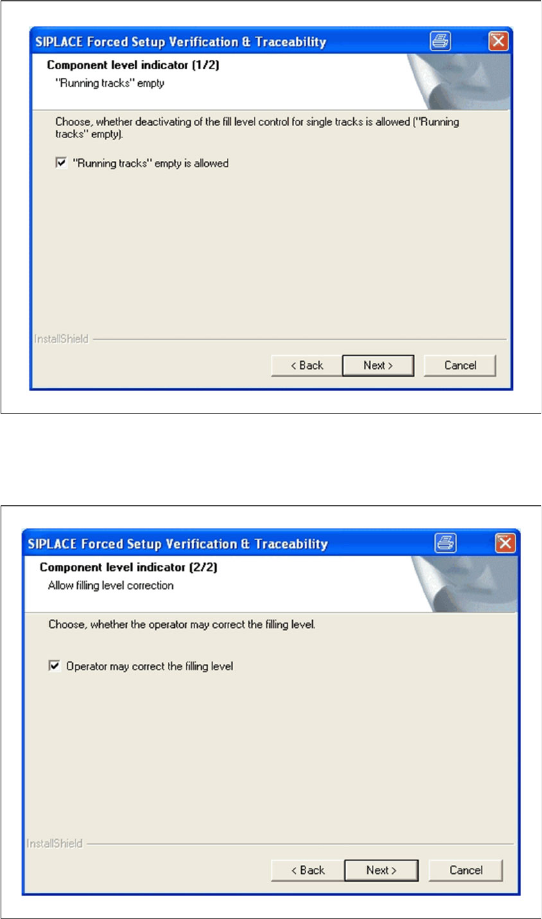
Fill Level Control (1)
Fill Level Control (2)
X If the fill level control should be disabled for
single tracks, activate the checkbox "Running
tracks" empty is allowed. After that you can
let single tracks go empty consciously.
X Click Next to continue.
X If the filling level correction should be allowed,
activate the checkbox Operator may correct
the filling level. After that the operator may
correct the filling level. Otherwise only the user
with the right "LineEngineer" and higher can
correct the filling level.
X Click Next to continue.
Installation Traceability
Installation
14 Installation Manual SIPLACE Traceability 3.1
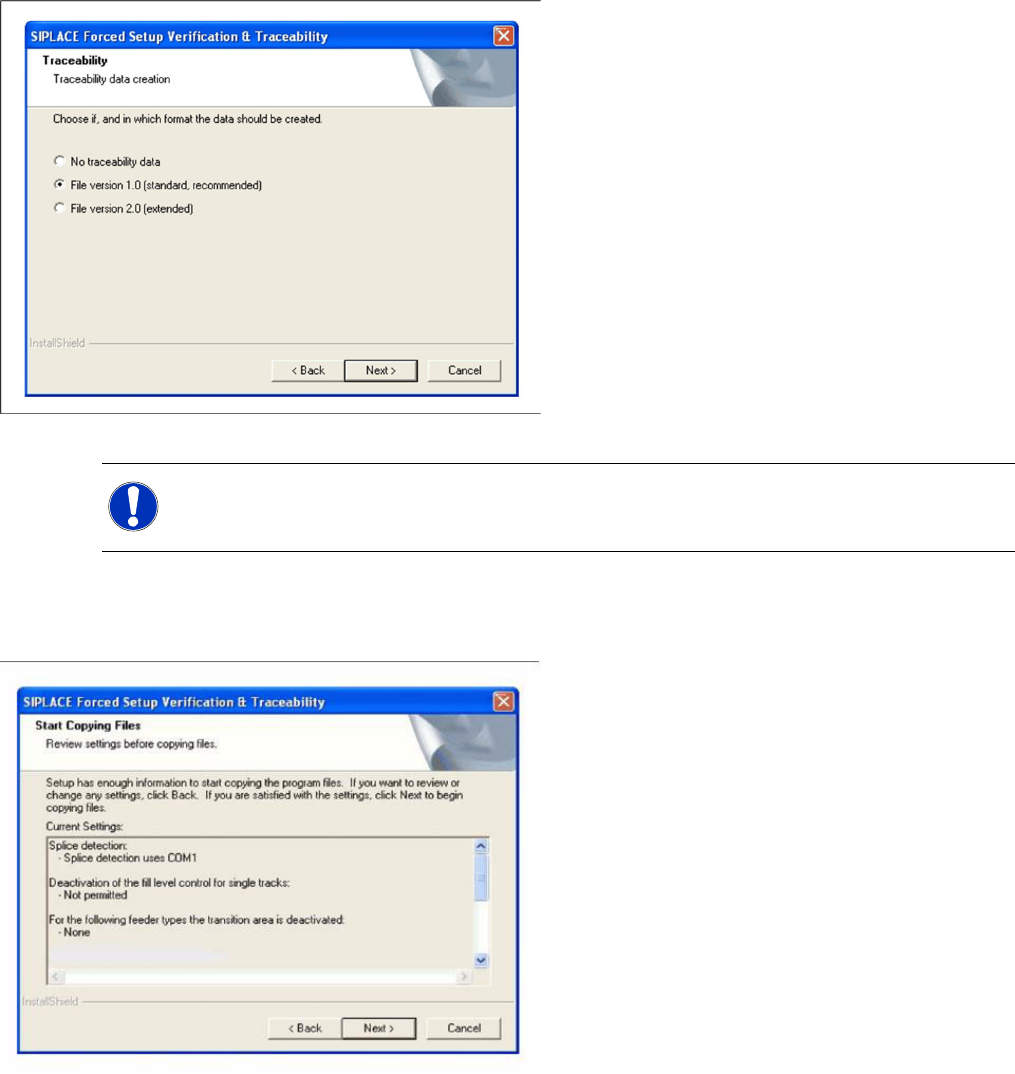
Traceability
Overview of the Settings
X Here you can choose whether the Traceability
data should be generated.
X Furthermore you can select the File version
1.0 for standard Traceability file or the File
version 2.0 for extended Traceability file.
X Click Next to continue. Wait until the next
dialog box appears. It can take a few minutes.
NOTE:
To get the full information we recommend using the File version 2.0.
X Here you can see the overview of the settings.
X Click Back to review or change the settings.
X Click Next to continue the installation.
Installation Traceability
Uninstall Traceability
Installation Manual SIPLACE Traceability 3.1
15
Finishing the Installation
4.2 Uninstall Traceability
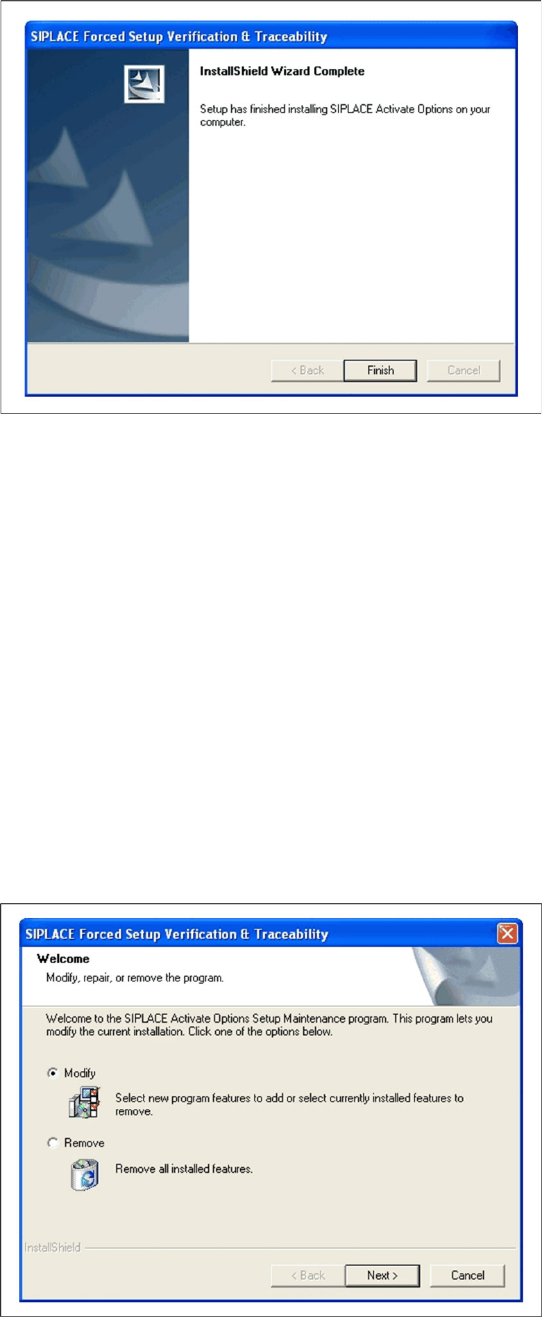
If the setup of the activation options at the Installation CD is called up again, the following dialog will
appear. You can change the current settings by selecting the checkbox Modify. The following masks
appear:
Splice detection configuration for S-Feeders (Station software versions 407, 505)
Run tracks empty in spite of component level indicator
Activate locked tracks without scanning
Version of traceability data (XML-Files)
Manual input mode of the PCB barcode
Overview of the settings
Finishing the installation
X Click Finish to finish the installation
X If Remove is selected, the option Forced
Setup Verification and Traceability will be
deactivated.