00196589-02 - IM Traceability 3.1_en.pdf - 第30页
Installation Trace Host and Trace Service Trace Service Installation 30 Installation Manual SIPLACE Traceability 3.1 X Read the license agreeme nt. If you agree with the conditions, click on I Agree , otherwise click on …
Installation Trace Host and Trace Service
Installation Trace Service
Installation Manual SIPLACE Traceability 3.1
29
5.3.1 Installation
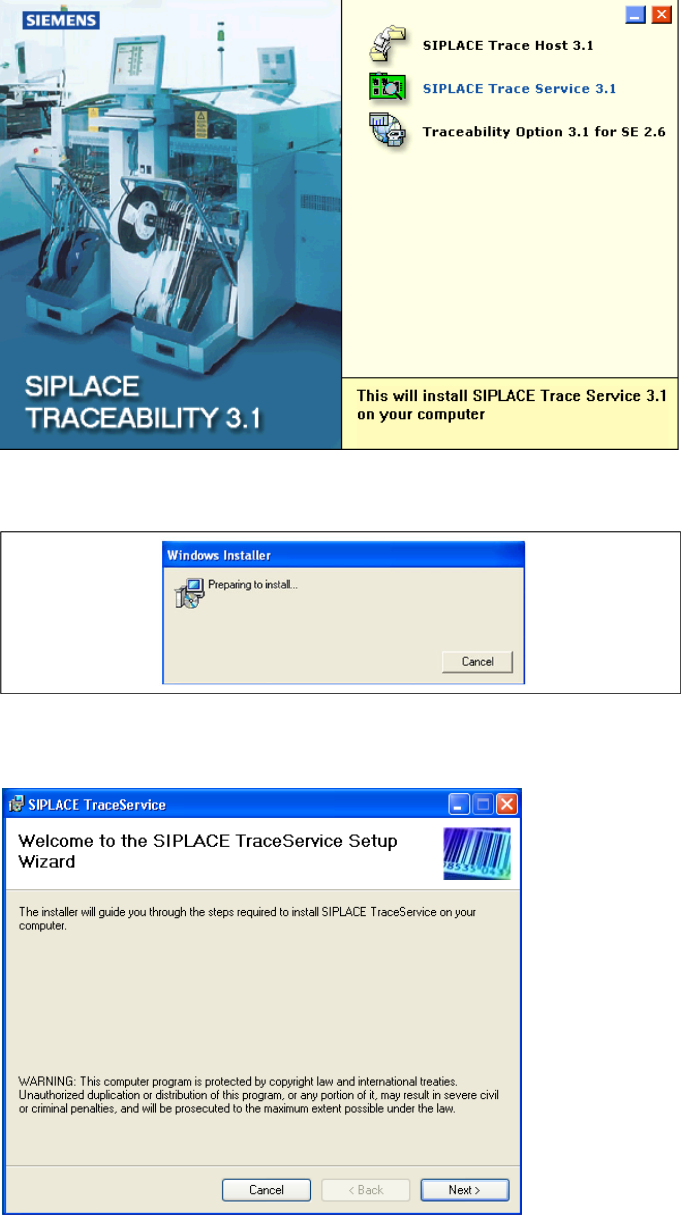
X Place the SIPLACE Traceability CD into the CD-ROM drive of your line computer. You will see the
start screen.
X Select SIPLACE Trace Service 3.1. You will be guided through the Trace Service installation
procedure.
The dialog boxes shown below will be displayed during the installation procedure.
X The Welcome dialog will appear.
X Click on Next to continue the installation procedure.
Installation Trace Host and Trace Service
Trace Service Installation
30 Installation Manual SIPLACE Traceability 3.1
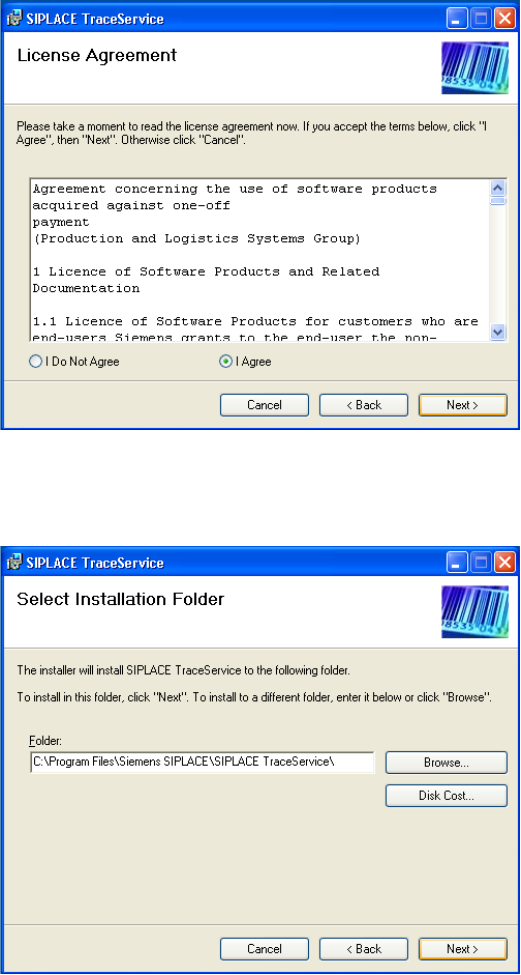
X Read the license agreement. If you agree with the conditions, click on I Agree, otherwise click on I
Do Not Agree. If you select I Do Not Agree, the installation procedure will be terminated.
X Click on Next to continue the installation procedure.
X Now specify the folder in which you wish to install the application. The default folder is
C:\Program
Files\Siemens SIPLACE\Trace Service
. You can alter the default installation folder by using the
Browse… button.
Installation Trace Host and Trace Service
Installation Trace Service
Installation Manual SIPLACE Traceability 3.1
31
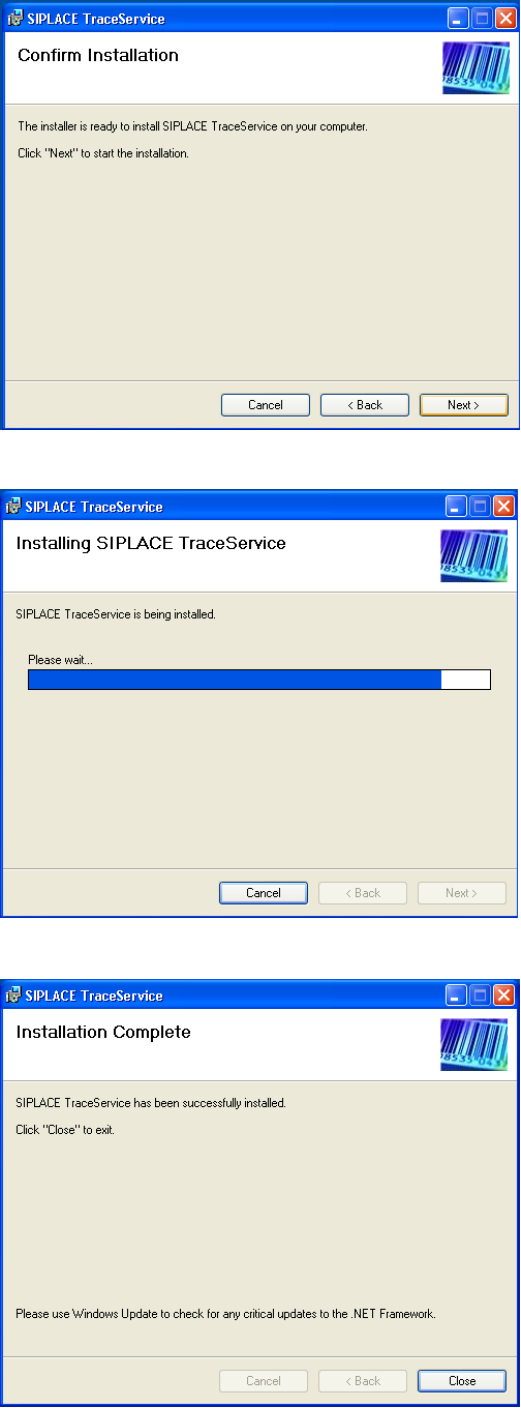
X Confirm the installation by clicking on Next.
X The installation of Trace Service will begin.
X The installation is successfully finished. Click Close to exit.