00196589-02 - IM Traceability 3.1_en.pdf - 第34页
Installation Trace Host and Trace Service Trace Host Installation 34 Installation Manual SIPLACE Traceability 3.1 5.4.1.1 Inst allation T race Host 3.1 X Select SIPLACE Trace Host 3.1. You will be guided through the Trac…
Installation Trace Host and Trace Service
Installation Trace Host
Installation Manual SIPLACE Traceability 3.1
33
5.4 Trace Host
5.4.1 Installation
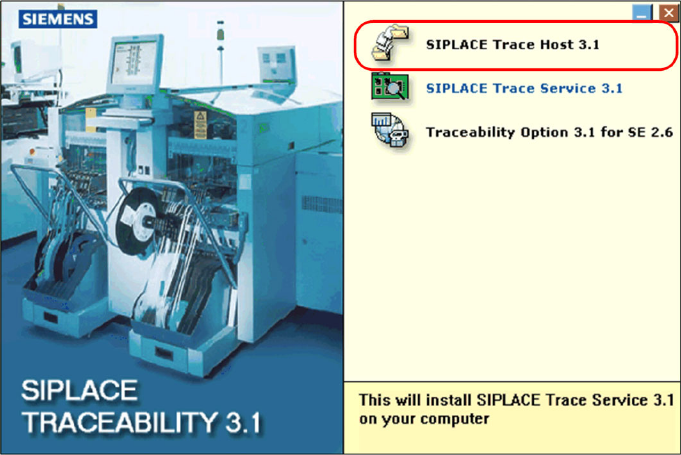
X Place the SIPLACE Traceability CD into the CD-ROM drive of your line computer. The start screen
will appear.
X Make sure that the following software components available from the Support Media DVD are
already installed:
(1) Java 2 JRE 1.6
(2) Tomcat 5.5
(3) Microsoft.NET 3.5 SP1 Framework
(4) MSXML Core Services 6.0
Installation Trace Host and Trace Service
Trace Host Installation
34 Installation Manual SIPLACE Traceability 3.1
5.4.1.1 Installation Trace Host 3.1
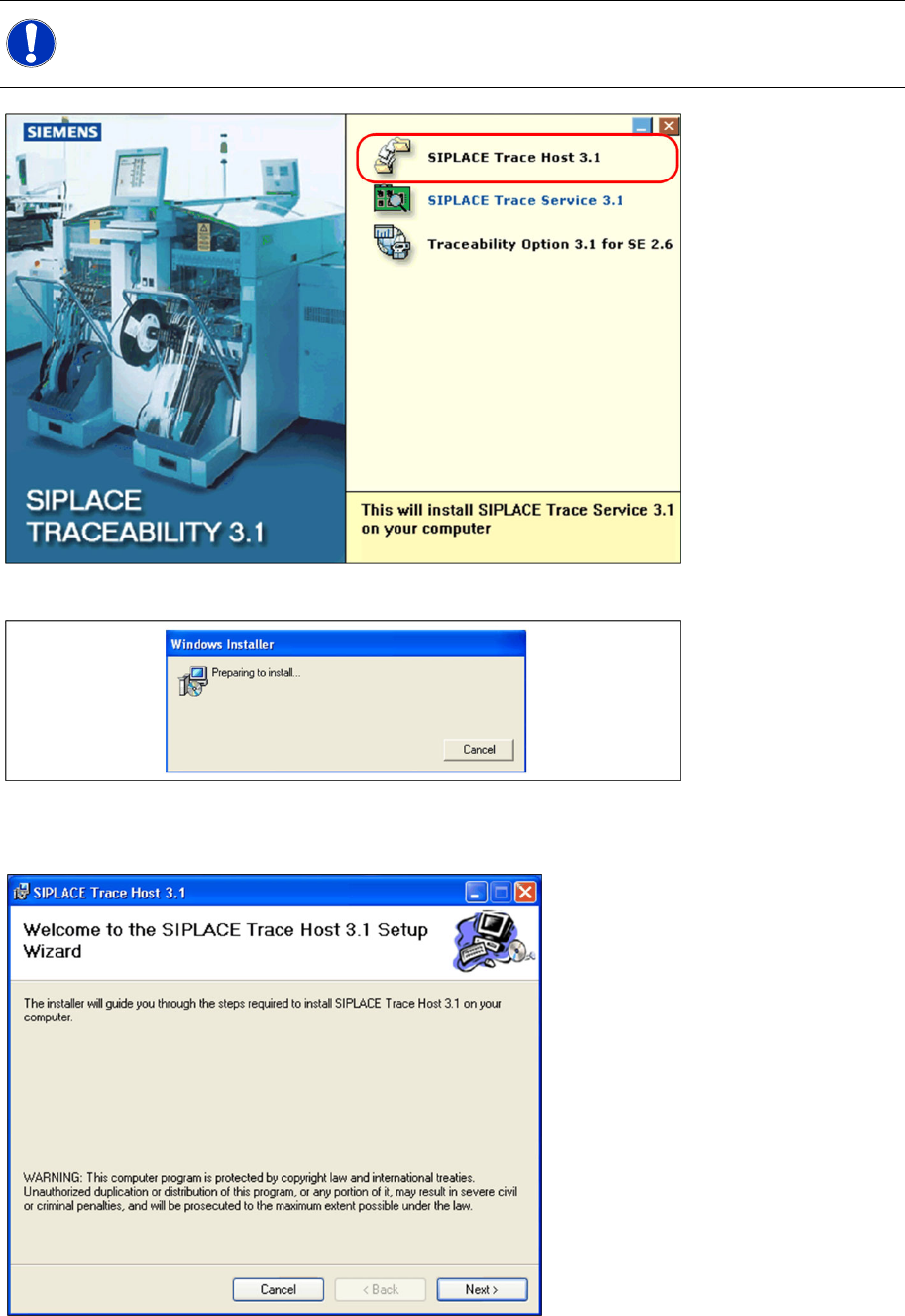
X Select SIPLACE Trace Host 3.1. You will be guided through the Trace Host installation procedure.
The dialog boxes shown below will be displayed during the installation procedure.
X The Welcome dialog will appear.
X Click on Next to continue the installation procedure.
NOTE:
For upgrading an installed Trace Host software please see the section "Upgrade".
Installation Trace Host and Trace Service
Installation Trace Host
Installation Manual SIPLACE Traceability 3.1
35
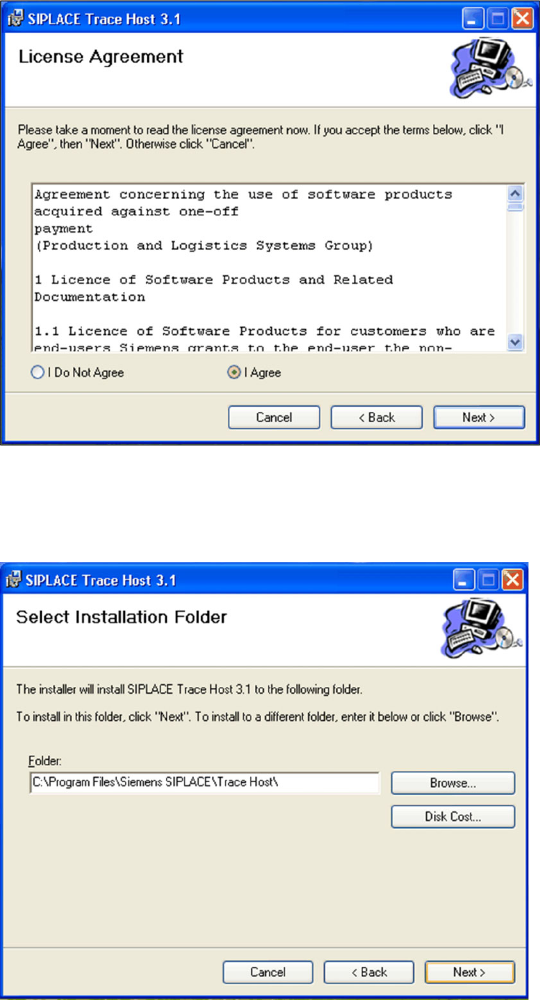
X Read the license agreement. If you agree with the conditions, click on I Agree, otherwise click on I
Do Not Agree. If you select I Do Not Agree, the installation procedure will be terminated.
X Click on Next to continue the installation procedure.
X Now specify the folder in which you wish to install the application. The default folder is
C:\Program
Files\Siemens SIPLACE\Trace Host\
. You can alter the default installation folder by using the
Browse… button.