00196589-02 - IM Traceability 3.1_en.pdf - 第37页
Installation Trace Host and Trace Service Installation Trace Host Installation Manual SIPLACE Traceability 3.1 37 X The installation is su ccessfully finished. Click Close to exit. X SIPLACE Trace Host comp onents can be…
Installation Trace Host and Trace Service
Trace Host Installation
36 Installation Manual SIPLACE Traceability 3.1
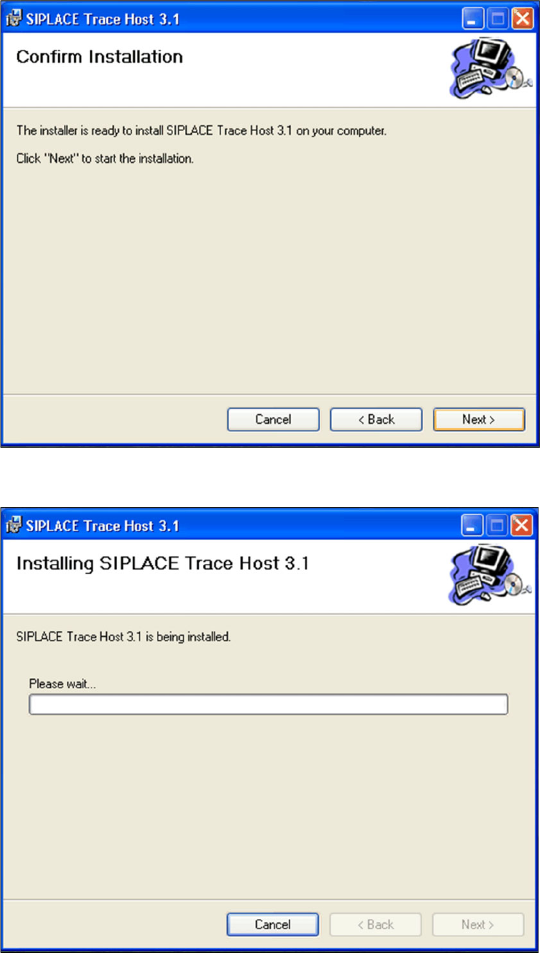
X Confirm the installation by clicking on Next.
X The installation of Trace Host will begin.
Installation Trace Host and Trace Service
Installation Trace Host
Installation Manual SIPLACE Traceability 3.1
37
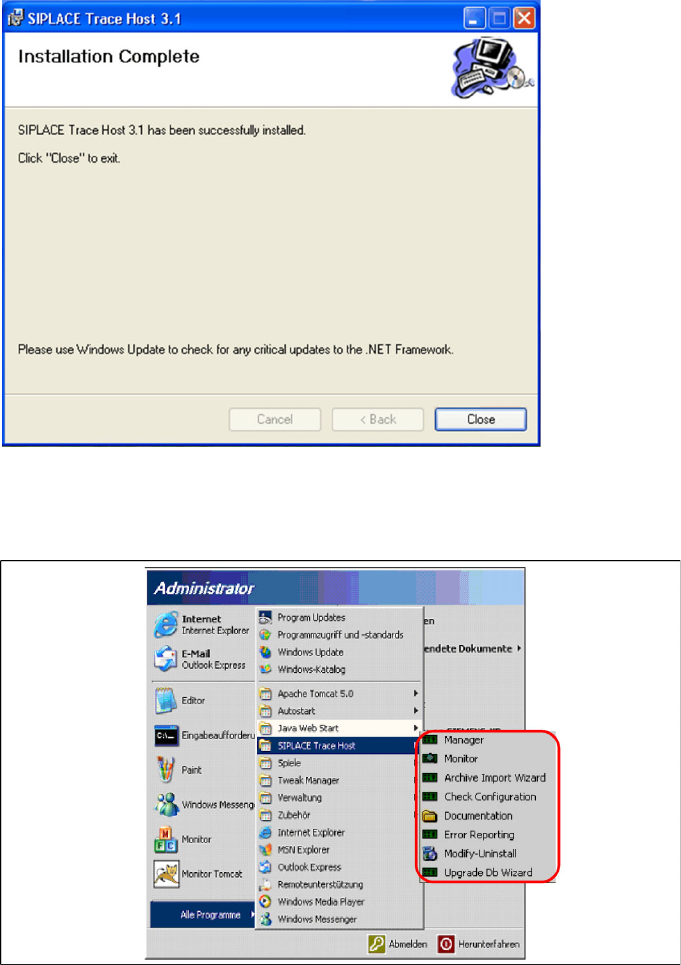
X The installation is successfully finished. Click Close to exit.
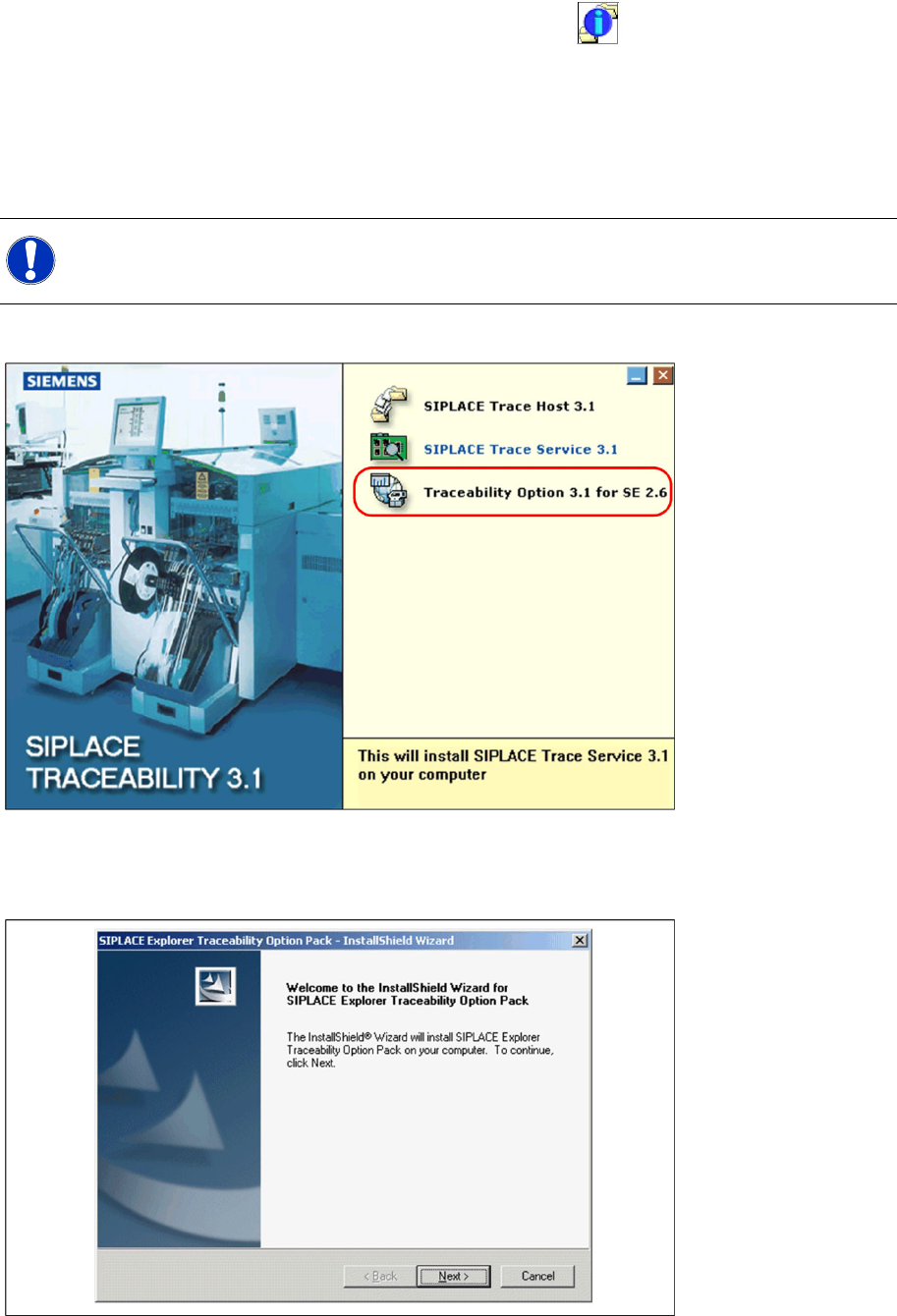
X SIPLACE Trace Host components can be started by selecting Programs → SIPLACE Trace Host
from the Windows menu:
The following options are available:
Manager
Monitor
Archive Import Wizard
Check Configuration
Documentation
Error Reporting
Modify-Uninstall
Upgrade db Wizard
Installation Trace Host and Trace Service
Trace Host Installation
38 Installation Manual SIPLACE Traceability 3.1
The SIPLACE Trace Host Server will be automatically started as a Windows NT service, after successful
installation and after each computer reboot. You will see the icon in your Windows console.
Rightclick with the mouse to open the Trace Host Manager or manually close SIPLACE Trace Host.
See also:
J
5.4.4 Upgrade of Trace Host [
J
42]
5.4.1.2 Traceability Option - Installation Procedure
X Insert the SIPLACE Traceability CD into your CD-ROM drive. You will see the Start screen:
X Select Traceability Option 3.1 for SE 2.6.
X You will now be guided through the installation procedure for the SIPLACE Explorer Traceability
option.
X Close all other programs and then click on Next to continue.
NOTE:
You need administrator privilege for your operation system in order to perform this installation.