00196589-02 - IM Traceability 3.1_en.pdf - 第23页
Installation Trace Host and Trace Service Software Components and Configuration Support Media DVD Installation Manual SIPLACE Traceability 3.1 23 X Accept the EULA by selecting the Accept r adio button. X Click Next to c…
Installation Trace Host and Trace Service
Support Media DVD Software Components and Configuration
22 Installation Manual SIPLACE Traceability 3.1
X Click Next to continue.
A new dialog window opens. Please wait until the Prerequisite Analyzer has checked your software
environment.
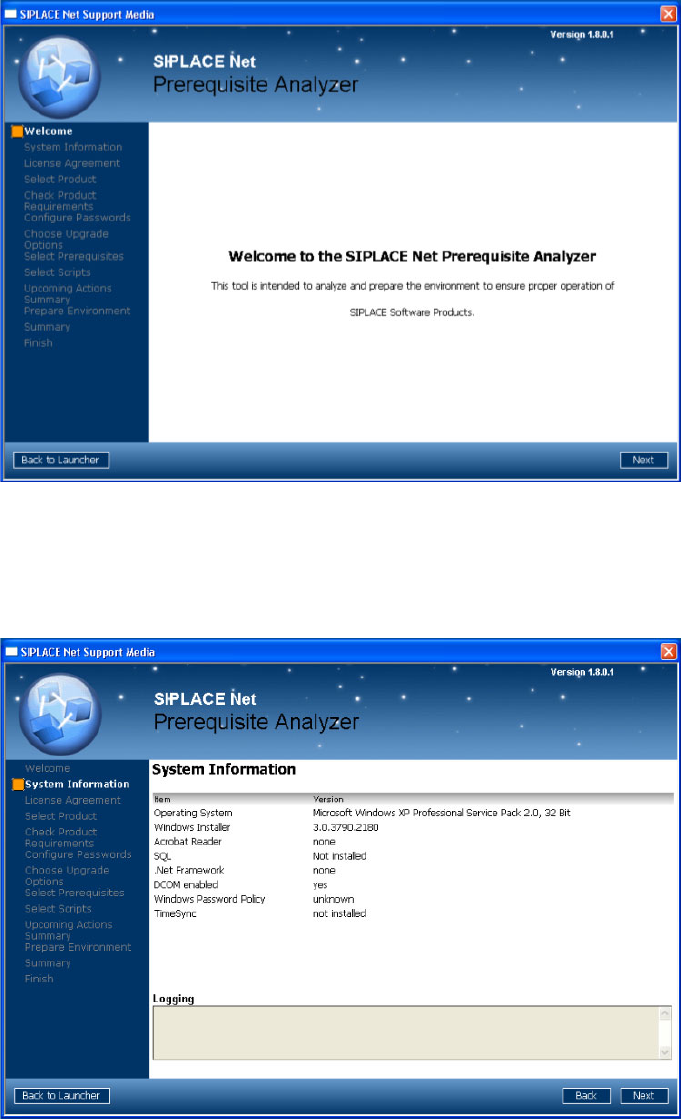
The following window appears (Next button visible):
In this dialog window you see information about your system configuration.
Important hints and warnings are displayed in the “Logging” area.
X Click Next to continue.
The following window appears:
Installation Trace Host and Trace Service
Software Components and Configuration Support Media DVD
Installation Manual SIPLACE Traceability 3.1
23
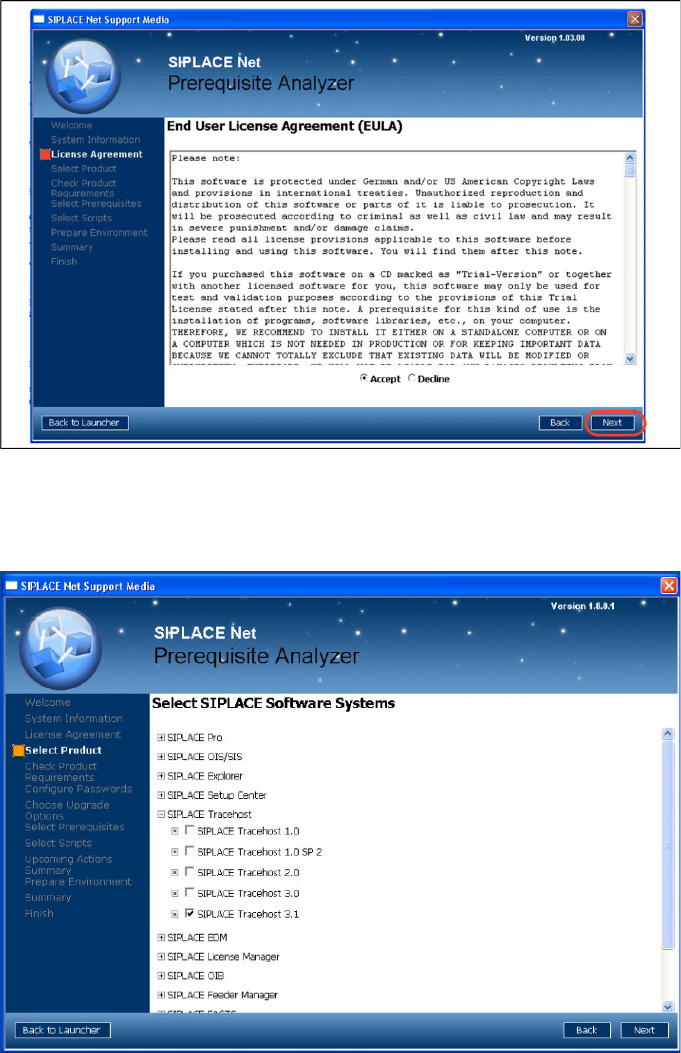
X Accept the EULA by selecting the Accept radio button.
X Click Next to continue.
The following window appears:
X Navigate through the tree structure by clicking in a line with the plus symbol.
X Activate the checkboxes of the SIPLACE Traceability 3.0.
X After selecting the SIPLACE products click Next to continue.
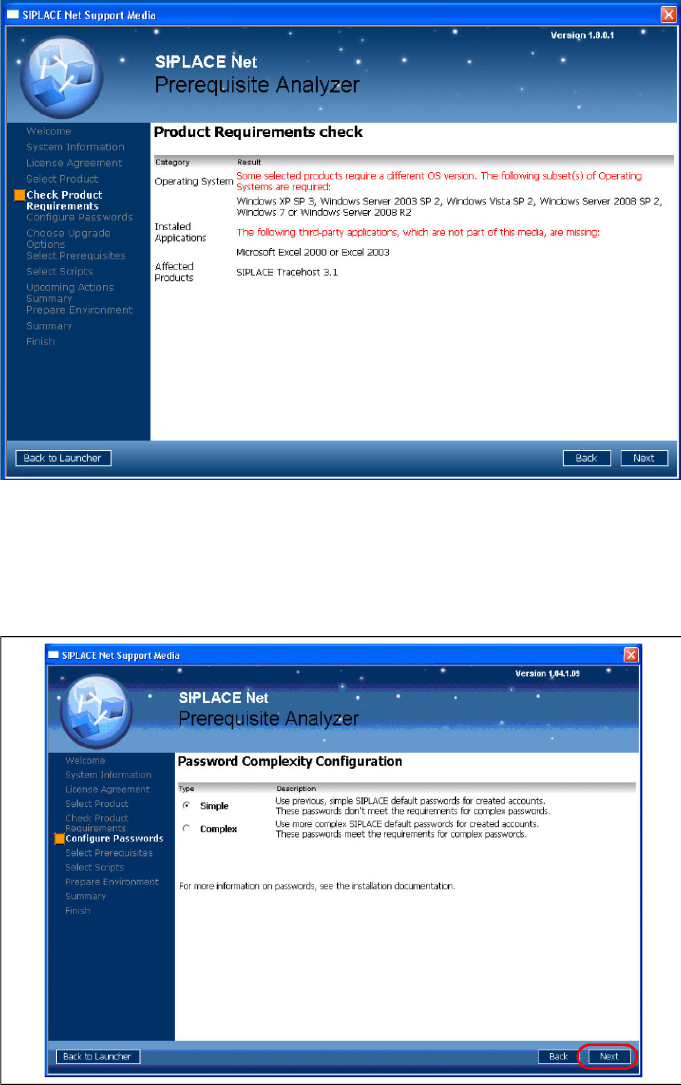
The following window may appear:
Installation Trace Host and Trace Service
Support Media DVD Software Components and Configuration
24 Installation Manual SIPLACE Traceability 3.1
The page shows possible conflicts with your operating system/installed third- party applications and the
selected SIPLACE products.
X Read the advices and click Next to continue
The follwing window is displayed:
In this window, you have to select the complexity of default SIPLACE account passwords. Please choose
an uniform setting on all involved computers and Unattended Setup Operating System installations to
avoid problems.
X Choose the appropriate password complexity.
X Click the Next button to continue.
The following window opens: