00196589-02 - IM Traceability 3.1_en.pdf - 第21页
Installation Trace Host and Trace Service Software Components and Configuration Support Media DVD Installation Manual SIPLACE Traceability 3.1 21 5.2 Support Media DVD Before you install the SIPLACE Tr aceability you nee…

Installation Trace Host and Trace Service
System Requirements and Software Components for Traceability Modules Software Components and Configuration
20 Installation Manual SIPLACE Traceability 3.1
5.1.4.2 Configuration
SIPLACE Trace Host can either be installed in SIPLACE LAN or distributed via SIPLACE and client
LANs. The following configuration options exist for SIPLACE Trace Host:
1. SIPLACE Trace Host on one Computer
This option involves installing all SIPLACE Trace Host software components one computer, without
a separate web server. However, the database server can be on a separate computer.
2. SIPLACE Trace Host distributed across several computers:
This option involves installing the SIPLACE Trace Host software components on multiple computers,
according to your system requirements:
Trace Host PC
The following components need to be installed on this computer:
– SIPLACE Trace Host with the components:
Trace Host Server
Trace Host Manager
Trace Host Monitor
– Microsoft.NET 3.5 SP1 Framework
– Microsoft Internet Explorer
Web server for managing Java Servlets
The following components need to be installed on this computer:
– Apache Tomcat 5.5
– Java 2 JRE 1.6
– Microsoft.NET 3.5 SP1 Framework
– MS XML Parser 6.0
Database server:
– Microsoft SQL Server 2005, 2008
– Microsoft SQL 2005, 2008 Express edition (only for testing/training purposes)
NOTE:
For a detailed description of the SQL Server 2008 installation, refer to the SQL Server 2008
Installation Guide (Item No.: 00195487-xx).
Installation Trace Host and Trace Service
Software Components and Configuration Support Media DVD
Installation Manual SIPLACE Traceability 3.1
21
5.2 Support Media DVD
Before you install the SIPLACE Traceability you need to install some software components which are
available on the Support Media DVD.
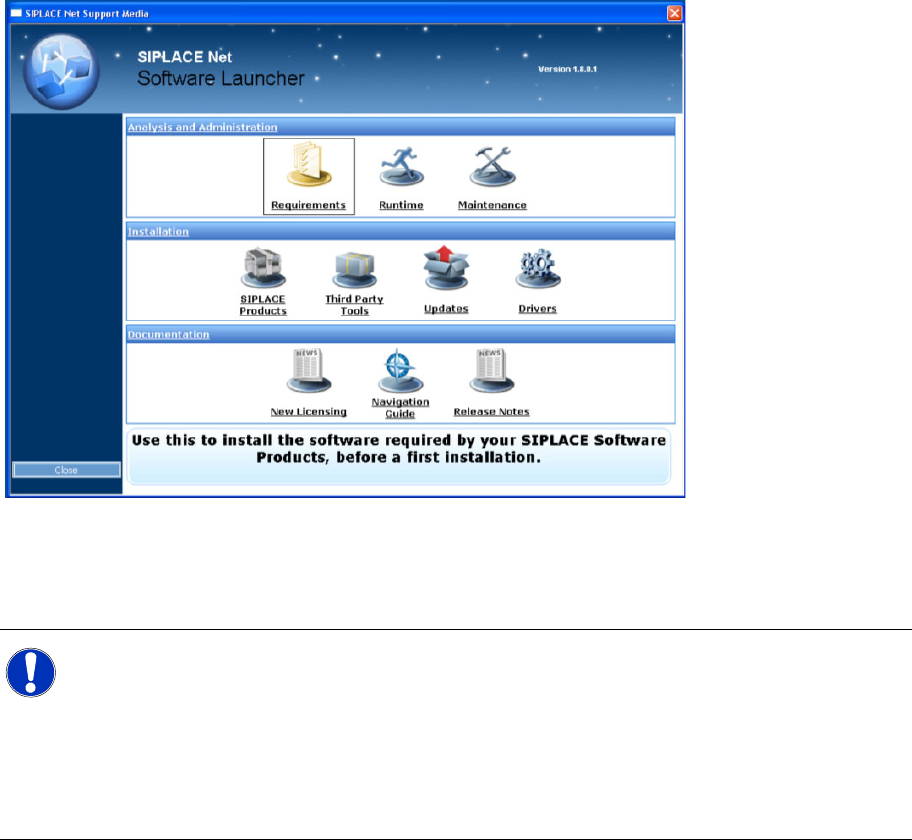
To start using the SIPLACE Net Support Media, you have to open the main window: The SIPLACE Net
Software Launcher.
X Insert the SIPLACE Net Support Media into your drive.
The Software Launcher opens:
The Prerequisite Analyzer
You need to use this tool to prepare your software environment for the usage of SIPLACE Traceability.
This tool is able to install the necessary prerequisites and customize your environment.
X To execute the Prerequisite Analyzer, click on Item Requirements within the Software Launcher
window. After a few seconds the following window appears:
NOTE:
Before you start modifying your system by using the Prerequisite- or Runtime Analyzer you
should ensure that a copy of the content of the operating system CD/DVD is available on the
local hard drive.
If windows components are requested during installation you don’t have to eject the Support
Media which could lead to interruption of the installation process. Instead of replacing the
Support Media you would specify the folder on hard drive as installation source for windows
components.
Installation Trace Host and Trace Service
Support Media DVD Software Components and Configuration
22 Installation Manual SIPLACE Traceability 3.1
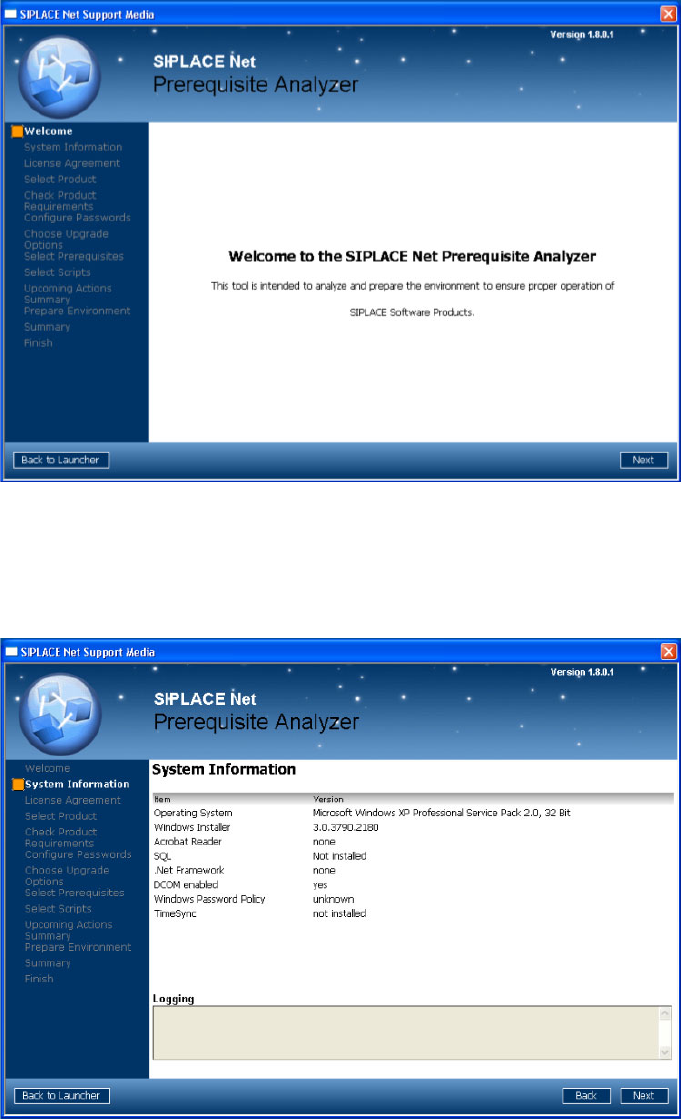
X Click Next to continue.
A new dialog window opens. Please wait until the Prerequisite Analyzer has checked your software
environment.
The following window appears (Next button visible):
In this dialog window you see information about your system configuration.
Important hints and warnings are displayed in the “Logging” area.
X Click Next to continue.
The following window appears: