00196589-02 - IM Traceability 3.1_en.pdf - 第45页
Installation Trace Host and Trace Service Upgrade of Trace Host Trace Host Installation Manual SIPLACE Traceability 3.1 45 Step 3 of 4 X Specify a relative path na me at which th e databa se backups can be stored on the …
Installation Trace Host and Trace Service
Trace Host Upgrade of Trace Host
44 Installation Manual SIPLACE Traceability 3.1
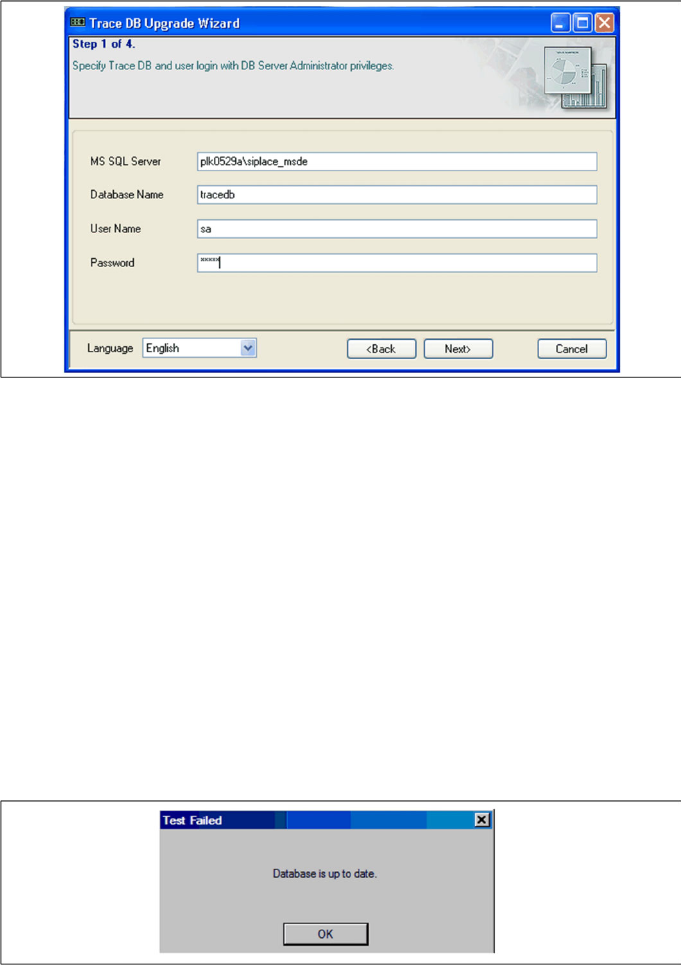
X In step 1 you need to specify the following database access parameters for the Trace database
which is to be upgraded:
MS SQL Server
The computer on which the Trace database is.
Database name
Name of the database to be upgraded.
User name
Your login for the Trace database.
Password
The password for the Trace database. This password is the same as that for the SQL server
database you are referring to here.
X Click on Next If the specified database is already upgraded, you will see a notifications window. Click
on OK to close the Upgrade Wizard.
Step 2 of 4
X Step 2 is skipped.
Installation Trace Host and Trace Service
Upgrade of Trace Host Trace Host
Installation Manual SIPLACE Traceability 3.1
45
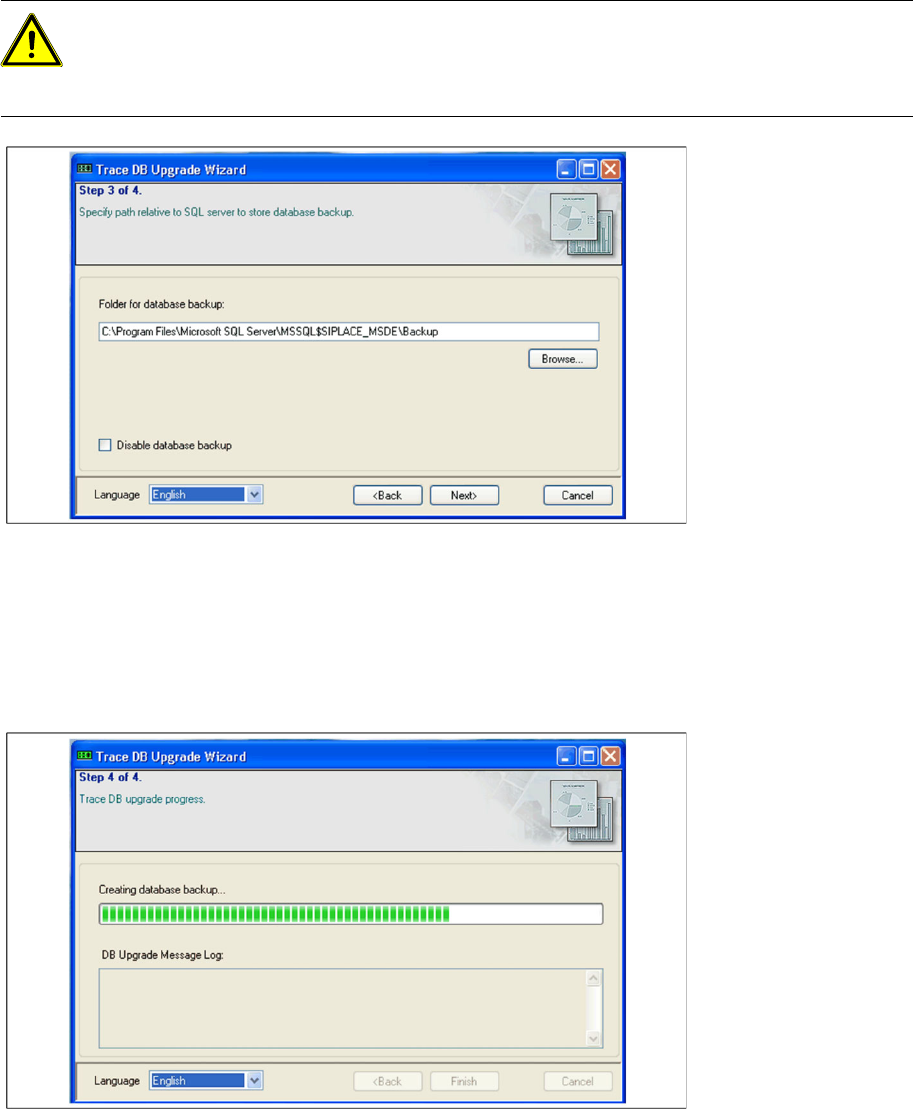
Step 3 of 4
X Specify a relative path name at which the database backups can be stored on the SQL server.Click
on the Browse button and select a database backup folder.
X Disable database backup
Activate this option if no backup of the Trace database is required.
X Click on Next
Step 4 of 4
X The upgrade process will begin. A data backup will be generated if the option "Disable database
backup" was not enabled in Step 3. After you have completed the upgrade process, you will see a
success message in the notifications window under the progress bar. Click on Finish to close the
wizard.
ATTENTION:
Only three user-defined barcode values are possible.
X Changes to the standard setting may lead to incorrect interpretation of old data! If you use the
standard setting, this assignment is already set correctly.
Installation Trace Host and Trace Service
Trace Host SIPLACE Trace Host Uninstall
46 Installation Manual SIPLACE Traceability 3.1
5.4.5 SIPLACE Trace Host Uninstall
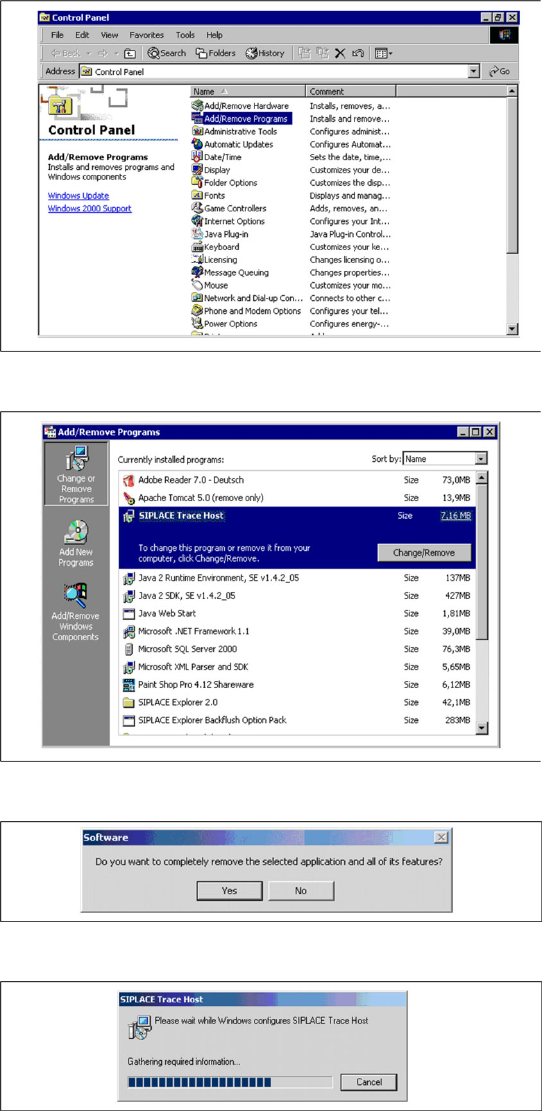
X Open the Control Panel with Start ® Control
Panel.
X Click on the category Add/Remove Programs.
X The Add/Remove Programs dialog box will
appear, showing all the programs installed on
your computer.
X Select SIPLACE Trace Host and click on the
Change/Remove button.
X The security query will appear.
X Confirm with Yes.
X The Install Shield Wizard will start and the
uninstall of SIPLACE Trace Host will be pre-
pared. SIPLACE Trace Host will be
uninstalled.
X SIPLACE Trace Host is no longer available.