00196589-02 - IM Traceability 3.1_en.pdf - 第22页
Installation Trace Host and Trace Service Support Media DVD Software Components and Configuration 22 Installation Manual SIPLACE Traceability 3.1 X Click Next to continue. A new dialog window opens. Please wait until the…
Installation Trace Host and Trace Service
Software Components and Configuration Support Media DVD
Installation Manual SIPLACE Traceability 3.1
21
5.2 Support Media DVD
Before you install the SIPLACE Traceability you need to install some software components which are
available on the Support Media DVD.
To start using the SIPLACE Net Support Media, you have to open the main window: The SIPLACE Net
Software Launcher.
X Insert the SIPLACE Net Support Media into your drive.
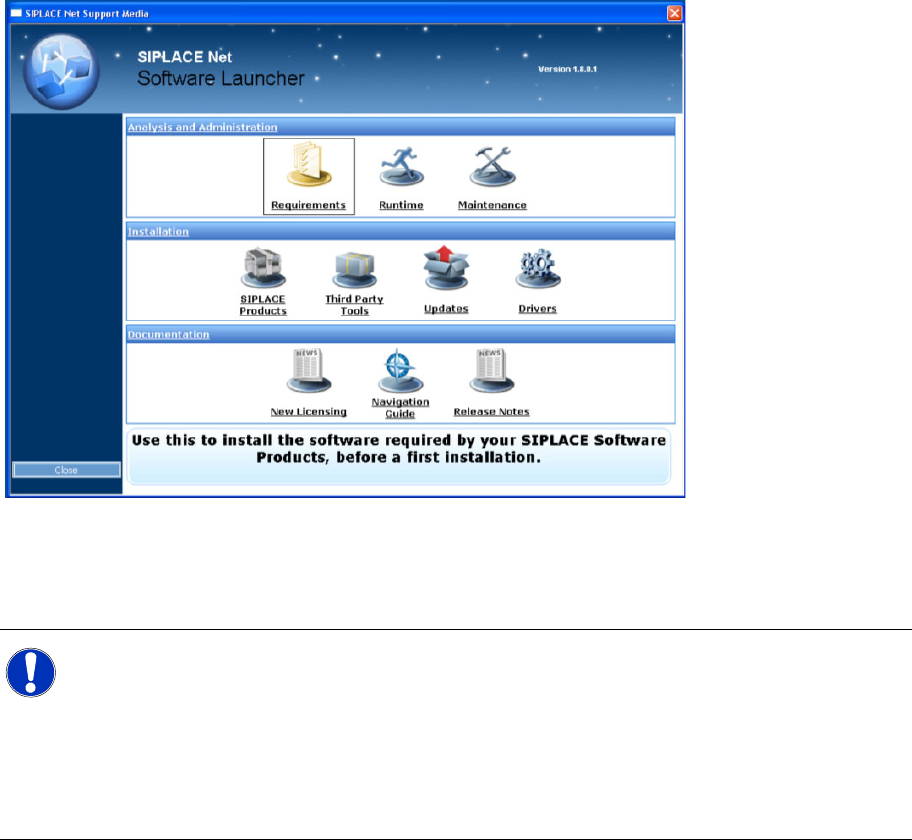
The Software Launcher opens:
The Prerequisite Analyzer
You need to use this tool to prepare your software environment for the usage of SIPLACE Traceability.
This tool is able to install the necessary prerequisites and customize your environment.
X To execute the Prerequisite Analyzer, click on Item Requirements within the Software Launcher
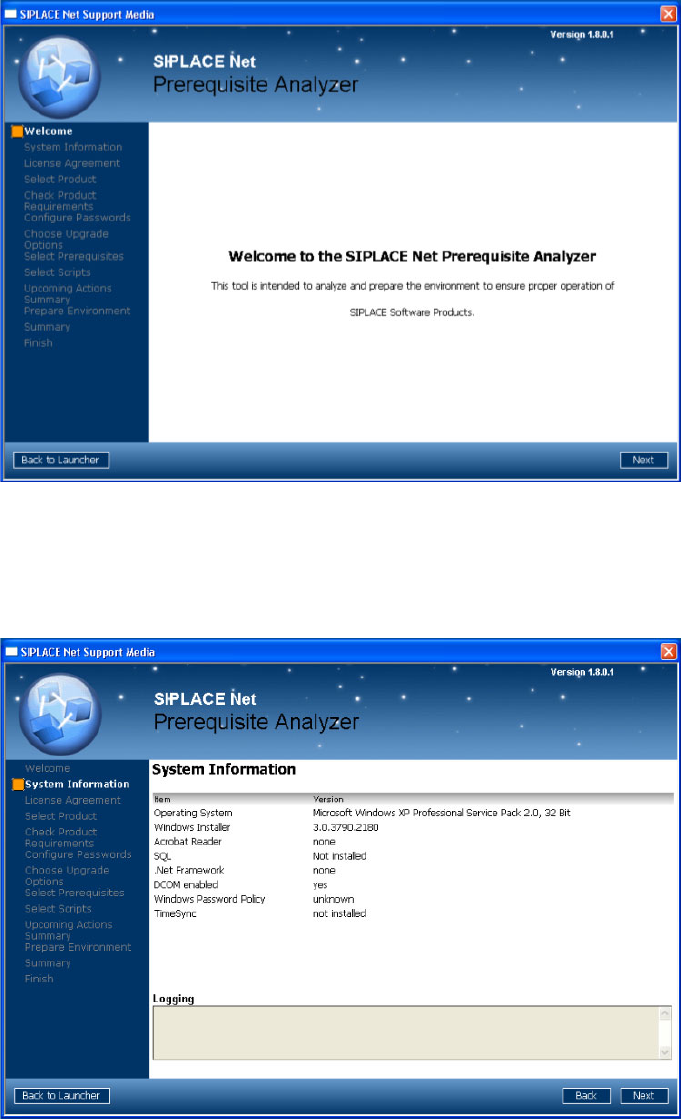
window. After a few seconds the following window appears:
NOTE:
Before you start modifying your system by using the Prerequisite- or Runtime Analyzer you
should ensure that a copy of the content of the operating system CD/DVD is available on the
local hard drive.
If windows components are requested during installation you don’t have to eject the Support
Media which could lead to interruption of the installation process. Instead of replacing the
Support Media you would specify the folder on hard drive as installation source for windows
components.
Installation Trace Host and Trace Service
Support Media DVD Software Components and Configuration
22 Installation Manual SIPLACE Traceability 3.1
X Click Next to continue.
A new dialog window opens. Please wait until the Prerequisite Analyzer has checked your software
environment.
The following window appears (Next button visible):
In this dialog window you see information about your system configuration.
Important hints and warnings are displayed in the “Logging” area.
X Click Next to continue.
The following window appears:
Installation Trace Host and Trace Service
Software Components and Configuration Support Media DVD
Installation Manual SIPLACE Traceability 3.1
23
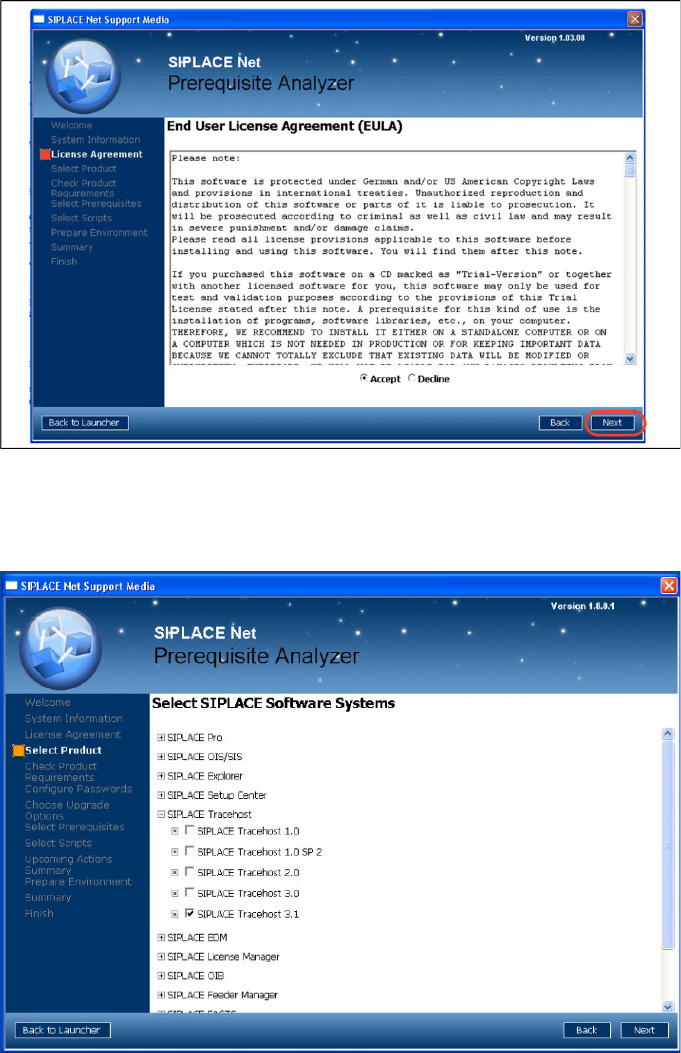
X Accept the EULA by selecting the Accept radio button.
X Click Next to continue.
The following window appears:
X Navigate through the tree structure by clicking in a line with the plus symbol.
X Activate the checkboxes of the SIPLACE Traceability 3.0.
X After selecting the SIPLACE products click Next to continue.
The following window may appear: