03238396-01-01 High Flow Vacuum (TQ).pdf - 第21页
5 TECHNICAL REFERENCE 5.3 TEST PROCEDURES STANDALONE MANUAL HIGH FLOW VACUUM (TQ) 12/2020 21 5.3 TEST PROCEDURES 5.3.1 Diverter Valve Sensors Test The diverter valve is mounted at the rear of the bulkhead. The pump assem…
5 TECHNICAL REFERENCE
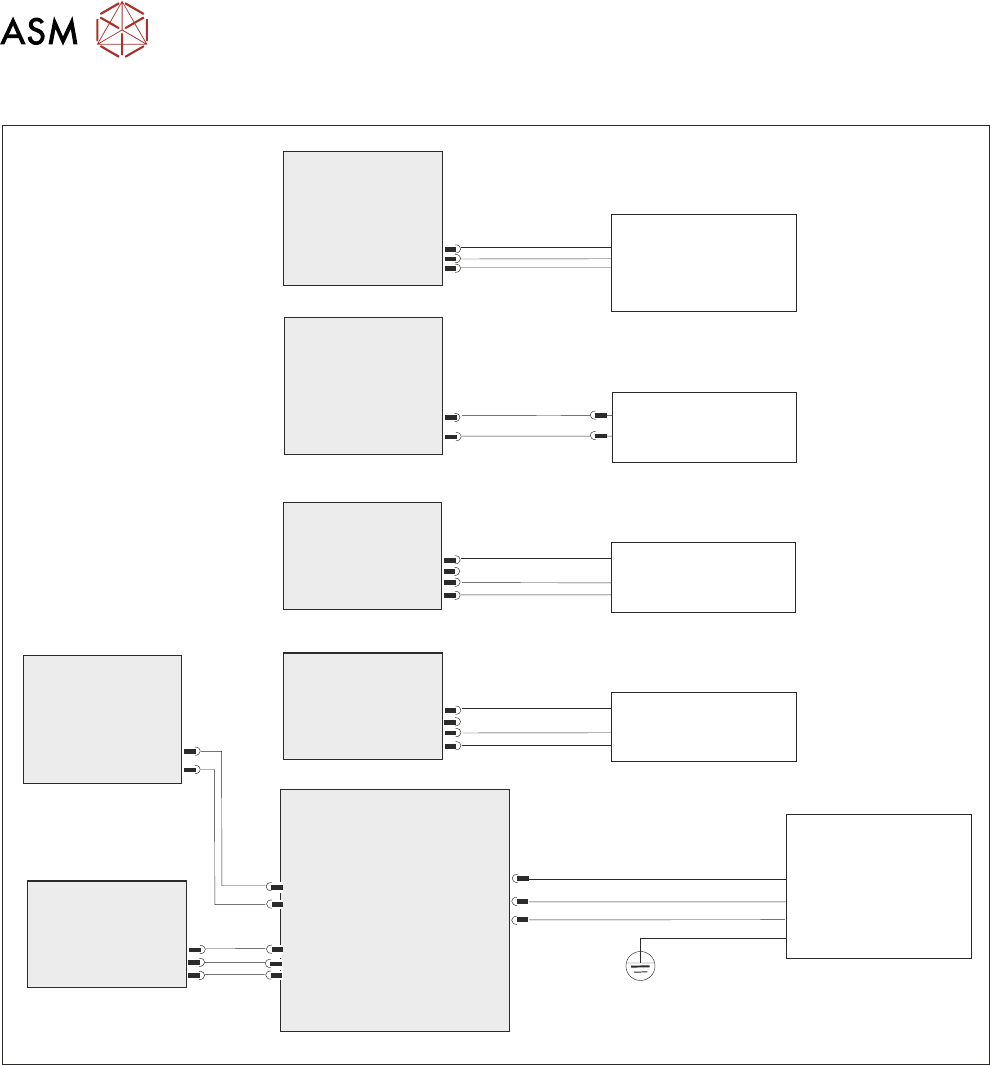
5.2 ELECTRICAL SCHEMATIC
20 STANDALONE MANUAL HIGH FLOW VACUUM (TQ) 12/2020
5.2 ELECTRICAL SCHEMATIC
Breakout A
Part ESIO #1
Part ESIO #2
Part ESIO #2
Breakout A
Part ESIO #3
Part M71 PSU
Vac Pump Enable
Controller
BreakoutB
Part ESIO #1
1ASK13
2IO10
2IO11
5SK258
DIN 10
3APL27
Dout 7
M71PL34
8PL259
8PL260
DIN 09
1BSK25
PART
1SK6
+24V US
1BSK20
H F VAC
Present Sensor
1SE12
Table Present
Sensor
(Start Capacitor not shown)
Diverter Valve
Extended Sensor
2SE10
Diverter Valve
Retracted Sensor
2SE11
Tooling Vac Pump
HF VAC Diverter
Valve
1SOL4
L
N
E
5 TECHNICAL REFERENCE
5.3 TEST PROCEDURES
STANDALONE MANUAL HIGH FLOW VACUUM (TQ) 12/2020 21
5.3 TEST PROCEDURES
5.3.1 Diverter Valve Sensors Test
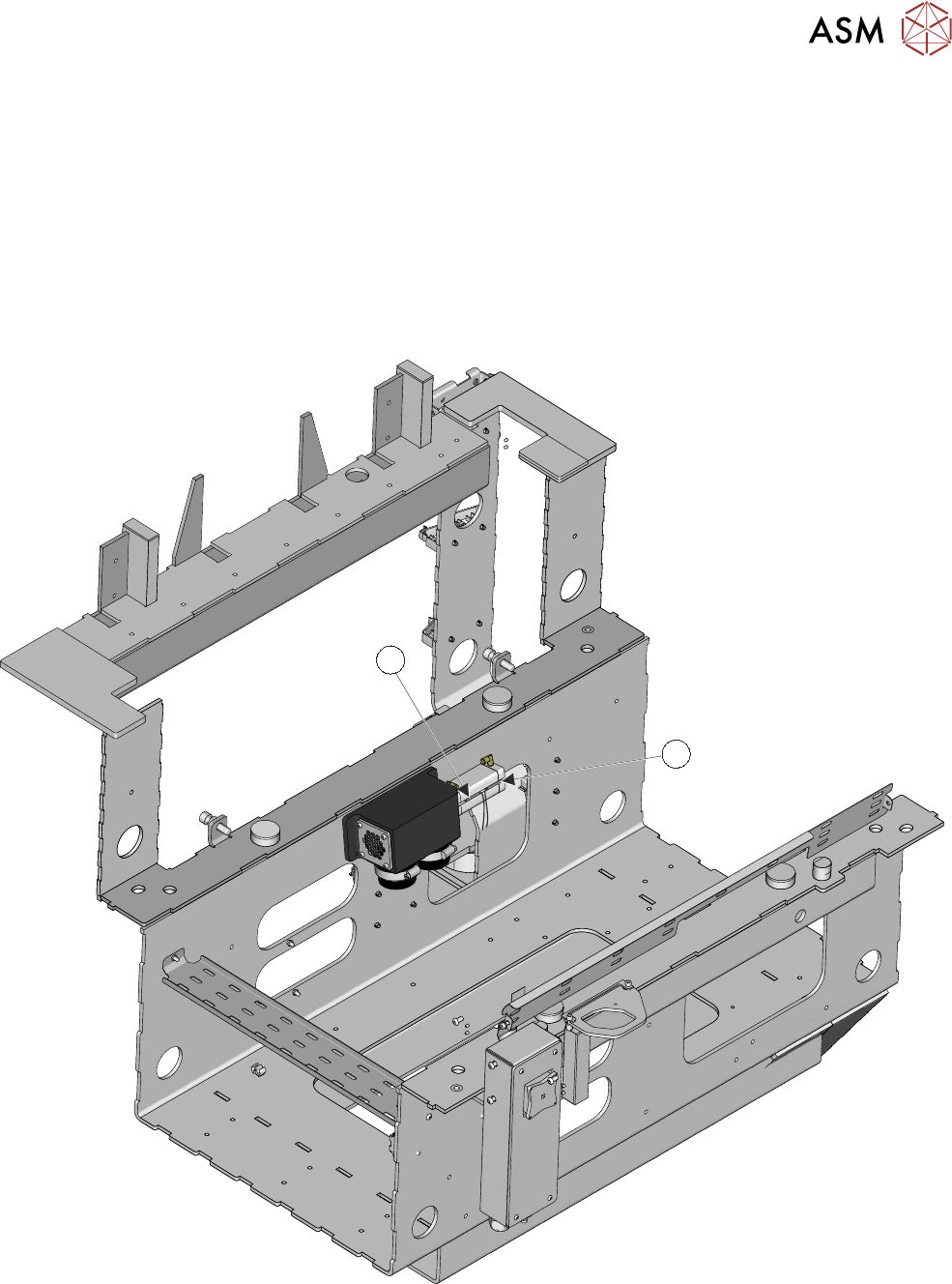
The diverter valve is mounted at the rear of the bulkhead. The pump assembly is located on the
front side of the bulkhead.
If viewed from the rear of the printer, a flexible hose from the pump connects to the left-hand port
on the diverter valve; the right-hand side hose connects to the riser pipe. Because of its physical
location, on the other side of the bulkhead, it is important to confirm that any fault lies with the di-
verter valve. To gain access to the sensors requires the removal of the pump, the hoses and the di-
verter valve.
1
2
Testing the sensors (this procedure requires two people):
5 TECHNICAL REFERENCE
5.3 TEST PROCEDURES
22 STANDALONE MANUAL HIGH FLOW VACUUM (TQ) 12/2020
1. Remove the lower rear panel.
2. Open the front cover to gain access to the flow controller valve.
3. Note or mark the position of the flow controller indexer.
4. Fully close the sliding baffle plate.
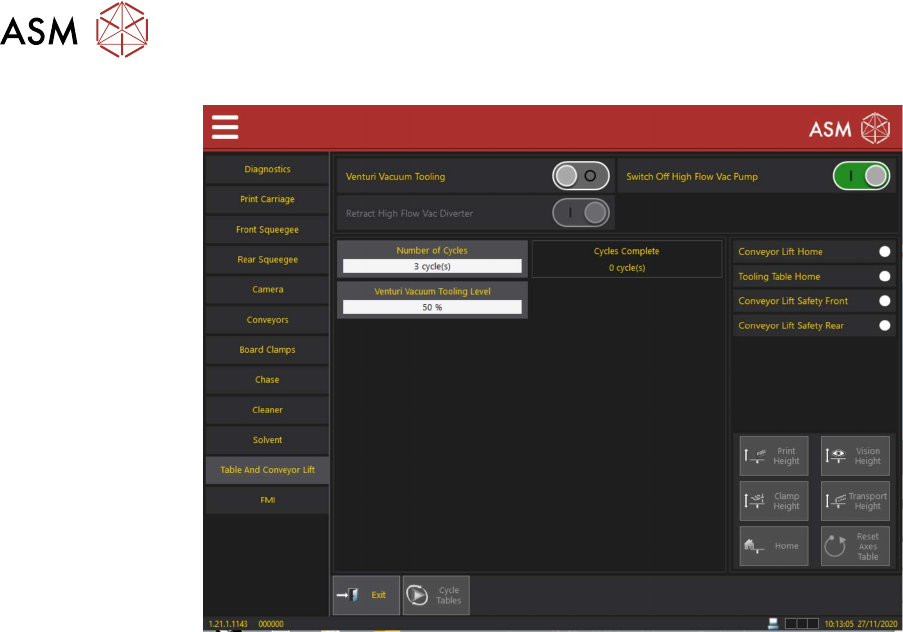
5. On the HMI Select Menu.
6. Navigate to Service\Diagnostics\Table and Conveyor Lift.
If ON, turn venturi vacuum tooling OFF.
7. Ensure that High Flow Vacuum Pump is set to ON.
8. Check that either the High Flow Vacuum Diverter Valve Actuator Sensor (1) or the High
Flow Vacuum Diverter Valve Retract Sensor (2) is ON.
9. Toggle the Retract High Flow Vacuum Diverter sensor ON/OFF.
10. Check that the high flow vacuum diverter valve actuator sensor and the high flow vacuum di-
verter valve retract sensor indicators toggle: ON/OFF.
11. At the rear of the printer, the vented air flow should be heard expelling from the diverter valve
vent as the retract sensor is activated and the diverter valve opens.
NOTE
If all the above are true, the fault may not be at the diverter valve. If exhaust air is constantly
heard, a leak may exist in the hoses or the tooling plate.
12. Exit Diagnostics.
13. Set the flow controller valve back to the setting, as noted, in step 3.