03238396-01-01 High Flow Vacuum (TQ).pdf - 第34页
5 TECHNICAL REFERENCE 5.4 REPLACEMENT PROCEDURES 34 STANDALONE MANUAL HIGH FLOW VACUUM (TQ) 12/2020 17. Route the cable back to ESIO-2 and secure it. 18. Fit the socket into the plug on ESIO-2 . 19. Replace the safety co…
5 TECHNICAL REFERENCE
5.4 REPLACEMENT PROCEDURES
STANDALONE MANUAL HIGH FLOW VACUUM (TQ) 12/2020 33
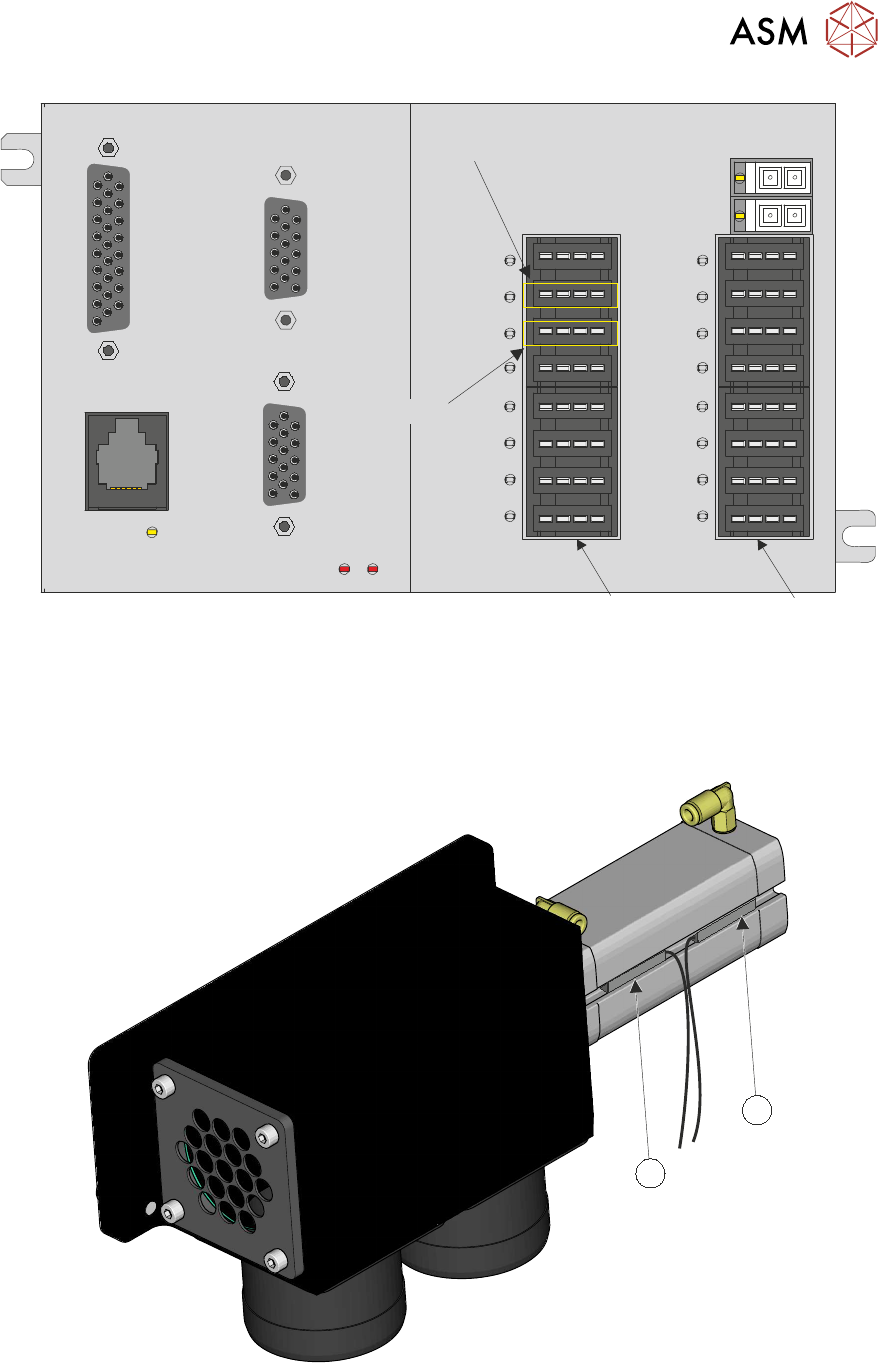
IO1 - IO8
IO9 - IO16
Extended
Retracted
11. For the extended sensor remove socket I010, or for the retracted sensor remove socket I011.
12. Remove the fixings from the supports and remove the cable back to the diverter valve.
13. Mark the position of the sensor, to be replaced, in the actuator channel for future reference
(Diverter Valve Extended 2SE11 (1), Diverter Valve Retracted 2SE10(2)).
2
1
14. Using a flat-bladed watchmakers screwdriver remove the faulty sensor from the actuator slot.
15. Align the sensor to the mark scribed in step 13.
16. Secure the sensor with the screw using the flat-bladed watchmakers screwdriver.
5 TECHNICAL REFERENCE
5.4 REPLACEMENT PROCEDURES
34 STANDALONE MANUAL HIGH FLOW VACUUM (TQ) 12/2020
17. Route the cable back to ESIO-2 and secure it.
18. Fit the socket into the plug on ESIO-2.
19. Replace the safety cover.
20. Refit the front cover.
21. Remove the lockout from the printer’s mains isolator and switch the printer ON.
22. Complete the diagnostic test as detailed previously (
5.3.1 "Diverter Valve Sensors
Test" [}21]
).
Replacement of the diverter valve is the reverse of the Steps 1 to 8.
5.4.5 High Flow Vacuum System Present Sensor
The high flow vacuum system present sensor 1SE12 is a thru-beam opto sensor. It connects to
ESIO#1 Breakout A at 1ASK13.
To replace the high flow vacuum present sensor:
1. Select Vision Height.
2. Power the printer down.
3. Remove the left-hand safety cover.
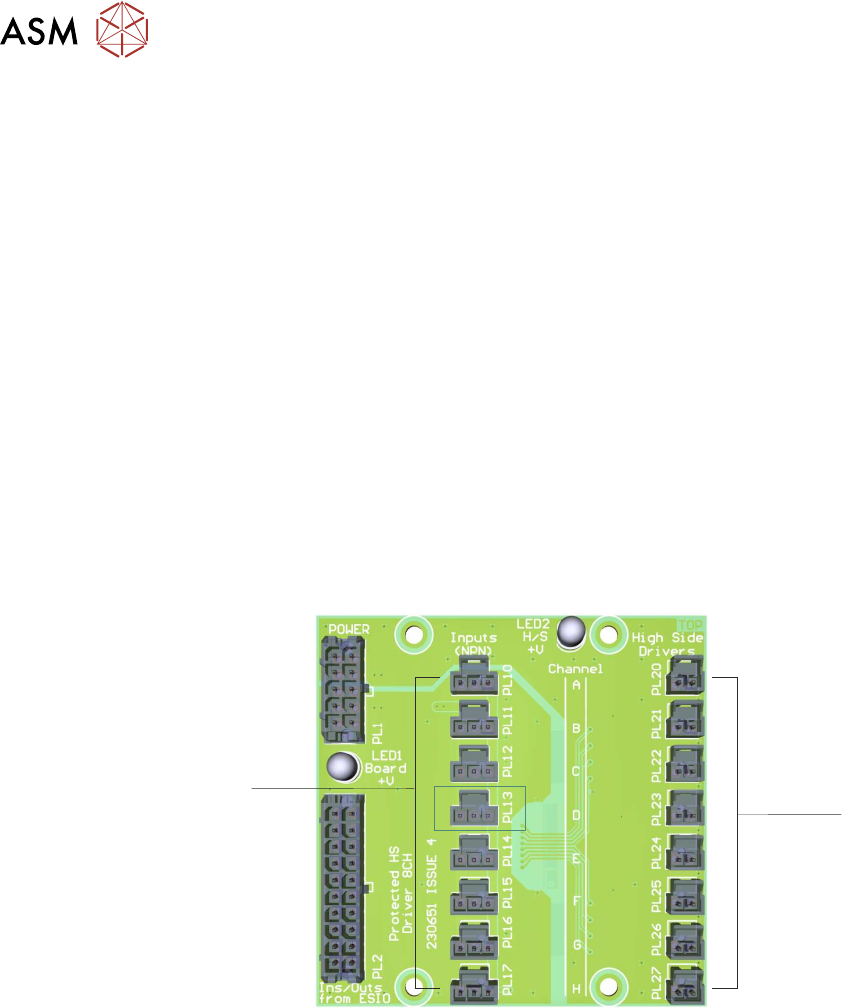
4. Remove Socket 13 from the ESIO#1 Breakout Board A (left-hand breakout board).
Channel A
Channel B
Channel C
Channel D
Channel E
Channel F
Channel G
Channel H
O/P
I/P
5. Detach the cable from the supporting loom.
5 TECHNICAL REFERENCE
5.4 REPLACEMENT PROCEDURES
STANDALONE MANUAL HIGH FLOW VACUUM (TQ) 12/2020 35
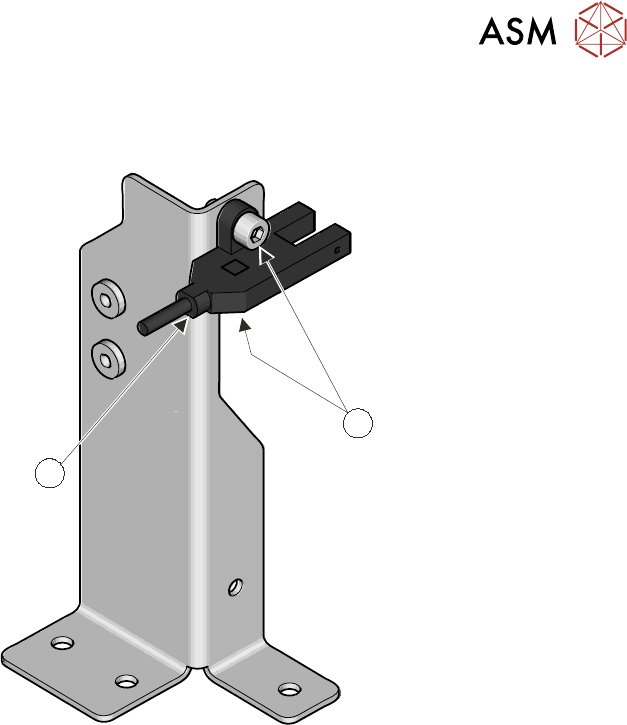
6. Remove the two M3 cap head screws (1) using a 2mm Allen key.
1
2
7. Replace the sensor (2).
8. Route (and secure) the sensor cable back to the ESIO Breakout board A.
9. Connect 1ASK13 into plug 13.
10. Refit the safety cover.
11. Power up and initialize the printer.
12. Check the function of the sensor using the diagnostic test in the
5.3.2 "High Flow Vacuum
System Present Sensor Test" [}23]
.