03238396-01-01 High Flow Vacuum (TQ).pdf - 第40页
5 TECHNICAL REFERENCE 5.6 CALIBRATION 40 STANDALONE MANUAL HIGH FLOW VACUUM (TQ) 12/2020 5.6 CALIBRATION For calibration procedures contact your local ASM/DEK Service Centre.
5 TECHNICAL REFERENCE
5.5 MAINTENANCE
STANDALONE MANUAL HIGH FLOW VACUUM (TQ) 12/2020 39
1
2
1. On the HMI, select the Menu.
2. Select Changeover.
3. Select Start Changeover.
4. Select the Default program file from the list.
5. Select Continue.
6. Select Carriage to Rear.
7. Open the cover.
8. Remove, clean and stow any non-reusable items (for the new product: squeegees, material,
support tooling etc.).
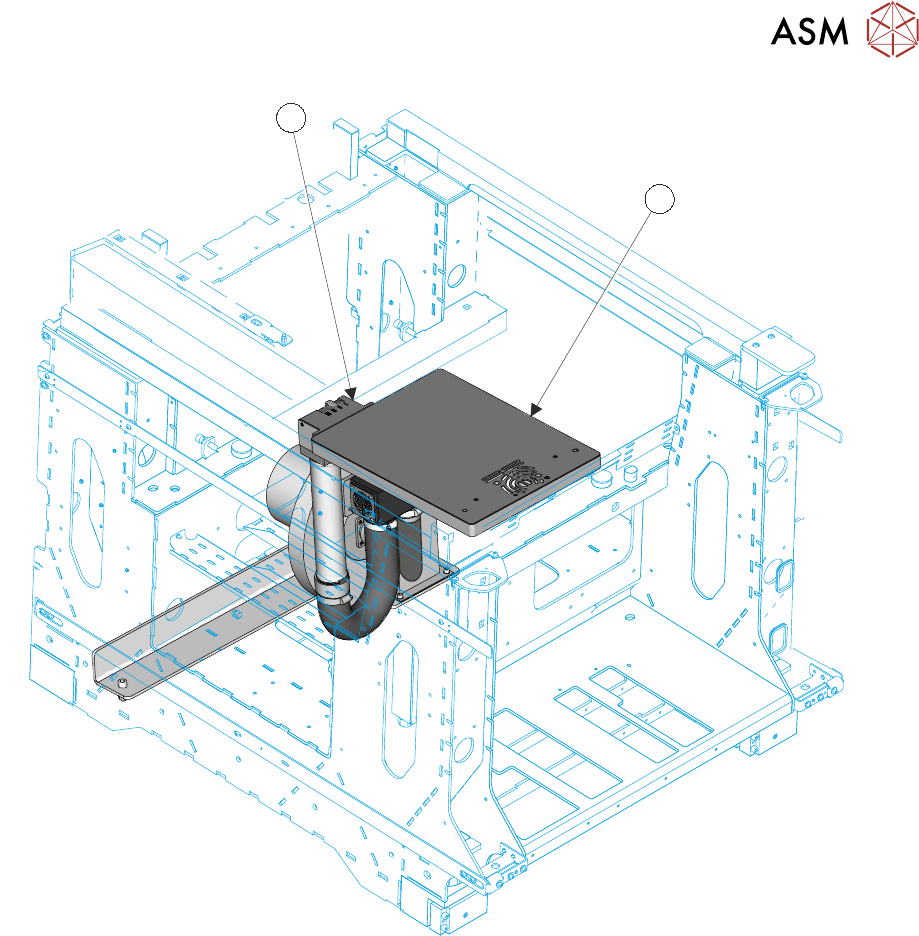
9. Using IPA/DI pre-saturated wipes, wipe clean any dirt and solder paste from the tooling table
surface plate (2). Pay particular attention to the vacuum inlet and the venturi vacuum inlet
ports. Care should be taken to not to allow dirt, paste or other items to fall into the inlet ports.
10. Select and fit the correct production items for the next program (stencil, tooling etc.).
11. Close the cover.
12. Press the System button.
13. Select Continue.
14. Select Complete.

5 TECHNICAL REFERENCE
5.6 CALIBRATION
40 STANDALONE MANUAL HIGH FLOW VACUUM (TQ) 12/2020
5.6 CALIBRATION
For calibration procedures contact your local ASM/DEK Service Centre.

6 USER GUIDE
6.1 SETUP PROCEDURES
STANDALONE MANUAL HIGH FLOW VACUUM (TQ) 12/2020 41
6
USER GUIDE
6.1 SETUP PROCEDURES
WARNING
BOARD CLAMPS. EXTREME CARE MUST BE EXERCISED WHEN WORKING IN
THE TOOLING AREA OF THE MACHINE TO AVOID INJURY. THE FOILS ON THE
FRONT AND REAR BOARD CLAMPS ARE VERY SHARP.
MANDATORY
TOXIC SUBSTANCES MAY BE PRESENT. SAFETY GLOVES MUST BE WORN.
MANDATORY
TOXIC SUBSTANCES MAY BE PRESENT. EYE PROTECTION MUST BE WORN.
NOTE
All parameters in these procedures are example parameters , the correct set up can only be de-
termined by trial with a users' actual product.
6.1.1 Product Set Up
NOTE
Before changing product layout, load a default product file, this prevents data being overwritten in
the production product file.
To create a Default product file:
1. On the HMI select Programming from the system Menu drop-down.
2. Select a product to rename and alter, as necessary.
3. Select Copy.
4. Select Name.
5. Rename the file.
6. Select Accept.
7. Select Save And Exit.
8. Select Exit.
9. On the system Menu drop-down select Manage Printer Setup.
10. Select Check Tooling.
11. Select Under Clearance and check/set it to 14mm.
NOTE
This dimension is the maximum allowable when High Flow Vacuum tooling is fitted due to the
addition of the tooling plate.
12. Select Accept.
13. Select Switch ON High Flow Vacuum.
14. Select Exit.