03238396-01-01 High Flow Vacuum (TQ).pdf - 第39页
5 TECHNICAL REFERENCE 5.5 MAINTENANCE STANDALONE MANUAL HIGH FLOW VACUUM (TQ) 12/2020 39 1 2 1. On the HMI , select the Menu. 2. Select Changeover. 3. Select Start Changeover . 4. Select the Default program file from the…

5 TECHNICAL REFERENCE
5.5 MAINTENANCE
38 STANDALONE MANUAL HIGH FLOW VACUUM (TQ) 12/2020
5.5 MAINTENANCE
WARNING
BOARD CLAMPS. EXTREME CARE MUST BE EXERCISED WHEN WORKING IN
THE TOOLING AREA OF THE MACHINE TO AVOID INJURY. THE FOILS ON THE
FRONT AND REAR BOARD CLAMPS ARE VERY SHARP.
MANDATORY
TOXIC SUBSTANCES MAY BE PRESENT. SAFETY GLOVES MUST BE WORN.
MANDATORY
TOXIC SUBSTANCES MAY BE PRESENT. EYE PROTECTION MUST BE WORN.
5.5.1 Daily
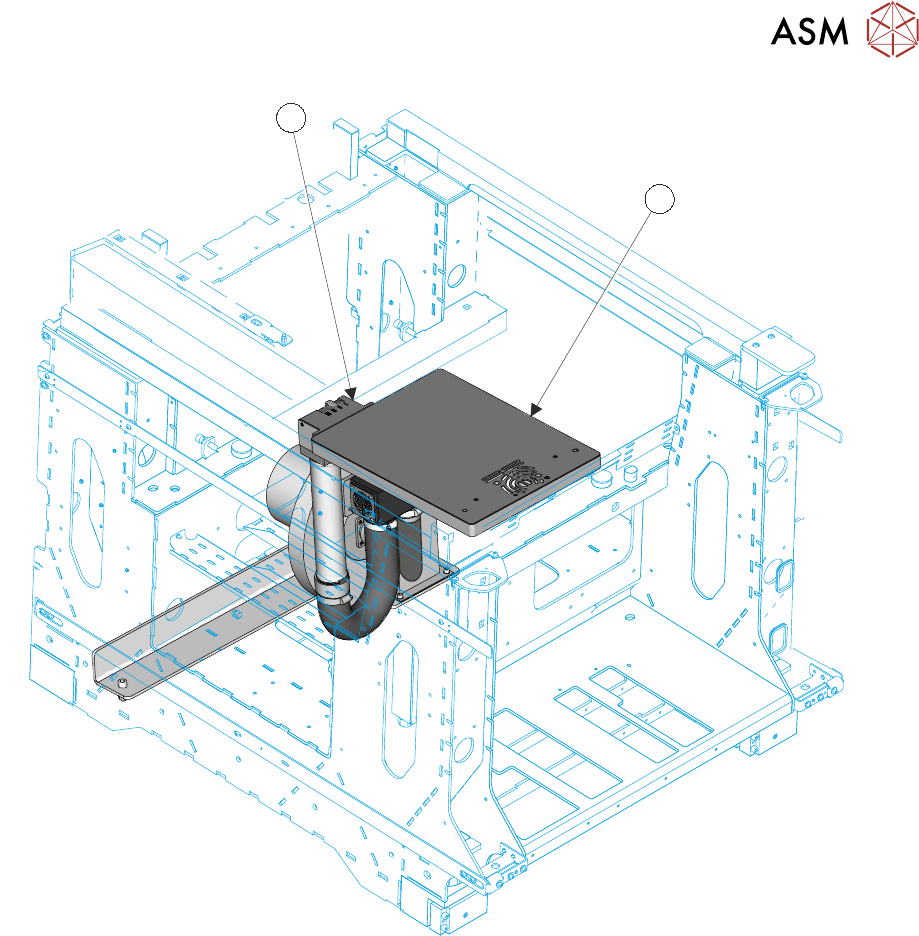
Daily maintenance consists of cleaning the parts:
●
Tooling Table Surface Plate (2)
●
Vacuum Tooling (not shown)
5 TECHNICAL REFERENCE
5.5 MAINTENANCE
STANDALONE MANUAL HIGH FLOW VACUUM (TQ) 12/2020 39
1
2
1. On the HMI, select the Menu.
2. Select Changeover.
3. Select Start Changeover.
4. Select the Default program file from the list.
5. Select Continue.
6. Select Carriage to Rear.
7. Open the cover.
8. Remove, clean and stow any non-reusable items (for the new product: squeegees, material,
support tooling etc.).
9. Using IPA/DI pre-saturated wipes, wipe clean any dirt and solder paste from the tooling table
surface plate (2). Pay particular attention to the vacuum inlet and the venturi vacuum inlet
ports. Care should be taken to not to allow dirt, paste or other items to fall into the inlet ports.
10. Select and fit the correct production items for the next program (stencil, tooling etc.).
11. Close the cover.
12. Press the System button.
13. Select Continue.
14. Select Complete.

5 TECHNICAL REFERENCE
5.6 CALIBRATION
40 STANDALONE MANUAL HIGH FLOW VACUUM (TQ) 12/2020
5.6 CALIBRATION
For calibration procedures contact your local ASM/DEK Service Centre.