STM1-S_SDV_Maintenance(Eng_Ver1).pdf - 第66页
Mon thly Inspe ction Chap ter 5 Multi -Func tional Placer ST M1-S M ain ten an ce Ha nd bo ok 5-1 5 Cleaning and Lubricating the Y Frame Ball screw Monthly Inspe ction Step 5. Move t he X fr ame s bac k and fo rt h thr e…
Monthly Inspection
Chapter 5
Multi-Functional Placer
STM1-S Maintenance Handbook
5-14
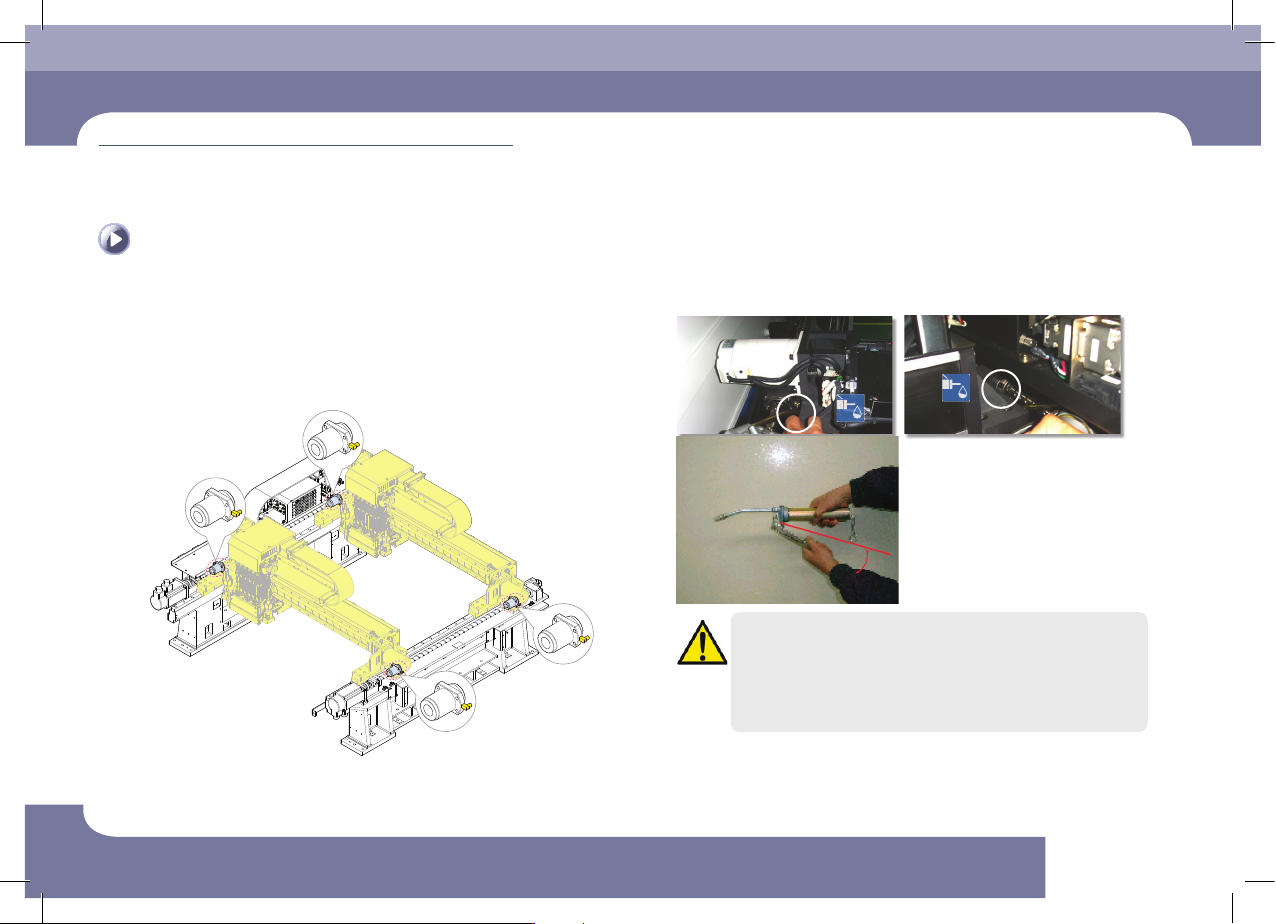
Cleaning and Lubricating the Y Frame Ball screw
Monthly Inspection
Step 4.
Move the X Frame to the front side and apply grease on
the ball screw using a grease gun (0.5 time (apply a half
amount of grease))
Move the X Frame to the rear side and apply grease in
the same way as the front side
A
A
Caution
The designated grease must be applied using the designated
lubricator in the designated manner. Other lubricating methods are
unacceptable.
If the machine's operating environment is harsh, check its lubrication
status frequently.
Monthly Inspection
Chapter 5
Multi-Functional Placer
STM1-S Maintenance Handbook
5-15
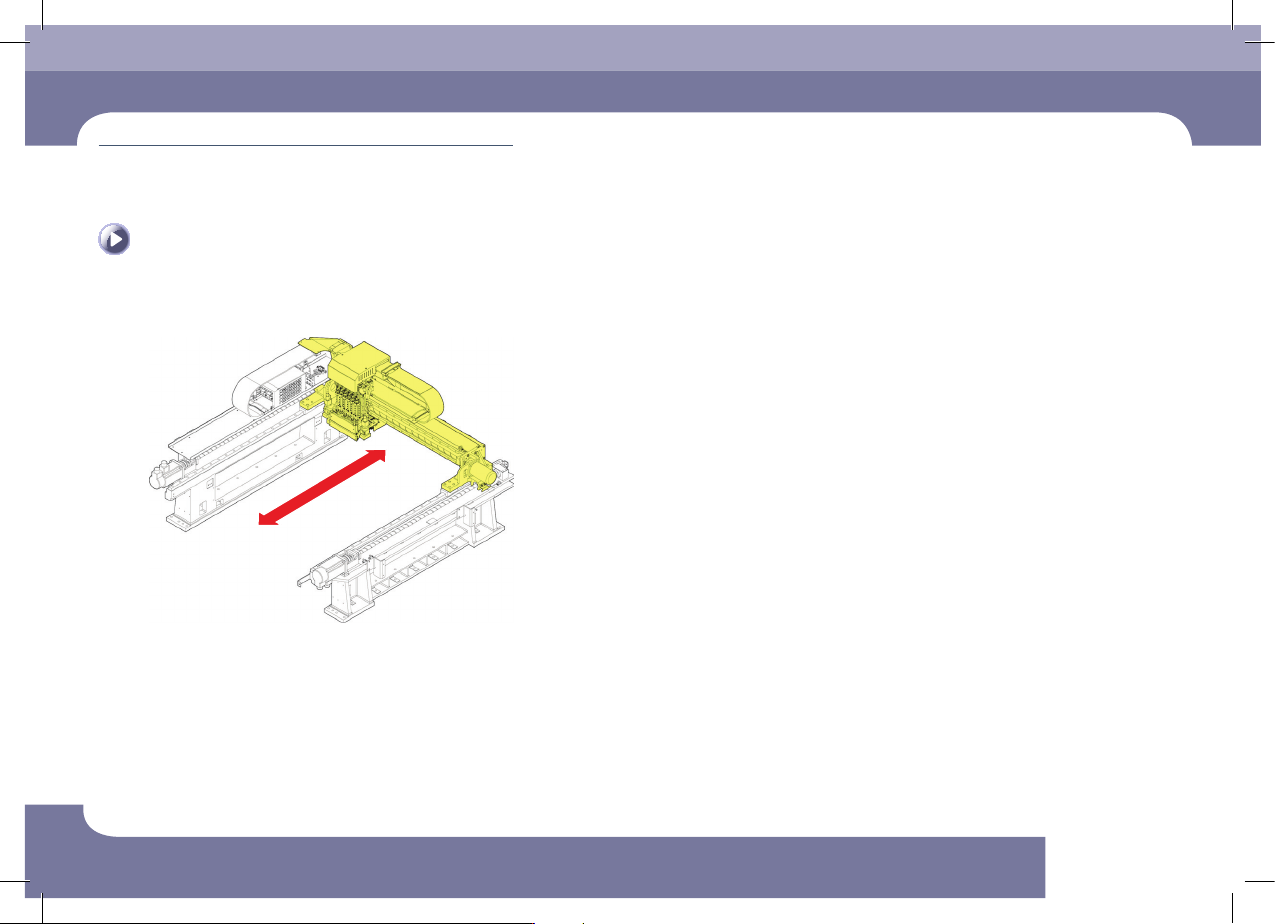
Cleaning and Lubricating the Y Frame Ball screw
Monthly Inspection
Step 5.
Move the X frames back and forth three times.
Step 6.
Release the emergency stop as described in "Releasing
'Emergency Stop' mode" on page 1-6 and perform the
operation again.
Monthly Inspection
Chapter 5
Multi-Functional Placer
STM1-S Maintenance Handbook
5-16
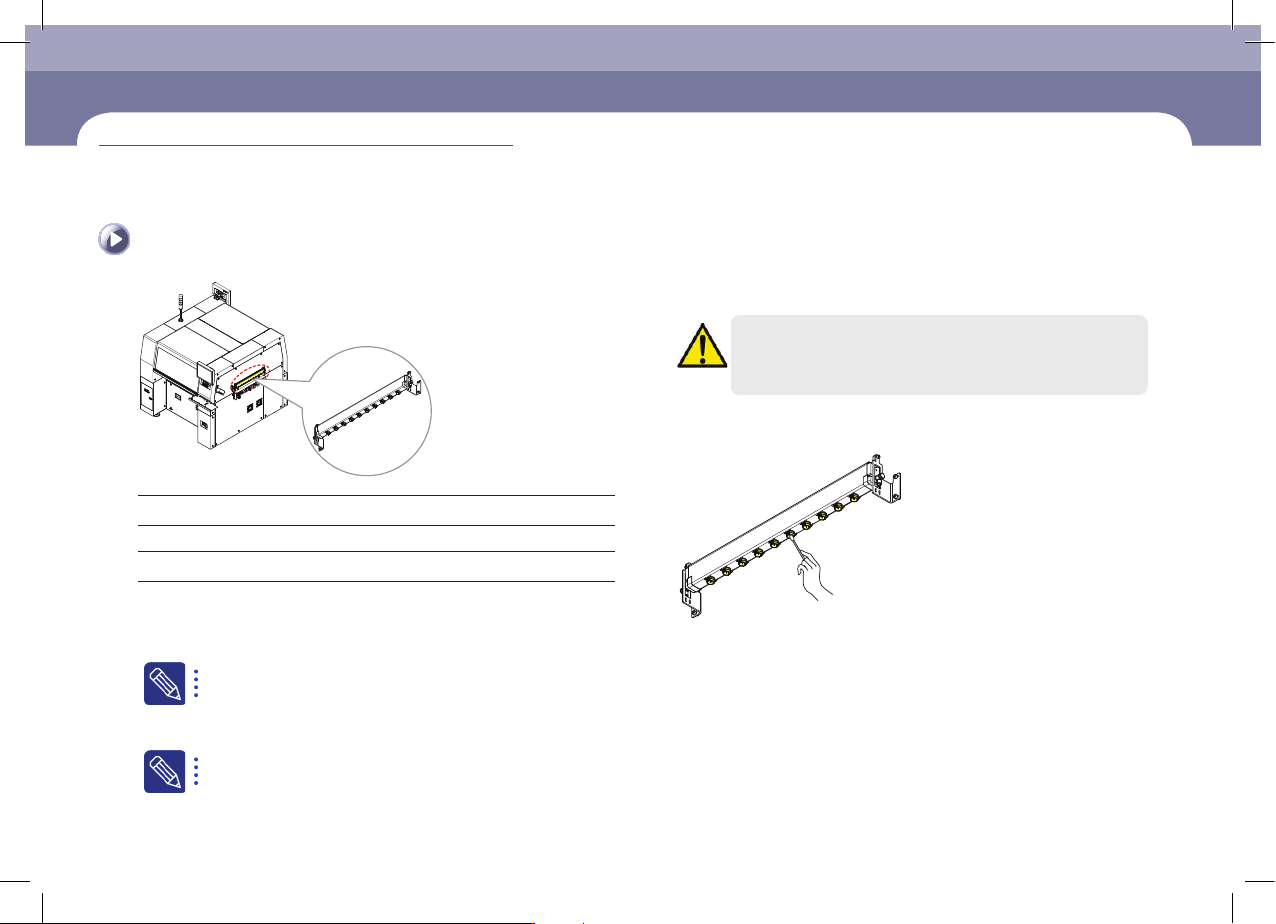
Cleaning the Ionizer Nozzle
Tool for Maintenance
Air spray, cotton swab
Measures
Step 1.
Press the 'STOP' and 'RESET' buttons in order after
pressing the 'EMG' button on the OP panel to stop
operation.
For more details, refer to "How to perform emergency stop" on page
1-2.
Step 2.
Turn off the power supply to the machine
For more details, refer to "How to turn off the power supply" on
page 1-1.
Caution
If the power supply is not cut off, an electric shock may occur due
to the high voltage of the ionizer.
Step 3.
Remove foreign materials in the Ionizer Nozzle using a
cotton swab.
Cleaning the Ionizer Nozzle
(Time required: 10min / No. M-9)