STM1-S_SDV_Maintenance(Eng_Ver1).pdf - 第70页
Mon thly Inspe ction Chap ter 5 Multi -Func tional Placer ST M1-S M ain ten an ce Ha nd bo ok 5-1 9 Inspect and cleaning the Y Cable Duct Cooling F an Monthly Inspe ction T ool for M aintenanc e V acuum cleaner Measures …
Monthly Inspection
Chapter 5
Multi-Functional Placer
STM1-S Maintenance Handbook
5-18
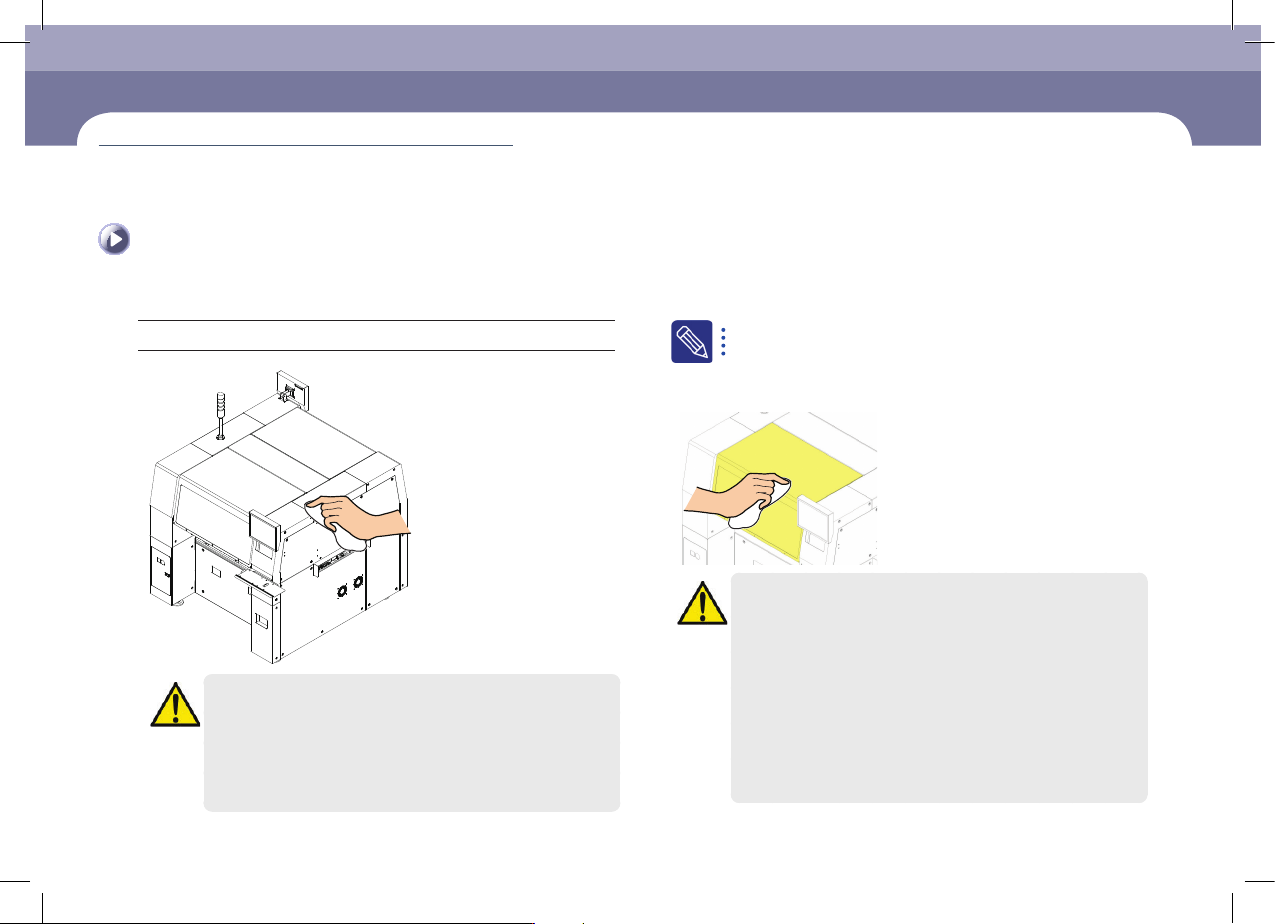
Cleaning the Cover
When cleaning the corresponding area, ensure the stickers attached to the machine
are not detached.
Tool for Maintenance
Alcohol, Utra-fine fiber cloth, Heavy Duty Staticide #2005 / #2001
Caution
When cleaning the machine cover using alcohol or ethanol, exercise
care so that the sticker attached to the machine is not smeared with
alcohol or ethanol or it may become detached.
If it is detached, clean the location to which it was attached using
alcohol or ethanol, and attach a new sticker after contacting STS or
our local agent.
if the machine is used for a long period of time, old stains on the
cover or faded cover paint may not remove easily even with alcohol.
In this case, repaint the cover.
Precautions when cleaning the acryl cover of door
Caution
Clean the acrylic cover of the door with a clean ultra-fine fiber cloth
wetted with the designated cleaning liquid (Heavy Duty Staticide
#2005, #2001 ).
The following activities will damage the ESD coating:
ㆍ Cleaning using hydrogen carbonate, ester, ketone, acid, strong
alkali or chemicals similar to these
ㆍ Cleaning by rubbing the acrylic cover applying strong force with
an ultra-fine fiber cloth
When the cleaning liquid designated by us is not available, clean
the acrylic cover using a small amount of neutral or slightly alkaline
cleaning liquid.
Cleaning the Cover
(Time required: 15min / No. M-10)
Monthly Inspection
Chapter 5
Multi-Functional Placer
STM1-S Maintenance Handbook
5-19
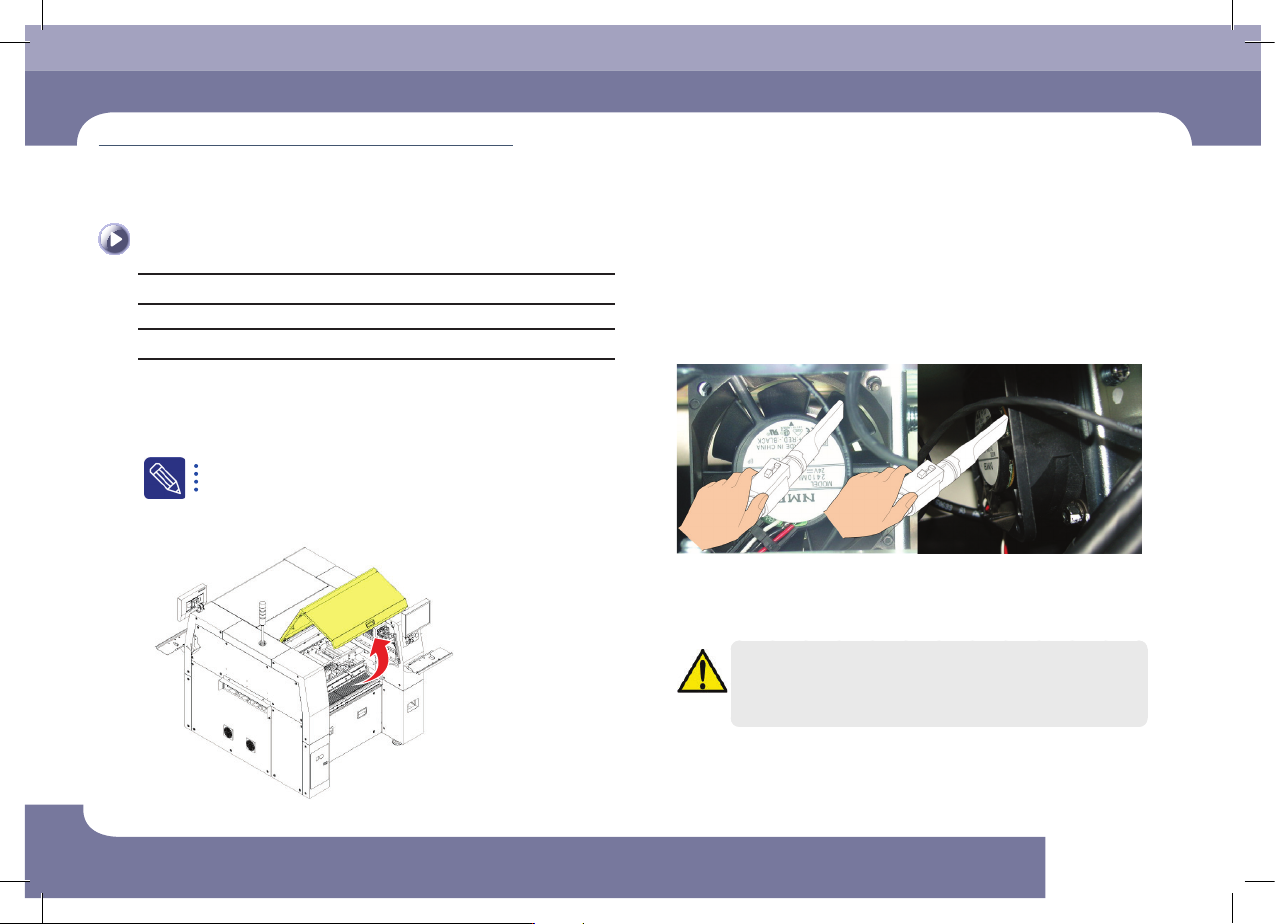
Inspect and cleaning the Y Cable Duct Cooling Fan
Monthly Inspection
Tool for Maintenance
Vacuum cleaner
Measures
Step 1.
Move the X Frame to front by referring to "Forward
movement of the X-frame" on page 1-3.
Step 2.
Turn off the power supply to the machine
For more details, "How to turn off the power supply" on page
1-1refer to
Step 3.
Open the door of the machine.
Step 4.
Clean the Y cable duct cooling fan using a vacuum
cleaner.
Step 5.
Clean the Y cable duct cooling fan at the rear using a
vacuum cleaner in the same manner as the one at the
front is cleaned.
Caution
When the main switch is turned on, since the cooling fan operates,
user’s hand may get injured. Careless touching of the cable, etc.
may cause electric shock. Therefore, special care is need.
Inspect and cleaning the Y Cable Duct Cooling Fan
(Time required: 15min / No. M-11)

Monthly Inspection
Chapter 5
Multi-Functional Placer
STM1-S Maintenance Handbook
5-20
Inspect and cleaning the Y Cable Duct Cooling Fan
Step 6.
Turn on the power supply to the machine
For more details, refer to "Power supply procedure" on page 1-5
Step 7.
Check the operation status and noise of the Y cable duct
cooling fan.
Caution
The cooling fan replaement work accomanies a danger.
Therefore, contact out C/S company (STS) or local agent.