PPS Pro version 8.2.pdf - 第36页
User Manual 4022 591 98247 32 PPS-Pro v8.2 05.07 PPS-Pr o GUI SCREEN 23 BOM Format Explorer 2.12.1 Cr eate a new BOM f ormat using the BOM Format Wizar d (BFW) A ne w BOM-f ormat can be made with the BFW . T o start the …
4022 591 98247 User Manual
05.07 PPS-Pro v8.2 31
PPS-Pro GUI
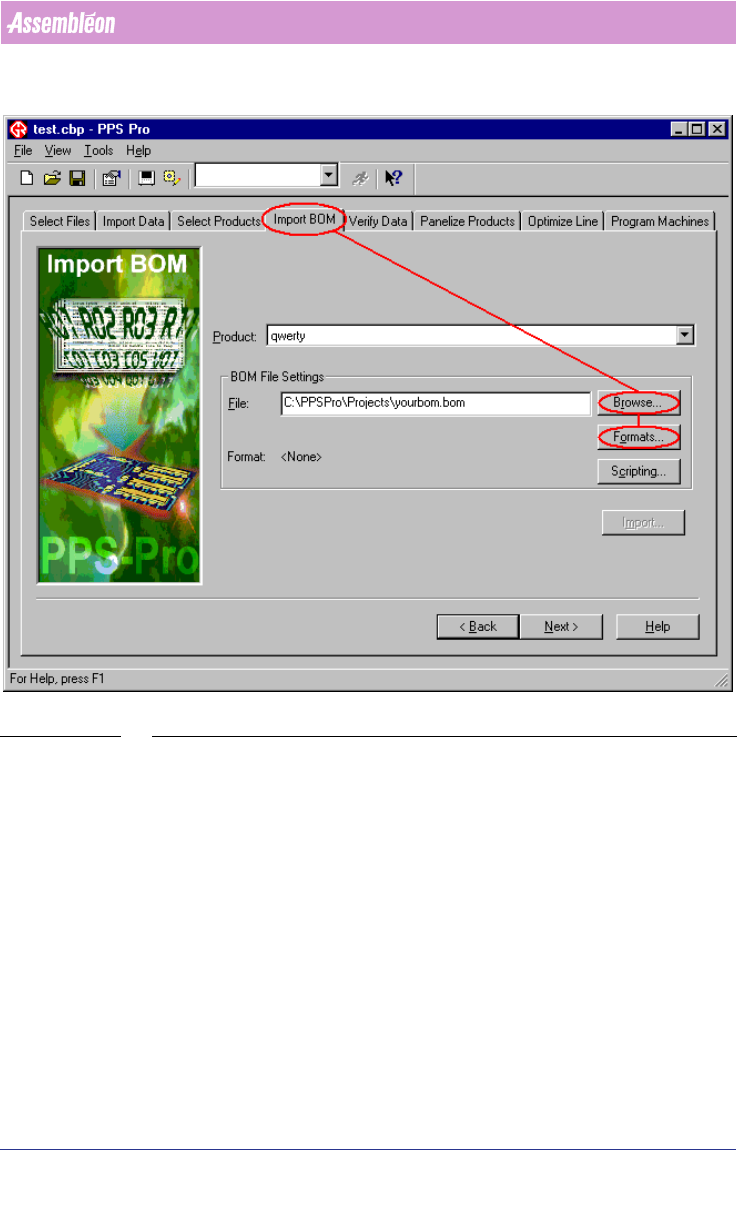
SCREEN 22 Import BOM Existing Project
2.12 BOM Formats
A BOM-format must be available for every BOM-file which will be imported.
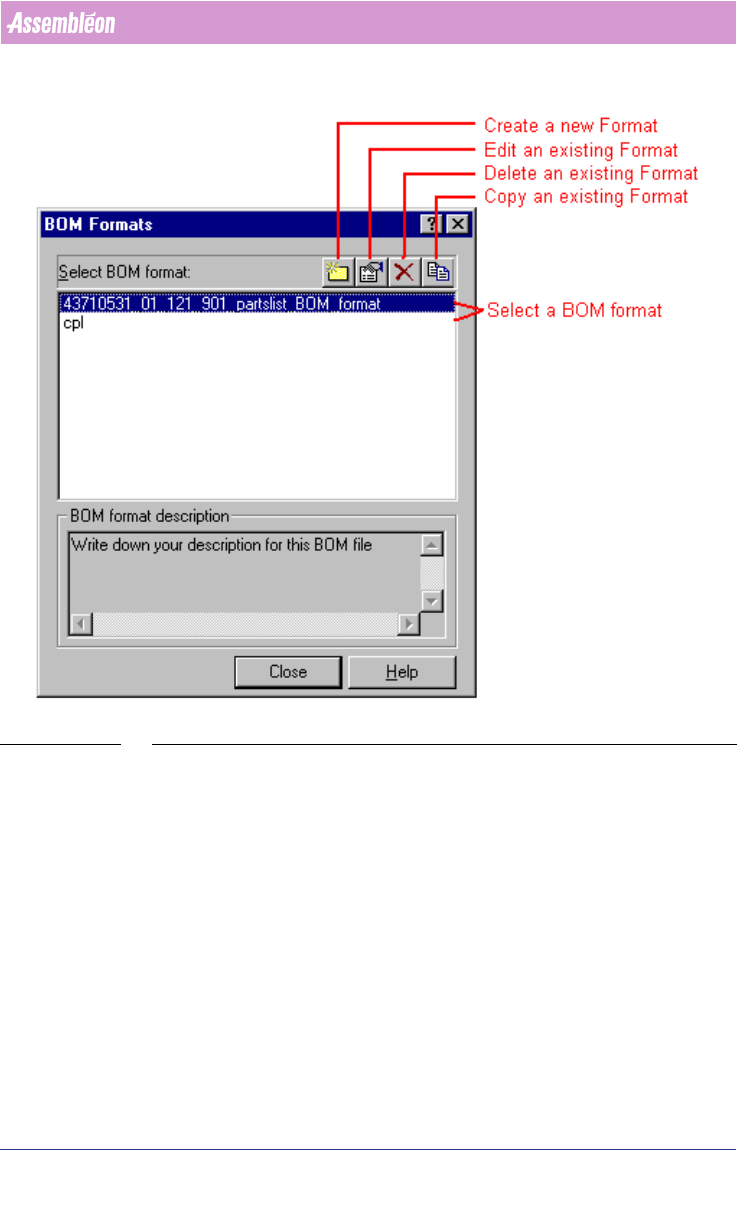
This paragraph explains how to create, edit, remove and copy a BOM-format.
All these action can be started from the ‘BOM-Formats Explorer’
(see SCREEN
23 on page 32).
User Manual 4022 591 98247
32 PPS-Pro v8.2 05.07
PPS-Pro GUI
SCREEN 23 BOM Format Explorer
2.12.1 Create a new BOM format using the BOM Format Wizard
(BFW)
A new BOM-format can be made with the BFW.
To start the BFW just press the New icon (see SCREEN 23 on page 32) of the
‘BOM-Formats Explorer’. Now the BFW starts up and five steps must be taken to
define a new BOM-format.
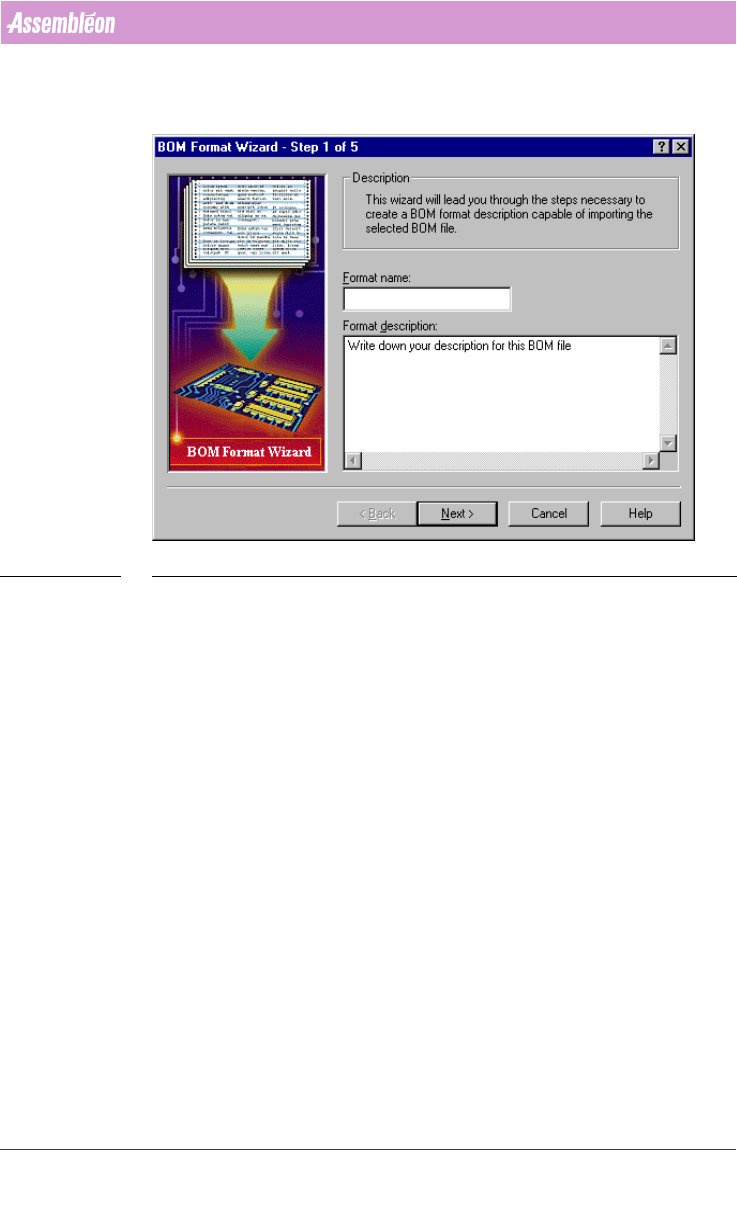
1. Step 1 of the BFW (see SCREEN 24 on page 33)
• Enter an identifiable name of the new BOM-format in the Format name
textfield.
4022 591 98247 User Manual
05.07 PPS-Pro v8.2 33
PPS-Pro GUI
• Enter text that identifies the BOM-format for you in the Format
description textbox.
SCREEN 24 BOM Format - Step 1
2. Step 2 of the BFW (see SCREEN 25 on page 34)
BOM files generally contain header information and comments that the BOM
importer must ignore. In this step you define where the first row of data
begins and what character is used to mark comment or non-data rows.