PPS Pro version 8.2.pdf - 第77页
4022 591 98 247 User Manual 05.07 PPS-Pro v8.2 73 PPS-Pro GUI SCREEN 49 Lane pr e-assignmen ts in TTF feeders Note that the name packa gingT ypeId m e ans P artnumber . I t so m e s it uat io n s i t c an be co nv en ie …
User Manual 4022 591 98247
72 PPS-Pro v8.2 05.07
PPS-Pro GUI
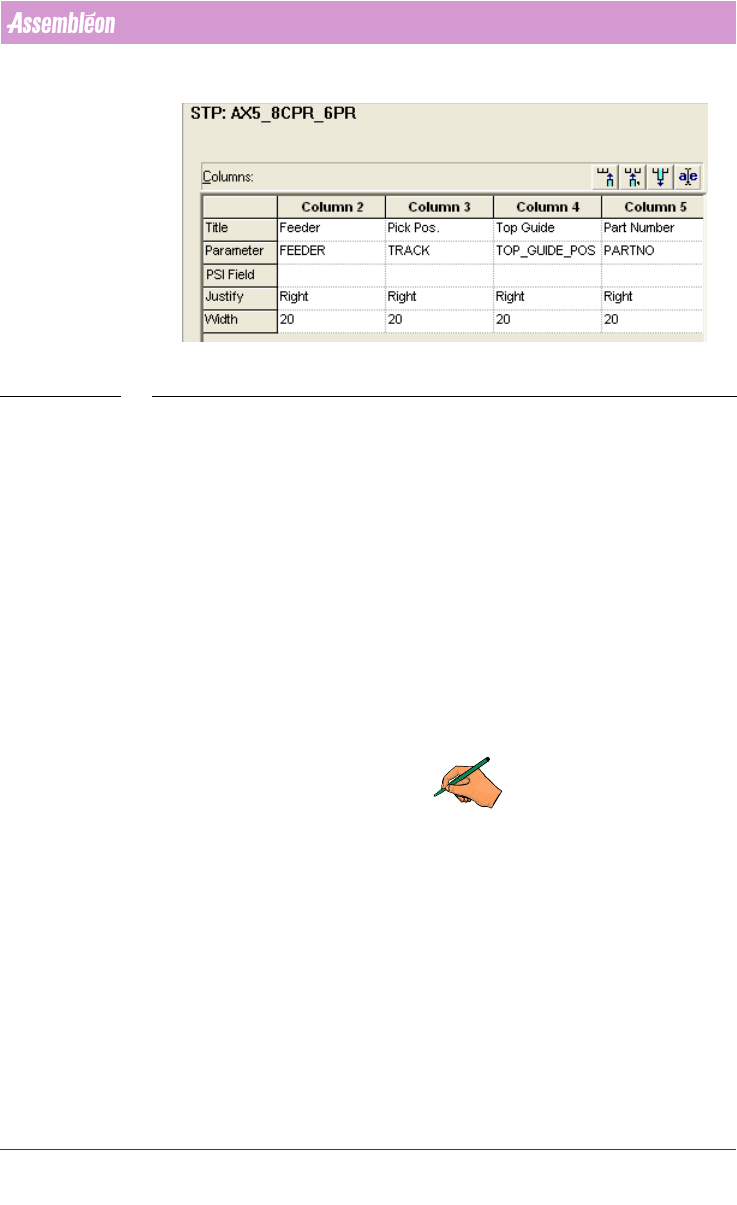
SCREEN 48 Example of ALE file with Topguide position information for A-Series Feeder
Trolley (column 4)
2.29.1 Keeping part assignments in lanes of TTF Feeders (A-
Series only)
The A-Series optimizer creates an output file with the filename PreAssigned-
LanesForMultiLaneFeeders.xml in the project’s root directory. Note that this
function applies to all multilane feeders, but focuses on TTF where it’s
expected to be used most often. This file contains the information of TTF
feeder contents, it can be used as input for a successive calculation to keep as
many TTF pairs as reasonably possible together. Before this is done the file
should be copied to a location where it cannot be overwritten (for example
one directory up).
Using this file will have the benefit that it can reduce the work for operators.
This work consists of rearranging the reels from the lanes in TTF feeders
between production batch changeovers.
REMARK: The MultiLane XML file will be overwritten in the project’s root
directory with each calculation, either rename it or save it in another
directory.
If necessary the user can edit this file with an XML editor such as XML
notepad. The comment field can be used if the user wants an additional
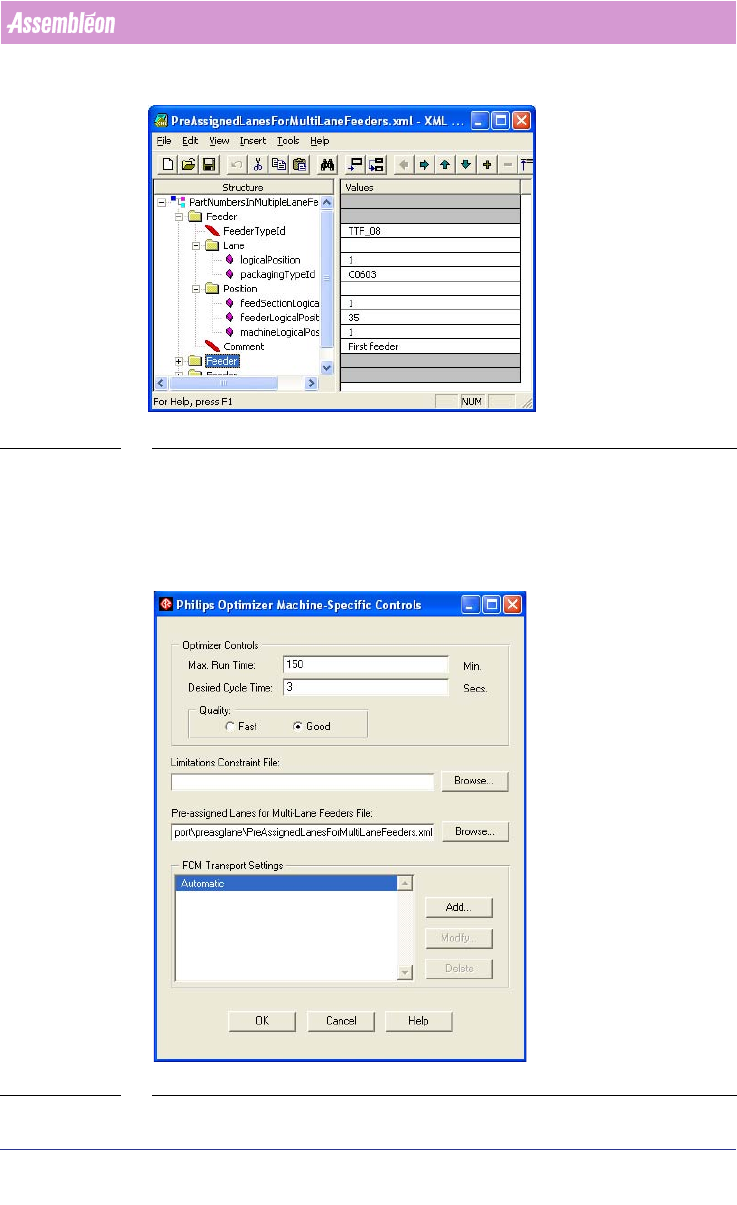
method to identify the feeders. This file looks as follows:
4022 591 98247 User Manual
05.07 PPS-Pro v8.2 73
PPS-Pro GUI
SCREEN 49 Lane pre-assignments in TTF feeders
Note that the name packagingTypeId means Partnumber.
It some situations it can be convenient to pre-assign parts which occur often
on the PCB to lane 1 of the TTF feeders, and leave the other lane open for the
optimizer to fill in with other parts.
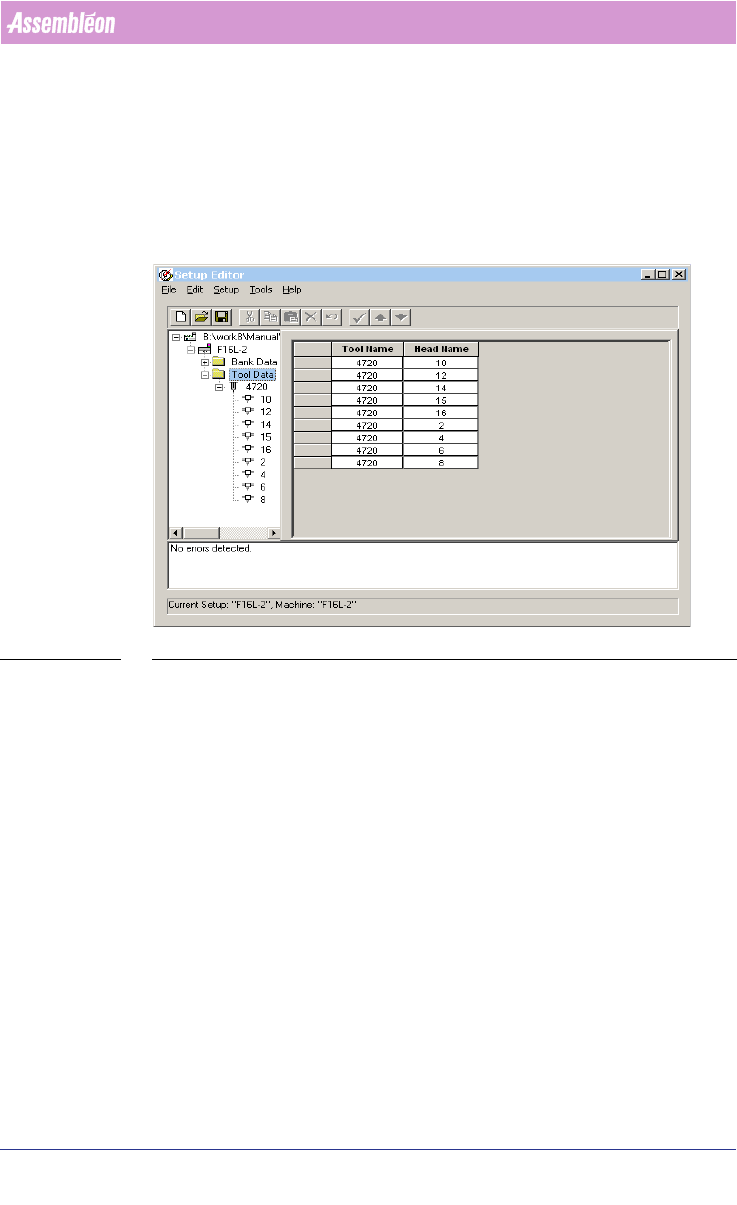
The XML file can be entered in the machine specific controls:
SCREEN 50 Adding TTF lane pre-assignments in Machine specific controls
User Manual 4022 591 98247
74 PPS-Pro v8.2 05.07
PPS-Pro GUI
2.29.2 Pre-assignment of Nozzles
2.29.2.1 For FCM
Pre-assignments of nozzles for FCMs can be done in .con files. The nozzle
specifications in the .con file override the specifications in the ALE file
(see
2.30 "Use the Setup editor" on page 76).
SCREEN 51 example FCM nozzle pre-assignment
2.29.2.2 Nozzle Pre-assignment in TEU of AX
This feature is only allowed if the AX machine has machine software version
1.21 or later. With older AX machine software it is advised to keep the current
toolbit assignments which have been specified as defaults in older ALE files.
With machine software 1.21 and onwards it is allowed to leave the TEU empty.
In the CON file it is possible to pre-assign toolbits to the TEU, it is also allowed
to assign more than one special toolbit to a TEU. For AX machines with
component vision it is not allowed to have nozzle pre-assignments in the ALE
file, otherwise the RTB cannot be used anymore.
example:
Version: CIMBridge 3.4 Setup File
Configuration: "M_AX_5_20" {
Nest: {
Position: "1"
Tool: "L5"
Tool: "L4"