Operating Manual SIPLACE Multi-Docking Station.pdf - 第17页
13 SIPLACE Multi-Docking-St ation 2 Operating Safety Operating Manual 2.2 W arning Signal and Warning and Danger Labels 2.2 W arning Signal and W a rning and Danger Labels 2.2.1 Cleaning the W arning Labels W ARNING Do n…
2 Operating Safety SIPLACE Multi-Docking-Station
2.1 Safety Information Operating Manual
12
DANGER
The SIPLACE Multi-Docking Station is driven by electricity. Electrical
devices inherently include
parts under dangerous voltage during operation!
Prior to any activities that are not part of the normal operation of the SIPLACE Multi-Docking
Sta
tion, such as servicing, maintenance, and repair, be sure to switch off the machine at the main
power
switch and disconnect the power cord from the power supply.
Before any service, mainte
nance, or repair work, the SIPLACE Multi-Docking Station must be
locked with a personal padlock to prevent it from being switched on again at the main power switch
and a corresponding label must be provided. The power cords must be secured against accidental
reconnecting! Afterwards, the necessary work can be performed with caution.
Also observe the specific safety information in the respective manual when working on electrical
installations.
2.1.7 For Environmentally Safe Disposal of Materials and Machine Parts
The SIPLACE Multi-Docking Station uses only substances, materials, and parts that can be
separated easily and disposed of in an environmentally friendly manner. Neither the assembly/
disassembly nor operation of the SIPLACE Multi-Docking Station requires any hazardous
substances that are harmful to the environment.
NOTE
The proper and environmentally friendly disposal of the machine, its operating materials, and any
expendable and worn-out parts lies solely in the responsibility of the operator of the equipment.
Be sure to observe the national legal regulations for waste disposal and environmental protection.
13
SIPLACE Multi-Docking-Station 2 Operating Safety
Operating Manual 2.2 Warning Signal and Warning and Danger Labels
2.2 Warning Signal and Warning and Danger Labels
2.2.1 Cleaning the Warning Labels
WARNING
Do not use harsh detergents or solvents for cleaning the warning labels.
Be sure to replace any warning labels that are missing, damaged, or no longer readable.
Pay attention to the correct location of the warning labels.
2.2.2 Warning and Danger Labels
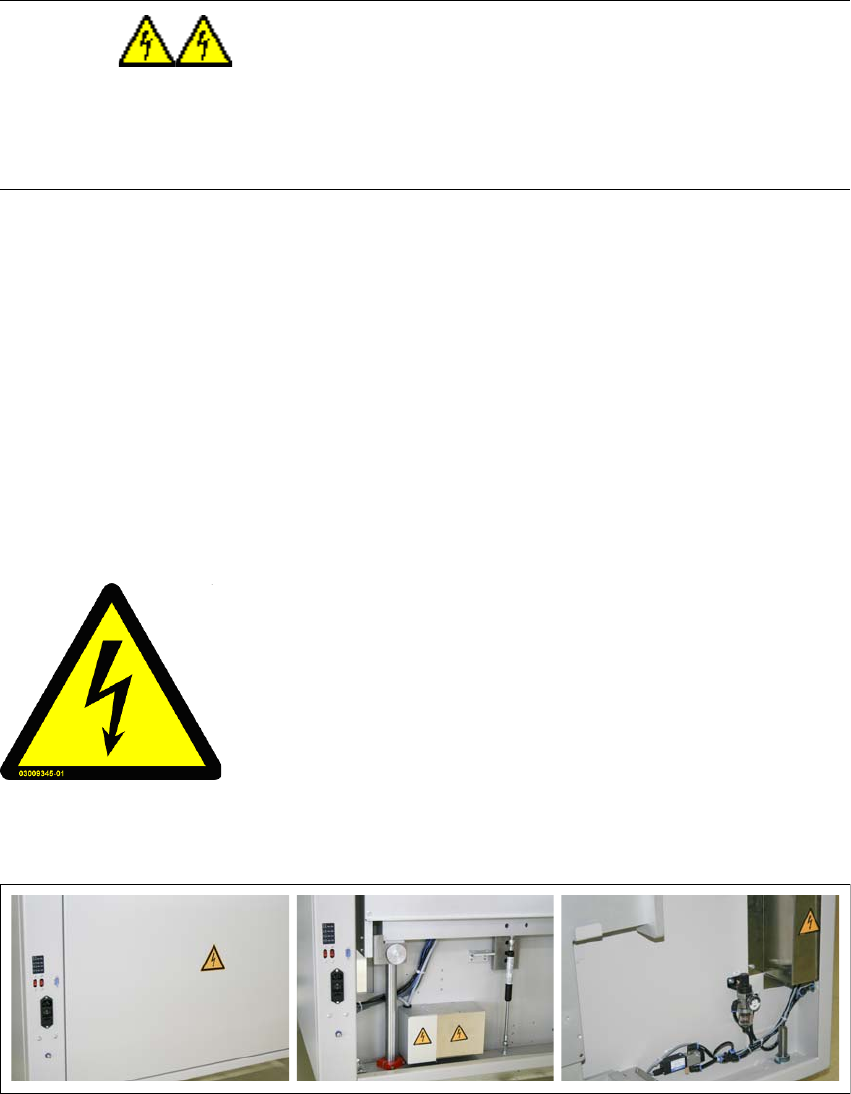
2.2.2.1 Warning Label W 206
Part No.: 03009345-01
Label locations: On the SIPLACE Multi-Docking Station
- Covers for the power supply
Num
ber per machine: 4
Class: WARNING
Fig. 2 - 1 Warning label W206, part no. 03009345-01
Fig. 2 - 2 Warning label W206, part no. 03009345-0
1 - label locations
Dangerous voltage!
Parts labelled with this sticker are live even when the main switch
is switched off.
Disconnect the machine from the supply system before
commencing any service work!
NAFTA Region: Risk Of Electric Shock Or Burn.
2 Operating Safety SIPLACE Multi-Docking-Station
2.3 ESD guidelines Operating Manual
14
2.3 ESD guidelines
Please observe the information on the ESD directives as indicated in the operating manual of the
placement system.