Operating Manual SIPLACE Multi-Docking Station.pdf - 第26页
3 Product Description SIPLACE Multi-Docking-St ation 3.5 Optional Accessories Operating Manual 22
21
SIPLACE Multi-Docking-Station 3 Product Description
Operating Manual 3.5 Optional Accessories
3.5 Optional Accessories
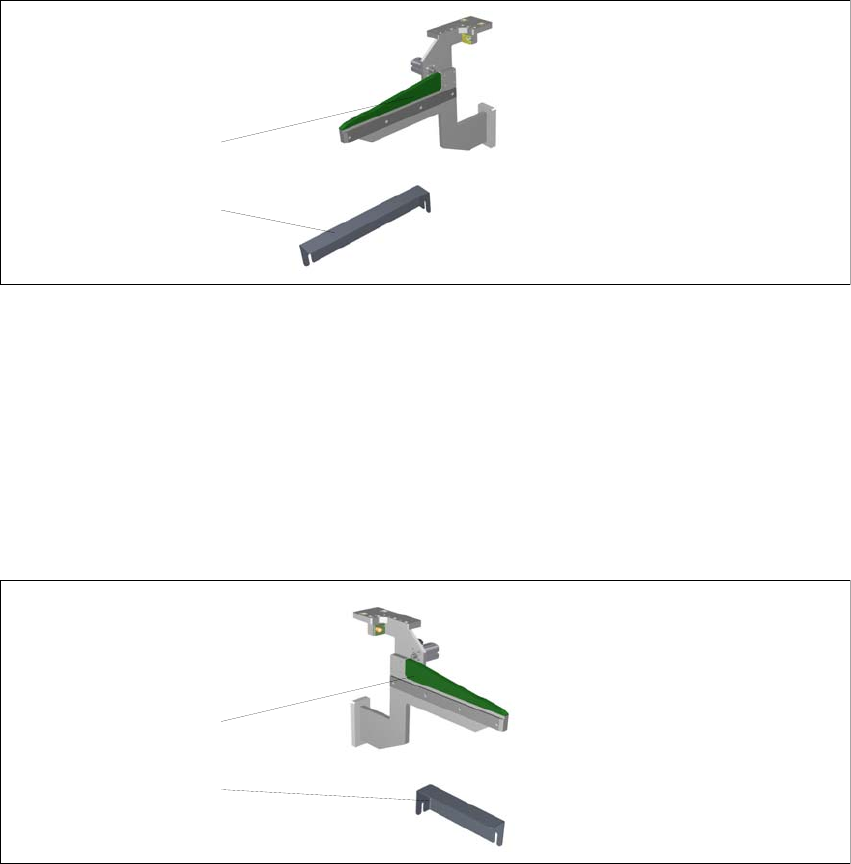
3.5.1 Adapter for COT 30
This adapter can be ordered under part number 00176146-01.
Fig. 3 - 6 SIPLACE Multi-Docking Station – COT 30
(1) Skid strip COT 30
(2) Angle bracket COT 30
3.5.2 Adapter for COT 40
This adapter can be ordered under part number 00176147-01.
Fig. 3 - 7 SIPLACE Multi-Docking Station – COT 30
(1) Skid strip COT 40
(2) Angle bracket COT 40
2
1
2
1
3 Product Description SIPLACE Multi-Docking-Station
3.5 Optional Accessories Operating Manual
22
23
SIPLACE Multi-Docking-Station 4 Operation
Operating Manual 4.1 Controls and Indicators
4 Operation
4.1 Controls and Indicators
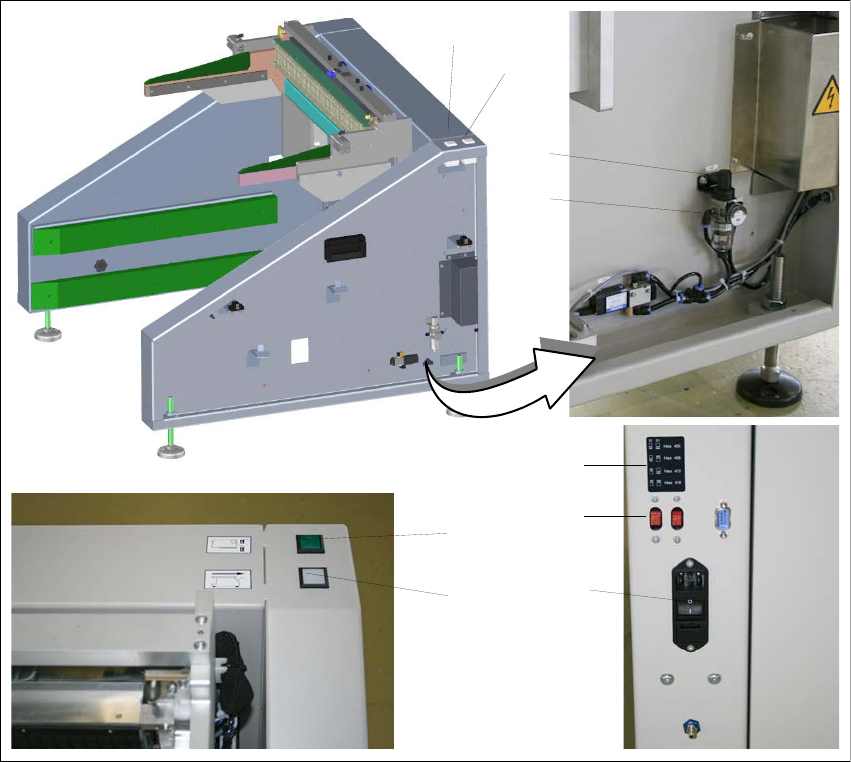
Fig. 4 - 1 SIPLACE Multi-Docking Station – Controls and indicators
(1) Component cart release (white button)
(2) Feeder locking and release (green button)
(3) Knob for setting the operating pressure
(4) Pressure gauge for indicating the operating pressure
(5) Switches S1 and S2 for setting the CAN bus address
(6) Sticker explaining the switches S1 and S2 for CAN bus addressing
(7) Power switch
1
2
3
4
5
7
6
1
2