Operating Manual SIPLACE Multi-Docking Station.pdf - 第37页
33 SIPLACE Multi-Docking-St ation 5 Maintenance and Service Operating Manual 5.1 Compressed-air connection 5 Maintenance and Service The machine requires almost no maintenance. Only the following activities need to be ca…
4 Operation SIPLACE Multi-Docking-Station
4.4 Conversion to COT 30 or COT 40 Operating Manual
32
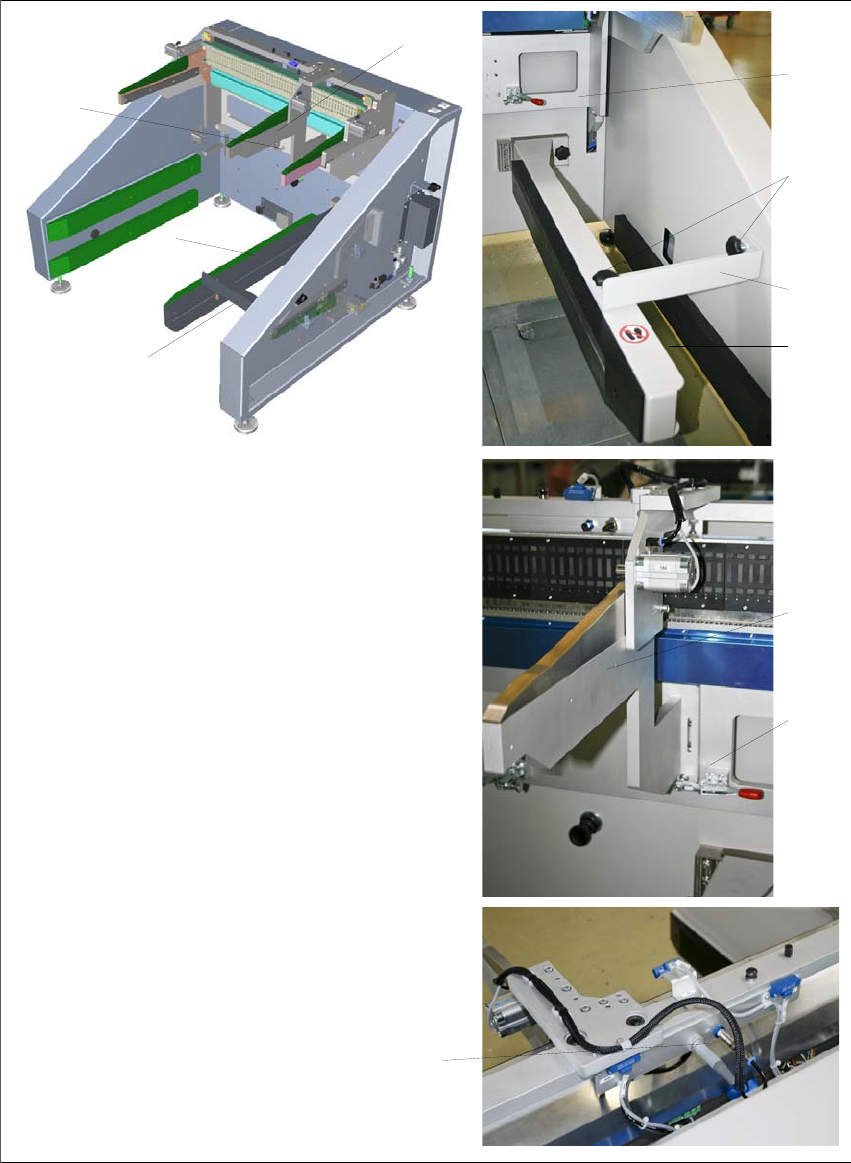
4.4.3.1 Conversion to COT 40
1
7
(1) Switch off the Multi-Docking Station
and disconnect the power cable
from the power supply.
(2) Insert the guide strip 1 into the
retainer at the bottom and tighten
the star knob screw 2.
(3) Install the angle bracket 3 as shown
and tighten the two star knob
screws 4.
(4) Open the quick clamp 5, hook in the
skid strip 6 and close the quick
clamp.
(5) Make the proper connections to the
COT 40 adapter 7.
(6) Check that all the steps have been
executed completely and correctly.
2
3
4
5
6
1
3
6
5
33
SIPLACE Multi-Docking-Station 5 Maintenance and Service
Operating Manual 5.1 Compressed-air connection
5 Maintenance and Service
The machine requires almost no maintenance. Only the following activities need to be carried out.
5.1 Compressed-air connection
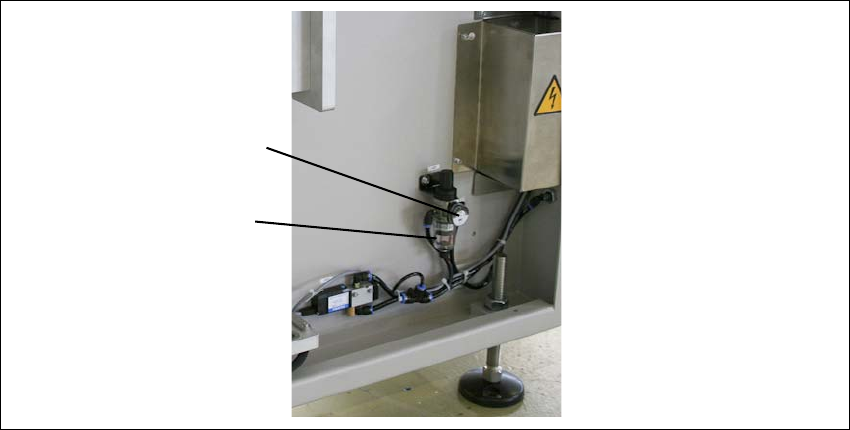
Once a week check the correct pressure setting on the pressure gauge. See the technical data
for the possible settings.
Also check the condensed water container below the pressure gauge. If water has accumulated
ther
e, empty the container. As the formation of condensed water highly depends on your
compressed-air quality, it may be necessary to shorten or extend the checking interval.
Determine the interval according to your need, after initially checking weekly.
Fig. 5 - 1 Compressed-air connection
(1) Pressure gauge
(2) Condensed water container
2
1
5 Maintenance and Service SIPLACE Multi-Docking-Station
5.1 Compressed-air connection Operating Manual
34