Operating Manual SIPLACE Multi-Docking Station.pdf - 第25页
21 SIPLACE Multi-Docking-St ation 3 Product Description Operating Manual 3.5 Optional Accessories 3.5 Optional Accessories 3.5.1 Adapter for COT 30 This adapter can be or dered under p art number 00 176146-01. Fig. 3 - 6…
3 Product Description SIPLACE Multi-Docking-Station
3.4 Installation and Mounting Operating Manual
20
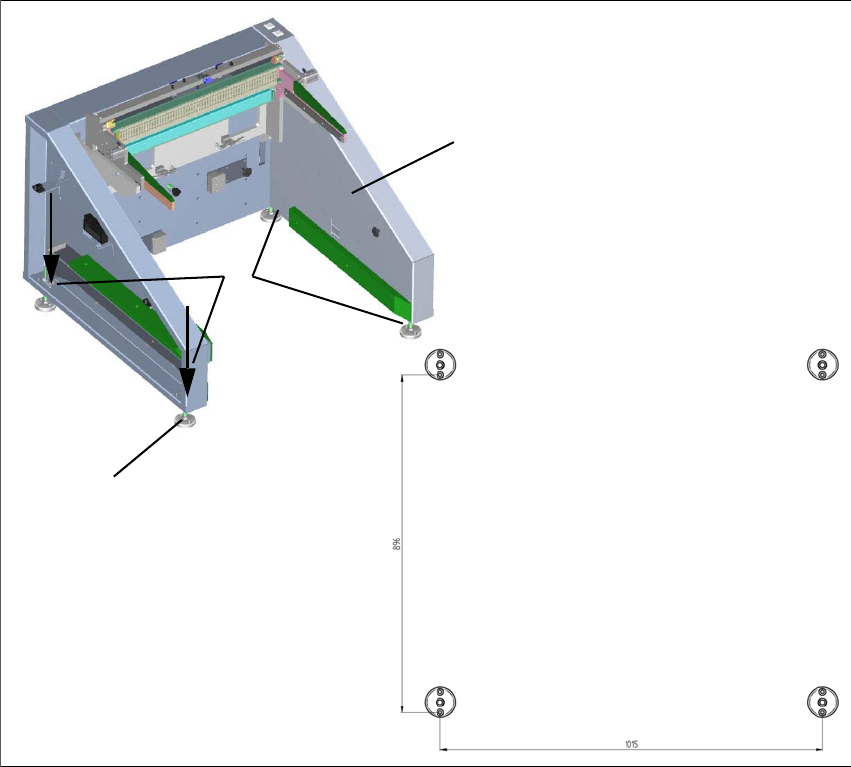
3.4.2 Mounting
The SIPLACE Multi-Docking Station is anchored to the floor with four heavy duty anchors TA M,
12 mm and the other fastening parts.
Fig. 3 - 5 Fastening and hole pattern
(1) Position the docking station in its intended location and align it.
(2) Align the holes in the adjusting feet plates with the ho
les in the metal sheet on top.
(3) Mark the front hole of each adjusting feet plate or mark it with an appropriate tool.
(4) Place the docking station aside.
(5) Drill the four holes
with a diameter of 12 m
m and a depth of 80 mm.
(6) Insert the heavy duty anchors into the drilled holes.
(7) Reposition the docking station at its location
and fasten it with the provided screws.
1
2
3
1015
896
21
SIPLACE Multi-Docking-Station 3 Product Description
Operating Manual 3.5 Optional Accessories
3.5 Optional Accessories
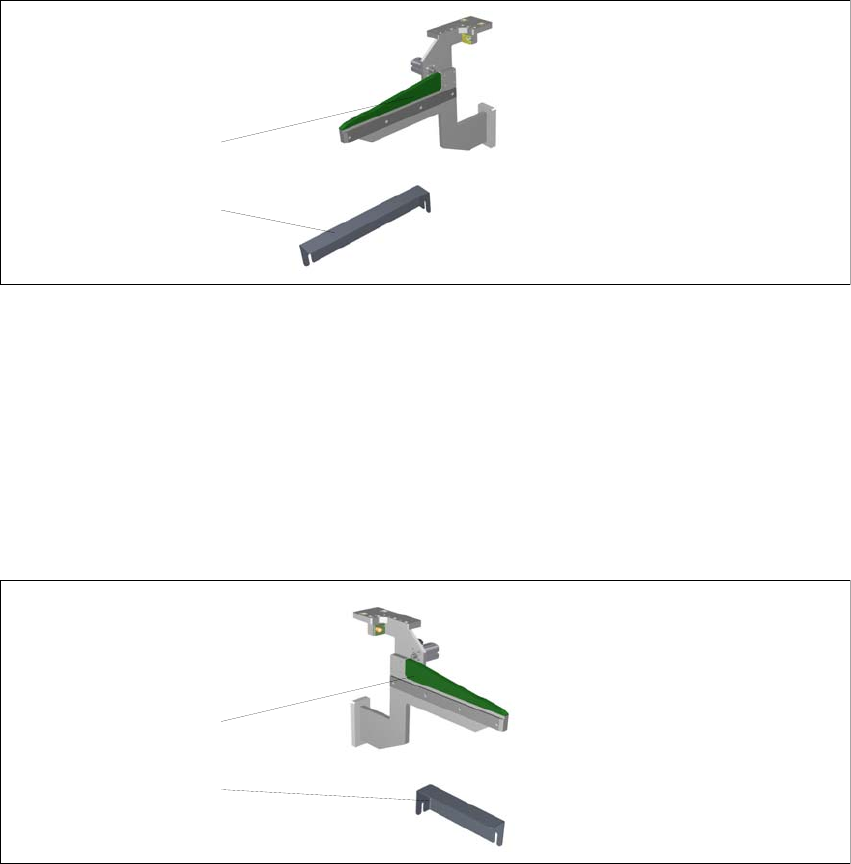
3.5.1 Adapter for COT 30
This adapter can be ordered under part number 00176146-01.
Fig. 3 - 6 SIPLACE Multi-Docking Station – COT 30
(1) Skid strip COT 30
(2) Angle bracket COT 30
3.5.2 Adapter for COT 40
This adapter can be ordered under part number 00176147-01.
Fig. 3 - 7 SIPLACE Multi-Docking Station – COT 30
(1) Skid strip COT 40
(2) Angle bracket COT 40
2
1
2
1
3 Product Description SIPLACE Multi-Docking-Station
3.5 Optional Accessories Operating Manual
22