Operating Manual SIPLACE Multi-Docking Station.pdf - 第31页
27 SIPLACE Multi-Docking-St ation 4 Operation Operating Manual 4.4 Conversion to COT 30 or COT 40 4.3.2 Undocking the SIPLACE SX Component Cart fro m the Multi-Docking St ation W ARNING Do not reach between the areas bet…
4 Operation SIPLACE Multi-Docking-Station
4.3 Docking and Undocking the Component Cart Operating Manual
26
4.3 Docking and Undocking the Component Cart
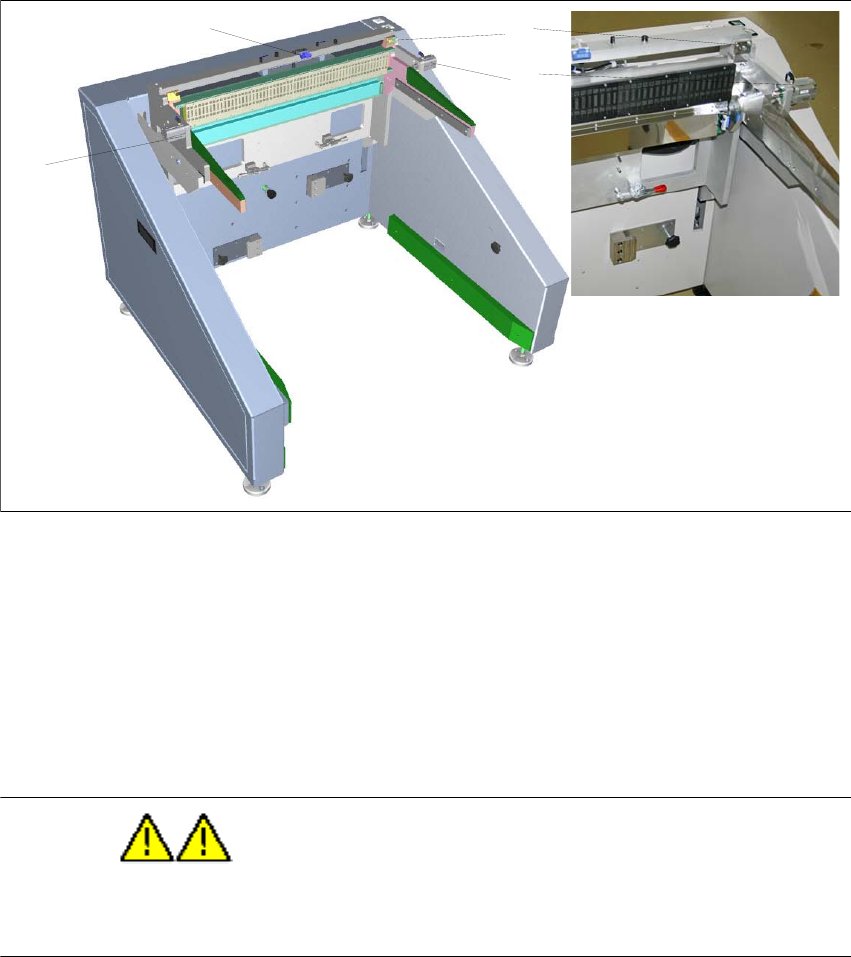
Fig. 4 - 5 SIPLACE Multi-Docking Station
(1) Pneumatic cylinder for locking the component cart
(2) Sensor for component cart detection
(3) Centring pin
4.3.1 Docking the SIPLACE SX Component Cart to the Multi-Docking Station
WARNING
Do not reach between the areas between the component cart and the SIPLACE Multi-Docking
Station during docking.
– Push the component cart into the docking station until it is locked by the pneumatic cylinders.
– The two buttons will flash shortly. If the component cart is properly locked, the w
hite button
(component cart release) will be lit permanently.
– If the component cart is not locked properly, the
white button will be flashing.
– If the feeders are locked properly, the green feeder
locking button will be lit.
2
1
1
3
27
SIPLACE Multi-Docking-Station 4 Operation
Operating Manual 4.4 Conversion to COT 30 or COT 40
4.3.2 Undocking the SIPLACE SX Component Cart from the Multi-Docking Station
WARNING
Do not reach between the areas between the component cart and the SIPLACE Multi-Docking
Station during docking.
– Undocking the component cart requires that the feed be locked.
Make sure that the green feeder lock
ing button is lit.
– Push the white component cart release button. The component c
art will be released.
– Pull the component cart from the re
ar out of the docking station.
4.4 Conversion to COT 30 or COT 40
DANGER
Prior to converting the SIPLACE Multi-Docking Station, be sure to switch it o
ff at the main power
switch and disconnect the power cord from the power supply.
4 Operation SIPLACE Multi-Docking-Station
4.4 Conversion to COT 30 or COT 40 Operating Manual
28
4.4.1 Standard COT 60
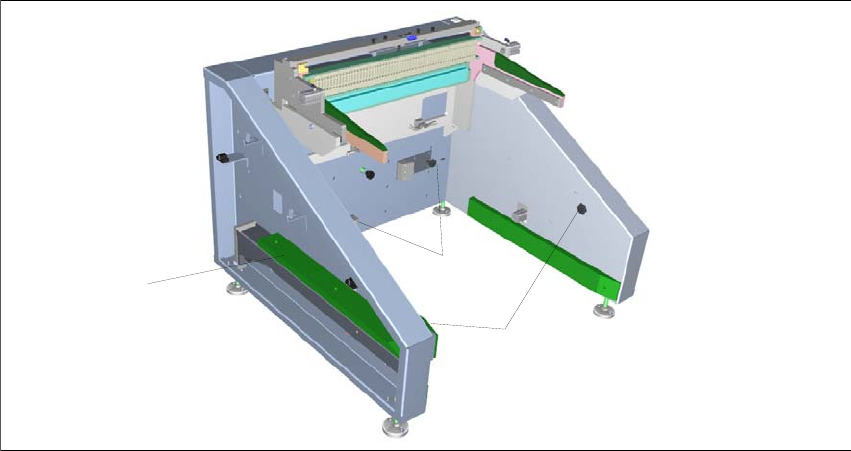
Fig. 4 - 6 SIPLACE Multi-Docking Station – COT 60
(1) Guide strip used for options COT 30 and COT 40.
(2) Star knob screws for securing the angle brackets
to the sides on the options COT 30 and
COT 40.
(3) Star knob screws for securing the guide strip and
the angle bracket on the guide strip.
1
2
3