Operating Manual SIPLACE Multi-Docking Station.pdf - 第23页
19 SIPLACE Multi-Docking-St ation 3 Product Description Operating Manual 3.4 Installation and Mounting 3.4 Inst allation and Mounting T o ensure safe operation of the SIPLACE Multi-Do cking S tation , it must be mounted …
3 Product Description SIPLACE Multi-Docking-Station
3.3 Transport Lock Operating Manual
18
3.3 Transport Lock
After unpacking and before using the docking station for the first time, be sure to remove the
transport locks.
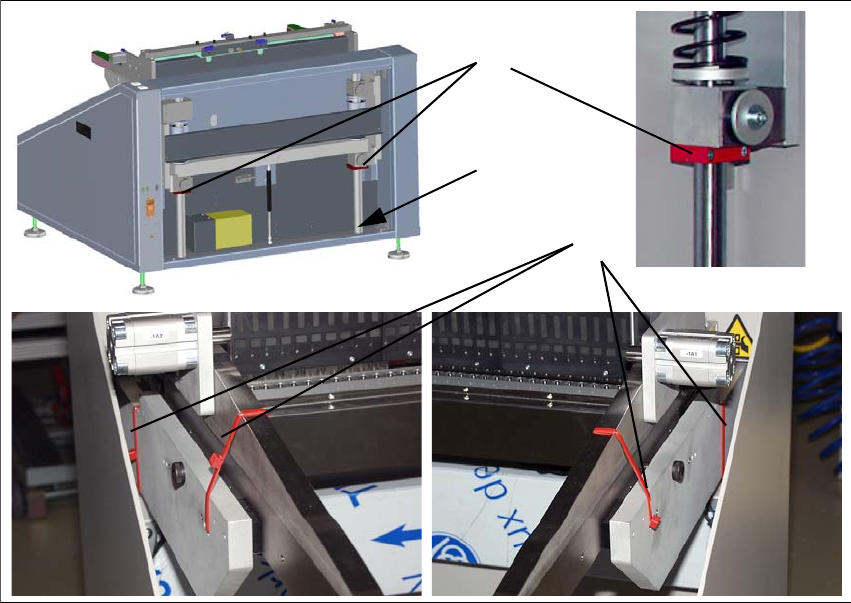
Fig. 3 - 3 Transport locks
(1) 2x shaft transport lock on the lifting axis
(2) 4x side wall transport lock
(3) Storage place for transport locks 1
To loosen the transport lock 1, you
need to remove the rear cover. Loosen the transport lock 1
and fix it loosely to the storage place 3. Replace the cover.
To remove the transport lock 2, cut
the four red cable ties with a suitable tool.
1
2
3
19
SIPLACE Multi-Docking-Station 3 Product Description
Operating Manual 3.4 Installation and Mounting
3.4 Installation and Mounting
To ensure safe operation of the SIPLACE Multi-Docking Station, it must be mounted as described
below.
3.4.1 Mounting Accessories
The mounting accessories are provided in a separate package. This package is identified with the
label shown below.
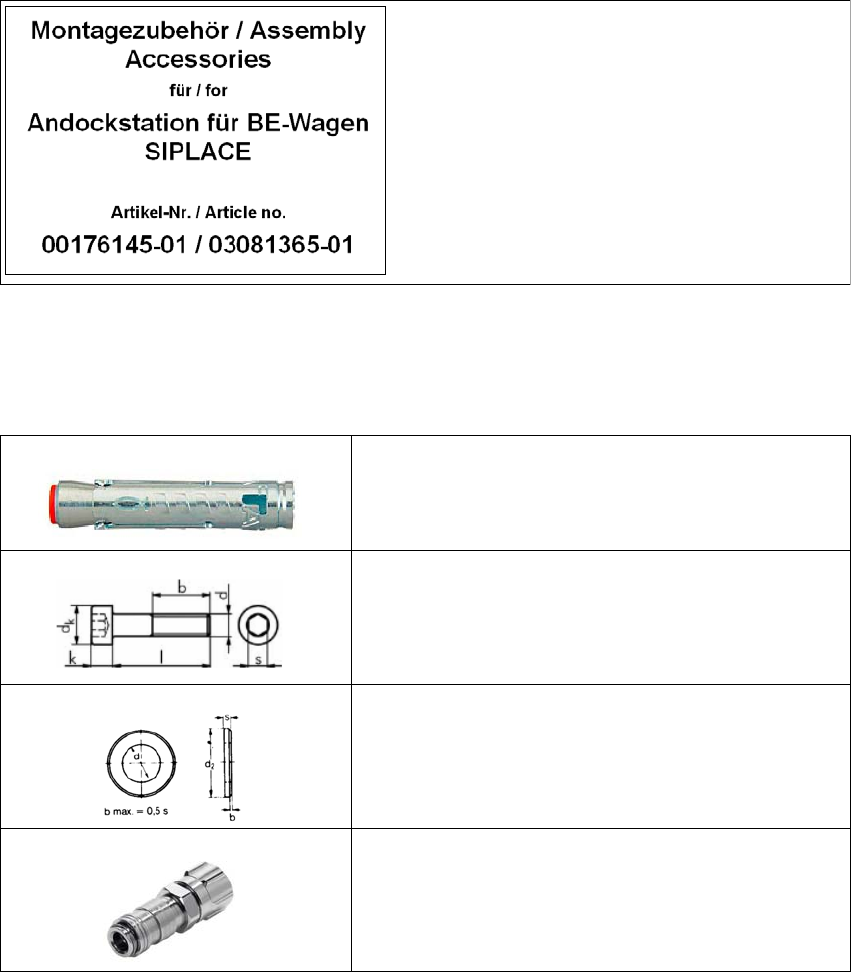
Fig. 3 - 4 Mounting accessories
3.4.1.1 Fastening Parts
Contents:
1. Power cable
2. Fastening parts
4x heavy duty anchor TA M, 12 mm
4x cylinder head screw, DIN EN ISO 4762 M8x80-8.8
4x washer, DIN EN ISO 7090 8.4-140HV
1x female coupling with union nut KD2-CK-4
3 Product Description SIPLACE Multi-Docking-Station
3.4 Installation and Mounting Operating Manual
20
3.4.2 Mounting
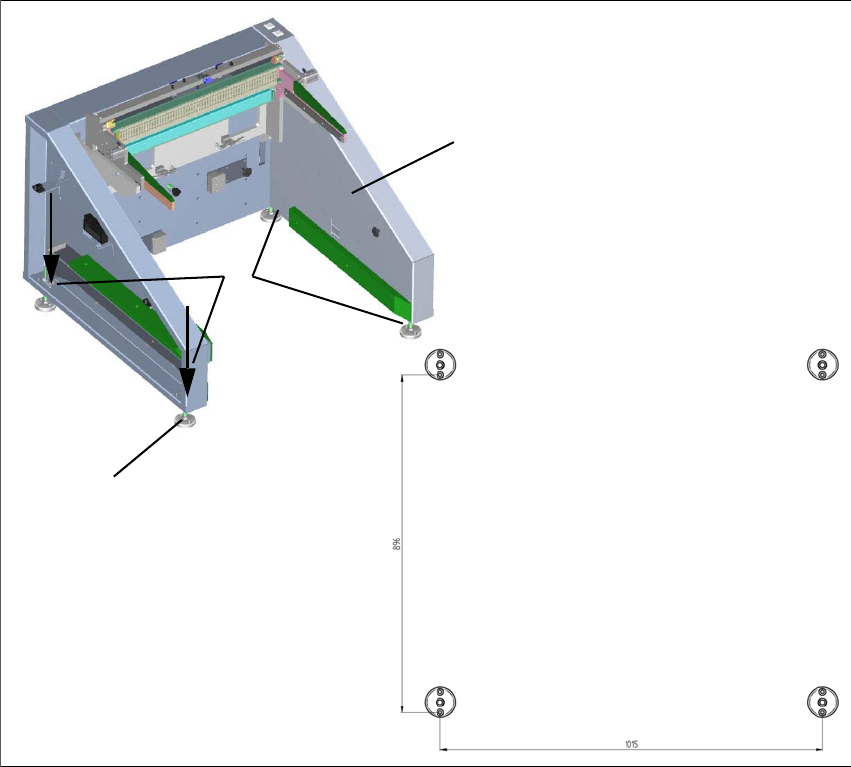
The SIPLACE Multi-Docking Station is anchored to the floor with four heavy duty anchors TA M,
12 mm and the other fastening parts.
Fig. 3 - 5 Fastening and hole pattern
(1) Position the docking station in its intended location and align it.
(2) Align the holes in the adjusting feet plates with the ho
les in the metal sheet on top.
(3) Mark the front hole of each adjusting feet plate or mark it with an appropriate tool.
(4) Place the docking station aside.
(5) Drill the four holes
with a diameter of 12 m
m and a depth of 80 mm.
(6) Insert the heavy duty anchors into the drilled holes.
(7) Reposition the docking station at its location
and fasten it with the provided screws.
1
2
3
1015
896