00197728-12_IM_SE3.11_EN.pdf - 第19页
Installation and Configuration Guide SIPLACE Explorer 2 System C omponents and Configurations Edition 11/2020 EN 2.3 Standard Installation of SIPLAC E Explorer 1 9 2.3.3 Single Line Layout The Single Line Layout installa…
2 System Components and Configurations Installation and Configuration Guide SIPLACE Explorer
2.3 Standard Installation of SIPLACE Explorer Edition 11/2020 EN
18
2
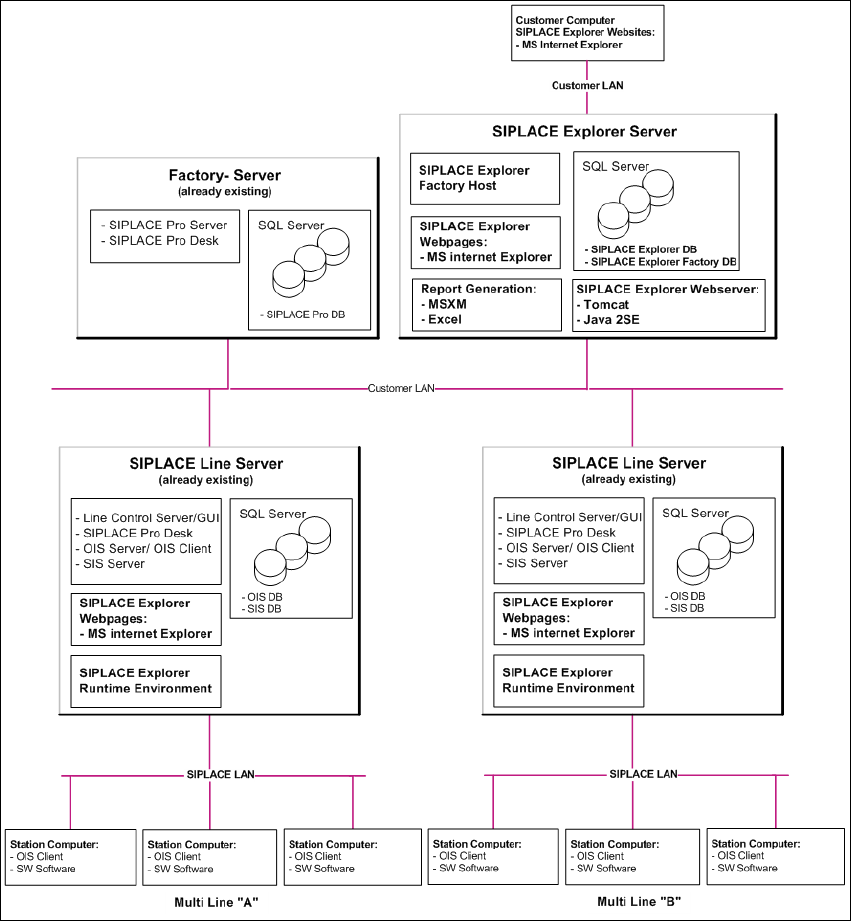
Fig. 2.3 - 2 Installation Variants: Factory Layout Dl
Installation and Configuration Guide SIPLACE Explorer 2 System Components and Configurations
Edition 11/2020 EN 2.3 Standard Installation of SIPLACE Explorer
19
2.3.3 Single Line Layout
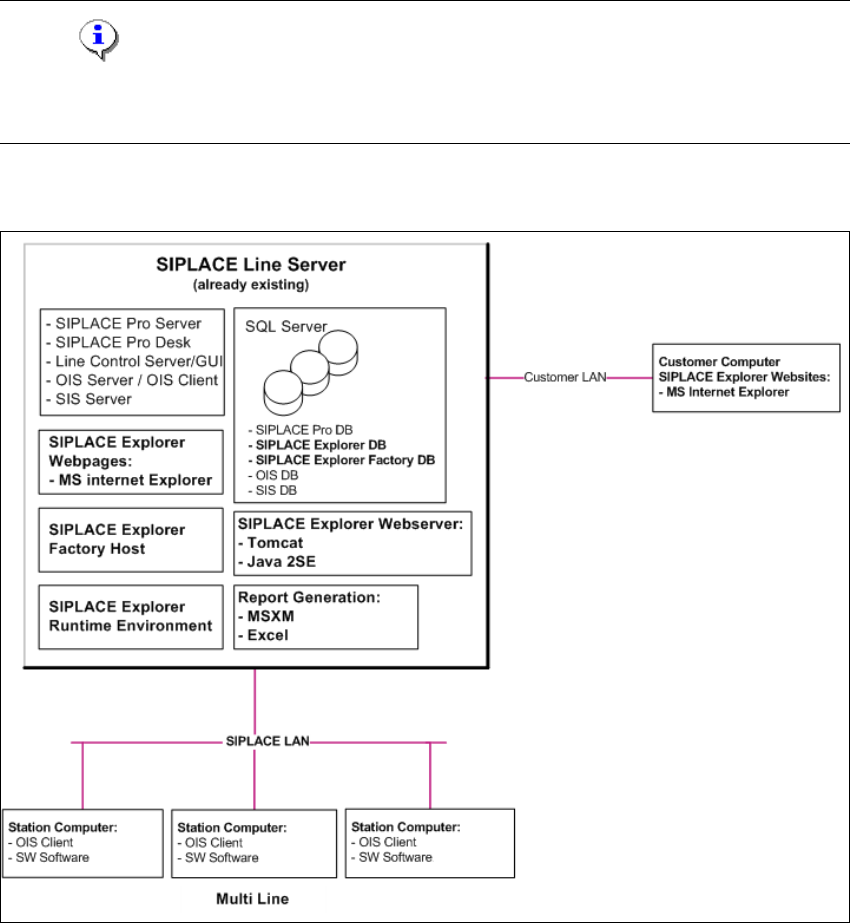
The Single Line Layout installation variant supports exactly one multi line. 2
SIPLACE Explorer is installed on the existing SIPLACE line server, with all system components.
SIPLACE Pro and OIS/SIS are also installed on this SIPLACE line server. 2
NOTE
Please note that this installation variant only allows you to monitor one application with up to 7
machines- 2
The following overview shows an example of the "Single Line Layout" installation: 2
2
Fig. 2.3 - 3 Installation Variants: Single Line Layout
2
2 System Components and Configurations Installation and Configuration Guide SIPLACE Explorer
2.3 Standard Installation of SIPLACE Explorer Edition 11/2020 EN
20