TRS GEM Manual for Intel Ver 1.1.pdf - 第41页
GEM Manual for DEK P rinters Capabilities Issue 1.1 March 20th, 2014 Page 41 of 152 Page 41 of 152 5.8 Equipment Terminal Services This capability enables factory operators to exchange messag es with the host. I t i s pa…

GEM Manual for DEK Printers Capabilities
Issue 1.1 March 20th, 2014 Page 40 of 152 Page 40 of 152
5.7 Material Movement
Material tracking can be performed by enabling the following events. Event reporting is
covered in Section 7.
EVENT
CEID
DESCRIPTION
REFERENCE
31258
Paste dispensing.
Paste dispense cycle started.
31259
Paste cartridge empty.
Paste cartridge detected empty.
31264
Setup started.
Setup page has been entered.
31265
Process program loaded.
Process program loaded into printer.
31266
New process program.
New process program created and loaded.
31268
Screen unloaded.
Screen just unloaded.
31269
Screen loaded.
Screen just loaded.
31270
Tool change started.
Tool Change page just entered.
31271
Tool change complete.
Tool Change page just exited.
31272
Setup ended.
Setup page just exited.
31273
Start print cycle.
Print cycle/s just started.
31274
Board received.
Board received at input sensor.
31275
End print cycle.
Print cycle/s just completed.
31276
Printed board ready.
Board at output sensor.
31277
Board printed.
Board just printed.
31301
No cleaner paper.
Cleaner run out of paper.
31302
No cleaner solvent.
Cleaner run out of solvent.
31319
Board delivered / removed.
Board has left the machine.
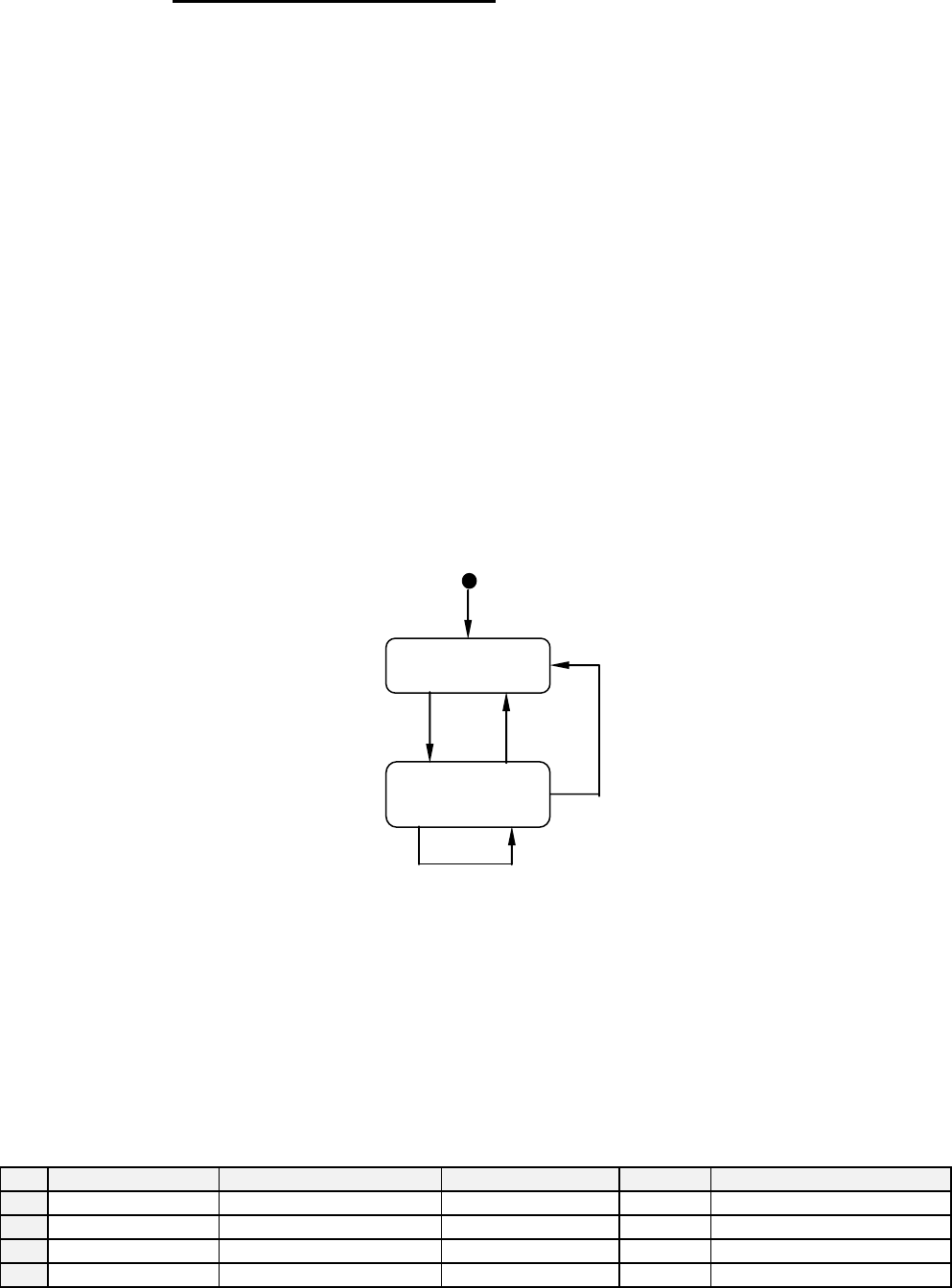
Scenario:
Material sent to / removed from equipment:
Comments
Host
Equipment
Comments
<-- S6F11
Material movement CEID
Host acknowledges report.
S6F12 -->
GEM Manual for DEK Printers Capabilities
Issue 1.1 March 20th, 2014 Page 41 of 152 Page 41 of 152
5.8 Equipment Terminal Services
This capability enables factory operators to exchange messages with the host. It is particularly
useful for passing instructions to the operator.
When the host sends a terminal message to a DEK printer, an indication of a message is
displayed at the equipment console. This indication message will remain displayed until either,
the operator presses a button indicating it has been read or, the host sends a new zero length
text. When the operator presses the read complete button, an event report CEID is sent to the
host.
The operator can enter a terminal message, at the equipment console, which will then be sent to
the host.
For Operator procedures see Appendix B.
Terminal Services State Model:
The terminal services state model is implemented on the DEK printer.
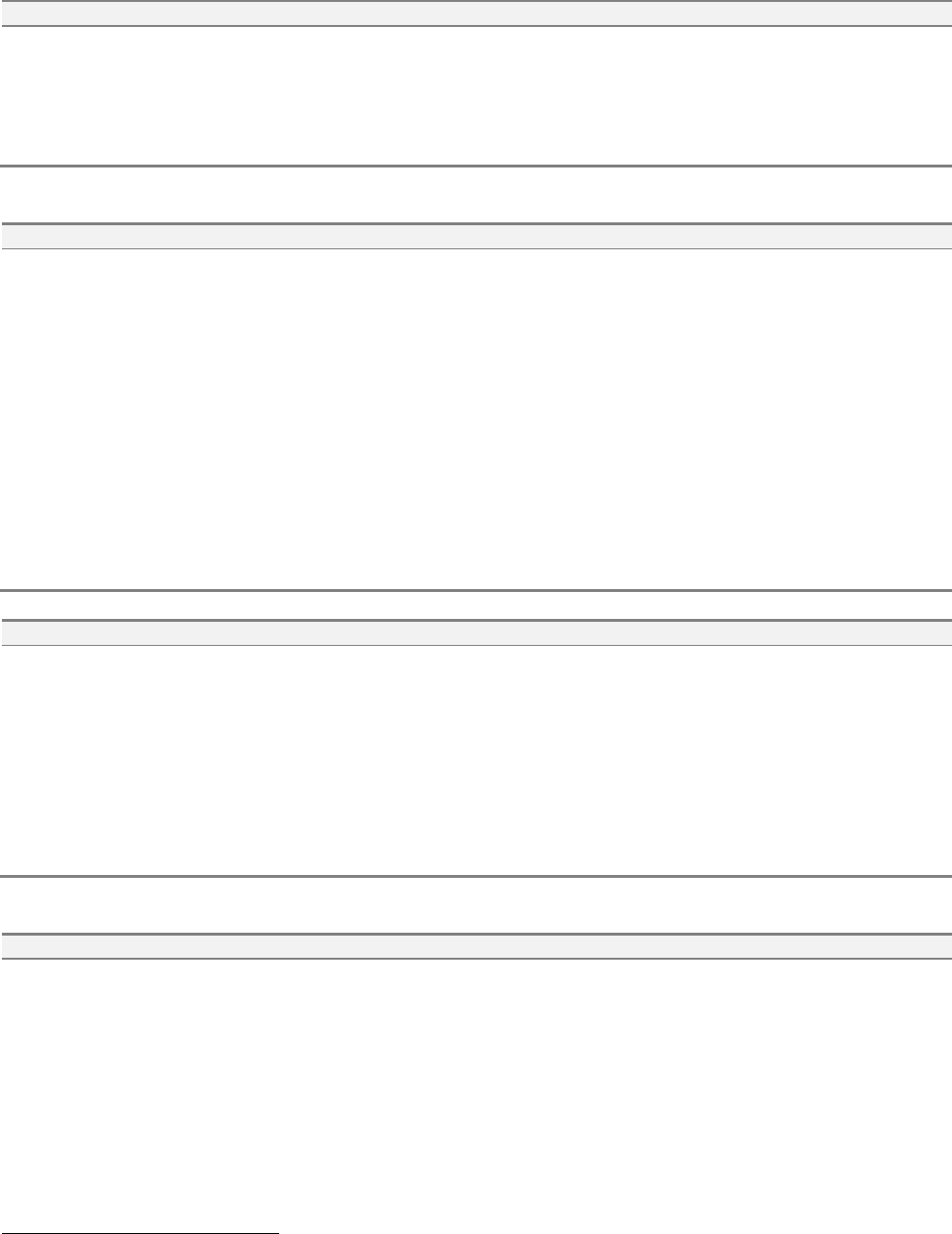
State Diagram:
State Definitions:
Idle - No host text is displayed on the terminal.
Not Acknowledged - Host text is displayed and not yet acknowledged by the operator.
Transition Table:
#
Current State
Trigger
New State
Action
Comment
1
Idle
Host display message.
Not Acknowledged
Display
Waiting for operator button
2
Not Acknowledged
Operator Acknowledge
Idle
none
3
Not Acknowledged
New host message
Not Acknowledged
Display
Waiting for operator button
4
Not Acknowledged
New zero length message
Idle
none
IDLE
NOT
ACKNOWLEDGE
D
1
2
3
4
GEM Manual for DEK Printers Capabilities
Issue 1.1 March 20th, 2014 Page 42 of 152 Page 42 of 152
Scenarios:
Host sends message to equipment display:
Comments
Host
Equipment
Comments
Host sends text for display
S10F3 -->
<-- S10F4
Acknowledge sent and text displayed.
Operator reads message and presses button
<-- S6F11
[IF] Acknowledge Terminal Message event
enabled [THEN] send event report
4
.
Host acknowledges event.
S6F12 -->
Host sends message to equipment display and queue behind last message:
Comments
Host
Equipment
Comments
Host sends single line text for display
S10F3 -->
<-- S10F4
Acknowledge sent and text displayed.
Host sends single line text for display
that is overwritten.
S10F3 -->
<-- S10F4
Acknowledge sent and text displayed.
<-- S6F11
Operator reads first message and presses Accept
button.
[IF] Acknowledge Terminal Message event
enabled [THEN] send event report.
Second message will be displayed.
Operator reads second message and presses
Accept button
[IF] Acknowledge Terminal Message event
enabled [THEN] send event report.
Host acknowledges event.
S6F12 -->
Host sends multiple lines message to equipment display:
Comments
Host
Equipment
Comments
Host sends multiple text for display
S10F5 -->
<-- S10F6
Acknowledge sent and text displayed.
[IF] text page contains more lines then page size
[THEN] Up/Down key will be available to scroll
through message.
Operator reads message and presses Accept
button.
<-- S6F11
[IF] Acknowledge Terminal Message event
enabled [THEN] send event report
5
.
Host acknowledges event.
S6F12 -->
Host sends multiple lines message to equipment to queue behind first message:
Comments
Host
Equipment
Comments
Host sends multiple lines text for
display
S10F5 -->
<-- S10F6
Acknowledge sent and text displayed.
[IF] text page contains more lines then page size
[THEN] Up/Down key will be available to scroll
through message.
Host sends multiple lines text for
display that will be queued.
S10F5 -->
<-- S10F6
Acknowledge sent.
4
See section 7-6 Acknowledge Terminal Message Event.
5
See section 7-6 Acknowledge Terminal Message Event.