Nordson_EFD_RV_Series_Operating_Manual.pdf - 第15页
RV Series Automated Dispensing Systems 15 www.nordsonefd.com info@nordsonefd.com +1-401-431-7000 Sales and service of Nordson EFD dispensing systems are available worldwide. RV Back Panel Operating Featur es (continued) …
RV Series Automated Dispensing Systems
14 www.nordsonefd.com info@nordsonefd.com +1-401-431-7000 Sales and service of Nordson EFD dispensing systems are available worldwide.
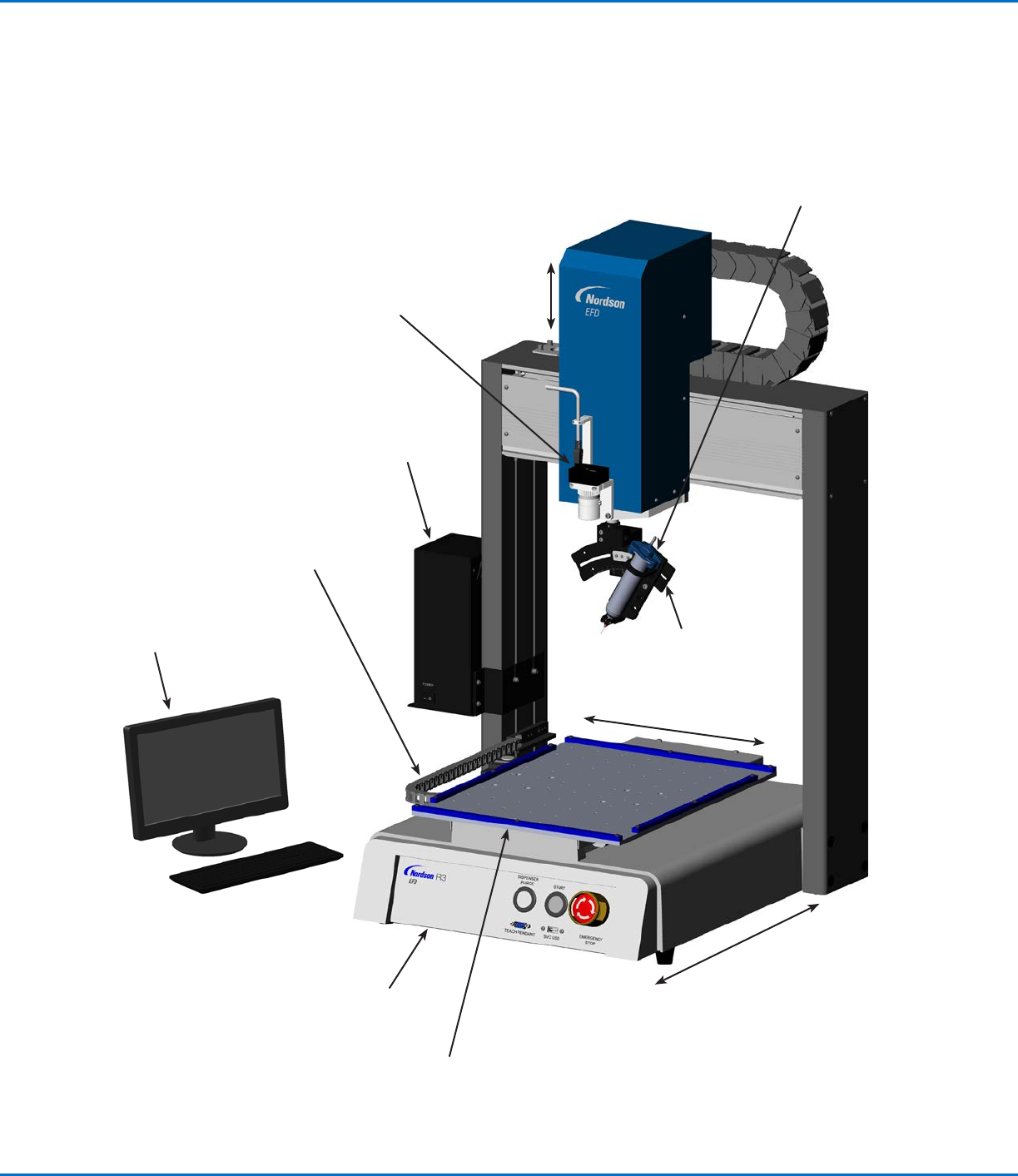
Monitor and
keyboard (mouse
not shown)
Robot
DispenseMotion
controller
Syringe
barrel for fluid
dispensing
Fixture plate
(optional)
Tip detector
(optional)
Operating Features
RV Series System Component Identification
CCD camera
(fixed-mount
camera shown)
R Series
accessory
bracket
X axis
Z axis
Y axis
R axis
RV Series Automated Dispensing Systems
15www.nordsonefd.com info@nordsonefd.com +1-401-431-7000 Sales and service of Nordson EFD dispensing systems are available worldwide.
RV Back Panel
Operating Features (continued)
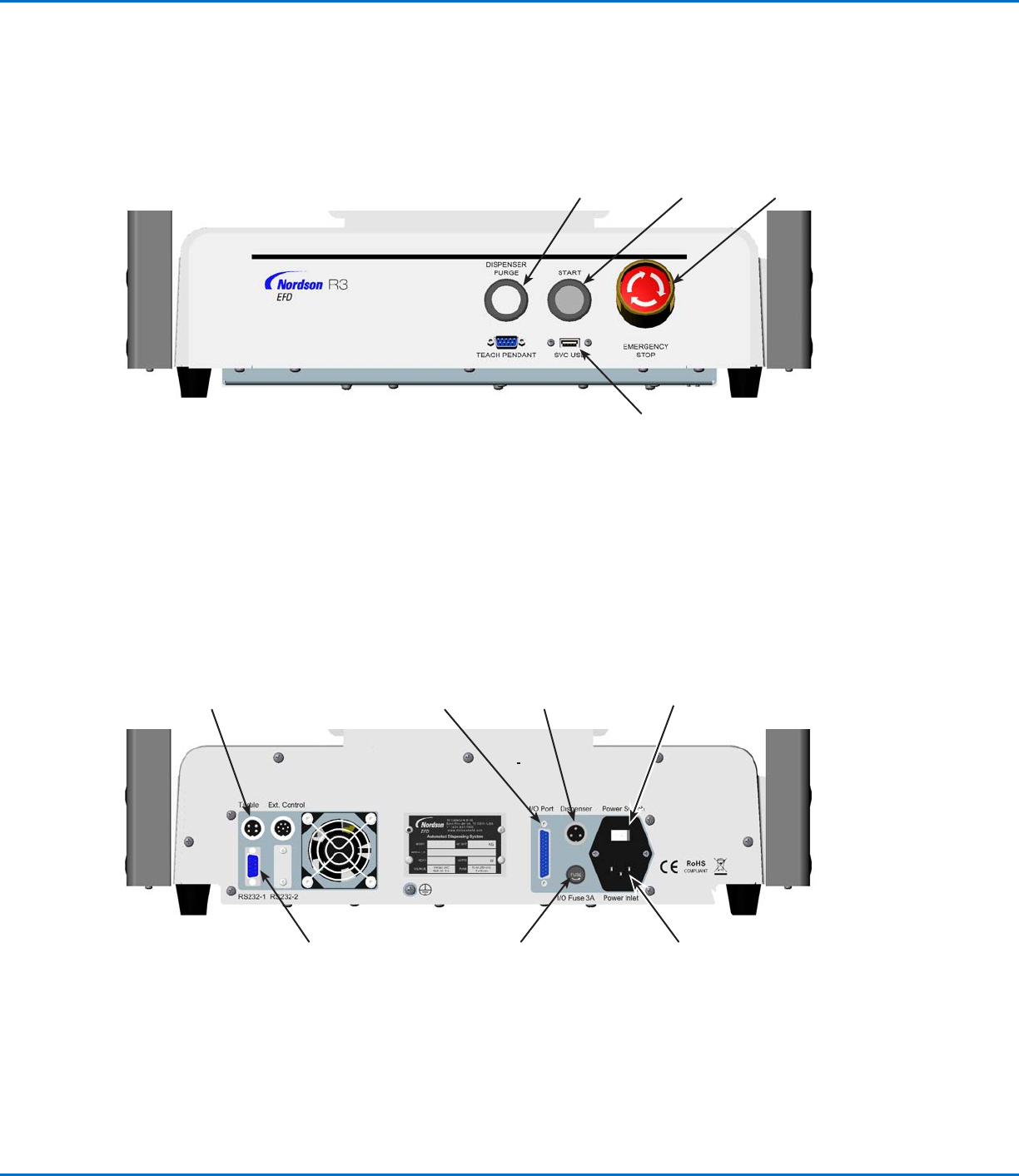
Dispenser port
(for dispenser /
controller initiation)
Power
Switch
RS232-1 port Ext. Control port
(for the I/O safety plug)
Power Inlet
Tactile port (for
the tip detection
device, if present)
EMERGENCY
STOP buttonSTART button
DISPENSER
PURGE button
SVC USB port (for
software upgrades)
RV Front Panel
I/O Port (for
input / output
connections)
RV Series Automated Dispensing Systems
16 www.nordsonefd.com info@nordsonefd.com +1-401-431-7000 Sales and service of Nordson EFD dispensing systems are available worldwide.
Camera
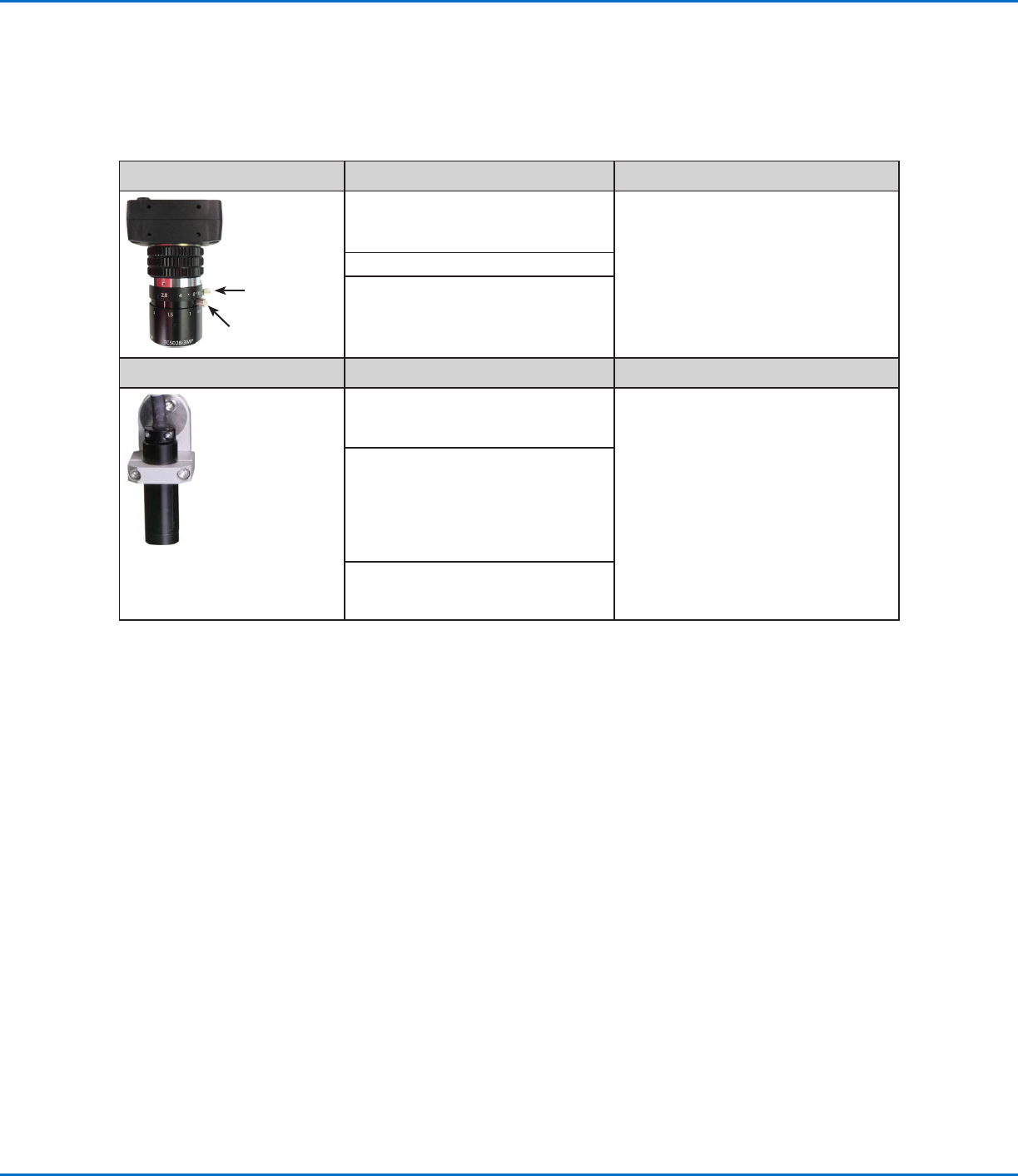
Your system includes a smart-vision CCD camera, allowing you to view the work surface or fixture plate and to
obtain a very sharp focus. Two types of CCD camera are used with RV Series systems: fixed-mount and rotating-
mount (R-mount). A fixed-mount camera is stationary. An R-mount camera is installed on the R axis, so it moves
and rotates with the R axis.
Fixed-Mount CCD Camera Features How to Focus
Exposure
dial
Focus dial
Converts the analog camera image
pixels to digital values for extremely
precise image management
Use the two adjustable dials:
• The upper dial adjusts the exposure
(how much light is allowed into the
image).
• The lower dial focuses the image.
• The default focus height is zero (0).
Fixed focal length
Variety of lenses available (for
different focal lengths, fields of view,
etc.).
R-Mount CCD Camera Features How to Focus
Converts the analog camera image
pixels to digital values for extremely
precise image management
• Move the camera up or down to
focus the image.
Mounts on the R-axis of the robot,
allowing multiple substrate viewing
orientations at 0° or 90° angles and
also the ability to focus on multiple
substrate heights within a single
program.
Fixed focal length (must move the
camera up and down to focus it)