00198171-02_Technical_Training_FSE_TX-Series_EN.pdf - 第127页
8 Control and Communication 8.9 Feeder Communication Technical Training FSE SIPLACE TX-Series 01/2018 127 Control and Communication – FCU Overview 8.9 Feeder Communication The communication between the Feeder Control Uni…
8 Control and Communication
8.8 FCU
126 Technical Training FSE SIPLACE TX-Series 01/2018
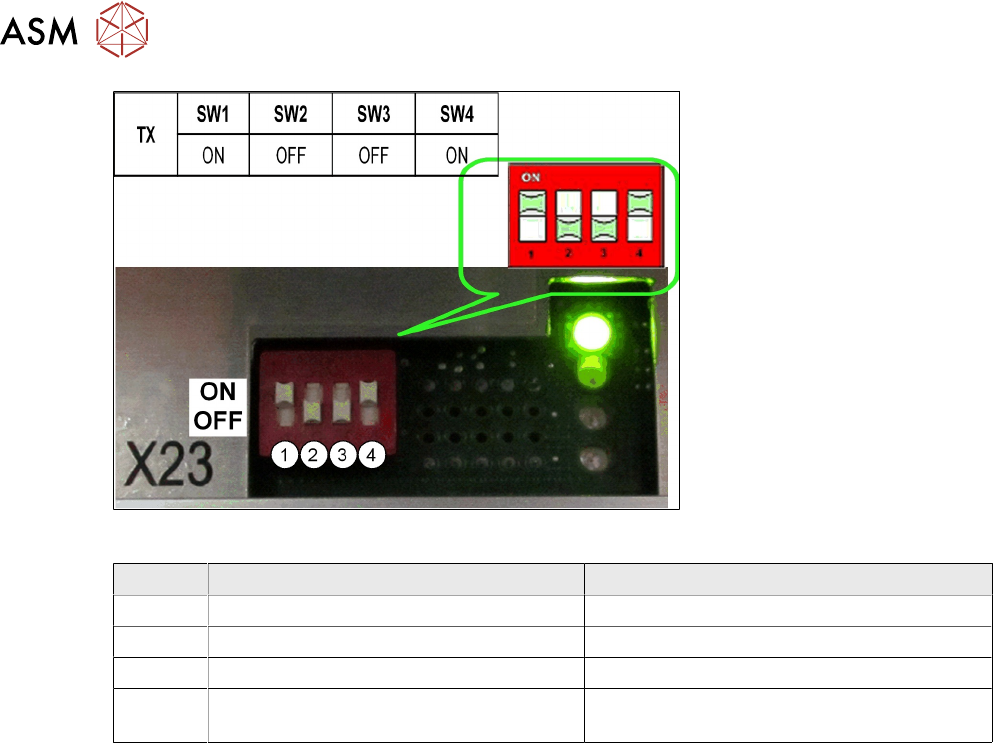
Switch settings
ON OFF
SW1 Test mode for reject bins deactivated Test mode for reject bins activated
SW2 60 Fold FCU 40 Fold FCU
SW3 Without insert control with virtual button With insert control without virtual button
SW4 HW version 8 with tape cutter and nozzle
changer functions
HW version without tape cutter and nozzle
changer functions
8 Control and Communication
8.9 Feeder Communication
Technical Training FSE SIPLACE TX-Series 01/2018 127
Control and Communication – FCU Overview
8.9 Feeder Communication
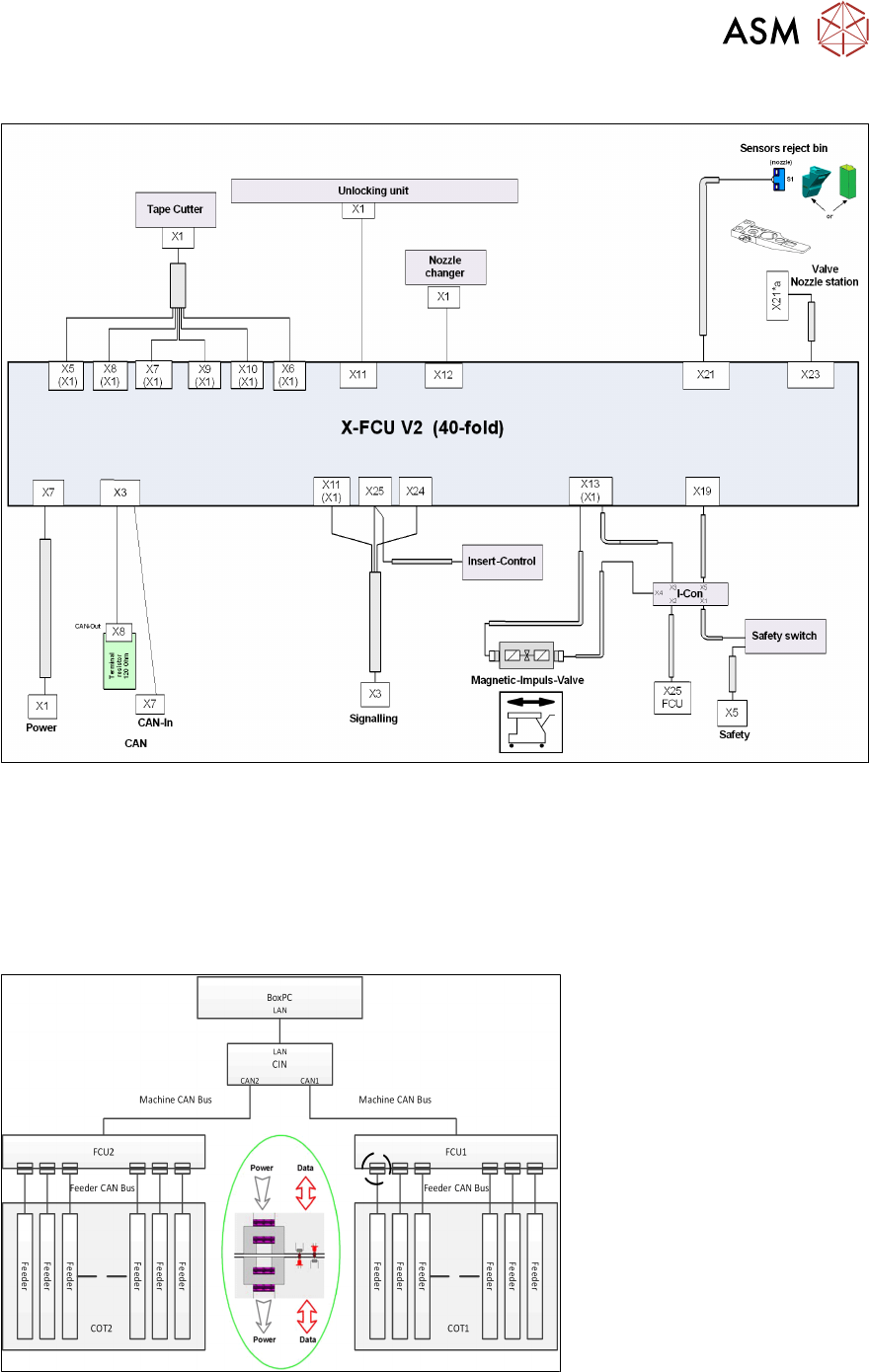
The communication between the Feeder Control Unit (FCU) and the X-feeders is carried out via an
internal CAN bus.
This CAN bus is only responsible for the communication between the FCU and the feeders and is
controlled by the machine CAN bus.
The data and power supply from the FCU to each feeder is contactless.
8.10 VISION GigE
GigE is the term used for the vision system hardware including camera types and a bus structure
on TX machine.
8 Control and Communication
8.10 VISION GigE
128 Technical Training FSE SIPLACE TX-Series 01/2018
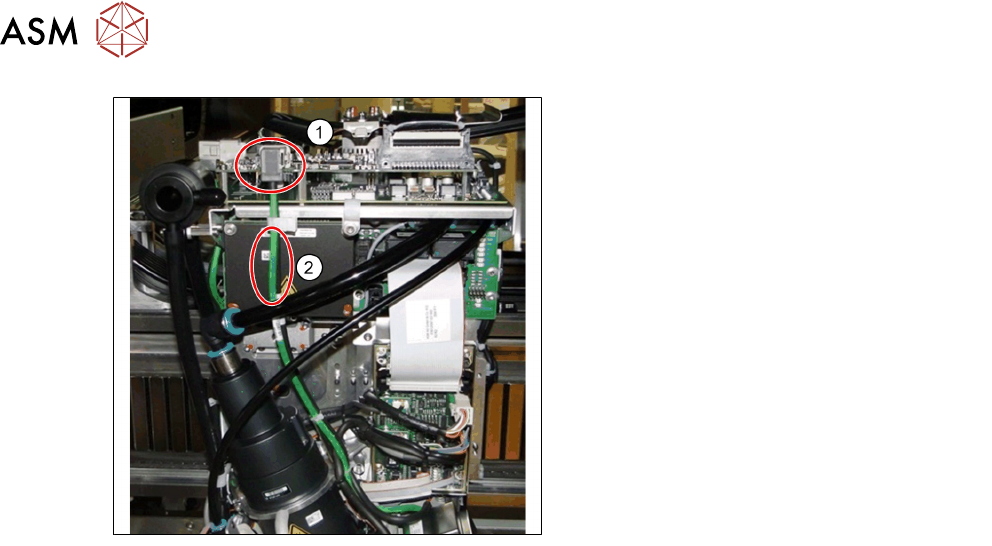
1. Ethernet connectors
2. Communication via Ethernet cable (may
be black or green)
●
GigE is an interface standard for high-performance industrial cameras. It provides a frame-
work for transmitting high-speed video and related control data over Ethernet networks.
●
It’s incompatible to the existing SIPLACE Vision System Hardware.
●
A GigE-network interface card (Ethernet Adapter) is inside the BoxPC.
●
All GigE cameras use the same sensor type number as for SIPLACE Vision with an additional
G at the end, e.g. SST23G.
The Vision communication on TX over GigE and CAN bus
●
The images from the Component and PCB cameras are sent digitally to the Vision Base Inter-
face (VBI).
●
The transfer takes place via the trailing cable “Spread Spectrum“ (without coax cable).
●
The images from the IC and FC cameras are sent directly to the GigE adapter in PC via the
Vision base Interface (VBI).
●
The machine CAN bus provides the illumination control.
●
The individual illumination values stored in the component shape are transferred to the cam-
era via CAN bus.