00198171-02_Technical_Training_FSE_TX-Series_EN.pdf - 第149页
9 Station Software Overviews 9.7 Maintenance GUI Technical Training FSE SIPLACE TX-Series 01/2018 149 Verification – Conveyor Rail Verification This function check the parallelism of the con- veyor rails with the PCB cam…
9 Station Software Overviews
9.7 Maintenance GUI
148 Technical Training FSE SIPLACE TX-Series 01/2018
CPP Scripts
Preconditions:
Nozzle 2069 and 2057 Calibration Part
BE-sensor voltage and z-heights
Dp-/Z-positioning
Holding circuit (sealed nozzles)
Nozzle spring
Z-Axis movement
Air & vacuum with head sensors
TH Scripts
Preconditions:
Nozzle Calibration Part
Positioning time DP
Travel distance z
Positioning time z
Air vacuum
Endurance run 2N
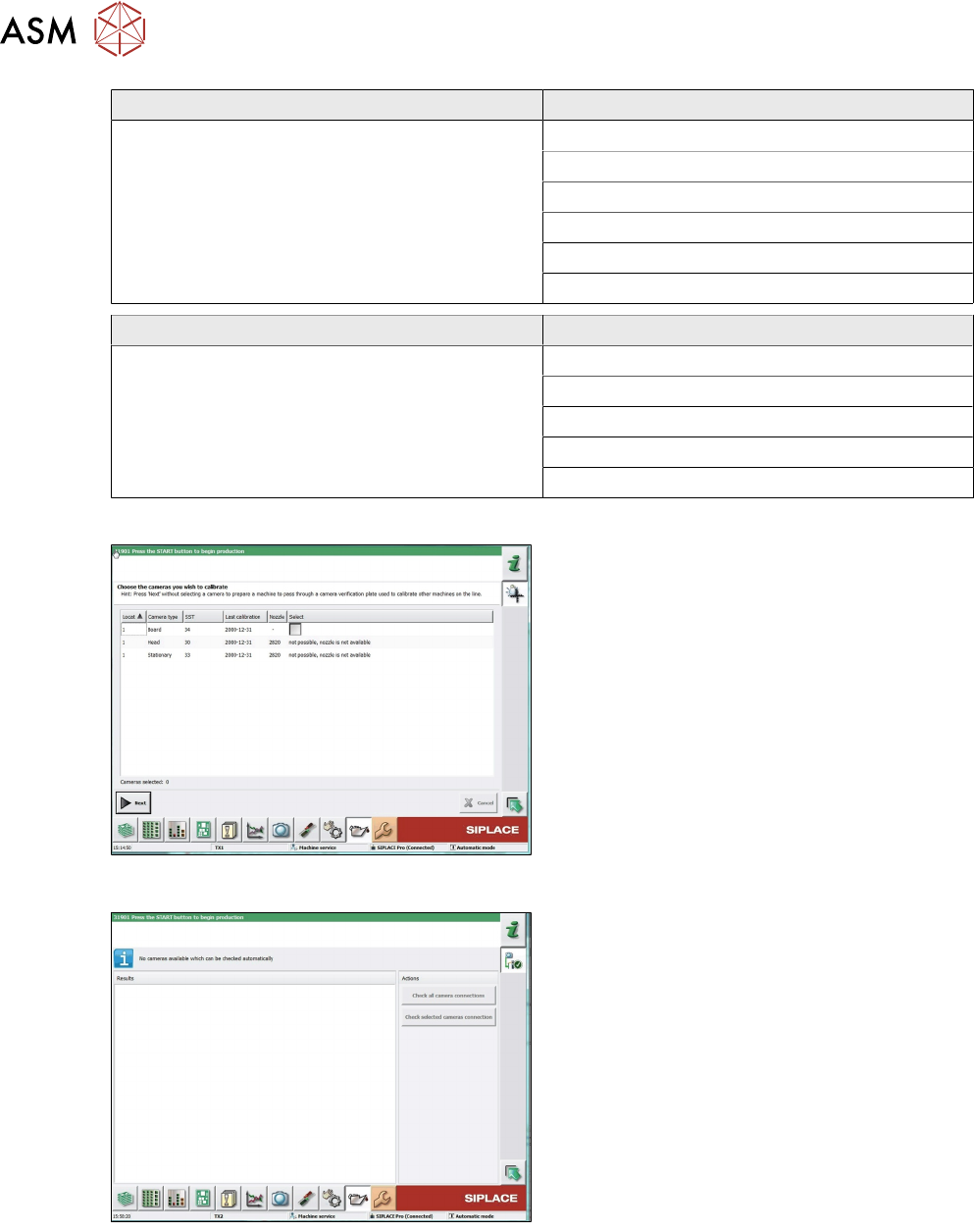
Verification – Camera Verification
Camera verification is the FCCS tool this veri-
fies and adjusts the cameras, it also issues re-
ports.
Line functionality, if no cameras is selected the
machine will send the FCCS tool through the
line to the machine with a camera selected.
Verification – Camera Connections
This function checks the connection and com-
munication between the vision computer, vision
based interface, vision head interface and the
connected cameras. (PCB cameras, component
cameras and stationary cameras).
9 Station Software Overviews
9.7 Maintenance GUI
Technical Training FSE SIPLACE TX-Series 01/2018 149
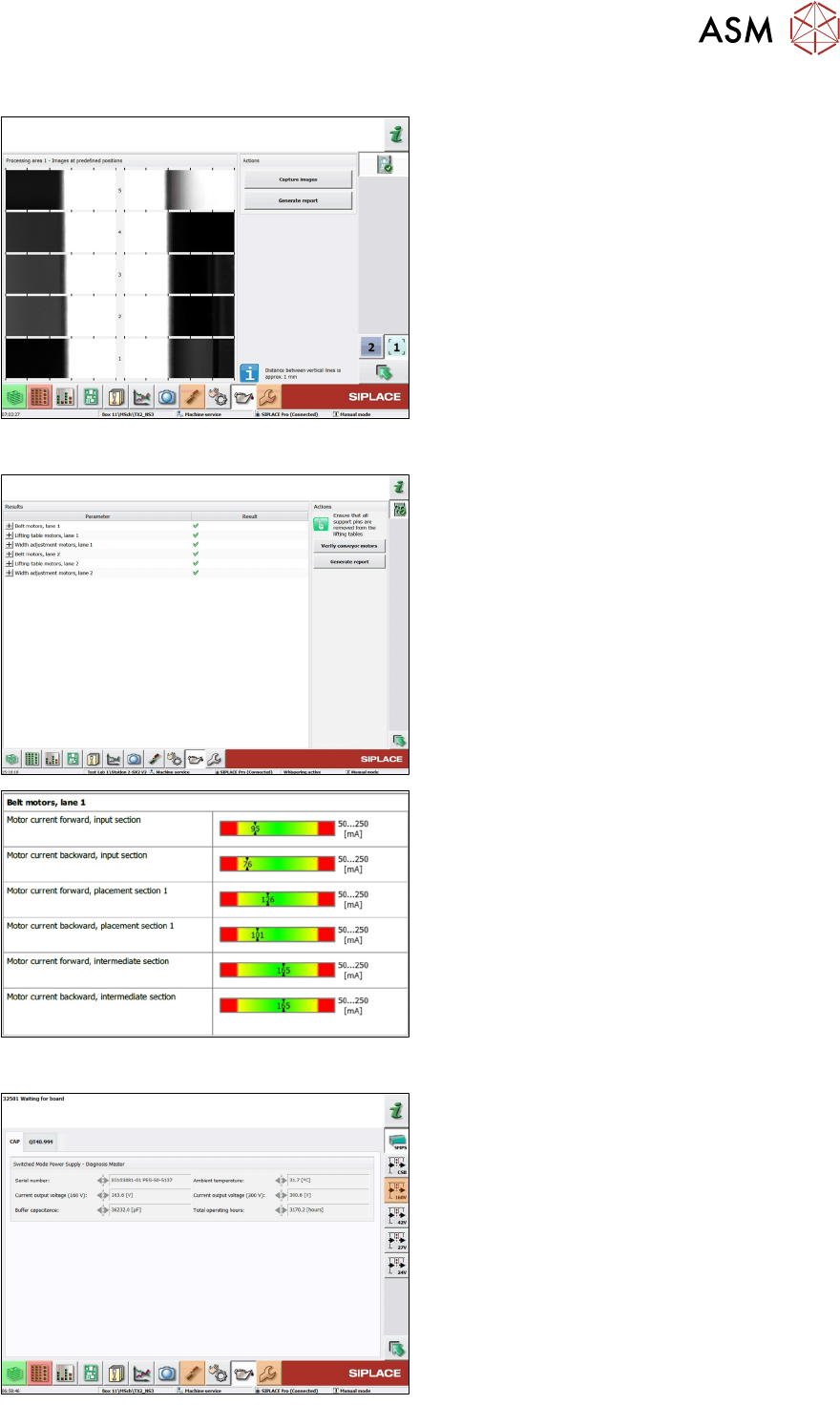
Verification – Conveyor Rail Verification
This function check the parallelism of the con-
veyor rails with the PCB cameras and the outer
edge of each rail in the placement area.
Verification – Conveyor Motor Verification
This function to verify the transport motors de-
pending on the current and the defined limits.
Example/ Extract of the report.
Verification – Power Supply (SMPS)
This is the common function for the power sup-
ply (SMPS) and is available for X-Series S and
SX machine with X-module upgrade and all TX
machine.
9 Station Software Overviews
9.7 Maintenance GUI
150 Technical Training FSE SIPLACE TX-Series 01/2018
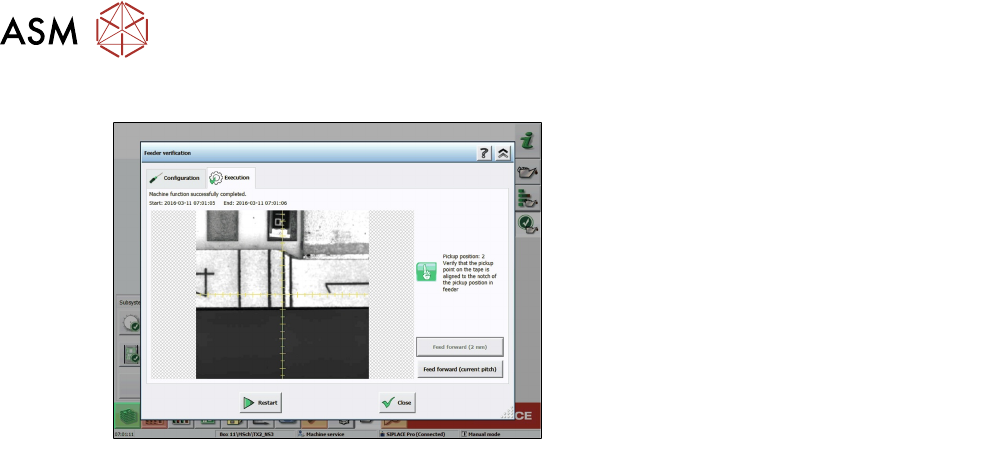
Verification – Feeder Verification
This function is to verify the feeder pick up posi-
tion at the machine.
The machine takes a picture of the real pickup
position without offsets, so that the user can see
if the drive system matches the pickup position.