00198171-02_Technical_Training_FSE_TX-Series_EN.pdf - 第75页
6 Conveyor System 6.5 Parts Exchange / Settings / Calibration Technical Training FSE SIPLACE TX-Series 01/2018 75 5b. Alternatively enter board width value (Key in the current PCB width). 6. Click Save machine data for c…
6 Conveyor System
6.5 Parts Exchange / Settings / Calibration
74 Technical Training FSE SIPLACE TX-Series 01/2018
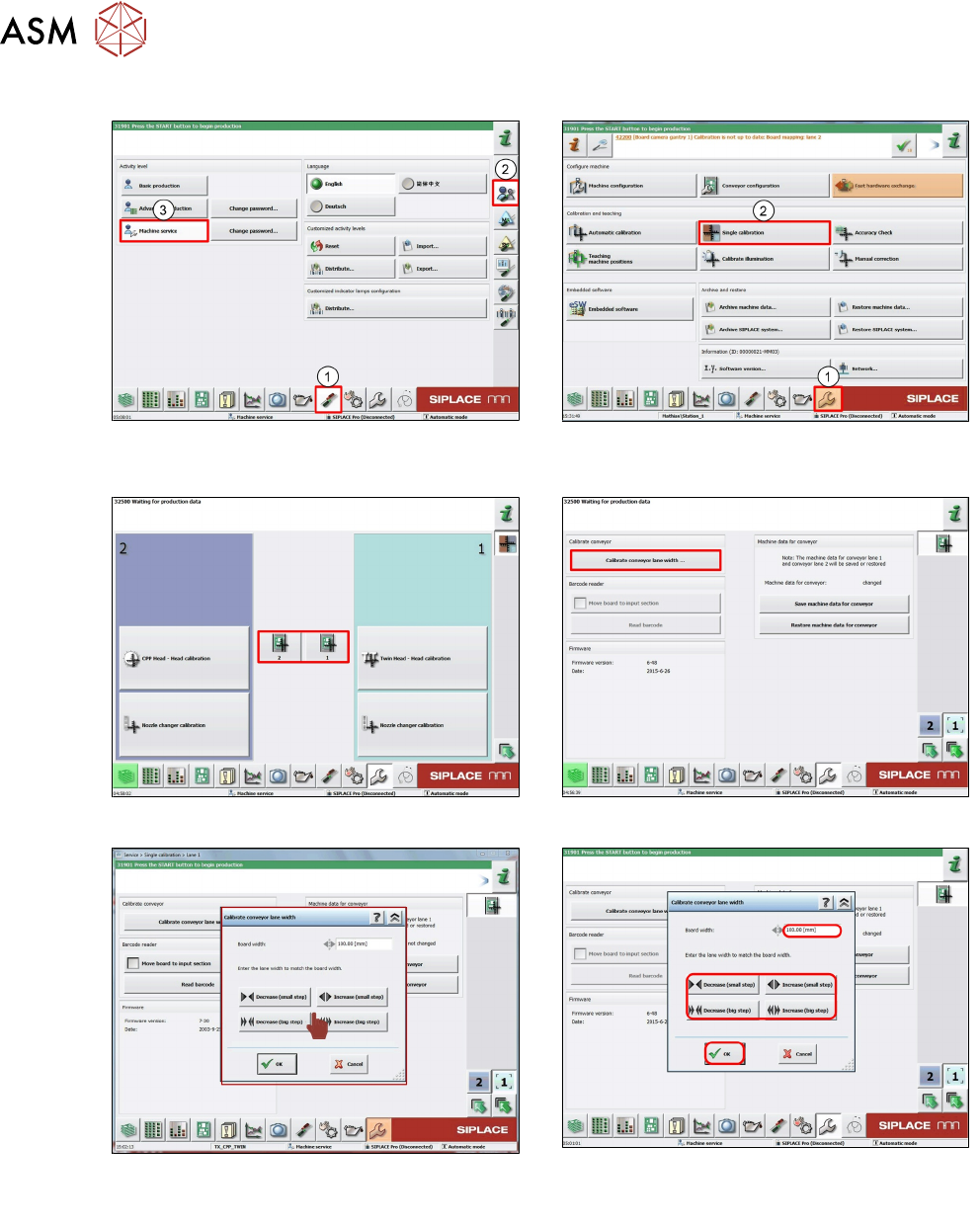
6.5.2.3 Calibrating the conveyor width
1. Log on as Machine Service (1-3). 2. Click Calibration (1).
Select Single calibration (2).
3. Click Required conveyor. 4. Click Calibrate conveyor width….
5. Click Decrease or Increase to adjust the
conveyor to the value.
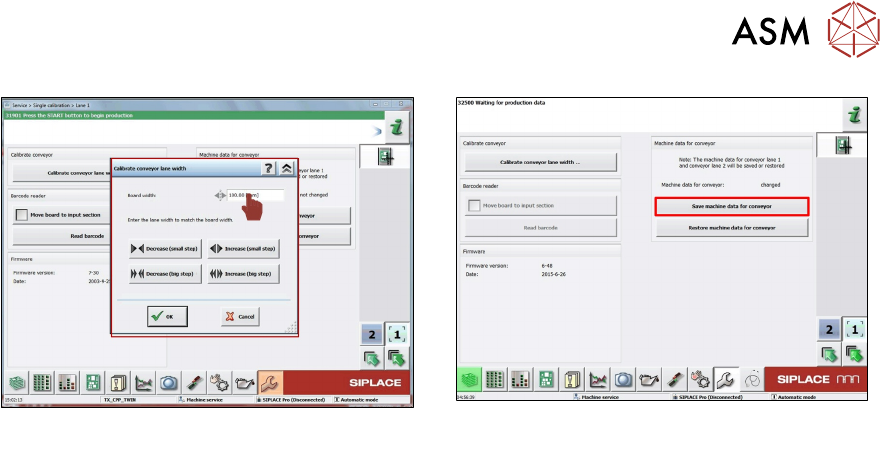
5a. Input actual measured conveyor width.
Click OK.
6 Conveyor System
6.5 Parts Exchange / Settings / Calibration
Technical Training FSE SIPLACE TX-Series 01/2018 75
5b. Alternatively enter board width value (Key
in the current PCB width).
6. Click Save machine data for conveyor.
6 Conveyor System
6.5 Parts Exchange / Settings / Calibration
76 Technical Training FSE SIPLACE TX-Series 01/2018
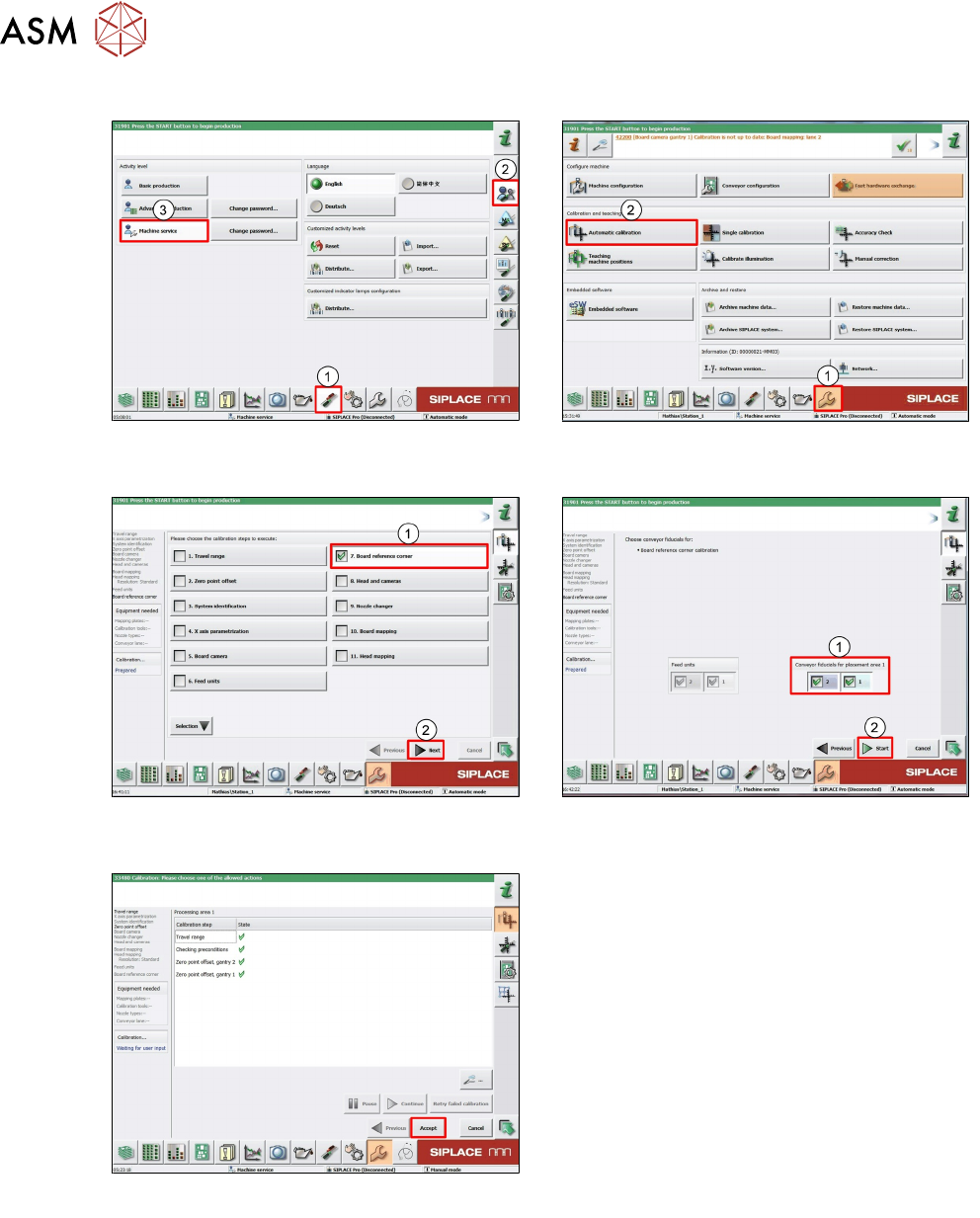
6.5.2.4 Board reference corner
1. Log on as Machine service (1-3). 2. Click Calibration (1).
Click Automatic calibration (2).
3. Select Board reference corner (1).
Click Next (2).
4. Select Conveyor (1).
Click Start (2).
5. Click Accept to save data and close.