TT6094.ProductionHistory(YAMAHA_BRAND).pdf - 第48页
Y AMAHA Motor Co Ltd., IM Operation Mounter Soft Gr MDOC-SOFT5001 1 TT6094.Pr oductionHistory (Y AMAHA_BR AND).doc 48 / 53 14. Saving of Production Histor y (a uto s aving to network folder ) 1) Setting for the au…
YAMAHA Motor Co Ltd.,
IM Operation
Mounter Soft Gr
MDOC-SOFT50011
TT6094.ProductionHistory(YAMAHA_BRAND).doc
47 / 53
Parts Name C3216 Name of the parts whose feeder is set at the last.
※1
Feeder Counter 18 The number of the feeder driving (shooting).
※1
Pick Error
Counter
5 The number of Pick Errors with the feeder parts
※1
Pick Error % 0.000 Ratio of Pick Errors of the feeder parts to the number of
feeding times.
※1
Vision Error
Counter
5 The number of Vision Errors with the feeder parts.
※1
Vision Error % 0.000 Ratio of Vision Errors to the number of feeding times
※1
No Parts Error
Counter
5 Number of No Parts Errors with the feeder parts.
※1
※2
No Parts Error %
0.000 Ratio of No Parts Errors to the number of feeding times.
※1
Nozzle Error
Counter
2
The number of Nozzle Errors with the feeder parts.
※1
Nozzle Error % 0.000 Ratio of Nozzle Errors to the number of feeding times.
※1
Date 2009/01/1
4 12:34:00
Date it starts recording on the feeder.
※1
Last Update Date
2009/01/1
4 12:34:00
Date the latest feeder is used.
It is the day when it records [Feeding Times][Pickup
Error Times][No Parts Error Times][Nozzle Error Times].
It indicates the following information when the machine
turned on or when the feeder is set.
※1
Stroke Length/
Feed Time
168 Total length (mm) of a tape, which the feeder strikes.
※1
Smart Exit Count
15 The number of the feeder threaded.
※1
*1 Items outputted from the original version of YS:V3.00
*2 Not counted when Retry Times is set as Immediate Stopping.
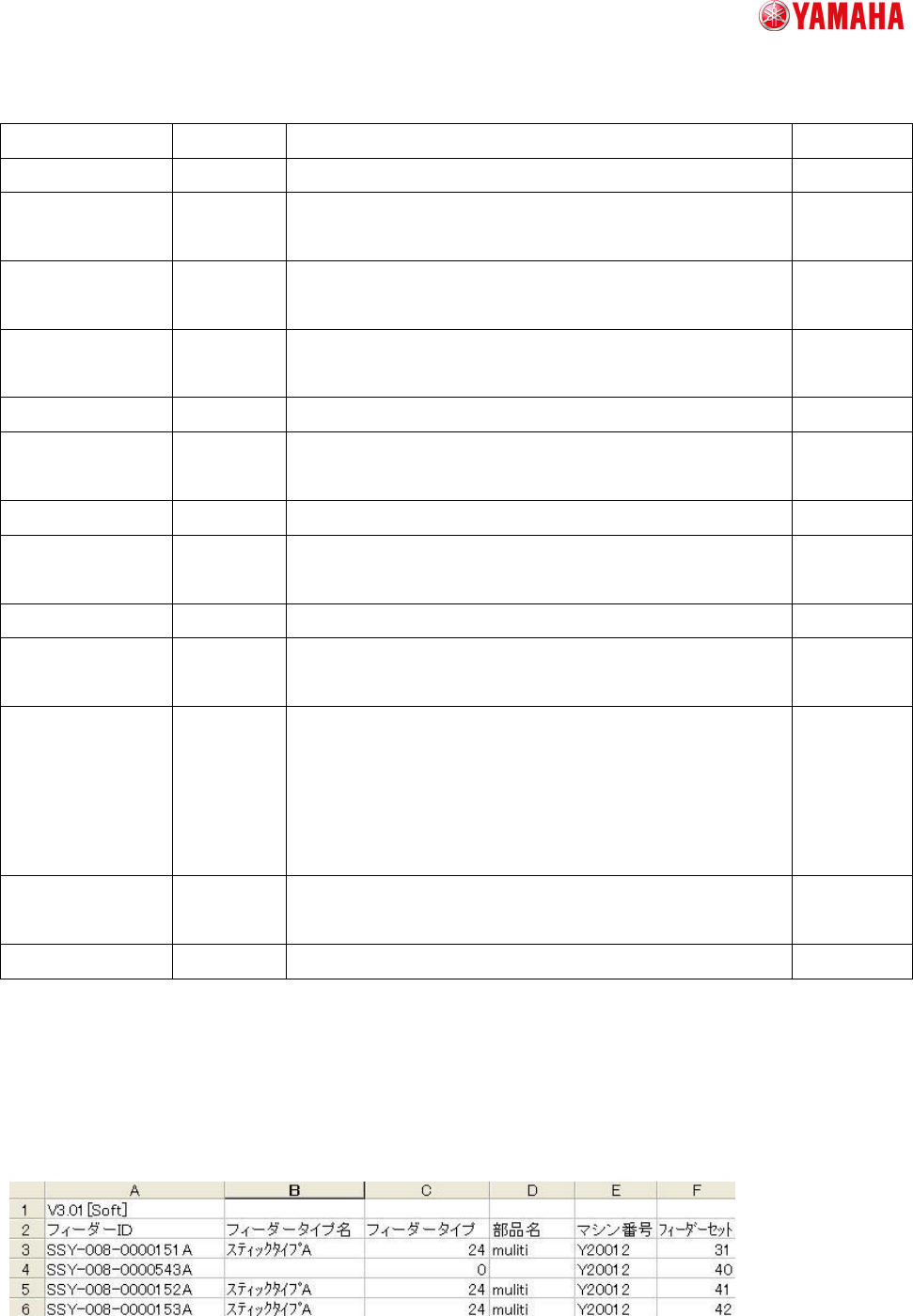
13-2. File Format
It indicates a version in the 1
st
row, “Grid with detail of each item” in the 2
nd
, and Error information in
order of occurrence below the 3
rd
row.
Fig. 13-2
YAMAHA Motor Co Ltd.,
IM Operation
Mounter Soft Gr
MDOC-SOFT50011
TT6094.ProductionHistory(YAMAHA_BRAND).doc
48 / 53
14. Saving of Production History (auto saving to network folder)
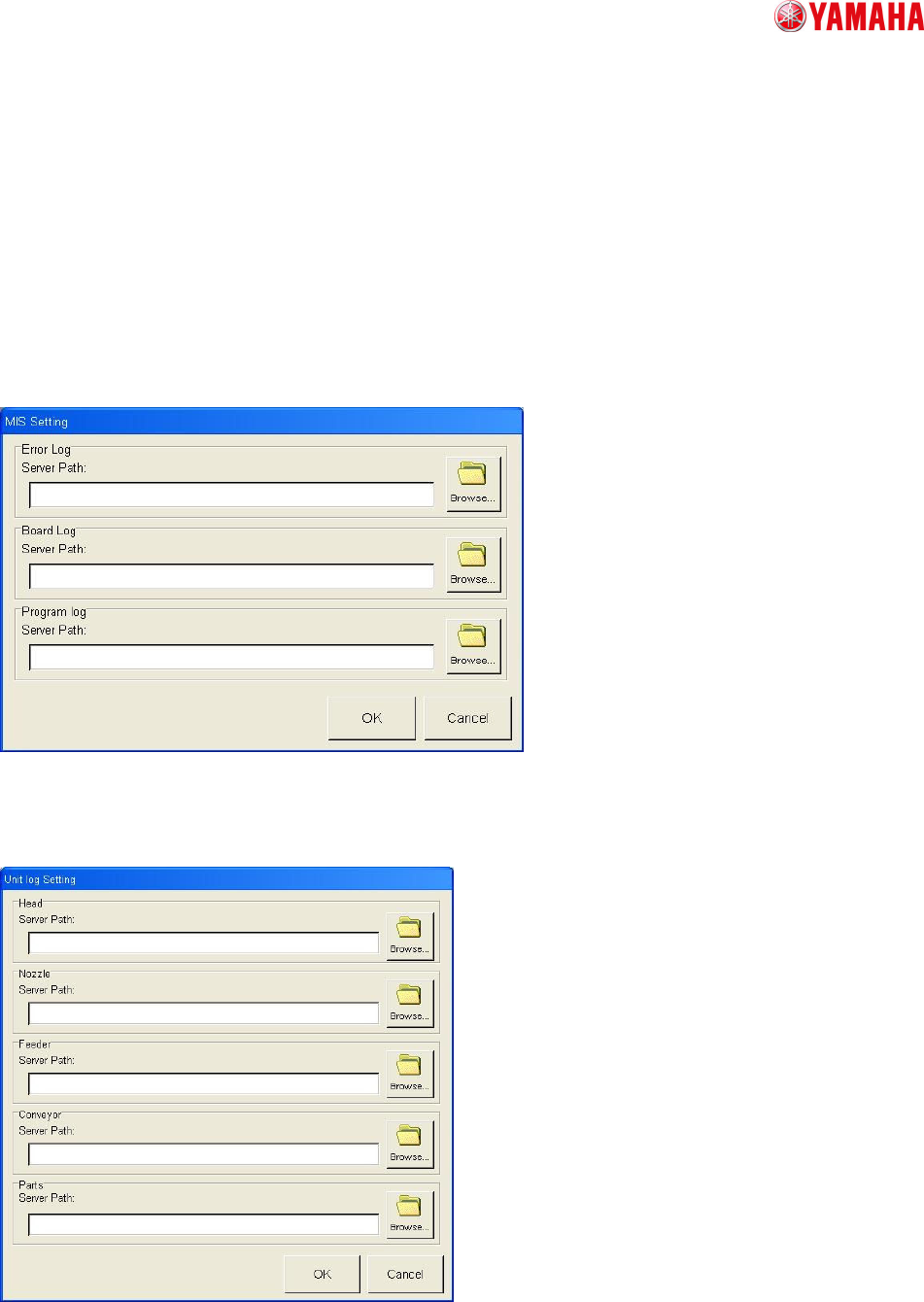
1)Setting for the auto saving folder
There are two kinds of buttons, [MIS] and [Unit log] on [Software Setting]-[History] of the Setup
screen. Press the each button to display a dialog to select a saving folder for each History.
Select a saving folder and press OK, and you can save history data into the selected folder
automatically.
Mis Setting
Fig. 14-1
Unit Log setting
Fig. 14-2

YAMAHA Motor Co Ltd.,
IM Operation
Mounter Soft Gr
MDOC-SOFT50011
TT6094.ProductionHistory(YAMAHA_BRAND).doc
49 / 53
The file name format is follows.
Mis
Error Log ErrLog20010615.csv
Board Log PcbLog20010615.csv
Program Log LotLog20010615.csv
Unit Log
Head Head20010615.csv
Nozzle Nozl20010615.csv
Feeder Feeder20010615.csv
Conveyor Conv20010615.csv
Parts Part20010615.csv
The words which include in file name (ex. “ErrLog”, “PcbLog”, “Part”, “Feeder”) are according to each
Tab name. The numbers which include in file name (ex. 20010615) are indicated saving date. Every
time a day changes, a file is made newly.
(2) Saving in machine
Production History data will be saved in the local file on follows timing.
: When the memory buffer for Production History become over flow. (Each data in Mis and
Parts data in Unit Log)
: When the machine power off.
Except above case, the data will be buffering in memory.