TT6094.ProductionHistory(YAMAHA_BRAND).pdf - 第50页
Y AMAHA Motor Co Ltd., IM Operation Mounter Soft Gr MDOC-SOFT5001 1 TT6094.Pr oductionHistory (Y AMAHA_BR AND).doc 50 / 53 15. Display item Selection / Clear / S ort (1) About select ion of Display ite m The items…

YAMAHA Motor Co Ltd.,
IM Operation
Mounter Soft Gr
MDOC-SOFT50011
TT6094.ProductionHistory(YAMAHA_BRAND).doc
49 / 53
The file name format is follows.
Mis
Error Log ErrLog20010615.csv
Board Log PcbLog20010615.csv
Program Log LotLog20010615.csv
Unit Log
Head Head20010615.csv
Nozzle Nozl20010615.csv
Feeder Feeder20010615.csv
Conveyor Conv20010615.csv
Parts Part20010615.csv
The words which include in file name (ex. “ErrLog”, “PcbLog”, “Part”, “Feeder”) are according to each
Tab name. The numbers which include in file name (ex. 20010615) are indicated saving date. Every
time a day changes, a file is made newly.
(2) Saving in machine
Production History data will be saved in the local file on follows timing.
: When the memory buffer for Production History become over flow. (Each data in Mis and
Parts data in Unit Log)
: When the machine power off.
Except above case, the data will be buffering in memory.
YAMAHA Motor Co Ltd.,
IM Operation
Mounter Soft Gr
MDOC-SOFT50011
TT6094.ProductionHistory(YAMAHA_BRAND).doc
50 / 53
15. Display item Selection / Clear / Sort
(1) About selection of Display item
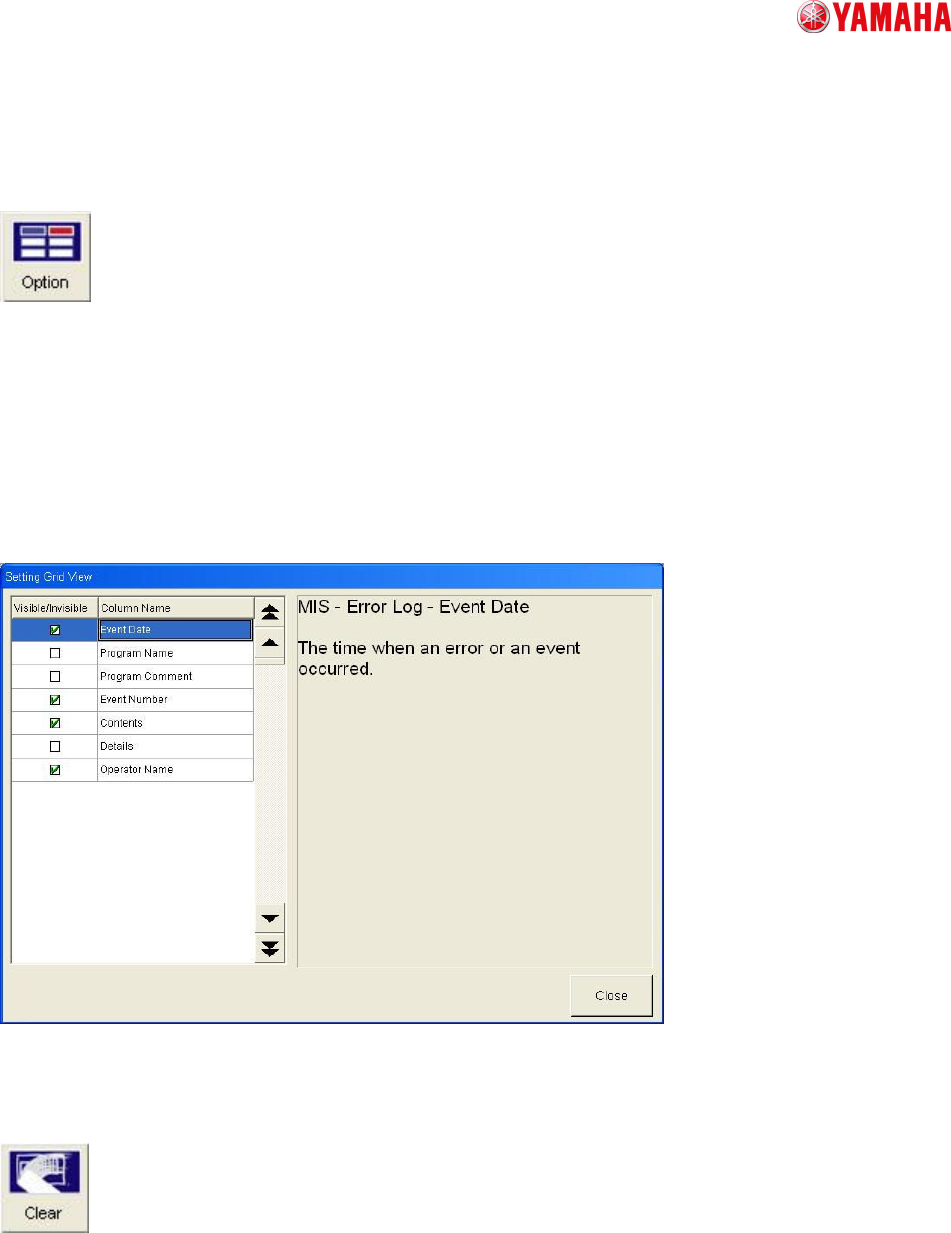
The items which display as Production History can select by Option button on each Production history
window.
(ex.)
In [Mis / Error Log], if you need information of Event Date then you can check it on Visible/Invisible
monitor. If you don’t need information of Program Name then you can delete check.
(refer to follows figure)
Chart. 15-1
(2) Clear Production History
If you push the Clear button in each Production History window then all history of this window will be
clear.
(3) Saving Production History
YAMAHA Motor Co Ltd.,
IM Operation
Mounter Soft Gr
MDOC-SOFT50011
TT6094.ProductionHistory(YAMAHA_BRAND).doc
51 / 53
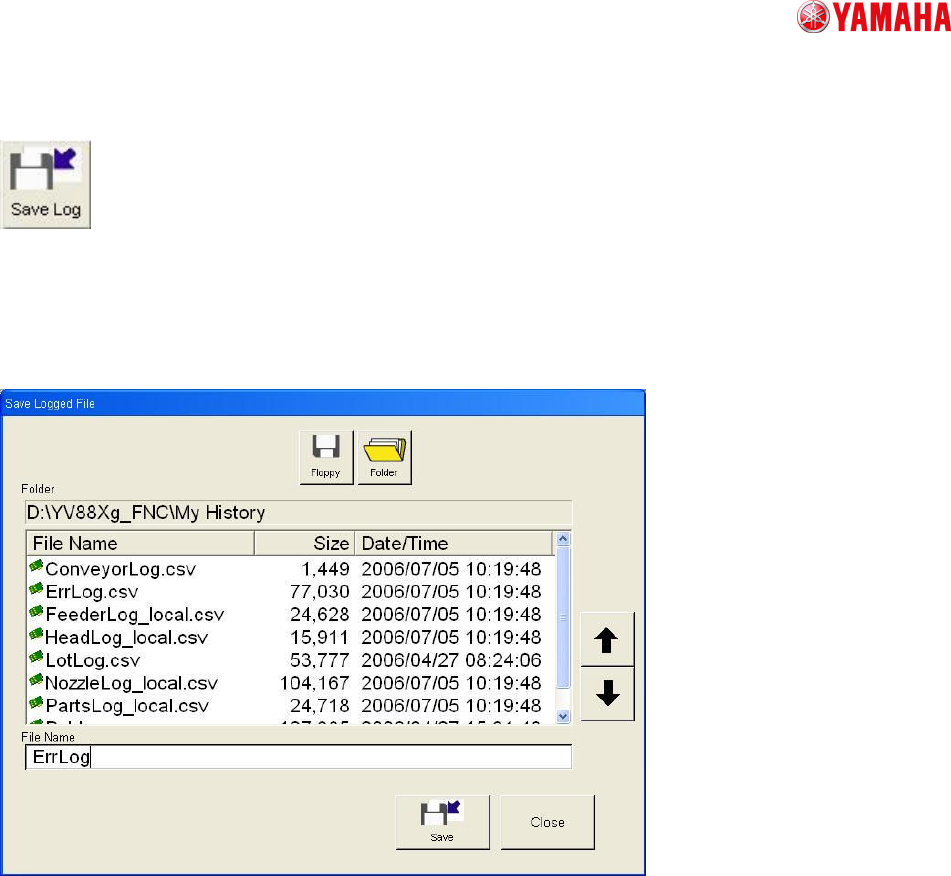
If you push the Saving Log button then Save Logged File dialogue will open. It is possible that all
Production History inside machine’s memory can save to any folder you like by any name.
The file name is assigned “.csv” automatically.
All logs can be saved as any names in any folders of drives.
Extensions of files(.CSV) are automatically assigned.
Name a file and press the save button to save it in the selected folder.