TT6094.ProductionHistory(YAMAHA_BRAND).pdf - 第51页
Y AMAHA Motor Co Ltd., IM Operation Mounter Soft Gr MDOC-SOFT5001 1 TT6094.Pr oductionHistory (Y AMAHA_BR AND).doc 51 / 53 If yo u push the Saving Log button then Sav e Logg ed File dialogue will op en. I t is pos…
YAMAHA Motor Co Ltd.,
IM Operation
Mounter Soft Gr
MDOC-SOFT50011
TT6094.ProductionHistory(YAMAHA_BRAND).doc
50 / 53
15. Display item Selection / Clear / Sort
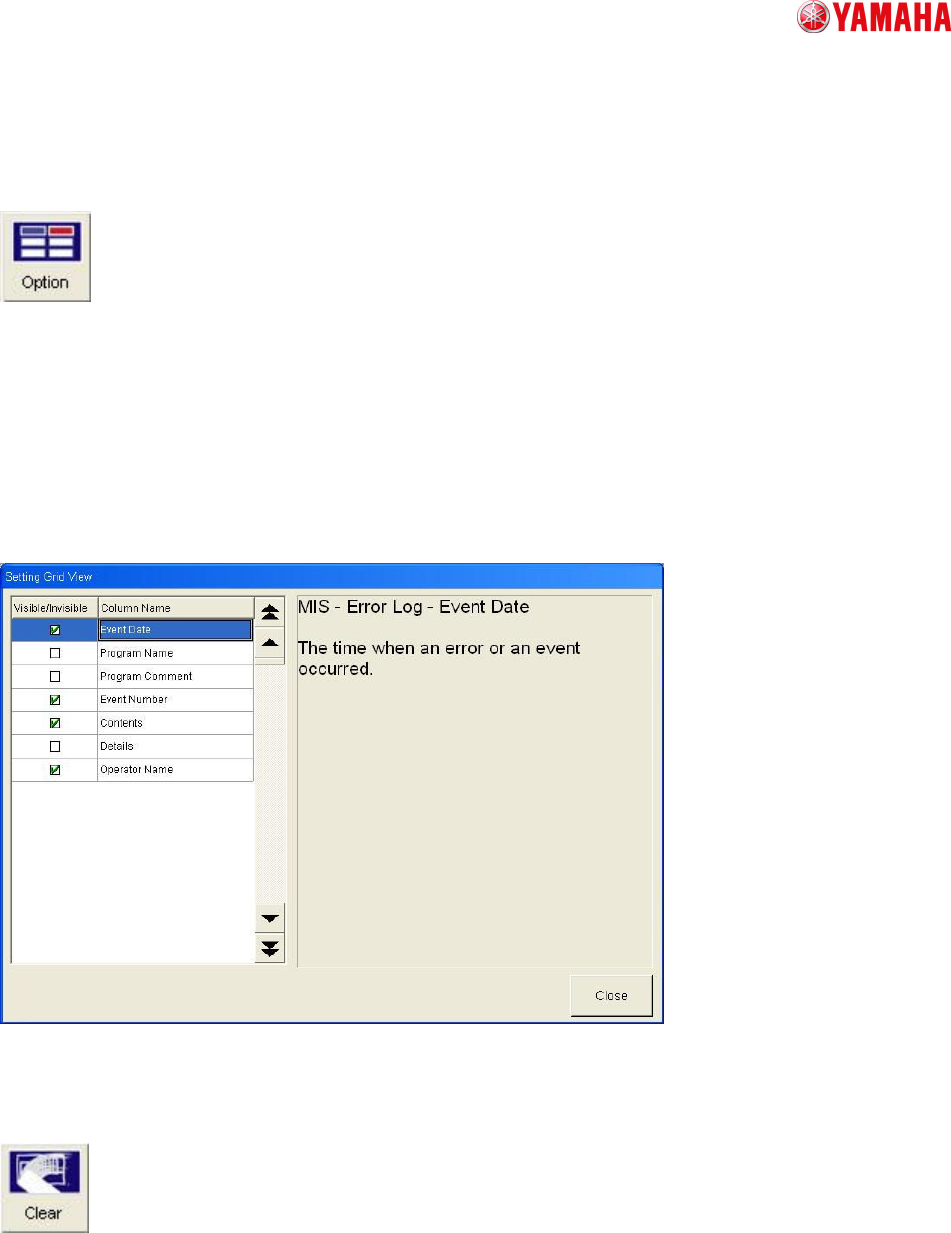
(1) About selection of Display item
The items which display as Production History can select by Option button on each Production history
window.
(ex.)
In [Mis / Error Log], if you need information of Event Date then you can check it on Visible/Invisible
monitor. If you don’t need information of Program Name then you can delete check.
(refer to follows figure)
Chart. 15-1
(2) Clear Production History
If you push the Clear button in each Production History window then all history of this window will be
clear.
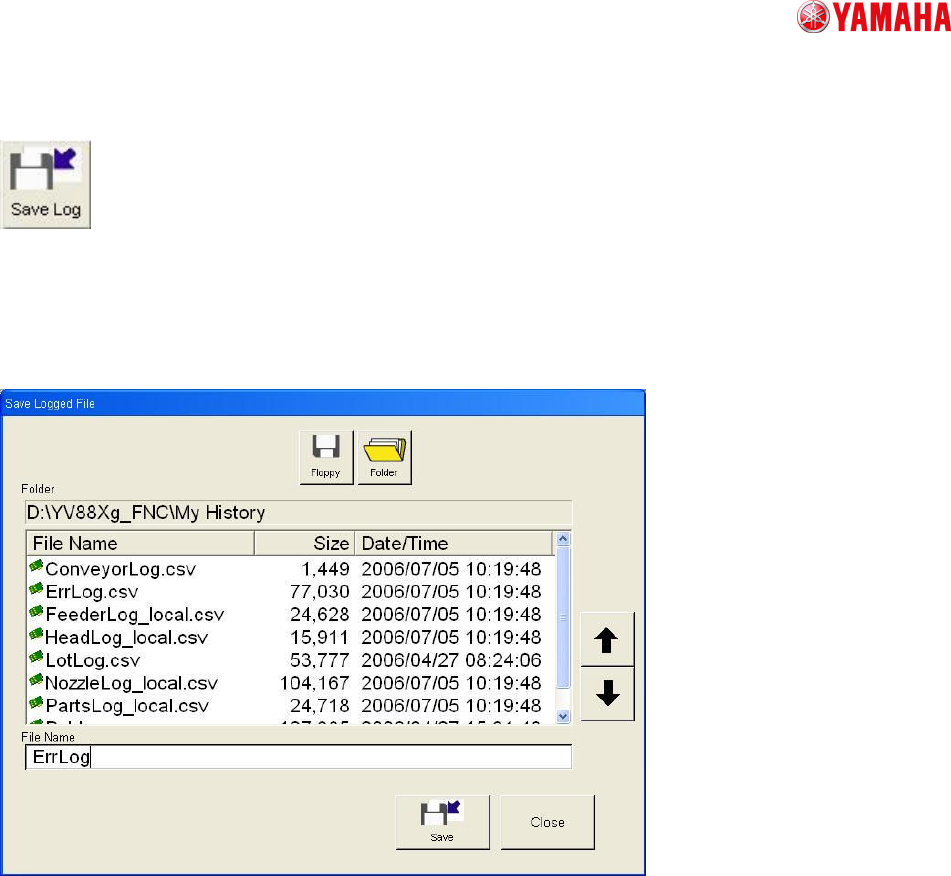
(3) Saving Production History
YAMAHA Motor Co Ltd.,
IM Operation
Mounter Soft Gr
MDOC-SOFT50011
TT6094.ProductionHistory(YAMAHA_BRAND).doc
51 / 53
If you push the Saving Log button then Save Logged File dialogue will open. It is possible that all
Production History inside machine’s memory can save to any folder you like by any name.
The file name is assigned “.csv” automatically.
All logs can be saved as any names in any folders of drives.
Extensions of files(.CSV) are automatically assigned.
Name a file and press the save button to save it in the selected folder.

YAMAHA Motor Co Ltd.,
IM Operation
Mounter Soft Gr
MDOC-SOFT50011
TT6094.ProductionHistory(YAMAHA_BRAND).doc
52 / 53
16. How to manage of Production History
For example, typical managing way of Production History is follows.
(1) The case that Production History for the day is saved to the file every other day.
After finishing the production on the day, you can save each Production History you need from
each window.
(2) The case that Production History is saved when board data is switched.
When board data is switched, each Production history data will save automatically. (You need
to check “Save report file when production is switched” on Software Setting)
17.
Difference from VIOS series
The function of Xg machine Production History is evolved greatly compared to our previous models.
Production History of VIOS machine was attendant on each board data. Toward this, Production History
of Xg machine is treated as history data of system. This changing gives the following merit.
<Merit>
(1) It is easy to total every one day.
(2) It can get history data every lot.
(3) It can save history data to network server automatically.
(4) It can record program name and operator name when some error happen.
(5) It is easy to total error rate etc of same name parts even if it’s feeder set number is different.
(6) All history data can save to FDD or network server.