User Manual SIPLACE MeasuringFeeder X.pdf - 第30页
4 Operation 4.4 Measuring Components 30 User Manual SIPLACE MeasuringFeeder X 03/2020 If a component was measured, the values of the measurement are displayed in the Last measure- ment of selected component table (1) : ●…
4 Operation
4.4 Measuring Components
User Manual SIPLACE MeasuringFeeder X 03/2020 29
4.4 Measuring Components
The measurement of components during production is monitored and controlled in the station soft-
ware.
4.4.1 Measuring Components automatically
Components that were marked for measurement are automatically measured during production fol-
lowing the rules that were defined during production planning.
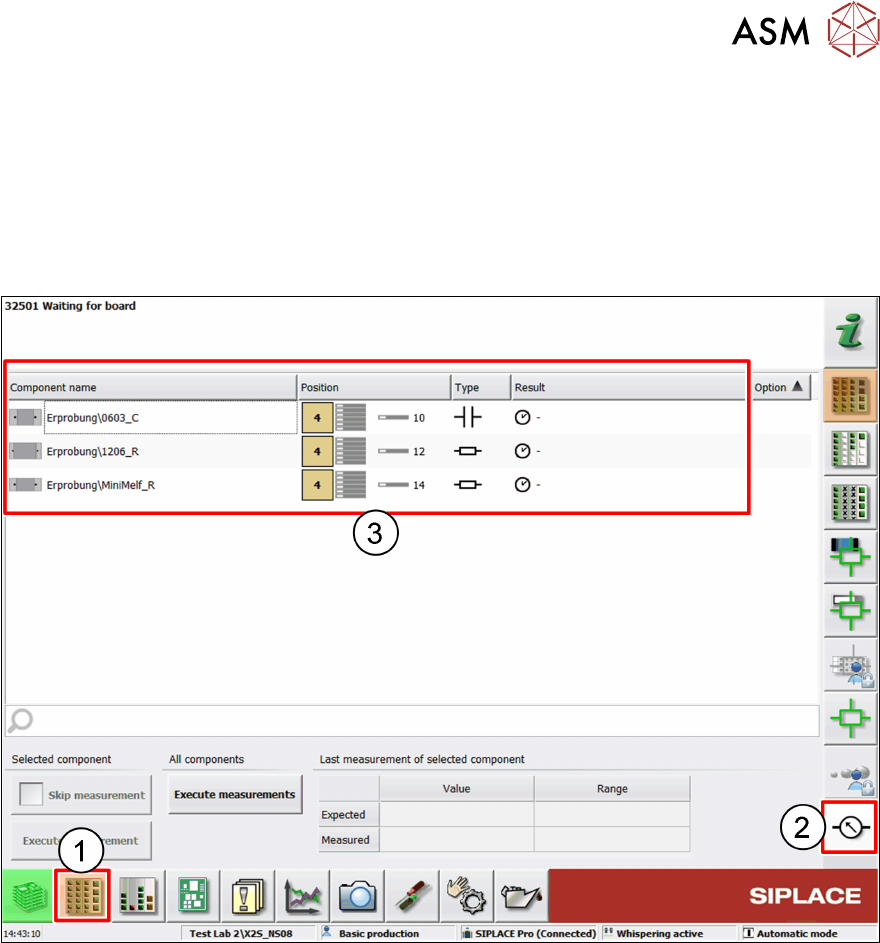
► Click on the Setup button (1).
► Click on the Measuring Units button (2).
The components list (3) displays all tracks with components that were marked for measurement
and their characteristics:
●
Component name
●
Location of the feeder
●
Electrical type of the component
●
Result of the last measurement
If a component is set up on more than one feeder, then it is listed several times.
4 Operation
4.4 Measuring Components
30 User Manual SIPLACE MeasuringFeeder X 03/2020
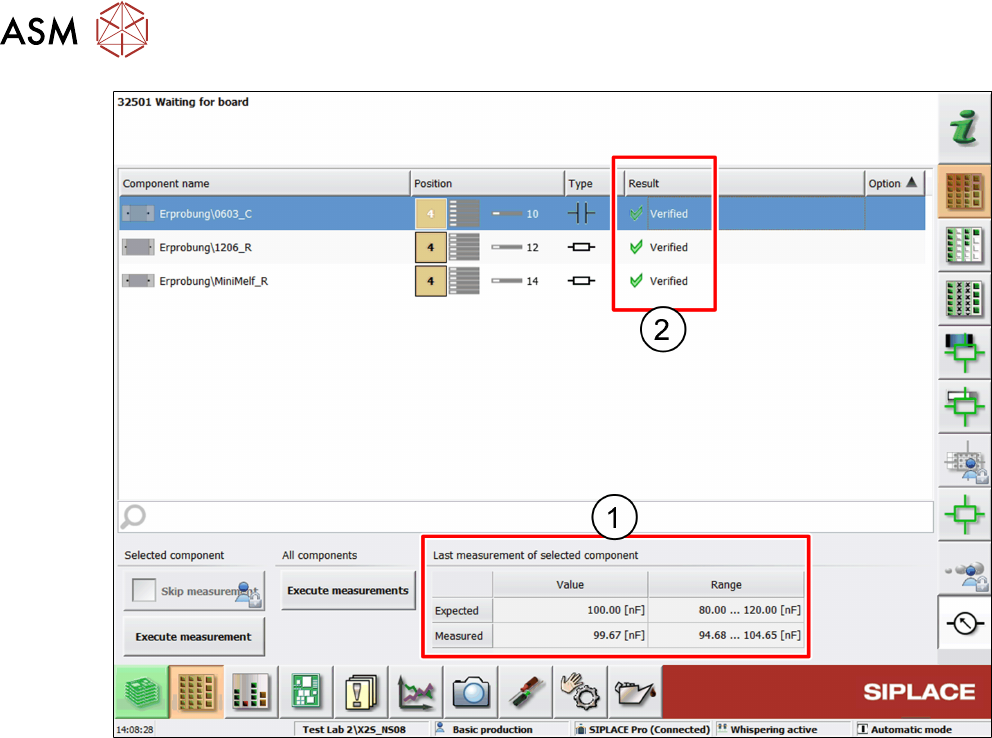
If a component was measured, the values of the measurement are displayed in the Last measure-
ment of selected component table (1):
●
Expected value and range
●
Measured value and range
The units in this table are the units that were defined in SIPLACE Pro.
► Select a component from the components list to display its measurement results in the table.
The Result column (2) of the components list displays the particular results of the last measure-
ments of the listed components:
●
Verified: the measurement result is within the expected range
●
Out of tolerance (too low): the measurement result is below the expected range
●
Out of tolerance (too high): the measurement is above the expected range
4 Operation
4.4 Measuring Components
User Manual SIPLACE MeasuringFeeder X 03/2020 31
4.4.2 Measuring Components manually
Besides the automatic measurement, that follows the rules that were defined during production
planning, components can also be measured manually anytime during production. It is possible to
measure single components or all components that are listed in the components list.
NOTICE
Placement needs to be stopped before manually measuring a component.
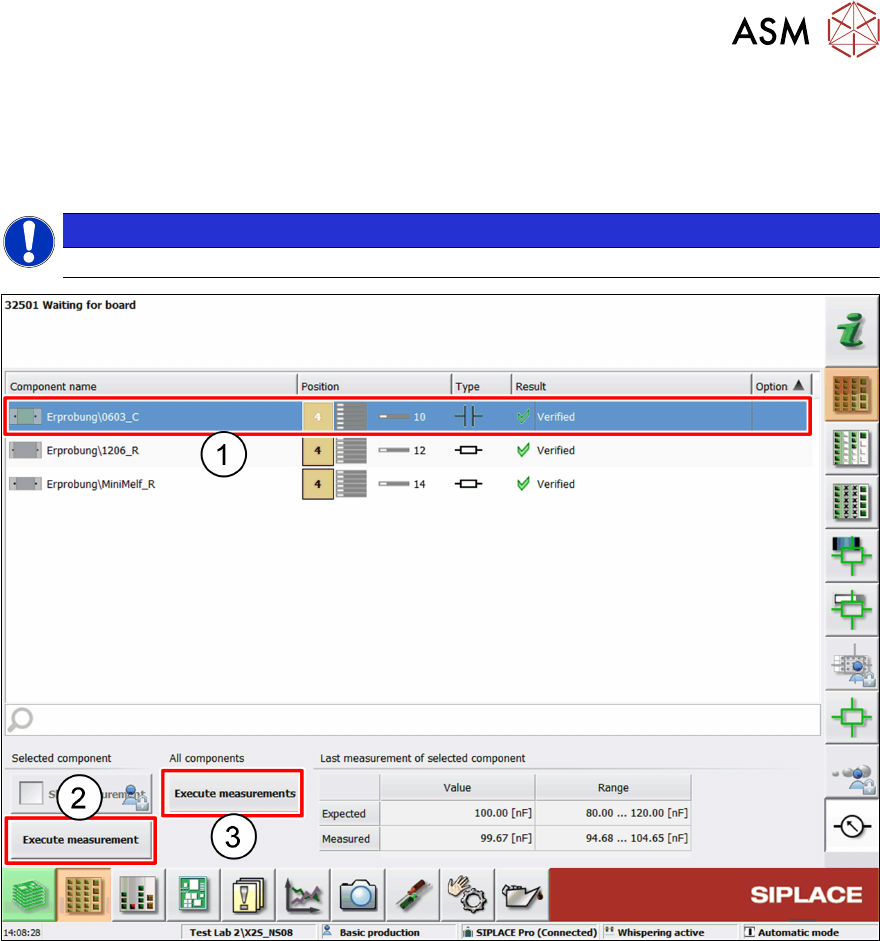
Manually measuring a single component
► Select the component to be measured from the components list (1).
► Click on Execute measurement (2).
Manually measuring all components
► Click on Execute measurements (3).