User Manual SIPLACE MeasuringFeeder X.pdf - 第35页
4 Operation 4.5 Handling Measurement Failures User Manual SIPLACE MeasuringFeeder X 03/2020 35 4.5.2 Skipping the Measurement of a faulty Component There might be situations where a component is faulty but shall still be…
4 Operation
4.5 Handling Measurement Failures
34 User Manual SIPLACE MeasuringFeeder X 03/2020
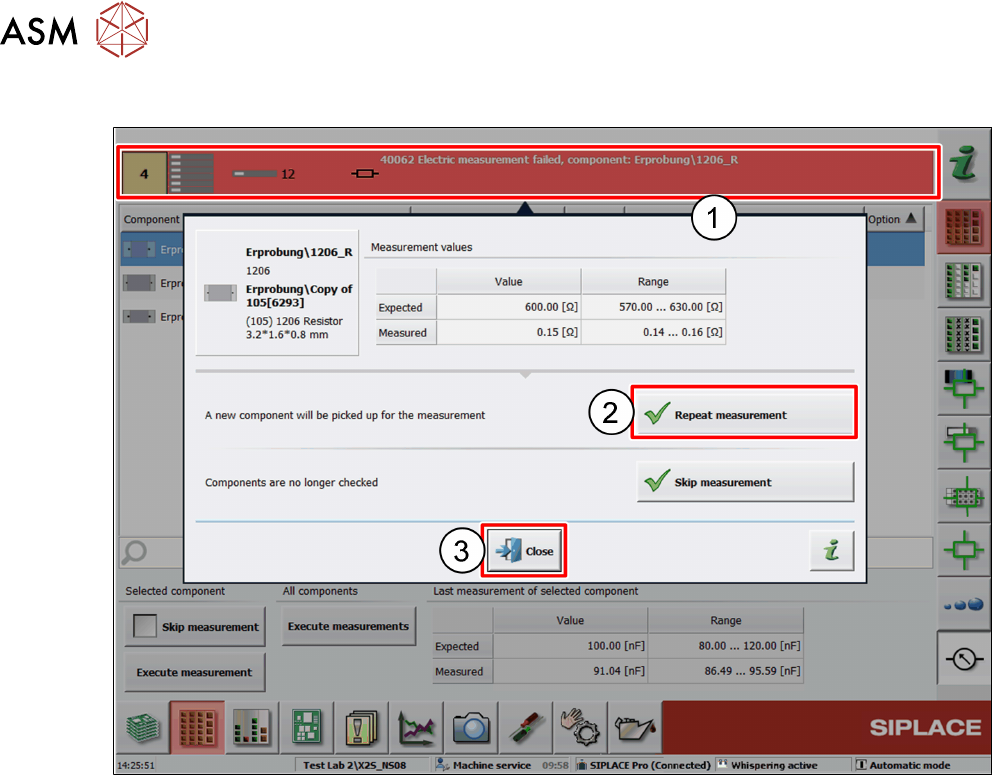
4.5.1 Exchanging the faulty Component and Repeating the Measurement
► Replace the feeder with the faulty component by a new one
► Click on the error message in the message bar (1).
A dialog window is displayed:
► Click on Repeat measurement (2).
A component will be picked up from the new feeder for measurement.
If the measurement of that component passes, production continues and the board will be com-
pleted.
If the measurement of that component fails again, repeat the steps.
► Click on Close (3).
4 Operation
4.5 Handling Measurement Failures
User Manual SIPLACE MeasuringFeeder X 03/2020 35
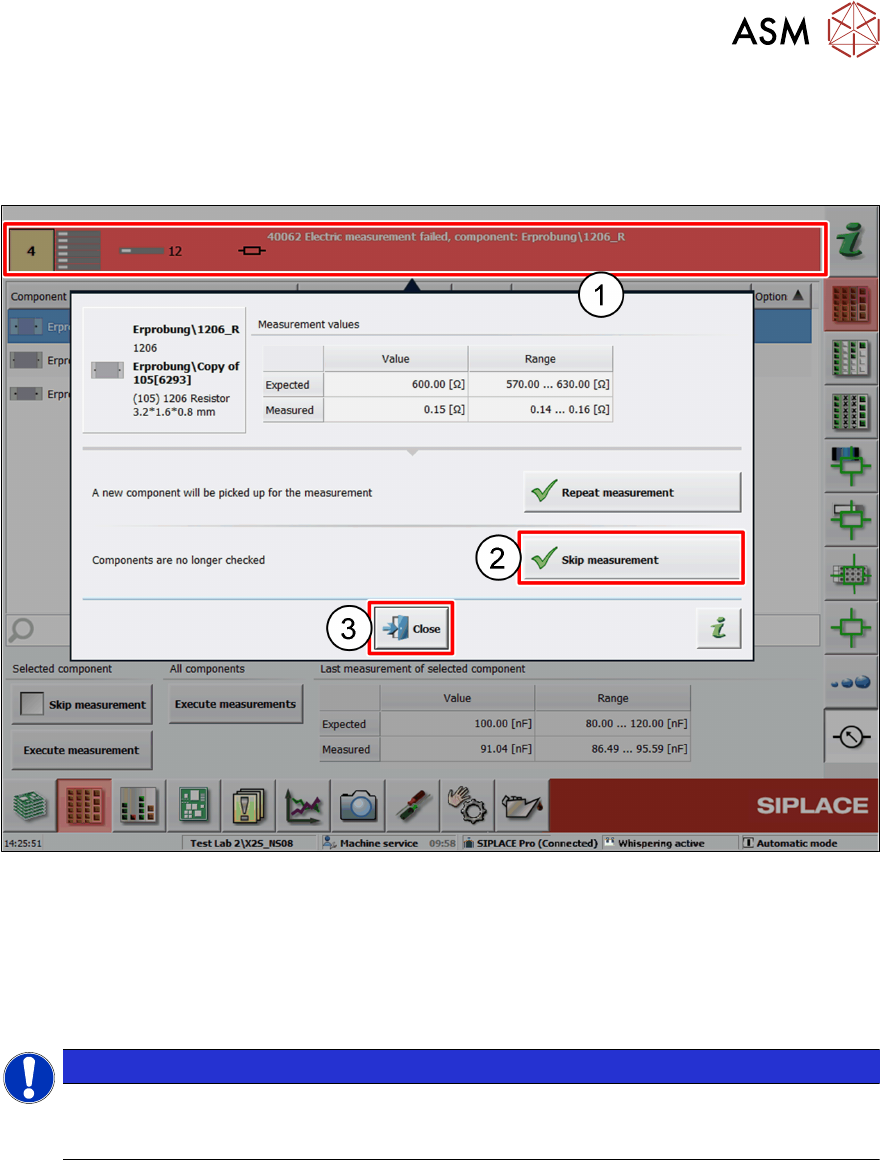
4.5.2 Skipping the Measurement of a faulty Component
There might be situations where a component is faulty but shall still be placed. Or a component
cannot be measured because of a short circuit problem or dirty nozzles. In such cases, it might be
useful to exclude that component from measurement:
► Click on the error message (1).
A dialog window is displayed.
► Click on Skip measurement (2).
The component is excluded from measurement. Production continues, and the board will be fin-
ished.
► Click on Close (3).
NOTICE
If a component is set up on more than one feeder (track), only the track which pro-
voked the measurement failure is excluded from measurement. The same compon-
ents on the other tracks are still measured.
4 Operation
4.6 Removing the MeasuringFeeder X
36 User Manual SIPLACE MeasuringFeeder X 03/2020
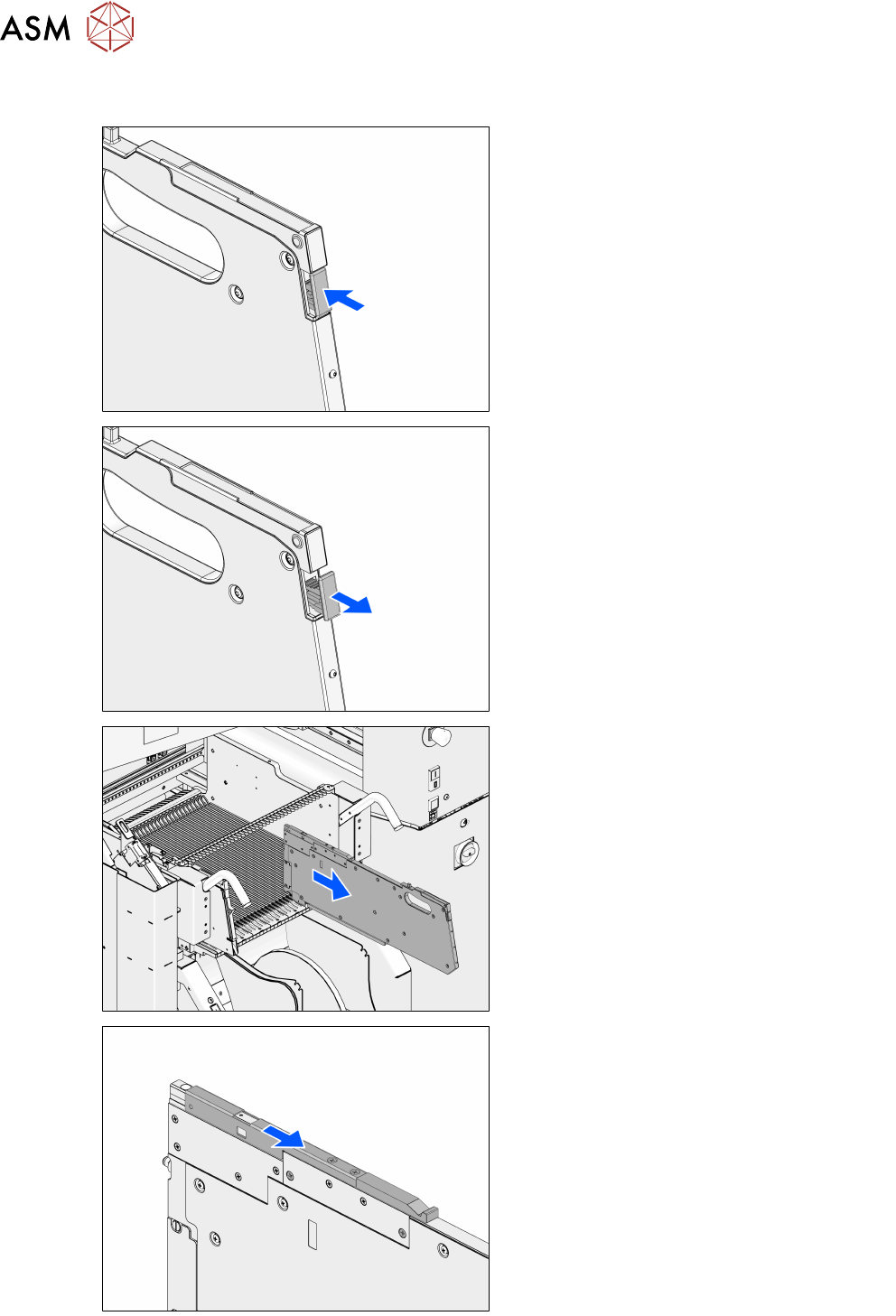
4.6 Removing the MeasuringFeeder X
► Push the removal handle fully in and
release it again.
The Logout procedure is started and the remo-
val handle is released.
► After the status-LED lights off, carefully
pull the MeasuringFeeder X back with the
removal handle.
► Remove the MeasuringFeeder X from the
changeover table.
► Close the protective cover.