User Manual SIPLACE MeasuringFeeder X.pdf - 第32页
4 Operation 4.4 Measuring Components 32 User Manual SIPLACE MeasuringFeeder X 03/2020 4.4.3 Skipping the Measurement of Components It is possible to manually omit the measurement of single components although they were m…
4 Operation
4.4 Measuring Components
User Manual SIPLACE MeasuringFeeder X 03/2020 31
4.4.2 Measuring Components manually
Besides the automatic measurement, that follows the rules that were defined during production
planning, components can also be measured manually anytime during production. It is possible to
measure single components or all components that are listed in the components list.
NOTICE
Placement needs to be stopped before manually measuring a component.
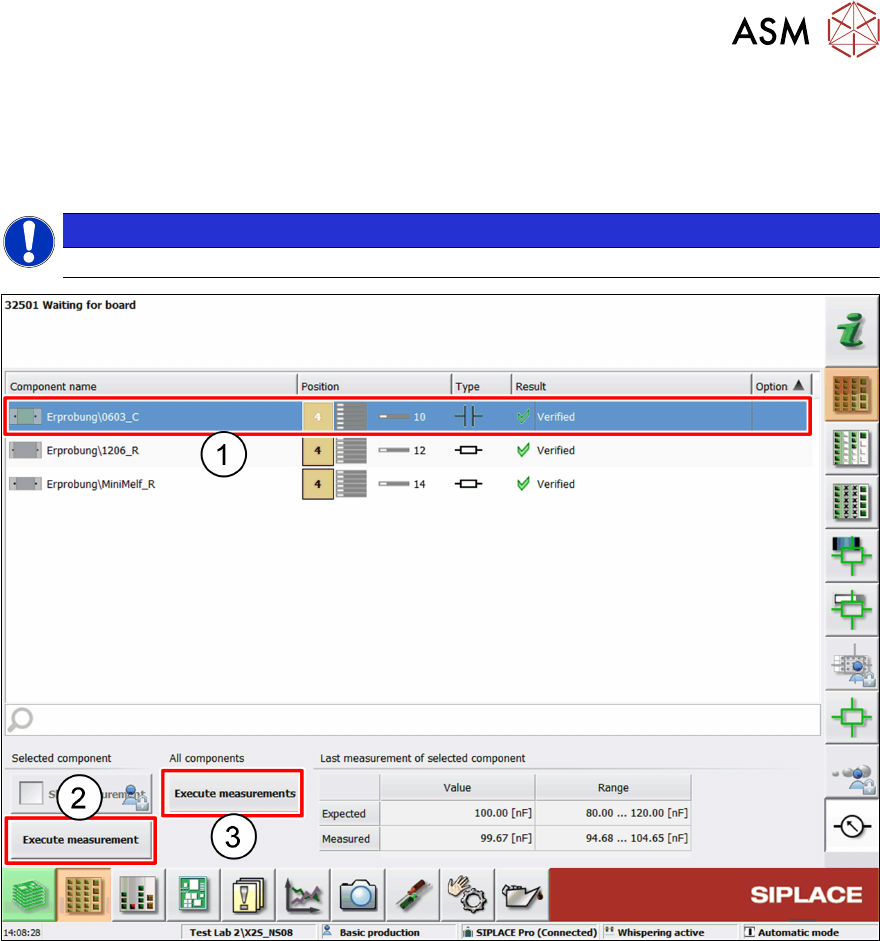
Manually measuring a single component
► Select the component to be measured from the components list (1).
► Click on Execute measurement (2).
Manually measuring all components
► Click on Execute measurements (3).
4 Operation
4.4 Measuring Components
32 User Manual SIPLACE MeasuringFeeder X 03/2020
4.4.3 Skipping the Measurement of Components
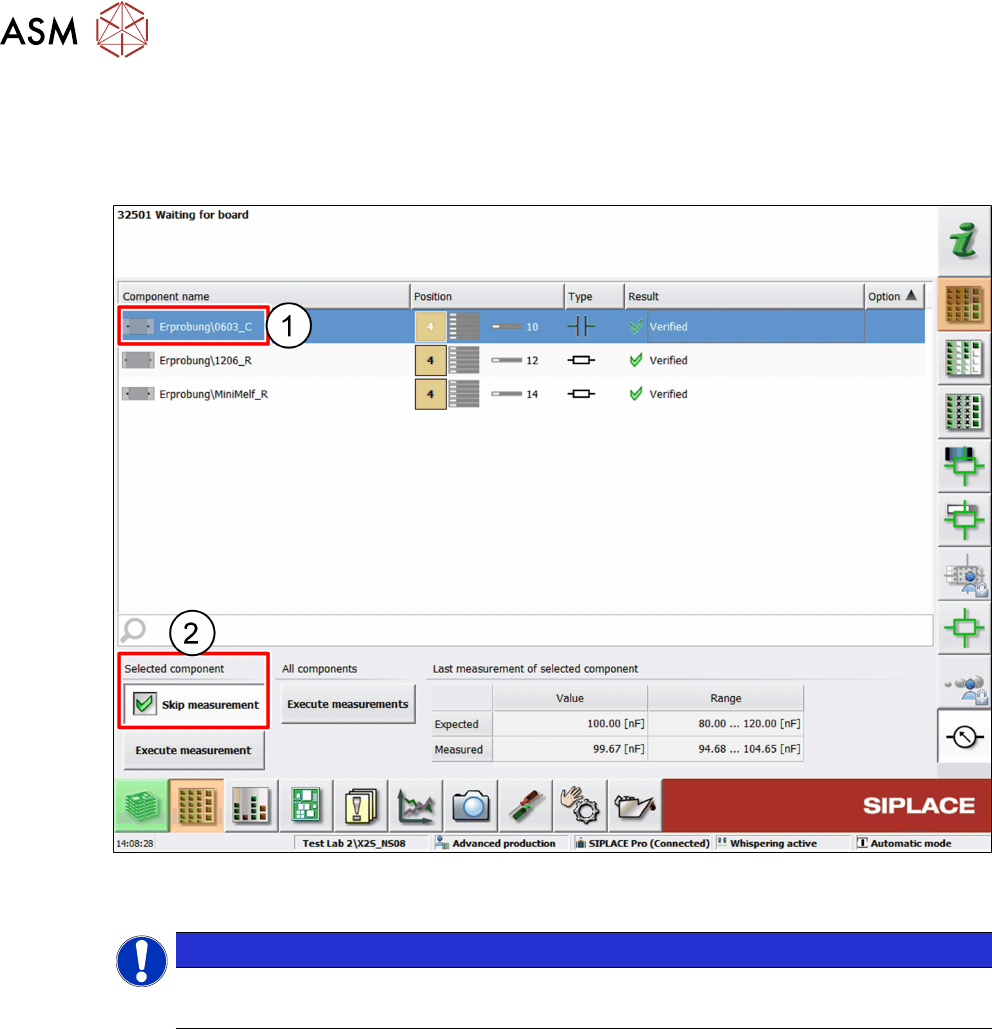
It is possible to manually omit the measurement of single components although they were marked
for measurement during production planning. If a measurement is skipped, that component will be
placed on the board regardless of its electrical qualification.
► Select the component from the components list (1).
► Activate the Skip measurement option (2).
NOTICE
This function is not available in the basic production user level.
► Change the user level to advanced production to use this function.
4 Operation
4.5 Handling Measurement Failures
User Manual SIPLACE MeasuringFeeder X 03/2020 33
4.5 Handling Measurement Failures
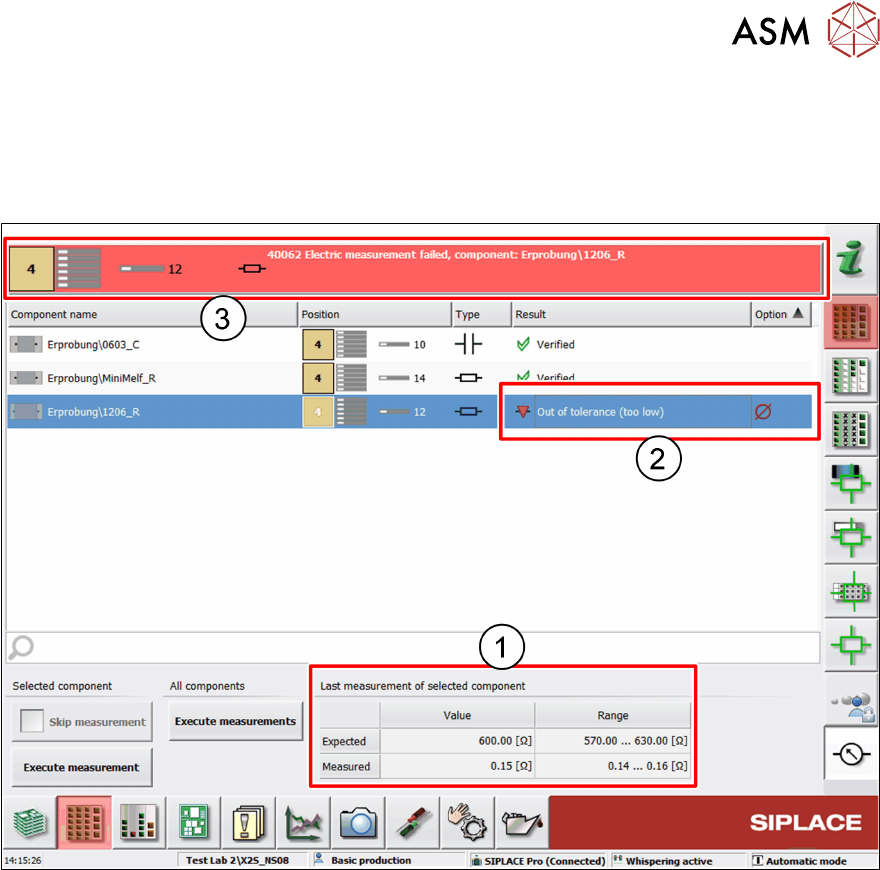
If the measurement of a component delivers a value that is outside the defined tolerance range,
this indicates that at least some of components in the feeder are faulty.
The following actions are executed by the machine:
●
The measurement values are displayed in the Last measurement of selected component
table (1)
●
The result of the failed measurement is displayed in the components list (2)
– Out of tolerance (too low): the measurement result is below the expected range
– Out of tolerance (too high): the measurement result is above the expected range
●
An error message is displayed in the message bar (3) identifying the feeder with the faulty
component
●
That feeder is blocked, and the placement of the components is stopped
●
The placement of all other components finishes
●
Production stops with the board not completed
The board stays in the placement position and can be ejected manually. Instead, if the board is to
be completed, there are two possibilities to continue (see chapters 4.5.1 "Exchanging the faulty
Component and Repeating the Measurement" [}34] and 4.5.2 "Skipping the Measurement of a
faulty Component" [}35]).