JO-109-002_JG-0209.pdf - 第127页
4-39 JO-109 1005-001 2.2 Operation Procedure for [Measurement T ype 5] (10) T each the Lane 2 pick-up hole teaching. (The positions of the 10 holes are taught successively one by one.) Fig. D49 (1 1) When each offset dat…
4-38
JO-109
1005-001
2.2 Operation Procedure for [Measurement Type 5]
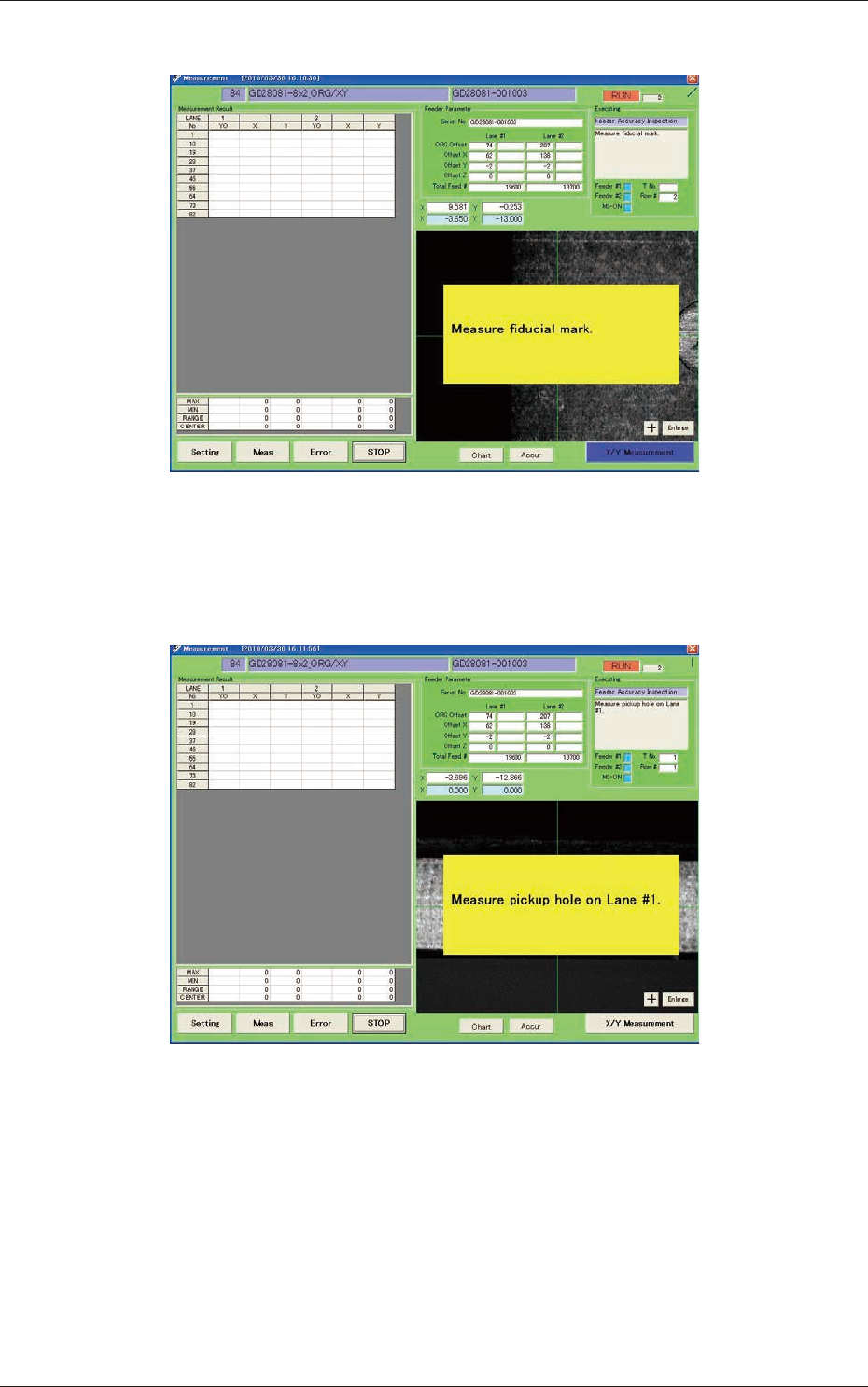
(8) Perform the recognition mark position teaching.
Fig. D47
(9) Perform the Lane 1 pick-up hole position teaching.
(The positions of the 10 holes are taught successively one by one.)
Fig. D48
4-39
JO-109
1005-001
2.2 Operation Procedure for [Measurement Type 5]
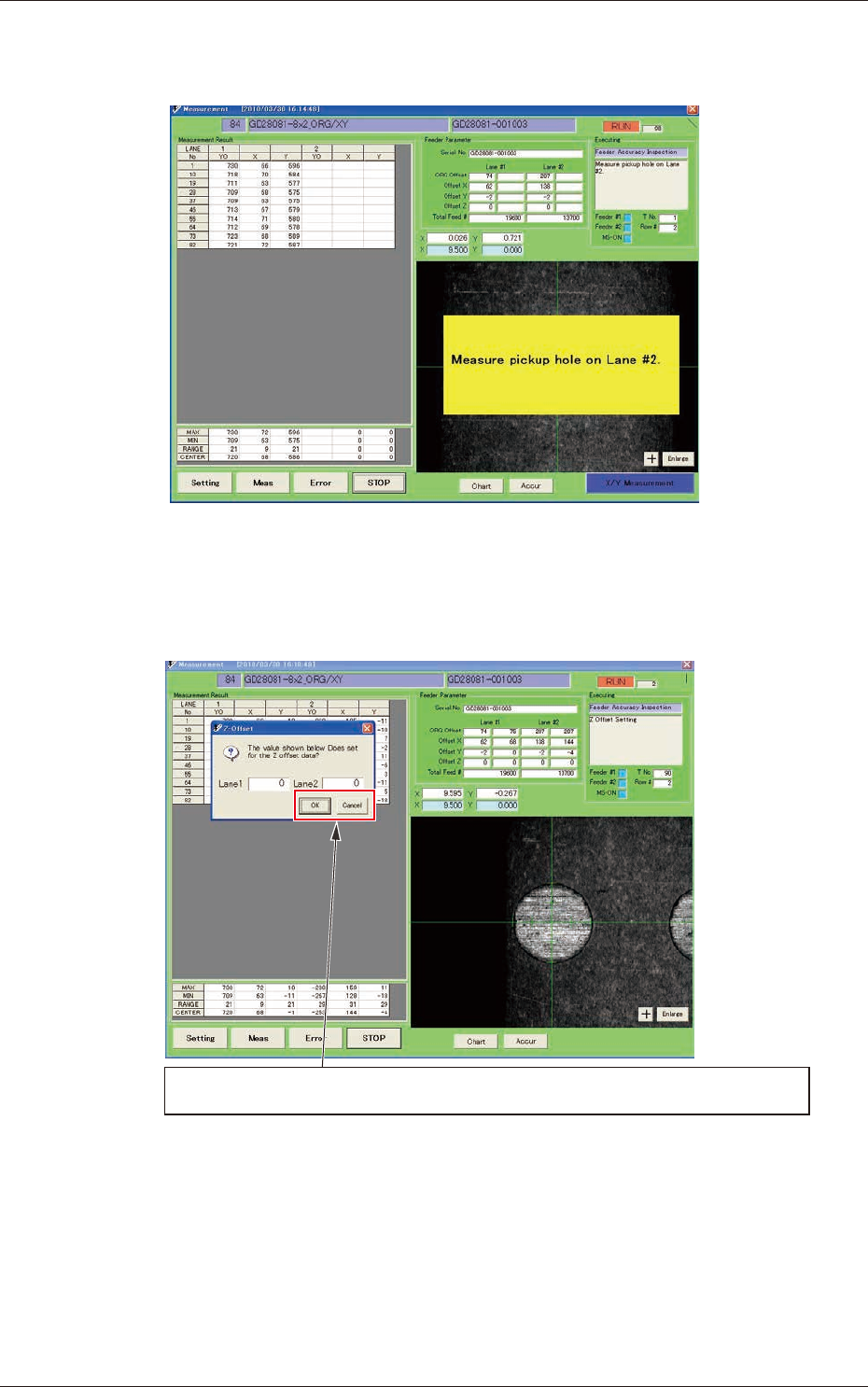
(10) Teach the Lane 2 pick-up hole teaching.
(The positions of the 10 holes are taught successively one by one.)
Fig. D49
(11) When each offset data calculation is completed, the direction Z
offset input window is displayed.
When the pick-up height data is not to be changed, press the [Cancel] button.
When the pick-up height data is to be changed, enter the offset value and press the [OK] button.
Fig. D50
4-40
JO-109
1005-001
2.2 Operation Procedure for [Measurement Type 5]
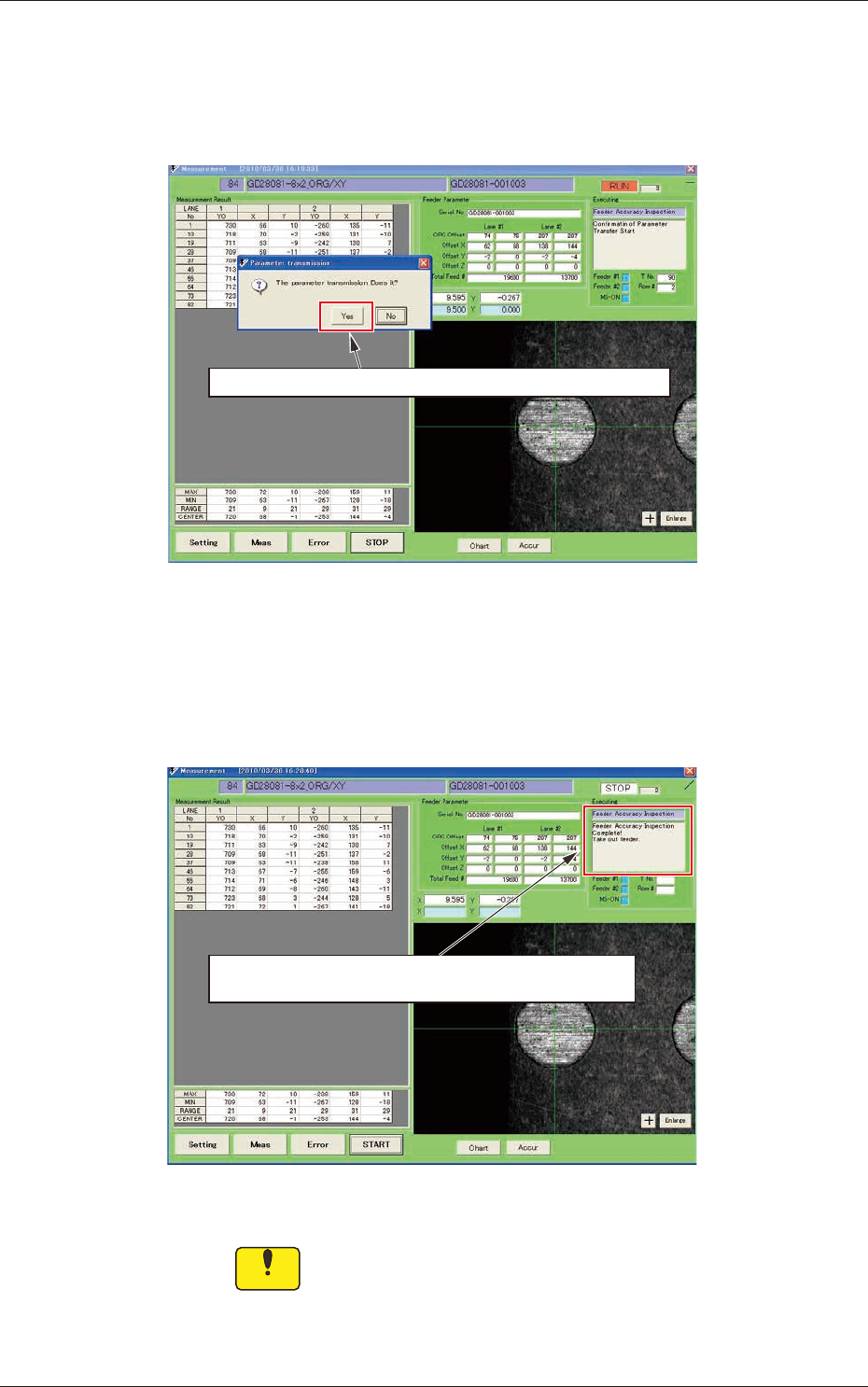
(12) The following dialogue box window is displayed.
When the offset data calculated based on the teaching data is to
be changed, press the [Yes] button. When it is not to be changed,
press the [No] button.
When the measurement results are written in the feeder, click [Yes].
Fig. D51
(13) When the transfer of the measurement results for writing them in
the feeder, is completed, and the following message "Take out the
feeder" is displayed, remove the feeder.
When the data transmission is completed and this message is
displayed, take out the feeder.
Fig. D52
Notice
During the data transfer to and writing in the feeder, do
not remove the feeder.