00196504-02_UM_X-Serie_SR70X_EN.pdf - 第326页
Tasks on the machine User manual SIPLACE X-series Carrying out a walk-through inspection From software version SR.70x.xx 01/2011 EN edition 326 5.9.5 Inserting sep arating plates in the t ape container → The separating p…
User manual SIPLACE X-series Tasks on the machine
From software version SR.70x.xx 01/2011 EN edition Carrying out a walk-through inspection
325
5.9.4 Mount for additional tape reel
5
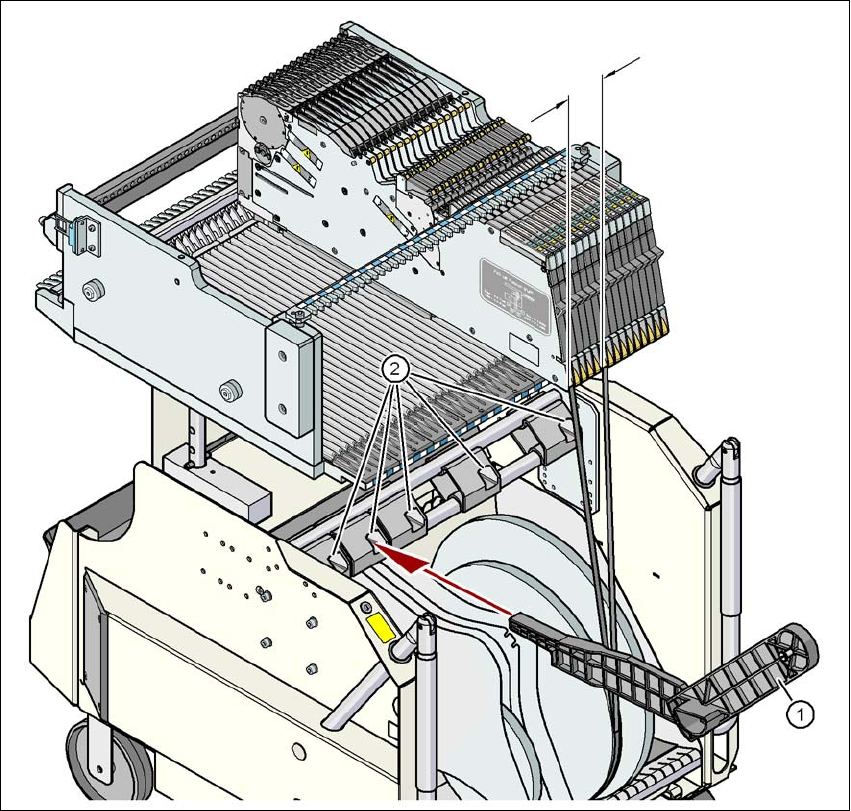
Fig. 5.9 - 2 Mount for additional tape reel
(1) Support for an additional tape reel, item no. 00141217-xx
(2) Mounting device for the support
5
X-series feeder modules can process component tapes without problems if the lateral offset be-
tween the feeder module and the tape reel does not exceed 60 mm. If a predefined set-up means
that the maximum permitted offset cannot be maintained, we recommend that you use the mount
for an additional tape reel (item 1). Simply insert the mount into the holder (item 2) and push it until
the offset is less than the maximum permitted value of 60 mm. The component trolley has 5 hold-
ers in total. Each tape reel mount can hold 2 tape reels, which means that up to ten 15" (381 mm)
reels can be positioned above the tape container.
max. 60 mm
Tasks on the machine User manual SIPLACE X-series
Carrying out a walk-through inspection From software version SR.70x.xx 01/2011 EN edition
326
5.9.5 Inserting separating plates in the tape container
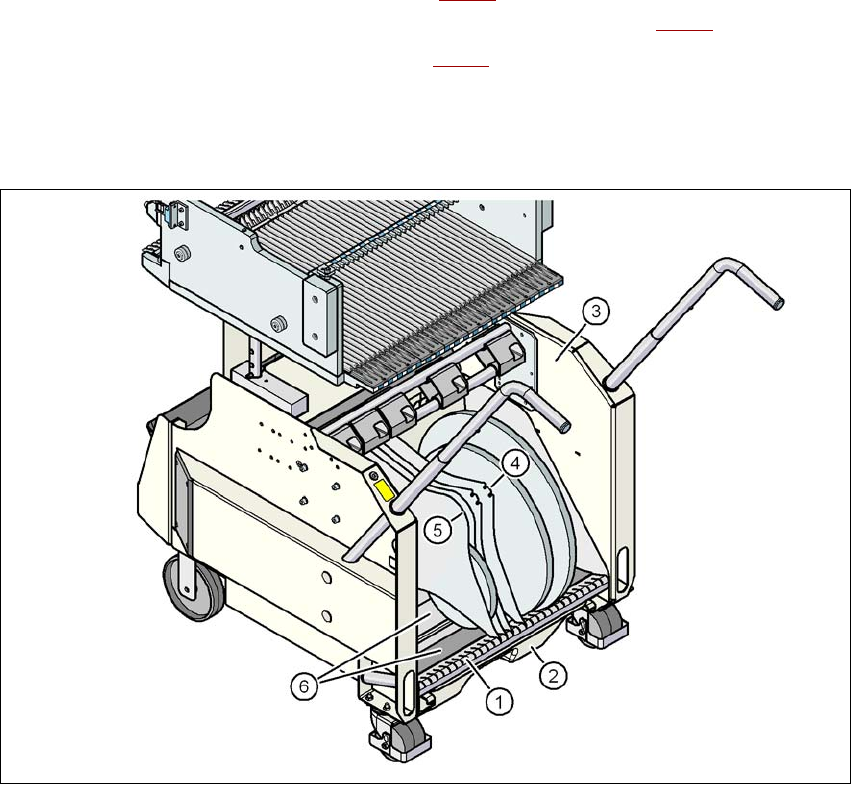
→ The separating plate has different edges and can be inserted into the tape container in two
ways. If quick-release axles are used, the recesses for the quick-release axles in the sepa-
rating plate point upwards (see item 4 in Fig. 5.9 - 3
). If you do not use quick-release axles,
the rounded edge of the separating plate points up (see item 5 in Fig. 5.9 - 3
).
→ Insert the separating plates as shown in Fig. 5.9 - 3
and remember that the smallest division
of the tape container is a 2x division. This will help avoid placement errors.
→ Check that the separating plates engage in the same positions on the three guide rails. Oth-
erwise the separating plate will be offset or bent.
5
Fig. 5.9 - 3 Separating plates in the tape container
(1) Guide rail for the separating plates
(2) Waste tape container
(3) Tape container
(4) Position of the separating plate if quick-release axles are used
(5) Position of the separating plate if no quick-release axles are used
(6) Slide surfaces for the tape reels
User manual SIPLACE X-series Tasks on the machine
From software version SR.70x.xx 01/2011 EN edition Setting up the feeder modules
327
5.10 Setting up the feeder modules
5.10.1 Notes on handling feeder modules
Feeder modules are precision devices. You should therefore handle the feeder modules with care.
→ Avoid bumping feeder modules into obstacles.
→ Do not drop the feeder modules.
→ Always use suitable tools for preventive maintenance.
5.10.2 Removing X feeder modules from the component table
5
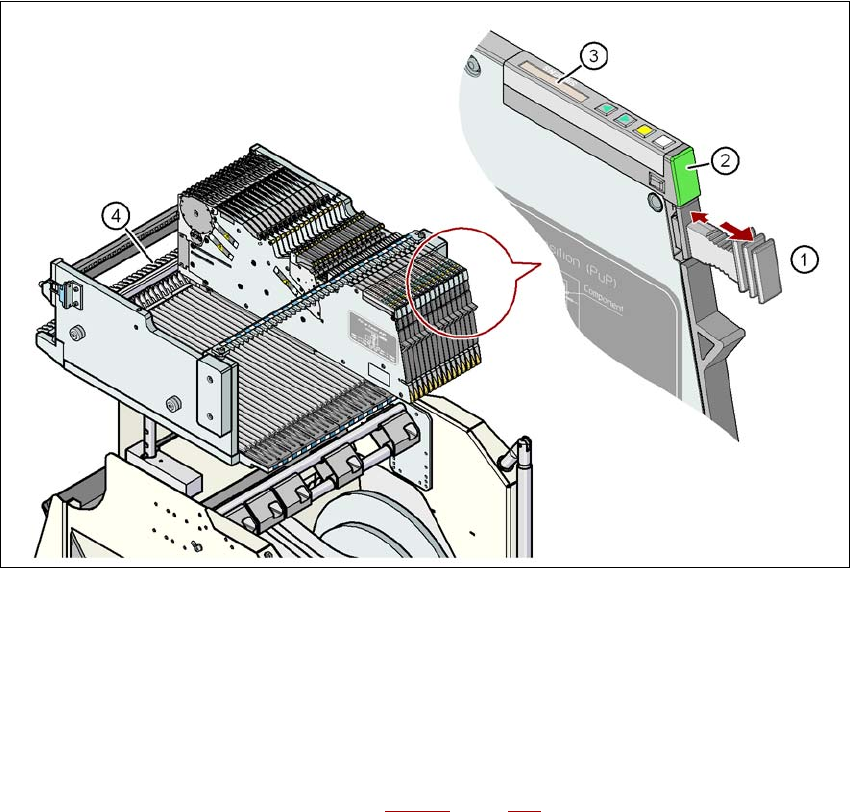
Fig. 5.10 - 1 Removing X feeder modules from the component table
(1) Removal handle
(2) Status display
(3) LCD display
(4) Latch for locking the X feeder modules
5
On standby, the status display (item 2 in Fig. 5.10 - 1, page 327) lights up green if the X-axis feeder
module is contained in the current set-up. If the feeder module is not contained in the current set-
up, the status display remains off.