00196504-02_UM_X-Serie_SR70X_EN.pdf - 第351页
User manual SIPLACE X-series Station extensions From software version SR.70x .xx 01/2011 EN edition Nozzle changer 351 6 S t ation extensions 6.1 Nozzle changer Nozzle changers can greatly increase the flexibility of the…
Tasks on the machine User manual SIPLACE X-series
Docking the component trolley in or out at the docking station From software version SR.70x.xx 01/2011 EN edition
350
→ Push the component trolley carefully into the docking station. This will raise the component
table.
→ Make sure that the component trolley is standing fully on the base plate of the docking station.
→ Apply the two horizontal tensioners at the same time (item 3 in Fig. 5.16 - 1
, page 349).
The component table is raised into its definitive position and locked.
→ Use the button (item 2 in Fig. 5.16 - 1
, page 349) to lock or release all the feeder modules on
the component table.
5.16.2 Docking out the SIPLACE X-series component trolley from the docking sta-
tion
WARNING 5
→ While undocking, do not reach into the areas between component trolley and docking station.
→ Release the two horizontal tensioners at the same time (item 3 in Fig. 5.16 - 1
, page 349).
The component table is lowered.
→ Now pull the component trolley out of the docking station.
User manual SIPLACE X-series Station extensions
From software version SR.70x.xx 01/2011 EN edition Nozzle changer
351
6 Station extensions
6.1 Nozzle changer
Nozzle changers can greatly increase the flexibility of the placement heads for processing differ-
ent types of component. If the placement program requires a nozzle change, then the placement
head automatically returns the old nozzle to the nozzle holder and picks up the new nozzle. Noz-
zles that were separated out during the vacuum check can also be quickly changed.
It is significantly more exact and faster to pick up nozzles from a nozzle changer than would be
possible manually. When placing small components, it is essential to minimize the radial eccen-
tricity during nozzle rotation.
6.1.1 Nozzle changer for the SIPLACE SpeedStar
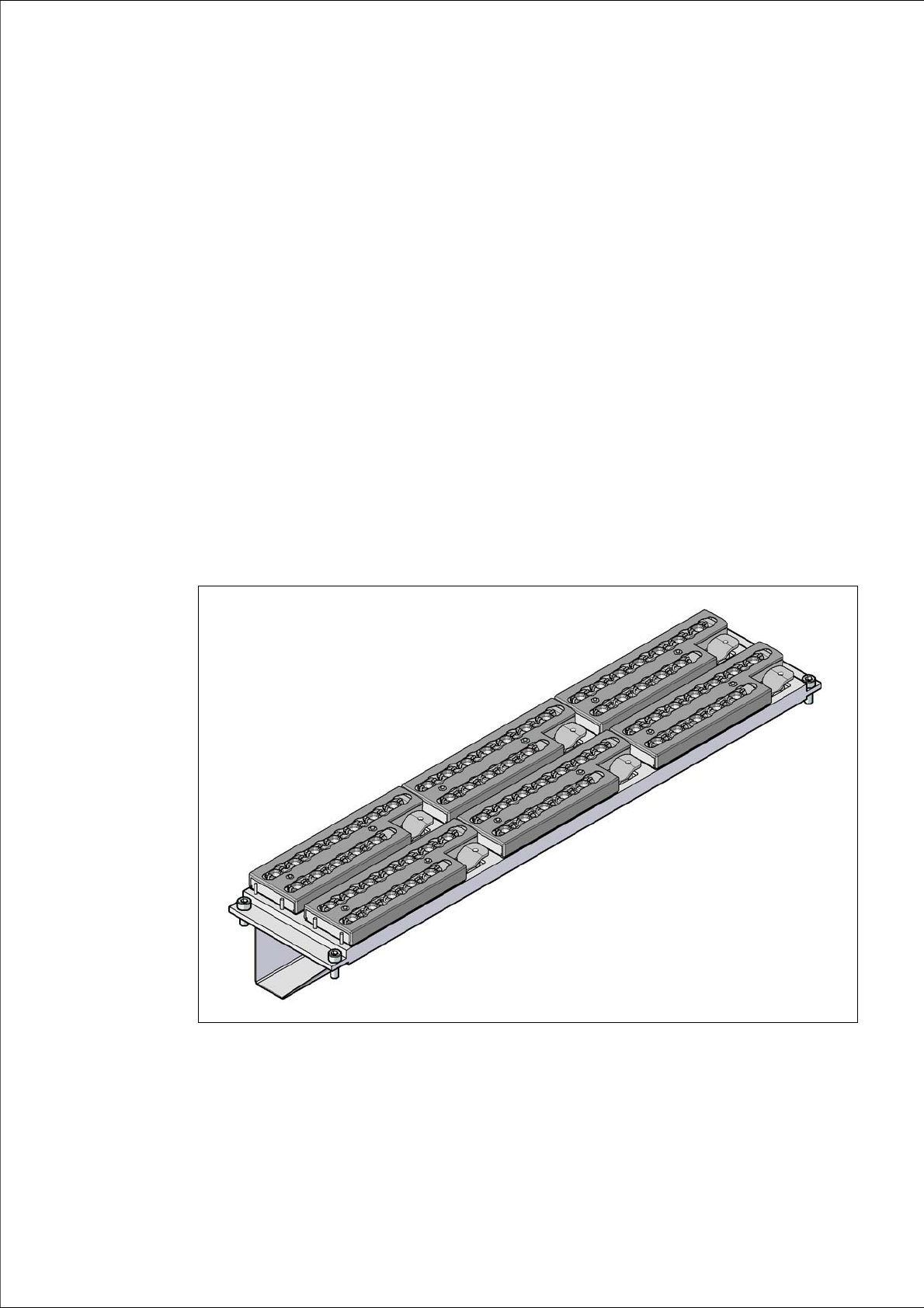
Item no. 00119715-xx Nozzle changer, X-series, C&P20
6
Fig. 6.1 - 1 Nozzle changer for the SIPLACE SpeedStar

Station extensions User manual SIPLACE X-series
Nozzle changer From software version SR.70x.xx 01/2011 EN edition
352
6.1.1.1 Description
This nozzle changer holds 6 magazines, each with 12 nozzle holders. The magazines are seated
on a common support. They are centered using two parallel pins and fixed in place with 4 snap
fasteners. The precise position is determined with two fiducials on each magazine. Microswitches
monitor whether the magazines are seated correctly on the body of the nozzle changer in order
to prevent the placement head colliding with a protruding magazine. All magazine locations must
be filled since the safety circuit stops the machine in response to missing magazines or magazines
that are not seated correctly. Components can be blown from the nozzles of the SpeedStar at the
installed nozzle station, where the nozzles can be honed to size or rejected.
PLEASE NOTE 6
This nozzle changer can only be used in conjunction with the SpeedStar.
6.1.1.2 Technical data
6
6
6
6.1.1.3 Position of the nozzle changers for the SIPLACE SpeedStar on the X4I
Nozzle changers may be installed at locations 1, 2, 3 and 4 for the SpeedStar (item 1 in Fig.
6.1 - 2
, page 353).
This gives the following nozzle changer configuration for the placement machine:
6
Nozzle changer for the SIPLACE SpeedStar
Dimensions (length x width x height) 449 x 94.5 x 79 mm³
Number of nozzle holders 72
Number of nozzle magazines 6
Nozzle types 10xx, 11xx and 12xx
Nozzle changeover time approx. 2 s per nozzle
Compressed air connection 0.48 MPa (4.8 bar)
Location
Number of
nozzle magazines
Number of
reserve nozzle magazines
Number of nozzle
holders
16 - 72
2 4 2 48 (+ 24 reserve)
36 - 72
4 4 2 48 (+ 24 reserve)