00196771-04_IM_SSW_705_04_SP2_DE_EN.pdf - 第33页
Station Software 705.04 SP2 / Installation Manual Ausgabe 06/2012 Edition ► Click the One-computer-configuratio n button or the Two-computer- configuration button for X-series placem ent machines with two computers. 5.4.…
Station Software 705.04 SP2 / Installation Manual Ausgabe 06/2012 Edition
► Click the Next button.
5.4.4 Selecting the machine type
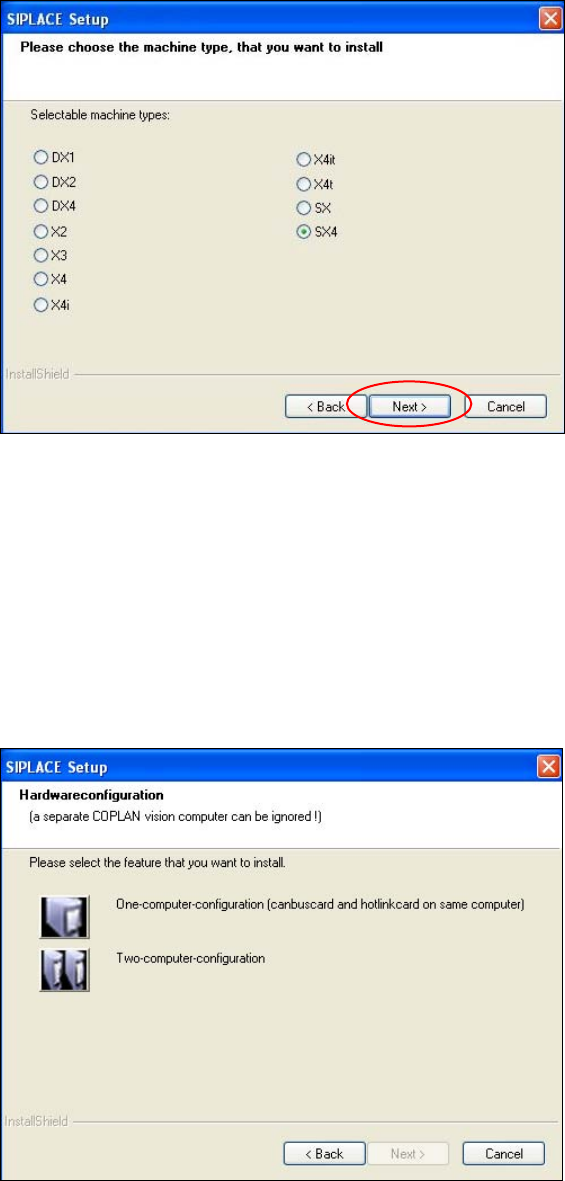
Figure 5-9: Selecting the machine type
► Select the option for the machine type for which the software is to be configured.
► Click the Next button.
5.4.5 Selecting the hardware configuration
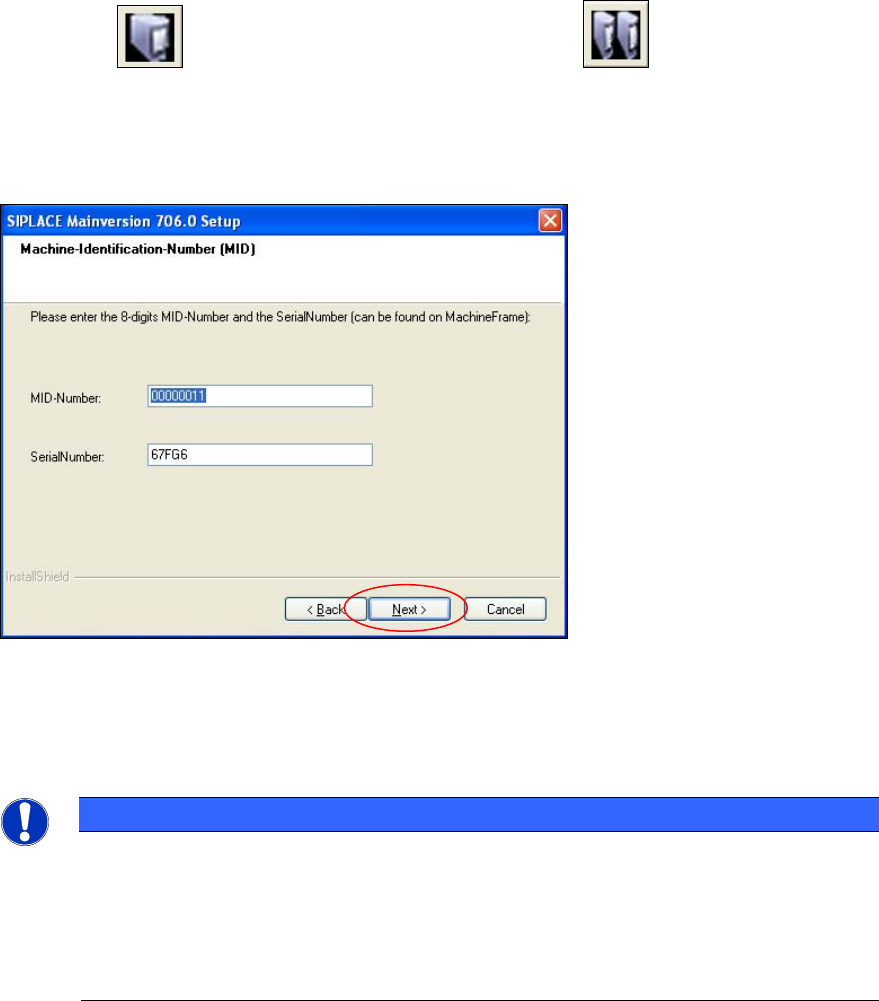
The Hardwareconfiguration dialog box is opened, in which you configure the hardware for one-
computer or two-computer operation. One-computer operation is default for the SX and DX
placement machines.
Figure 5-10: "SIPLACE Setup" dialog box
32
Station Software 705.04 SP2 / Installation Manual Ausgabe 06/2012 Edition
► Click the
One-computer-configuration button or the Two-computer-
configuration button for X-series placement machines with two computers.
5.4.6 Entering the Machine Identification Number (MID) and serial number
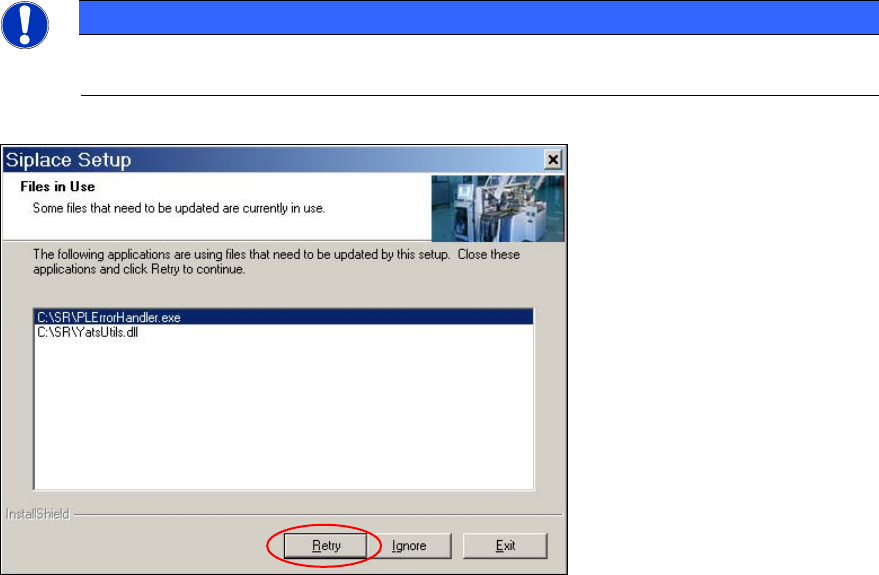
Figure 5-11: Entering the Machine Identification Number (MID)
► In the text box beside MID-Number, enter the 8-digit machine identification number.
► In the text box beside SerialNumber, enter the serial number
NOTICE
You will find the MID and the serial number on an adhesive label on the side of the
protective covers directly below the label for the number of the relevant location. The
number following the dash after the MID specifies the location and is not entered here
(e.g. 00000001-2 stands for location 2).
After upgrading (from 60x and 70x) the correct MID and serial number are already
inserted.
► Click the Next button.
33
Station Software 705.04 SP2 / Installation Manual Ausgabe 06/2012 Edition
NOTICE
The following screen only appears if applications are open which use files which must be
updated during installation of SIPLACE.
Figure 5-12: Open applications
► Close the applications or processes listed here by using Windows Task Manager and then click
the Retry button.
The installation program now installs additional programs on the machine computer.
34