00196771-04_IM_SSW_705_04_SP2_DE_EN.pdf - 第44页
Station Software 705.04 SP2 / Installation Manual Ausgabe 06/2012 Edition The user settings are displayed. Figure 7-3: Changing activity level ► Click the Machine service button and enter the password to change into this…
Station Software 705.04 SP2 / Installation Manual Ausgabe 06/2012 Edition
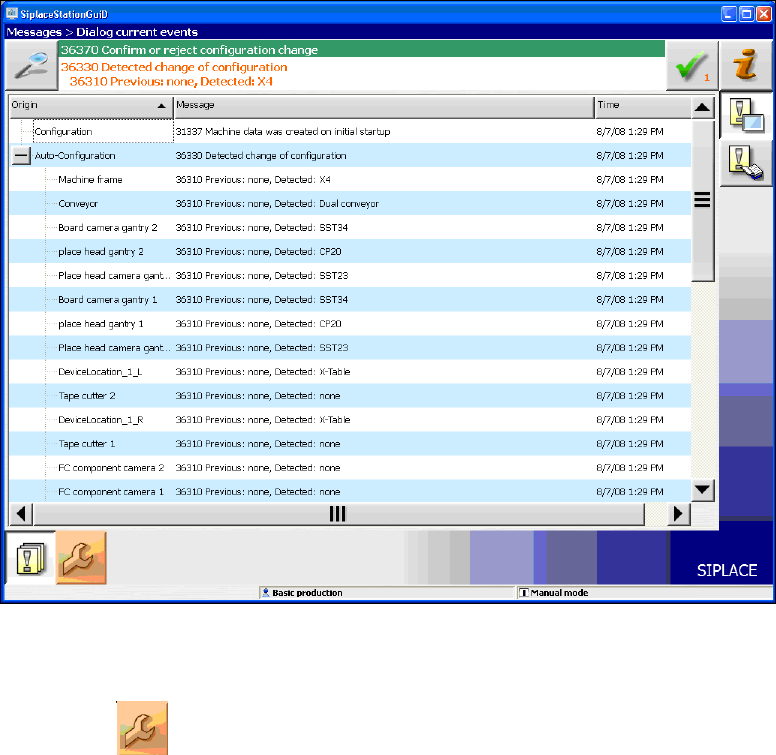
Figure 7-2: Used hardware components
The Machine service activity level is required to execute the Auto-configuration.
► Click the
icon to call the user settings.
43
Station Software 705.04 SP2 / Installation Manual Ausgabe 06/2012 Edition
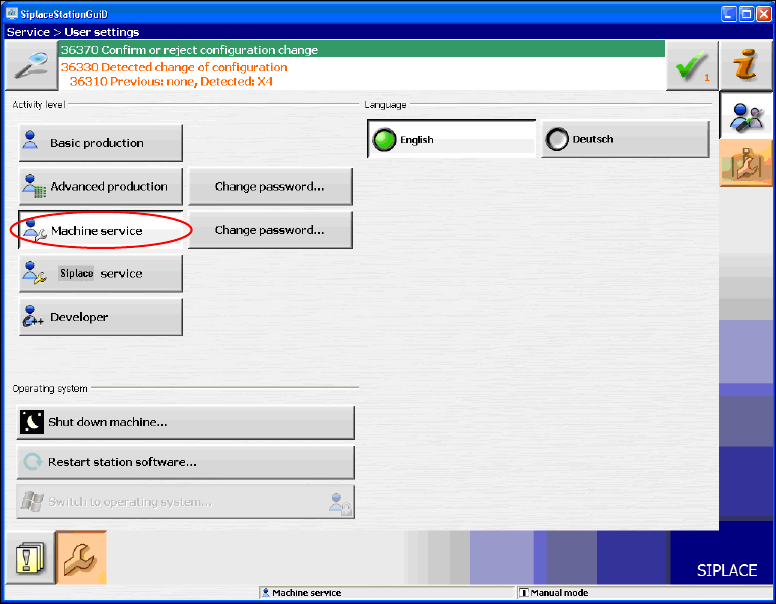
The user settings are displayed.
Figure 7-3: Changing activity level
► Click the Machine service button and enter the password to change into this activity level.
44
Station Software 705.04 SP2 / Installation Manual Ausgabe 06/2012 Edition
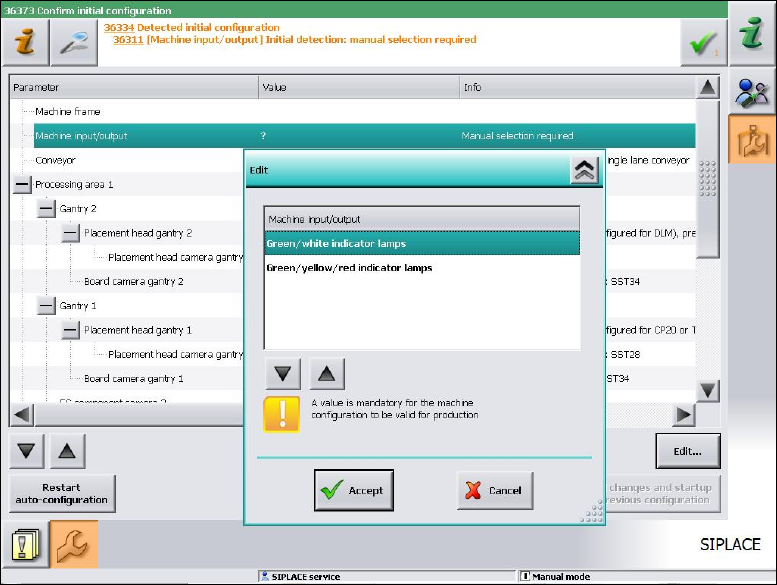
As of station software version 705.03 you will have to set, whether the lamp indicators on the
placement machine towers shall be displayed two-colored (green / white) or three-colored (green /
white / red) for all placement machines of the SX-series and DX-series. More information about the
two lamp indicator systems can be found in the version description of the 705.03 station software,
item number 00196770-01.
Figure 7-4: Setting lamp indicators
► Select the desired lamp indicators and click the Accept button.
45