00193688-03.pdf - 第28页
3 Installing SIPLACE Explorer Installation and Configuration Guide SIPLACE Explorer 3.2 Java 2 SDK 1.4 Installation Procedure Edition 02/2005 EN 28 3 Fig. 3 - 3 Installation variants: Island inst allation 3.2 Java 2 SDK …

Installation and Configuration Guide SIPLACE Explorer 3 Installing SIPLACE Explorer
Edition 02/2005 EN 3.1 Standard Installation Variants
27
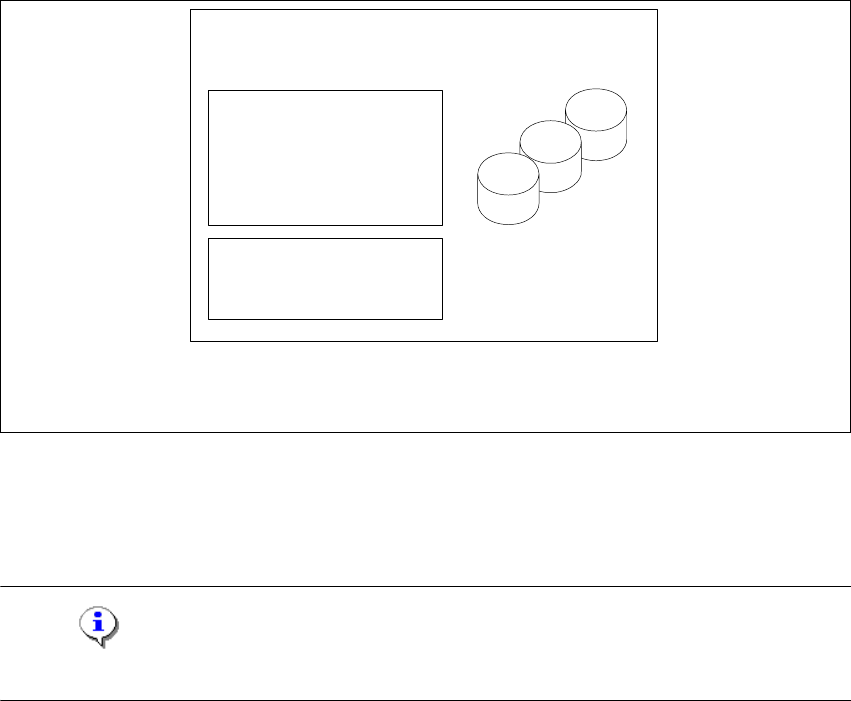
3.1.4 Island Installation
In this installation variant, SIPLACE Explorer with all system components can be installed on the
existing SIPLACE line server. 3
Software Requirements SIPLACE Line Server:
– System environment - one of the following versions:
– Windows 2000 Workstation with SP3 or SP4
– Windows XP Professional with SP1 or SP2
– MSDE 2000
– Explorer installation:
– Runtime Environment
– Tomcat Web server
– Java 2 SDK
– Factory Configuration
3
Hardware Requirements SIPLACE Line Server:
– all requirements of the existing SIPLACE Line Server
– Computer with 2.4 GHZ CPU
– 2 GB memory
– 10 GB available hard drive capacity
3
NOTE
Please note that one line can only be used for one application in this installation variant. 3
3 Installing SIPLACE Explorer Installation and Configuration Guide SIPLACE Explorer
3.2 Java 2 SDK 1.4 Installation Procedure Edition 02/2005 EN
28
3
Fig. 3 - 3 Installation variants: Island installation
3.2 Java 2 SDK 1.4 Installation Procedure
NOTE
You must have Windows 2000 administrator privileges to perform installation. 3
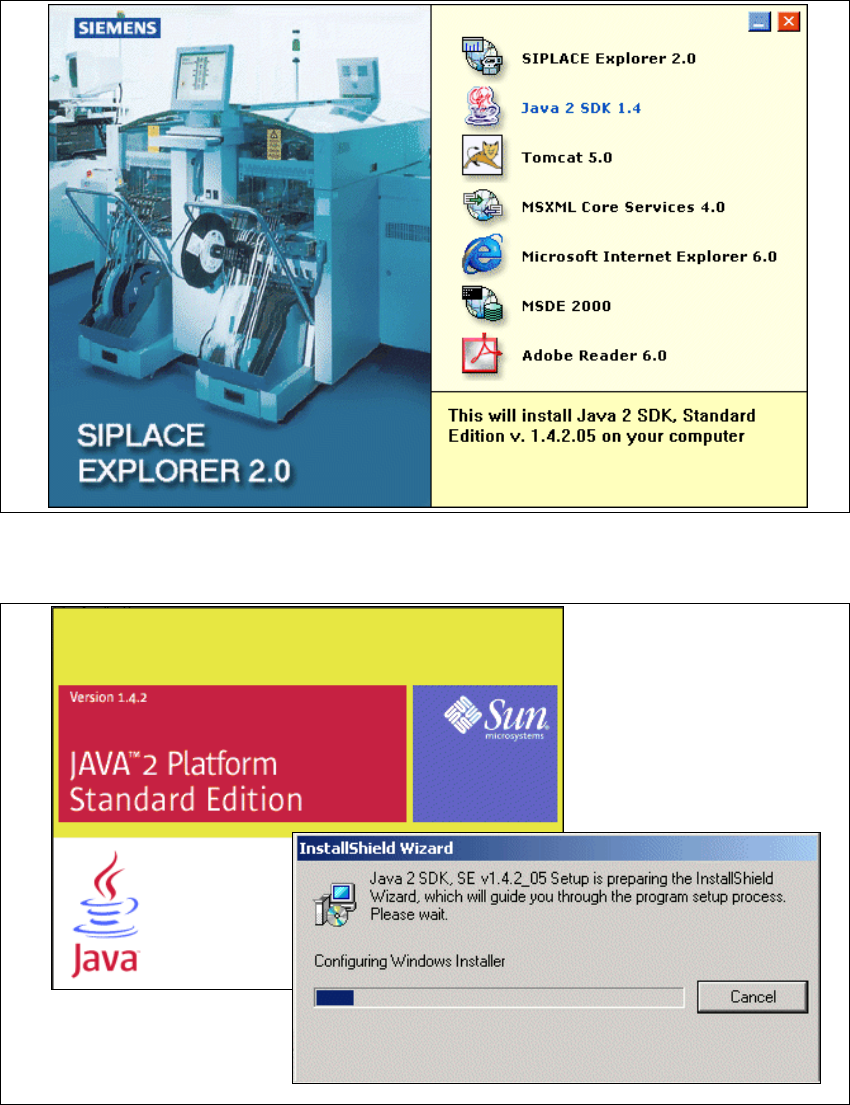
→ Place the SIPLACE Explorer CD in your CD-ROM drive.
only for 1 application
per line
- MSDE 2000
- Tomcat
- Factory Configuration
- Java 2 SDK
- RTE per Linie
Report Generation:
- MSXM
- Excel
all databases, all line
databases
SIPLACE Line Server
(existing)
Installation and Configuration Guide SIPLACE Explorer 3 Installing SIPLACE Explorer
Edition 02/2005 EN 3.2 Java 2 SDK 1.4 Installation Procedure
29
→ The Start screen will appear.
3
Fig. 3 - 4 SIPLACE Explorer setup - Start screen
→ Select Java 2 SDK 1.4. You will be guided through the Java 2 SDK installation procedure.
3
Fig. 3 - 5 Install shield wizard - preparing the installation