00193688-03.pdf - 第44页
3 Installing SIPLACE Explorer Installation and Configuration Guide SIPLACE Explorer 3.4 Tomcat 5.0 Installation Proce dure Edition 02/2005 EN 44 3.4 T omcat 5.0 Inst allation Procedure NOTE Y ou must have Windows 2000 ad…
Installation and Configuration Guide SIPLACE Explorer 3 Installing SIPLACE Explorer
Edition 02/2005 EN 3.3 SIPLACE Explorer 2.0 Installation
43
→ SIPLACE Explorer V.2.0 Factory Configuration Utility
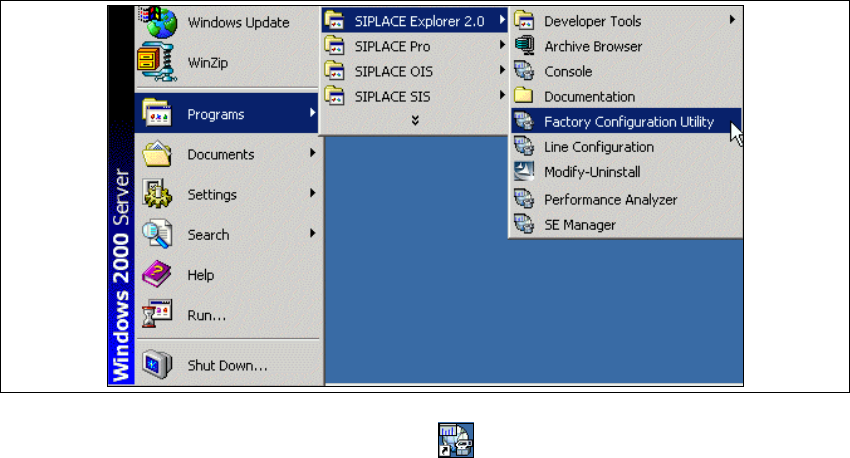
Start the Factory Configuration Utility via the Programs → SIPLACE Explorer 2.0 → Factory
Configuration Utility menu in Windows. 3
3
Fig. 3 - 27 Factory Configuration Utility Windows Start menu
→ Or click on the Factory Configuration Utility icon on your desktop.
3 Installing SIPLACE Explorer Installation and Configuration Guide SIPLACE Explorer
3.4 Tomcat 5.0 Installation Procedure Edition 02/2005 EN
44
3.4 Tomcat 5.0 Installation Procedure
NOTE
You must have Windows 2000 administrator privileges to perform installation. 3
NOTE
Before installing Tomcat 5.0, make sure that all versions of Tomcat < 5.0 have been deinstalled.3
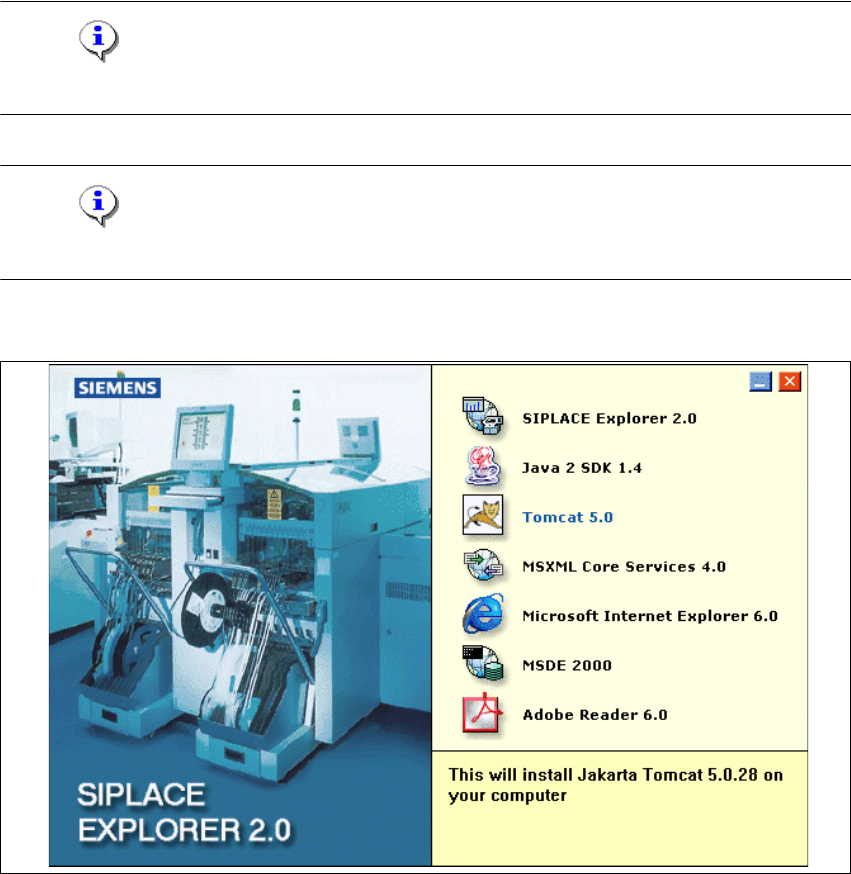
→ Place the SIPLACE Explorer CD in your CD-ROM drive. The Start screen will appear.
3
Fig. 3 - 28 SIPLACE Explorer setup - Start screen
→ Select Tomcat 5.0.
Installation and Configuration Guide SIPLACE Explorer 3 Installing SIPLACE Explorer
Edition 02/2005 EN 3.4 Tomcat 5.0 Installation Procedure
45
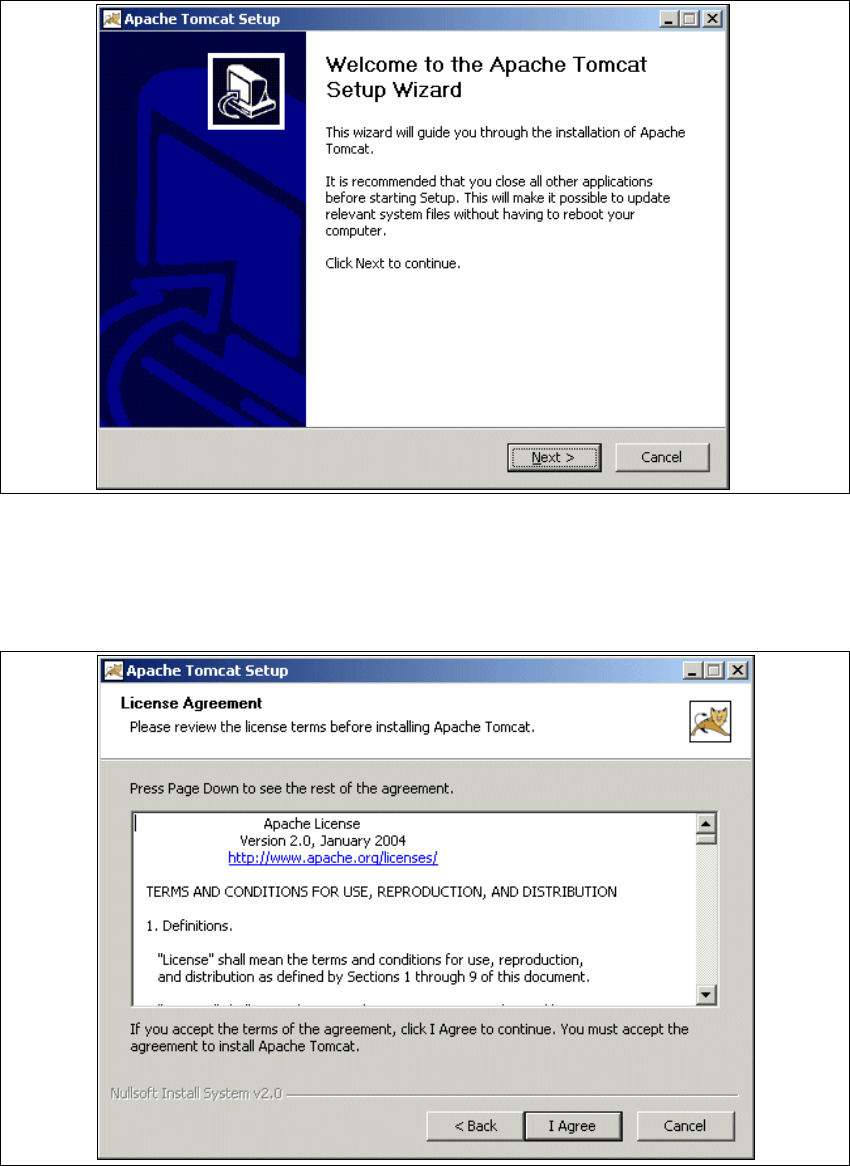
→ You will be guided through the Tomcat installation procedure.
3
Fig. 3 - 29 Apache Tomcat setup - welcome screen
→ Exit all other programs and then click on Next.
→ Read the license agreement. If you agree click I Agree, otherwise click Cancel. Clicking on
Cancel terminates the installation.
3
Fig. 3 - 30 Apache Tomcat setup - license agreement