HOST.pdf - 第23页
BM 122/ 123 /1 33/ 221/2 31 HOST COMPUTER SYSTEM 3.3 C comm ands E35HEC- 4A-181- B0 3.3- 2 Ex. : C0P comm and and as sociat ed dat a Comm and C0P123456789A BC Da ta s i ze 256 (No. of charact ers fr om %HEADER to ∗ [CR ]…
BM122/123/133/221/231
HOST COMPUTER SYSTEM
3.3 C commands
E35HEC-4A-181-B0
3.3-1
3.3. C commands
E35HEC-4A-181-B0
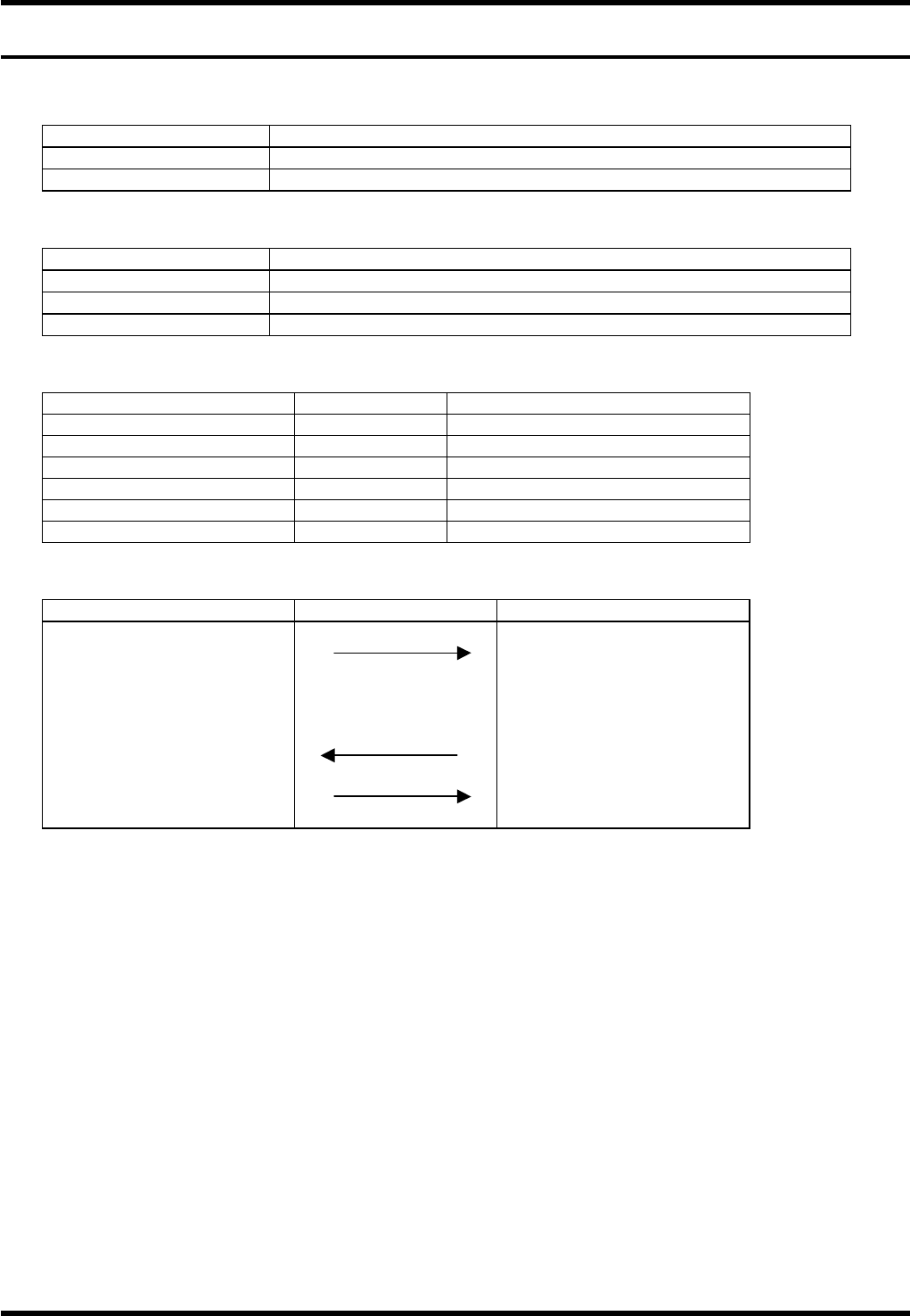
3.3.1 C0 command (Downloading Programs)
Item Description
Command name Downloading programs
COM port used Port 1
Data format
Item Description
Command field C0 + Name of program to be downloaded (Identifier + name)
Data size field Size of program to be downloaded
Data field Data of program to be downloaded
Setting the program name
Target data Identifier Name
Product program P
15 characters
Part library L None
Mark library B None
Nozzle library V None
Supply library Y None
Machine data G None
Command sequence
Host computer system Equipment
C0
+ Program name
+ Data size
+ Data
(2) Receives downloaded data
(1) A0 (Requests the next data)
A2 (Data transfer end) (1) End
(1) No data type (2) Data-attached type
=REMARKS=
If the name of the program currently being selected or edited is specified, an ‘A4E00’ will be returned.
BM122/123/133/221/231
HOST COMPUTER SYSTEM
3.3 C commands
E35HEC-4A-181-B0
3.3-2
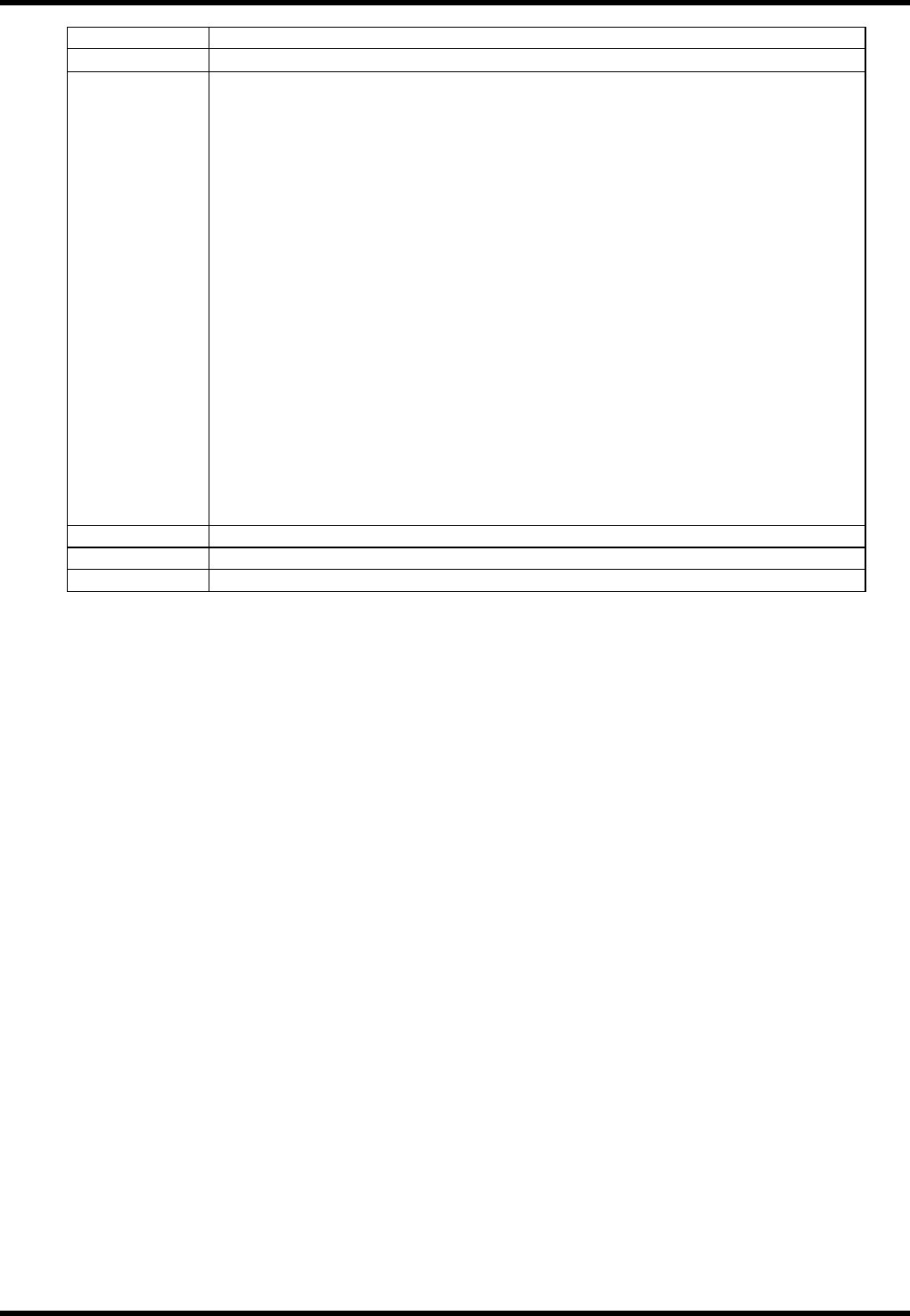
Ex.: C0P command and associated data
Command C0P123456789ABC
Data size
256 (No. of characters from %HEADER to ∗[CR][LF])
Data %HEADER[CR][LF]
NAME= P123456789ABC[CR][LF]
MACHINE=BM[CR][LF]
MNAME= BM[CR][LF]
CREATE=2003/01/01[CR][LF]
REVISE=2003/01/01[CR][LF]
TYPE=ABS[CR][LF]
BLOCK=00001[CR][LF]
MLSTEP=00000
PANASONIC=3010[CR][LF]
COMMENT=[CR][LF]
%BOARDDATA
&BOARD
BD(0,0,0)
DM(0,0,0)
&CONVEYOR
TP0CS1TSF1TSR1
%POFFSET[CR][LF]
X0Y0HM0F1[CR][LF]
%NCDATA[CR][LF]
N1X0Y0W0V0Z1PN( )C( )H0M000000T000000PW0BK0GR0DP0/0[CR][LF]
∗ [CR][LF]
Terminator 0
Terminator 0
Terminator 0
== For program data formats, refer to ‘Prg. / DATA FORMAT’.
BM122/123/133/221/231
HOST COMPUTER SYSTEM
3.3 C commands
E35HEC-4A-181-B0
3.3-3
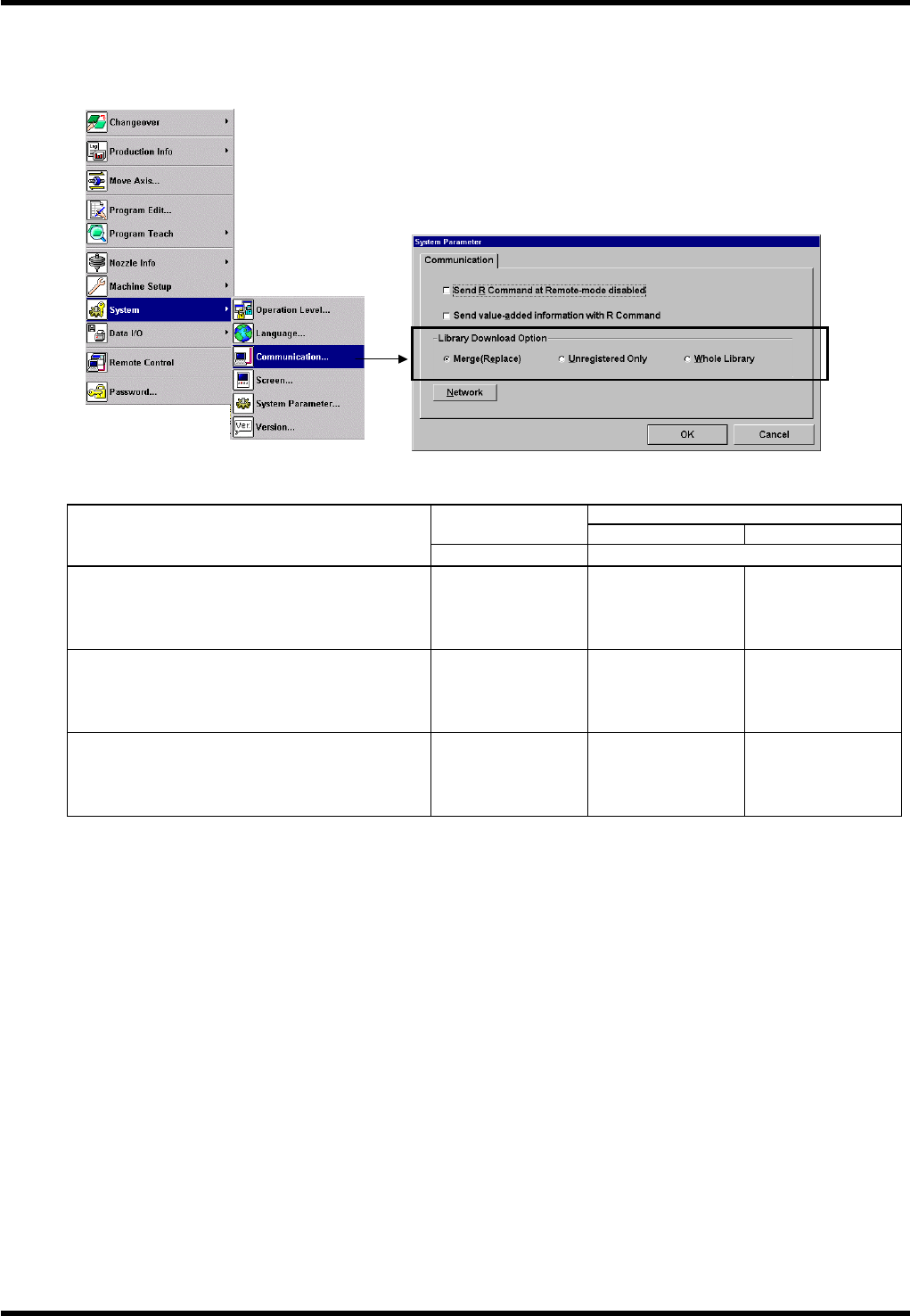
Setting the library download Option
Only 1 file per library can exist in the machine. This option enables how to handle data if the same code
(data name) already exists in the machine.
Ex: Handling of shape codes when the same part library name exists both in source data and in target data.
Target data
Source data
Before download After download
Download Option
Library: L1
L1
Merge (Replace)
Overwrites the data in the machine with the
downloaded data.
Shape code
QFP06
QFP07
QFP08
QFP01
QFP02
QFP03
QFP06
QFP07
QFP08
Unregistered Only
Overwrites data in the machine if the name is
the same as the downloaded one.
All other data will be added.
QFP02
QFP03
QFP04
QFP01
QFP02
QFP03
QFP01
QFP02 :
Updated
QFP03 : Updated
QFP04 : Added
Whole Library
Does not overwrite the data in the machine
even if the name is the same.
QFP02
QFP03
QFP04
QFP01
QFP02
QFP03
QFP01
QFP02
QFP03
QFP04 :
Added
=REMARKS=
When there are same codes in the machine, there is no guarantee that those input last will always
appear at the top of the list or will be used when selecting program.
Always make sure that there are no duplicate shape codes before selecting programs.