HOST.pdf - 第37页
BM 122/ 123 /1 33/ 221/2 31 HOST COMPUTER SYSTEM 3.3 C comm ands E35HEC- 4A-181- B0 3.3- 16 Width adjustment axis origin r eturn : C5WCOG Use the C5W COG comm and to retur n w i dt h adj ustment axis to ori gi n. Sendi…
BM122/123/133/221/231
HOST COMPUTER SYSTEM
3.3 C commands
E35HEC-4A-181-B0
3.3-15
PCB handling: C5UP
PCB handling will be carried out automatically.
However, when actively controlling a group of placement machines, use this command to handle the board
flow by remote control.
The C5UP command is for unloading the finished PC board remaining at the mounting position.
This command prohibits PC board loading to the loader and unloads the PC boards already loaded in the
loader and stage after production with them is completed.
Command format: C5UP
=REMARKS=
Note that this command will cause the machine to start production if it has been stopped.
Product program selection: C5SEP
Use the C5SEP command to select the programs registered on the machine.
Command format: C5SEPxxx...xxx
xxx...xxx
Program name: (Up to 15 characters)
If applicable program name is not found, an ‘A3’ command will be returned.
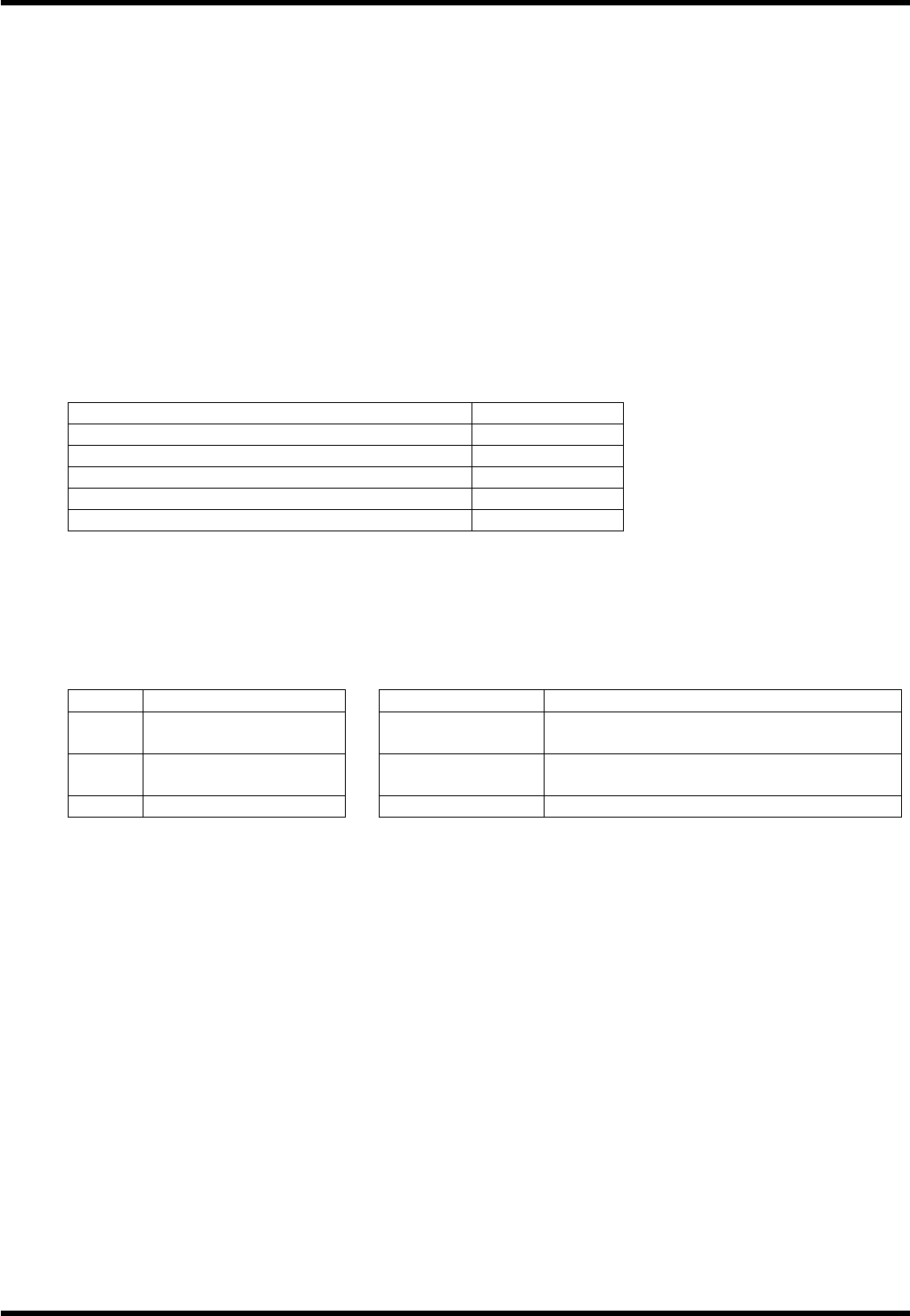
Conditions for program selection are summarized in the below table.
Item Processing
Initialize NG nozzles No
Initialize parts remain No
Initialize production management information No
Skip block Not changed
Supply mode Not changed
Feeder carriage selection: C5SEZ
Not available for BM122.
The C5SEZ command is used to select the feeder carriage operation mode.
Command format: C5SEZ∗∗T!!
∗∗ Code Application !! Code Application
∗∗
Description
!!
Description
CT Connection mode ZA
Feeder A (When in exchange mode or
preparation mode)
EX Exchange mode ZB
Feeder B (When in exchange mode or
preparation mode)
PE Preparation mode Space x 2 When in connection mode
=REMARKS=
Selection of feeder carriage is enabled for tray feeders only.
Automatic width adjustment enabled for: C5WC
Automatic width adjustment is executed using the C5WC command. Among the existing product programs,
the one currently being selected will be used for width adjustment.
Command format: C5WC
=REMARKS=
Be sure to specify product program before using this command.
Width adjustment cannot be executed while there are PCBs in the machine.
It is not available if the machine is not provided with the width adjustment option, or if ‘Execute Auto Width
Adjusting’ in the operation data setting has not been selected.

BM122/123/133/221/231
HOST COMPUTER SYSTEM
3.3 C commands
E35HEC-4A-181-B0
3.3-16
Width adjustment axis origin return: C5WCOG
Use the C5WCOG command to return width adjustment axis to origin.
Sending this command moves the width adjustment axis to origin.
Command format: C5WCOG
=REMARKS=
This command is not available if the machine is not provided with the width adjustment option, or if ‘Execute
Auto Width Adjusting’ in the operation data setting has not been selected.
BM122/123/133/221/231
HOST COMPUTER SYSTEM
3.4 R Commands
E35HEC-4A-191-A0
3.4-1
3.4. R Commands
E35HEC-4A-191-A0
R commands are optional.
These commands are used to notify production quantity information, operation mode information and error
information from the machine to the host computer.
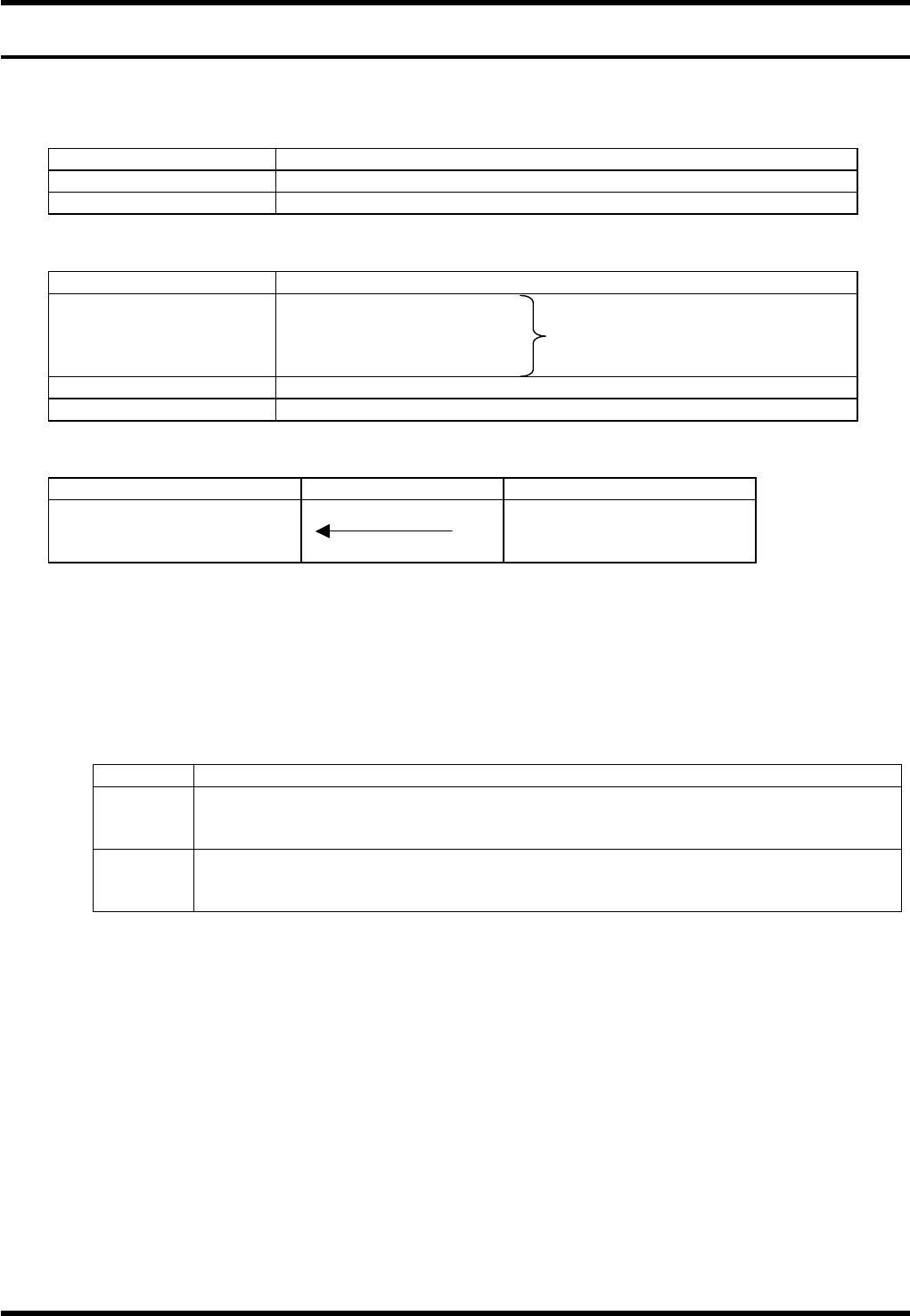
Item Description
Command name Sending the changes in machine status
COM port used Port 2
Data format
Item Description
Command field R0 + Machine status
R1 + Processing information Output one of these
R2 + Error information R commands
R3 + Recovery information
Data size field 0
Data field None
Command sequence
Host computer system Equipment
End (1) R0 to R3 + data
(1) No data type (2) Data-attached type
It is not necessary for the host computer to respond with A2 command to the R command received.
3.4.1 Production Quantity Information: R0CT / R0EP
R0 commands are used for totaling the time of operation started by the remote control command.
Command format: R0∗∗Cnnnn
∗∗ Code Application
∗∗
Description
CT
Generated when product program EOP block execution is complete and stop mode is
‘CONT’.
Usually, it is used to count PCB production.
EP
Generated when stop mode is ‘EOP’ or ‘1. BLOCK’ and product program has executed
an EOP block.
This signal can be used for production complete. At this time, R0CT is not output.
nnnn:
Outputs the production time per board (incl. loading) in seconds.
It is possible to switch whether or not to output production time per board.
== Refer to ’3.4.6 Setting R Commands Output Condition’ for details.
These real-time information are used for totaling production time as shown in the following example.