00196932-02 SM S-Feeder Repair DE+EN multilang.pdf - 第93页
4 S-Feeder Test Software 4.1 Checking of 2x8mm S-Feeder SIPLACE S-Feeder Repair SIPLACE S-Förderer Reparatur 93 F2 runout ALT + V version and F3 data 1. Start the test "ru n" with the F2 k ey The Index wheel is…
4 S-Feeder Test Software
4.1 Checking of 2x8mm S-Feeder
92 SIPLACE S-Feeder Repair SIPLACE S-Förderer Reparatur
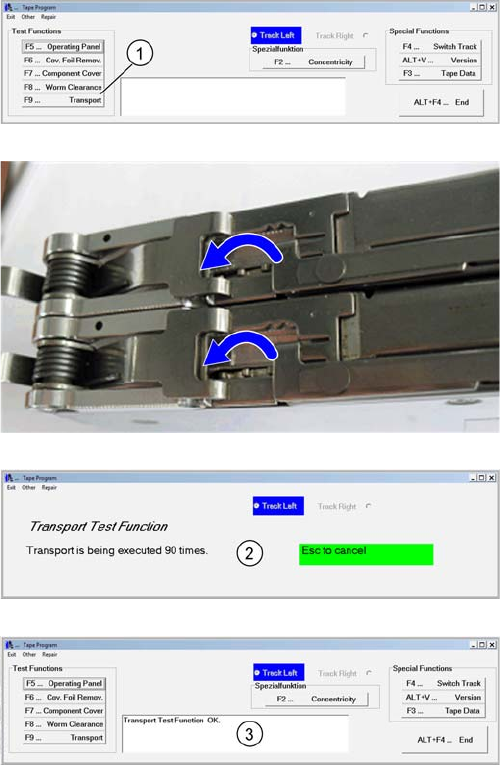
F9 Conveyor
1. Start the Test "transport" with the F9 key.
The Transport wheel is indexed 90 times..
2. Wait for the application flow of the test function for the
left track.
3. The result is shown at the comment field.
Turn F4 to the right lane and repeat steps 1 through 3
4 S-Feeder Test Software
4.1 Checking of 2x8mm S-Feeder
SIPLACE S-Feeder Repair SIPLACE S-Förderer Reparatur 93
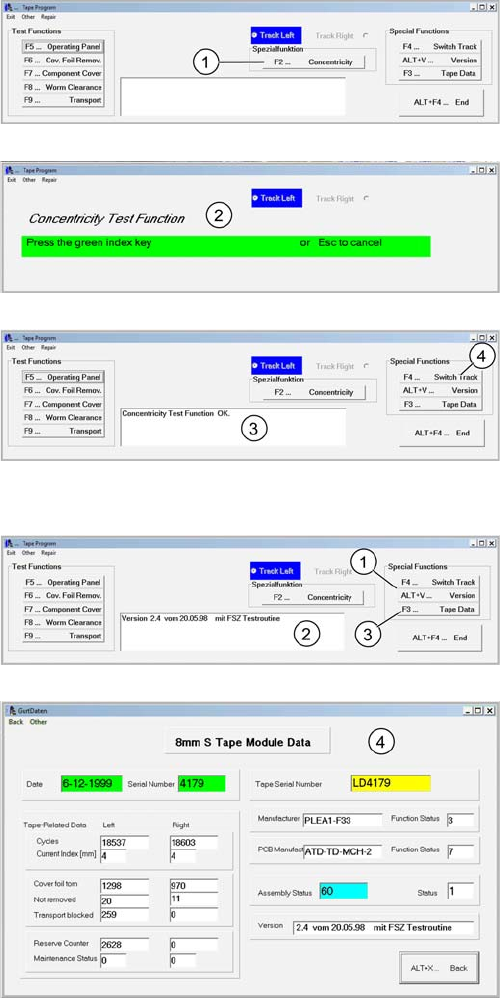
F2 runout
ALT + V version and F3 data
1. Start the test "run" with the F2 key
The Index wheel is clocked fast
2. Press the green key of the active track. The Index
wheel stops immediately.
3. The result is shown at the comment field.
4. Turn off the track by pressing the key F4. Proceed with
the steps 1 through 3 on the right track.
1. Start by pressing ALT + V to query the software version
2. The comment field shows the version
3. Press F3 "tape data" further data from the feeder will
be displayed.
4. Tape data will read and displayed.
4 S-Feeder Test Software
4.2 Checking of 3x8mm S-Feeder
94 SIPLACE S-Feeder Repair SIPLACE S-Förderer Reparatur
4.2
4.2 Checking of 3x8mm S-Feeder
Checking of 3x8mm S-Feeder
Starting the software (3x8mm S-Feeder)
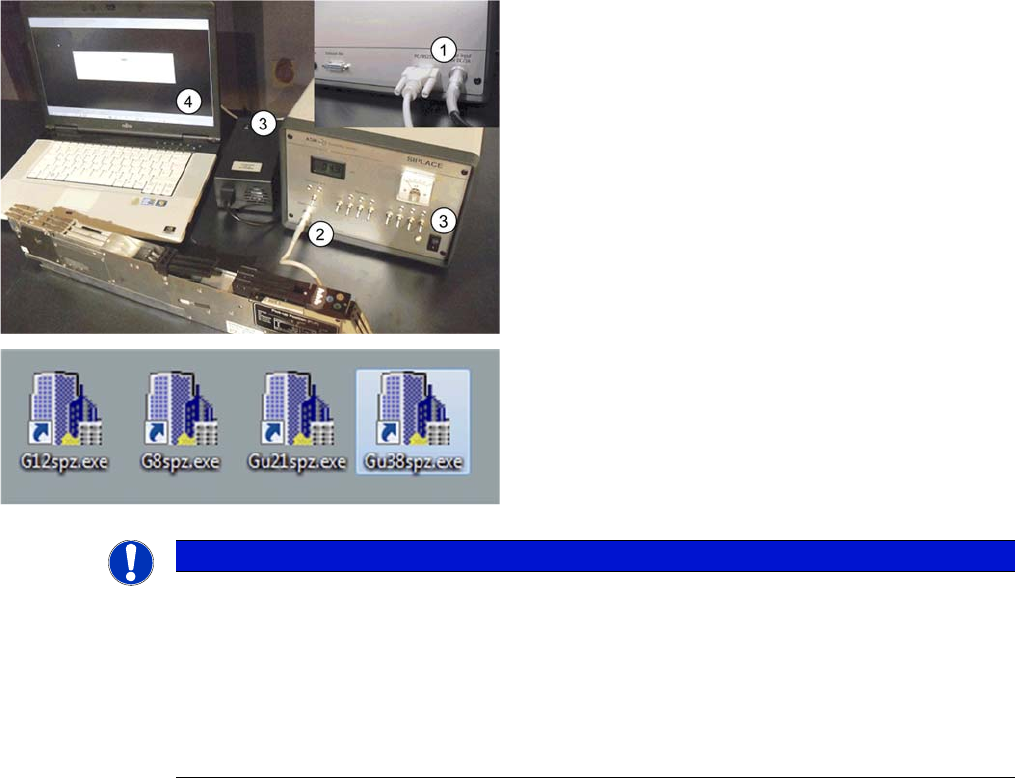
1. Ensure power supply is turned off before connecting
any cables. (then no need for switch off as written in no 3)
2. Connect the feeder to the motor testbox.
3. Switch off the power supply and the motor testbox .
4. Connect the RS 232 cable to the PC through the
COM1 and start the test software. Switch on Power sup
-
ply and the motor test box
NOTICE
The application flow is described on the basis of the testing software for the 3x8mmS Gold-
Feeder (0201). The application flow for the 3x8mmS Feeder is not very different regarding the
user interface.
The functions F2 and ALT + A (BE-cover) are for the S 3x8mm Gold Feeder not available!
For the operation can be used the function keys on the PC keyboard, as well as the correspond
-
ing buttons of the user interface!
For the test functions F5 - F8 and for ALT+A is not necessary a manual switch over!